
Soundcore A3944
Contents
User Manual
Soundcore Life P2 Mini True Wireless Earbuds
Model: A3944
1. Introduction
Welcome to the Soundcore Life P2 Mini True Wireless Earbuds user manual. This guide provides detailed instructions on how to set up, operate, maintain, and troubleshoot your earbuds to ensure optimal performance and longevity. Please read this manual thoroughly before using your device.
2. What's in the Box
Upon opening your Soundcore Life P2 Mini package, you should find the following items:
- Soundcore Life P2 Mini True Wireless Earbuds
- Charging Case
- USB-C Charging Cable
- Multiple Sizes of Eartips (S, M, L)
- Quick Start Guide (separate document)

Image: Contents of the Soundcore Life P2 Mini package, including earbuds, charging case, and cable.
3. Product Overview
3.1 Components
The Soundcore Life P2 Mini consists of two true wireless earbuds and a compact charging case. Each earbud features a touch-sensitive panel for control and an integrated microphone.

Image: The Soundcore Life P2 Mini earbuds securely placed within their open charging case.
3.2 Controls
The earbuds feature intuitive touch controls for managing playback, calls, and EQ modes. Refer to the diagram below for specific functions:
Image: A visual guide to the touch controls on the left and right Soundcore Life P2 Mini earbuds.
Video: Demonstrates how to turn the Life P2 Mini earbuds on/off and use their touch controls for various functions.
- Play/Pause: Press the touch panel on either earbud twice.
- Next Track: Press and hold the right earbud's touch panel for 2 seconds.
- Previous Track: Press and hold the left earbud's touch panel for 2 seconds.
- Answer/End Call: Press the touch panel on either earbud twice.
- Reject Call: Press and hold the touch panel on either earbud for 2 seconds.
- Activate Voice Assistant: Press the touch panel on the right earbud three times.
- Switch EQ Mode: Press the touch panel on the right earbud three times (cycles through Soundcore Signature, Bass Booster, Podcast).
4. Setup
4.1 Charging the Earbuds and Case
Before first use, fully charge the earbuds and the charging case. Connect the provided USB-C cable to the charging port on the case and a power source. The LED indicators on the case will show the charging status.
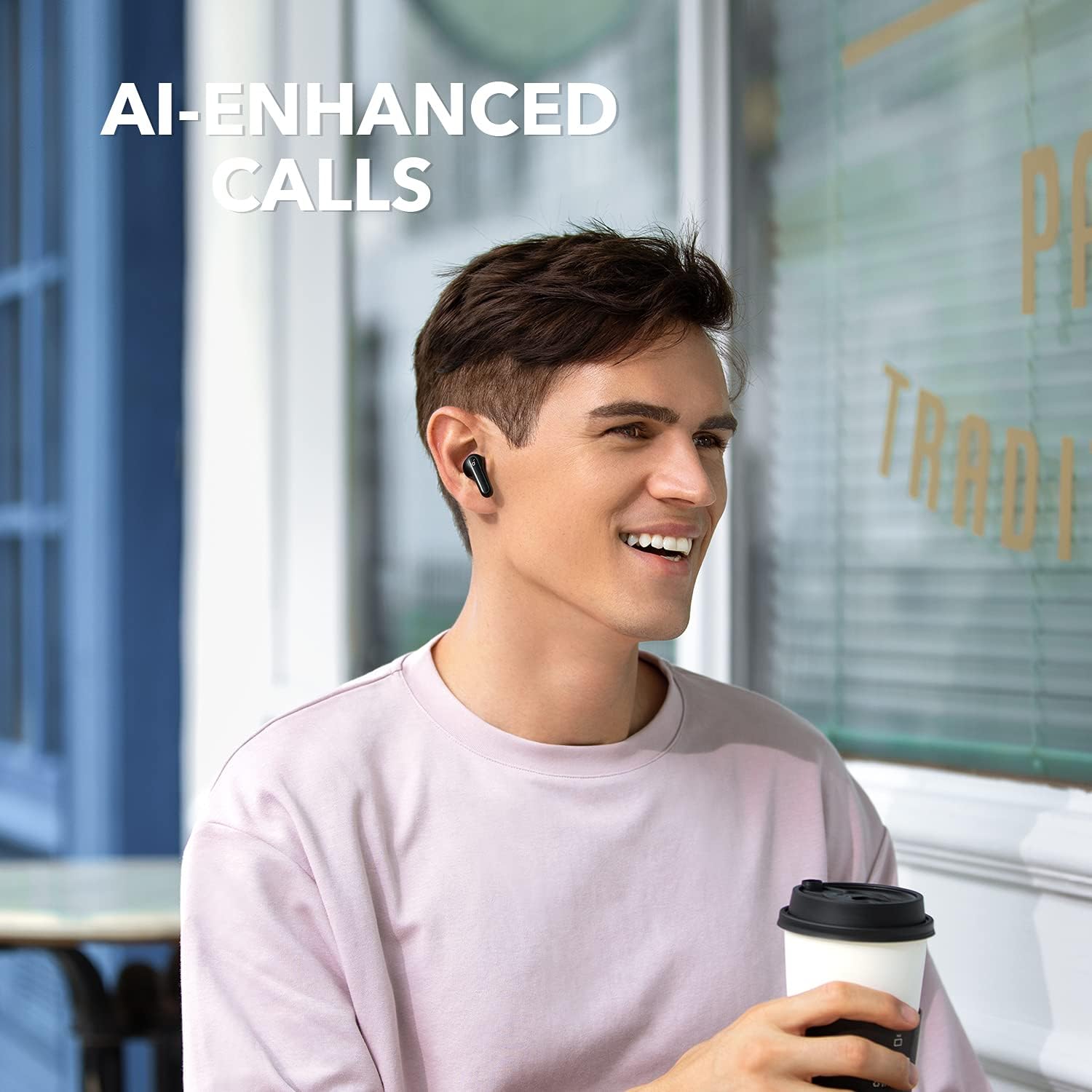
Image: The Soundcore Life P2 Mini earbuds inside their charging case, illustrating the charging process and battery life.
- A full charge provides up to 8 hours of playtime for the earbuds.
- The charging case extends total playtime to 32 hours.
4.2 Bluetooth Pairing
To pair your Soundcore Life P2 Mini earbuds with a new device:
- Open the charging case. The earbuds will automatically enter pairing mode, and the LED indicator on one earbud will flash white.
- On your device, enable Bluetooth and search for "Soundcore Life P2 Mini".
- Select "Soundcore Life P2 Mini" from the list of available devices to connect.
- Once connected, the LED indicator on the earbud will turn solid white for 1 second and then turn off.
Image: A smartphone screen showing the successful Bluetooth connection to the Soundcore Life P2 Mini earbuds.
Note: The earbuds will automatically reconnect to the last paired device when taken out of the case, if Bluetooth is enabled on the device.
5. Operating Instructions
5.1 Wearing the Earbuds
Choose the eartips that provide the most comfortable and secure fit for optimal sound quality and noise isolation. Insert the earbuds into your ear canals and twist gently to secure them.

Image: A person wearing the Soundcore Life P2 Mini earbuds, demonstrating their comfortable and discreet fit.
5.2 EQ Modes
The Soundcore Life P2 Mini offers three distinct EQ modes to customize your listening experience:
- Soundcore Signature: The default mode, offering a balanced sound profile suitable for most music genres.
- Bass Booster: Enhances low frequencies for a more impactful bass experience, ideal for bass-heavy music.
- Podcast: Optimizes vocal clarity, making voices stand out for podcasts, audiobooks, and calls.
To switch between EQ modes, quickly press the touch panel on the right earbud three times. You will hear an audible tone confirming each mode change.

Image: A visual representation of the Soundcore app interface showing various custom EQ settings, including Soundcore Signature, Bass Booster, and Podcast modes.
5.3 AI-Enhanced Calls
The earbuds are equipped with built-in microphones and an AI algorithm designed to enhance voice pickup. This technology ensures your voice is heard clearly by the other party during calls, even in moderately noisy environments.
Image: A person smiling while wearing Soundcore Life P2 Mini earbuds, indicating clear communication during calls.
6. Maintenance
Proper maintenance ensures the longevity and performance of your Soundcore Life P2 Mini earbuds.
- Cleaning: Regularly clean the earbuds and charging case with a soft, dry, lint-free cloth. Do not use harsh chemicals or abrasive materials.
- Eartips: Remove eartips periodically and clean them with water and mild soap. Ensure they are completely dry before reattaching.
- Water Resistance: The earbuds are IPX5 water-resistant, meaning they can withstand splashes and sweat. They are not designed for submersion in water. Ensure the charging port is dry before charging.

Image: Soundcore Life P2 Mini earbuds covered in water droplets, illustrating their IPX5 water-resistant rating.
- Storage: When not in use, always store the earbuds in their charging case to protect them and keep them charged.
- Temperature: Avoid exposing the earbuds to extreme temperatures (hot or cold) or direct sunlight for extended periods.
7. Troubleshooting
If you encounter issues with your Soundcore Life P2 Mini earbuds, try the following solutions:
| Problem | Possible Solution |
|---|---|
| Earbuds not pairing |
|
| Only one earbud playing sound |
|
| Poor sound quality |
|
| Microphone not working |
|
8. Specifications
| Feature | Detail |
|---|---|
| Model Name | Life P2 mini |
| Model Number | A3944 |
| Connectivity Technology | Wireless (Bluetooth 5.2) |
| Ear Placement | In Ear |
| Noise Control | Sound Isolation |
| Driver Size | 10mm |
| Playtime (Earbuds) | Up to 8 hours |
| Total Playtime (with Case) | Up to 32 hours |
| Charging Port | USB-C |
| Water Resistance Rating | IPX5 |
| Item Weight | 0.16oz (4.4g) per earbud |
| Dimensions (Product) | 2.56 x 2.09 x 1.34 inches |
| Manufacturer | Anker |
| UPC | 194644182823, 194644078041 |
9. Warranty and Support
Soundcore products come with a limited warranty. For detailed warranty information and customer support, please visit the official Soundcore website or contact their customer service. You can also refer to the full User Manual PDF available for download on the product's Amazon page for more comprehensive details.
For further assistance, please visit: www.soundcore.com
Documents and downloads
Ask a question about this manual
Ask about setup, troubleshooting, compatibility, parts, safety, or missing instructions. Manuals+ will review the question and use this page’s manual context to help answer it.