
1. Introduction
This manual provides detailed instructions for the installation, operation, and maintenance of your Ctronics 4G LTE PTZ Outdoor Security Camera, Model 285C-4G. This camera is designed for outdoor surveillance in areas without Wi-Fi access, utilizing 3G/4G LTE cellular networks. It features pan-tilt-zoom capabilities, advanced human detection, color night vision, and two-way audio communication.
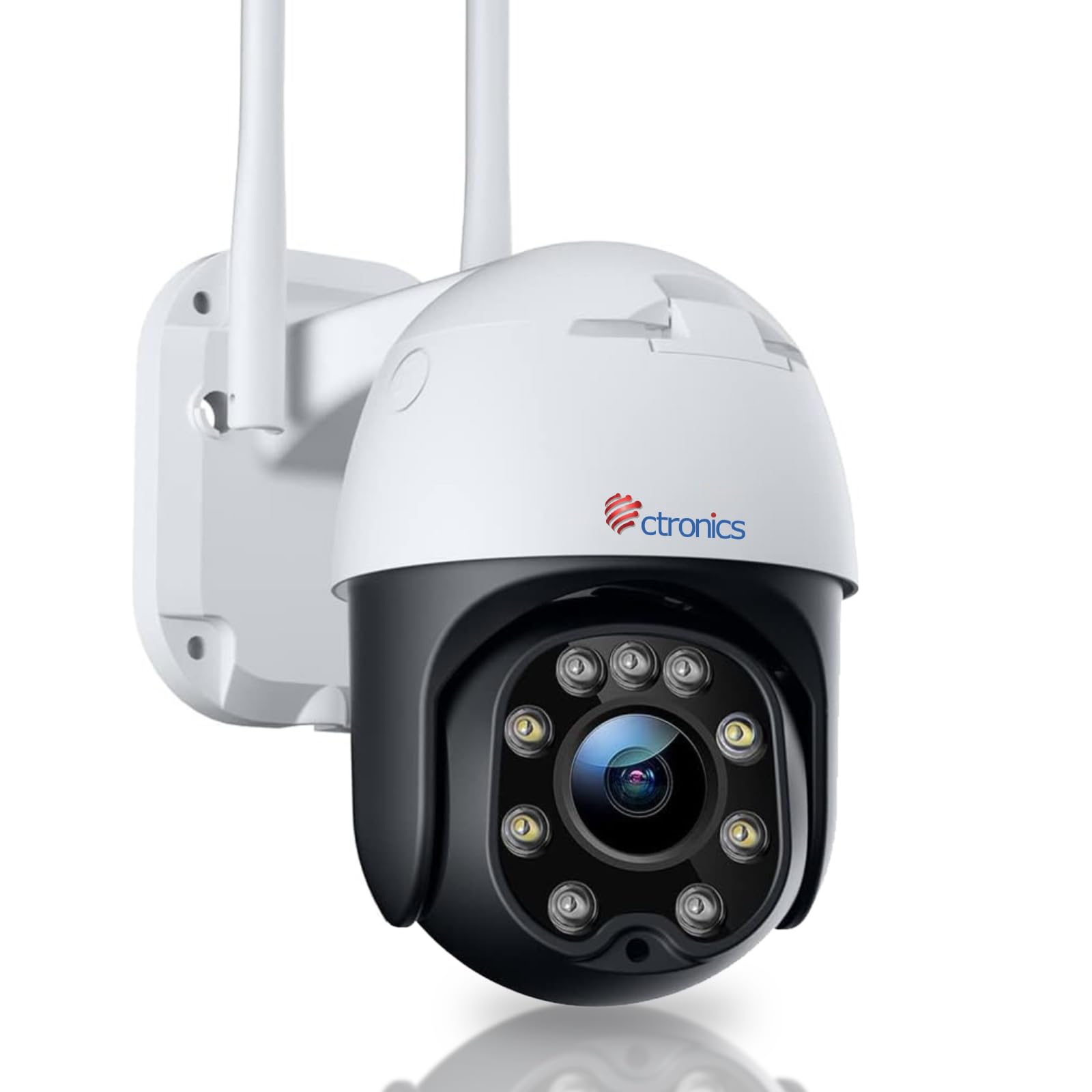
Image: The Ctronics 4G LTE PTZ Outdoor Security Camera, showcasing its dual antennas and robust design, suitable for outdoor environments with 3G/4G LTE connectivity.
2. Setup
2.1 Included Components
- Ctronics 4G LTE PTZ Outdoor Security Camera
- Instruction Manual
- Mounting Screws
- Stand/Mounting Bracket
- Power Adapter
- NANO 300M SIM card (for 7 days, included in some packages)
2.2 SIM Card Installation
- Locate the SIM card slot on the camera. This is typically protected by a waterproof cover.
- Carefully open the cover using a screwdriver if necessary.
- Insert a NANO SIM card into the designated slot. Ensure the SIM card is correctly oriented according to the diagram near the slot.
- Close the waterproof cover securely to prevent water ingress.
2.3 Power Connection
Connect the provided power adapter to the camera's power input port and then plug it into a suitable power outlet. The camera will power on automatically.
2.4 Mounting the Camera
The camera is designed for wall mounting. Choose a location that provides optimal viewing coverage and has a stable surface for installation.
- Use the mounting template (if provided) or the camera's base to mark the drill holes on the wall.
- Drill pilot holes and insert wall anchors if necessary.
- Secure the mounting bracket to the wall using the provided screws.
- Attach the camera to the mounting bracket, ensuring it is firmly in place.

Image: The Ctronics camera mounted on a wall, illustrating its pan and tilt capabilities for wide area coverage.
2.5 App Installation and Initial Setup
Download the "HiP2P" or "CTRONICS" application from your mobile device's app store (iOS/Android) or install the PC client for Windows. Follow the in-app instructions to add your camera by scanning the QR code or manually entering the device ID.

Image: The Ctronics camera interface displayed on a laptop, tablet, and smartphone, demonstrating remote access capabilities across various devices.
3. Operating
3.1 Pan, Tilt, and Zoom (PTZ) Control
Through the mobile app or PC client, you can remotely control the camera's movement:
- Pan: Rotate the camera horizontally up to 355 degrees.
- Tilt: Adjust the camera vertically up to 90 degrees.
- Zoom: Use digital zoom features within the app to magnify the view.
3.2 Human Detection and Auto Tracking
The camera features an integrated AI algorithm for intelligent human recognition. This minimizes false alarms caused by environmental factors like rain, leaves, animals, or insects. When a human is detected, the camera can automatically track their movement within its field of view.
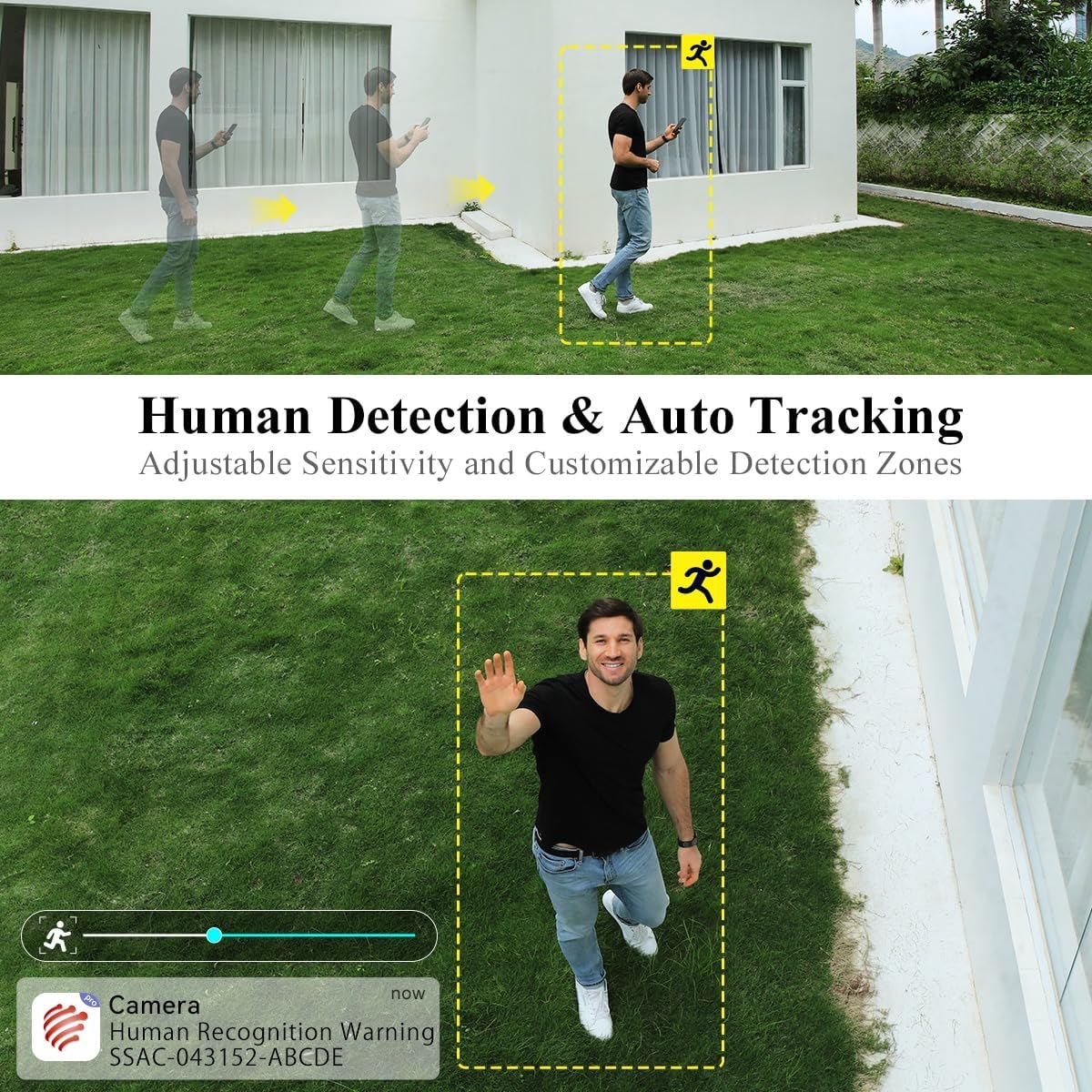
Image: A person walking in the camera's view, with a yellow box highlighting human detection and an arrow indicating auto-tracking functionality.
3.3 Night Vision Modes
The camera offers two night vision modes:
- Color Night Vision: With a dual light source design (4 spotlights and 5 infrared lights), the camera can display vivid color images in complete darkness up to 20 meters.
- Infrared Night Vision: Provides clear black and white images in low-light conditions.

Image: The Ctronics camera illuminating a dark outdoor scene with its spotlights, demonstrating its color night vision capability.
3.4 Two-Way Audio
The built-in microphone and speaker enable real-time two-way communication. You can listen to the camera's surroundings and speak through the camera to visitors or intruders.
3.5 Storage Options
The camera supports multiple storage methods:
- SD Card: Supports local storage on an SD card up to 64GB (not included).
- Cloud Storage: Optional cloud storage services may be available (check app for details).
- FTP/NAS: Supports FTP and NAS for external storage solutions.
3.6 Remote Access
The camera utilizes P2P (Peer-to-Peer) service, allowing you to access live video feeds and recorded footage from your mobile phone or PC anytime, anywhere, as long as the camera has 4G connectivity.
4. Maintenance
4.1 Weather Resistance
The Ctronics 4G LTE PTZ camera has an IP66 rating, indicating it is weatherproof and protected against dust and powerful water jets. This ensures reliable operation in various outdoor weather conditions.

Image: The Ctronics camera being exposed to rain, illustrating its IP66 water resistance for outdoor use.
4.2 Cleaning
To maintain optimal image quality, periodically clean the camera lens and housing. Use a soft, damp cloth. Avoid abrasive cleaners or solvents that could damage the camera's surface or lens coating.
4.3 Firmware Updates
Check the Ctronics app or official website regularly for firmware updates. Keeping your camera's firmware updated ensures optimal performance, security, and access to new features.
5. Troubleshooting
5.1 No 4G Signal or Connectivity Issues
- Ensure the NANO SIM card is correctly inserted and activated with a data plan.
- Check the 4G signal strength in the camera's location using your mobile phone. If the signal is weak, consider relocating the camera or using a 4G signal booster.
- Verify the APN settings in the camera's app configuration match your SIM card provider's settings.
- Restart the camera by disconnecting and reconnecting the power.
5.2 Camera Not Connecting to App
- Ensure the camera is powered on and the 4G signal is stable.
- Verify you have entered the correct device ID or scanned the correct QR code.
- Update the app to the latest version.
- Try resetting the camera to factory defaults (refer to the specific reset button location in the quick start guide).
5.3 Frequent False Alarms
- Adjust the motion detection sensitivity settings in the app.
- Define specific detection zones to exclude areas with frequent non-human movement (e.g., trees swaying).
- Ensure the human detection feature is enabled if you only want alerts for people.
5.4 Poor Night Vision Quality
- Clean the camera lens to remove any dirt or smudges.
- Ensure there are no obstructions blocking the infrared lights or spotlights.
- Check if the night vision mode is set correctly in the app (color or infrared).
6. Specifications
| Brand | Ctronics |
| Model Name | 285C-4G |
| Mounting Type | Wall Mount |
| Video Recording Resolution | 1080p |
| Number of Channels | 1 |
| Wireless Communication Technology | Cellular (3G/4G LTE) |
| Form Factor | Dome |
| Effective Video Resolution | 1080 |
| Viewing Angle | 90 degrees |
| Installation Type | Screw-in |
| Night Vision Range | 30 Meters |
| Frame Rate | 15 frames per second |
| Material | Acrylonitrile Butadiene Styrene (ABS) |
| Voltage | 12 Volts |
| Wattage | 12 watts |
| Item Dimensions (L x W x H) | 30 x 30 x 30 millimeters |
| Water Resistance Level | Water-resistant (IP66) |
| Manufacturer | Ctronics |
| Item Model Number | 285C-4G |
| Size | 1 Unit (Pack of 1) |
| Usage | 360-degree coverage, Surveillance |
| Batteries Included? | No |
| Batteries Required? | No |
| Recommended Product Applications | Outdoor Security |
| Connectivity Technology | Wireless |
| Special Features | Night Vision, PTZ, Human Detection, Two-Way Audio |
| Indoor/Outdoor Use | Outdoor |
| Compatible Devices | Smartphone (iOS/Android), PC (Windows) |
| Power Source | Corded Electric |
| Connectivity Protocol | P2P |
| Controller Type | Android, iOS, Windows App |
7. Warranty and Support
7.1 Warranty Information
Please refer to the warranty card included with your product or visit the official Ctronics website for detailed warranty terms and conditions. Warranty coverage typically includes manufacturing defects for a specified period from the date of purchase.
7.2 Customer Support
For technical assistance, troubleshooting, or any product-related inquiries, please contact Ctronics customer support. You can usually find contact information (email, phone, or live chat) on the official Ctronics website. When contacting support, please have your product model number (285C-4G) and purchase details ready.
For additional resources, including FAQs and updated manuals, visit the Ctronics official website: www.ctronics.com


