
1. Introduction
The IMOU Ranger 2 is an indoor 1080P Full HD Wi-Fi security camera designed to provide comprehensive surveillance for your home or office. Featuring pan and tilt capabilities, it offers a wide field of view and automatic tracking of moving objects. The camera supports H.265 video compression for efficient storage and includes two-way audio, abnormal sound detection, and multiple storage options.
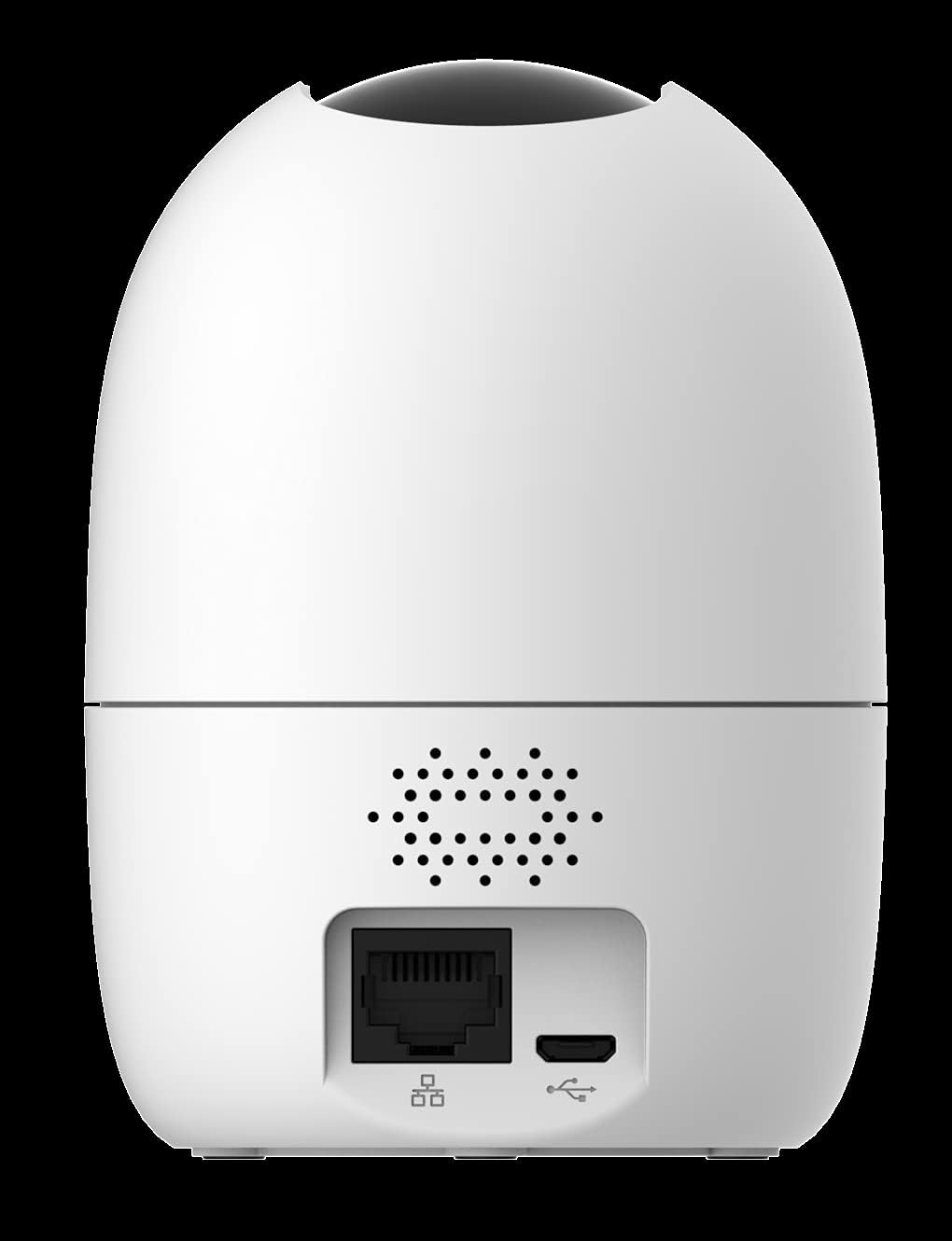
Image 1.1: The IMOU Ranger 2 camera, showcasing its compact and modern dome design.
2. Package Contents
Please check the package for the following items:
- IMOU Ranger 2 Camera
- Power Adapter
- USB Cable
- Mounting Plate
- Mounting Screws
- Quick Start Guide
3. Device Overview
Familiarize yourself with the camera's components:
- Lens: Captures video.
- Status Indicator Light: Shows camera status (e.g., solid green for connected, flashing red for network error).
- Microphone: For audio input and two-way talk.
- Speaker: For audio output and two-way talk.
- Micro SD Card Slot: Supports up to 256GB for local storage.
- Reset Button: Used to reset the camera to factory settings.
- Power Port (Micro USB): Connects to the power adapter.
- Ethernet Port (RJ45): For wired network connection (optional).
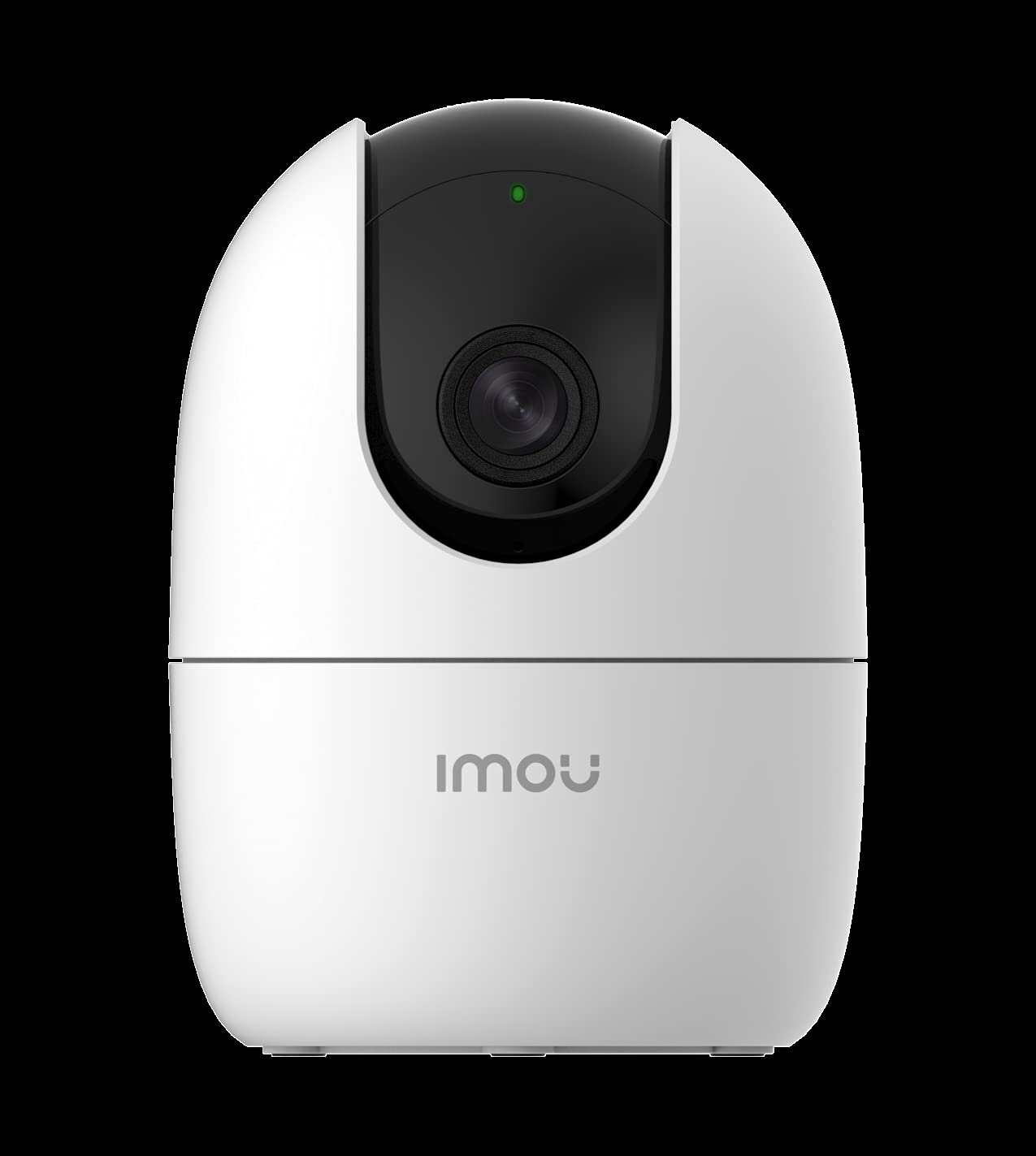
Image 3.1: Rear view of the IMOU Ranger 2, highlighting the connectivity ports and speaker.
4. Setup
4.1 Powering On
- Connect the USB cable to the camera's Micro USB port.
- Connect the other end of the USB cable to the power adapter.
- Plug the power adapter into a power outlet. The camera will power on, and the status indicator light will flash green.
4.2 Installing the IMOU Life App
Download and install the "IMOU Life" app from your smartphone's app store (available for Android and iOS devices). Create an account and log in.
4.3 Adding the Camera to the App
- Open the IMOU Life app and tap the "+" icon to add a new device.
- Scan the QR code located on the bottom of the camera or on its packaging.
- Follow the on-screen instructions to connect the camera to your Wi-Fi network. Ensure your Wi-Fi network is 2.4GHz.
- Once connected, the status indicator light will turn solid green.
4.4 Micro SD Card Installation (Optional)
To enable local video storage, insert a Micro SD card (up to 256GB) into the designated slot. Ensure the camera is powered off before inserting or removing the card.
4.5 Mounting the Camera
The IMOU Ranger 2 is designed for surface mounting. Choose a suitable indoor location with a clear view of the area you wish to monitor. Use the provided mounting plate and screws to secure the camera to a wall or ceiling, or simply place it on a flat surface.
5. Operating the Camera
5.1 Live View and Pan/Tilt Control
From the IMOU Life app, select your camera to access the live view. You can control the camera's pan (horizontal) and tilt (vertical) movements directly from the app interface to adjust the viewing angle. The camera offers a 0-355° pan range and a -5° to 80° tilt range.

Image 5.1: Pan and tilt functionality controlled via the IMOU Life app.
5.2 Recording and Storage
The camera supports continuous recording or event-triggered recording. Video footage can be stored in several ways:
- Micro SD Card: Local storage up to 256GB.
- Cloud Storage: Subscription-based cloud service for remote access to recordings.
- Network Video Recorder (NVR): Integration with compatible NVR systems.
5.3 Motion Detection and Automatic Tracking
The IMOU Ranger 2 can detect moving objects within its field of view. When motion is detected, the camera can automatically track the object, ensuring it remains in the frame. Alerts can be sent to your smartphone.

Image 5.2: Motion detection and alert feature in action.
5.4 Abnormal Sound Detection
The camera is equipped with an abnormal sound detection feature. If unusual sounds (e.g., a baby crying, glass breaking) are detected, the camera will send an alert to your smartphone.

Image 5.3: Abnormal sound detection sending an alert to a smartphone.
5.5 Two-Way Audio
Utilize the built-in microphone and speaker for two-way communication. You can listen to the environment around the camera and speak through the camera using the IMOU Life app.
5.6 Night Vision
The camera automatically switches to night vision mode in low-light conditions, providing clear black and white video footage.
6. Maintenance
- Cleaning: Gently wipe the camera lens with a soft, dry cloth to ensure clear image quality. Avoid using harsh chemicals.
- Firmware Updates: Regularly check for and install firmware updates via the IMOU Life app to ensure optimal performance and security.
- Data Management: If using a Micro SD card, periodically review and back up important recordings. Format the SD card through the app as needed to maintain performance.
7. Troubleshooting
- Camera Offline: Ensure the camera is powered on and connected to a stable 2.4GHz Wi-Fi network. Check your router's internet connection. Try restarting the camera and your router.
- Cannot Connect to Wi-Fi: Verify your Wi-Fi password. Ensure the camera is within range of your Wi-Fi router. If issues persist, try resetting the camera using the reset button and re-adding it to the app.
- No Recording: Check if a Micro SD card is properly inserted and formatted, or if your cloud storage subscription is active. Ensure recording settings are configured correctly in the app.
- Poor Image Quality: Clean the camera lens. Ensure there is adequate lighting. For night vision, ensure no obstructions are blocking the infrared lights.
- Abnormal Sound/Motion Alerts Not Received: Check notification settings in the IMOU Life app and on your smartphone. Ensure the camera's detection sensitivity is set appropriately.
8. Specifications
| Feature | Detail |
|---|---|
| Model Number | IPC-A22EN |
| Video Capture Resolution | 1080p (Full HD) |
| Connectivity Technology | Wireless (Wi-Fi) |
| Form Factor | Dome |
| Power Consumption | 6 Watts |
| Water Resistance Level | Not Water-Resistant (Indoor Use Only) |
| Indoor/Outdoor Use | Indoor |
| Power Source | Corded Electric |
| Controller Type | Android (via IMOU Life App) |
| Mounting Type | Surface Mount |
| Dimensions | 18.5 x 10.3 x 9.5 cm |
| Weight | 390 grams |
9. Warranty and Support
For detailed warranty information, please refer to the warranty card included with your purchase or visit the official IMOU website. For technical support, frequently asked questions, and additional resources, please visit the IMOU support page or contact their customer service directly.
Official IMOU Website: www.imoulife.com


