
ezcap B098XQJ374
Ezcap Bluetooth Cassette Player User Manual
Model: B098XQJ374
Brand: ezcap
Introduction
This manual provides comprehensive instructions for the operation and maintenance of your Ezcap Bluetooth Cassette Player. Please read this manual thoroughly before using the device to ensure proper function and to maximize your listening experience. This portable cassette player allows you to enjoy your classic cassette tapes and transmit the audio wirelessly via Bluetooth to compatible receivers, or through wired headphones and speakers.
Safety Information
- Do not expose the device to extreme temperatures, humidity, or direct sunlight.
- Avoid dropping or subjecting the device to strong impacts.
- Do not disassemble or attempt to repair the device yourself. Refer all servicing to qualified personnel.
- Use only specified power sources (2 AA batteries or DC 5V USB power).
- Keep the device away from water or other liquids.
- When using headphones, avoid excessively high volume levels for prolonged periods to prevent hearing damage.
Package Contents
Verify that all items are present in the package:
- Ezcap Bluetooth Cassette Player
- USB-DC Power Cable
- Earbuds (3.5mm jack)
- User Manual (this document)

Image: Contents of the Ezcap Bluetooth Cassette Player package, showing the player, wired earbuds, a USB power cable, and the instruction manual.
Product Overview
Familiarize yourself with the various parts and controls of your cassette player.

Image: Front view of the Ezcap Bluetooth Cassette Player, highlighting its compact design and the transparent window for viewing the cassette tape.

Image: Side view of the cassette player, indicating the location of the volume control dial, the slide-down mechanism to open the cassette compartment, and the 3.5mm AUX port for headphones or external speakers.
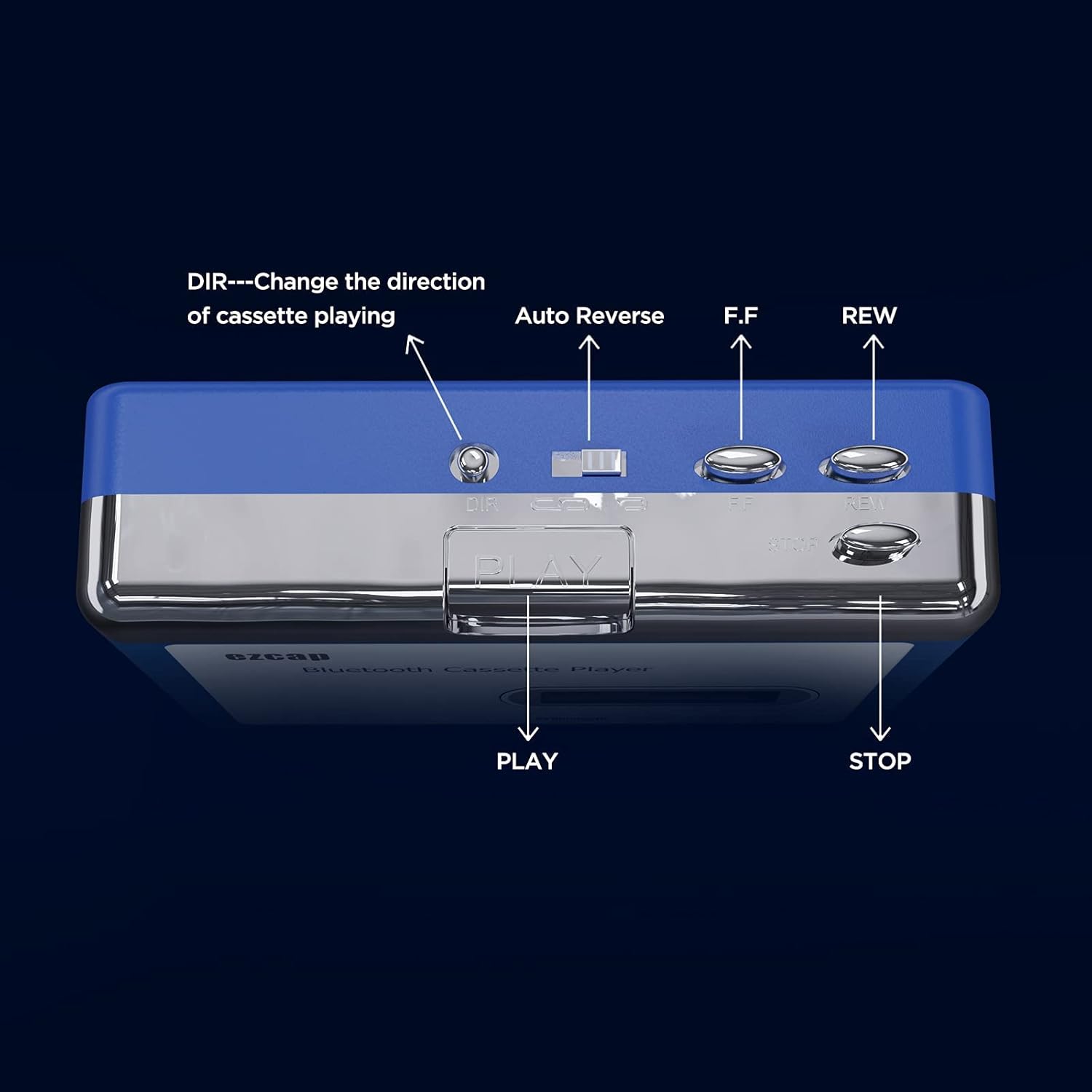
Image: Top view of the cassette player, detailing the control buttons: DIR (direction change), Auto Reverse switch, Fast Forward (F.F.), Rewind (REW), Play, and Stop buttons.
Setup
Powering the Device
Your Ezcap Bluetooth Cassette Player can be powered in two ways:
- AA Batteries: Insert two (2) AA batteries into the battery compartment located on the back of the device. Ensure correct polarity (+/-).
- USB Power: Connect the included USB-DC power cable to the DC 5V port on the side of the player. Plug the USB end into a USB power adapter (not included), a computer USB port, or a power bank.

Image: Illustration of the two power options for the cassette player: using a DC adapter connected via USB cable or inserting two AA batteries.
Inserting a Cassette Tape
- Slide down the "OPEN" switch on the side of the player to open the cassette compartment door.
- Carefully insert your cassette tape with the open side facing upwards.
- Close the cassette compartment door firmly until it clicks into place.
Operating Instructions
Basic Playback
- To start playback, press the PLAY button.
- To stop playback, press the STOP button.
- To fast forward, press the F.F. button.
- To rewind, press the REW button.
Auto Reverse Function
The player features an auto-reverse function, allowing continuous playback of both sides of a cassette tape without manually flipping it.
- To activate auto-reverse, slide the Auto Reverse switch to the desired position (usually indicated by arrows for continuous play).
- To manually change the playback direction, press the DIR button.
Volume Control and Audio Output
- Adjust the playback volume using the VOLUME dial on the side of the device.
- Connect the included earbuds or your own 3.5mm headphones/speakers to the AUX Port for wired audio output.
Bluetooth Transmission
The Ezcap Bluetooth Cassette Player can transmit audio from your cassette tapes to a Bluetooth receiver (e.g., Bluetooth headphones, speakers) up to 10 meters away.
- Ensure the cassette player is powered on (via AA batteries or USB).
- Turn on your Bluetooth receiver and set it to pairing mode.
- The cassette player will automatically begin searching for Bluetooth receivers. The LED indicator will flash quickly during the search.
- Once successfully paired, the LED will flash slowly.
Note: If the device cannot pair within approximately three minutes, it will stop searching, and the LED will turn off. To restart the Bluetooth search, power off the cassette player and then power it back on.
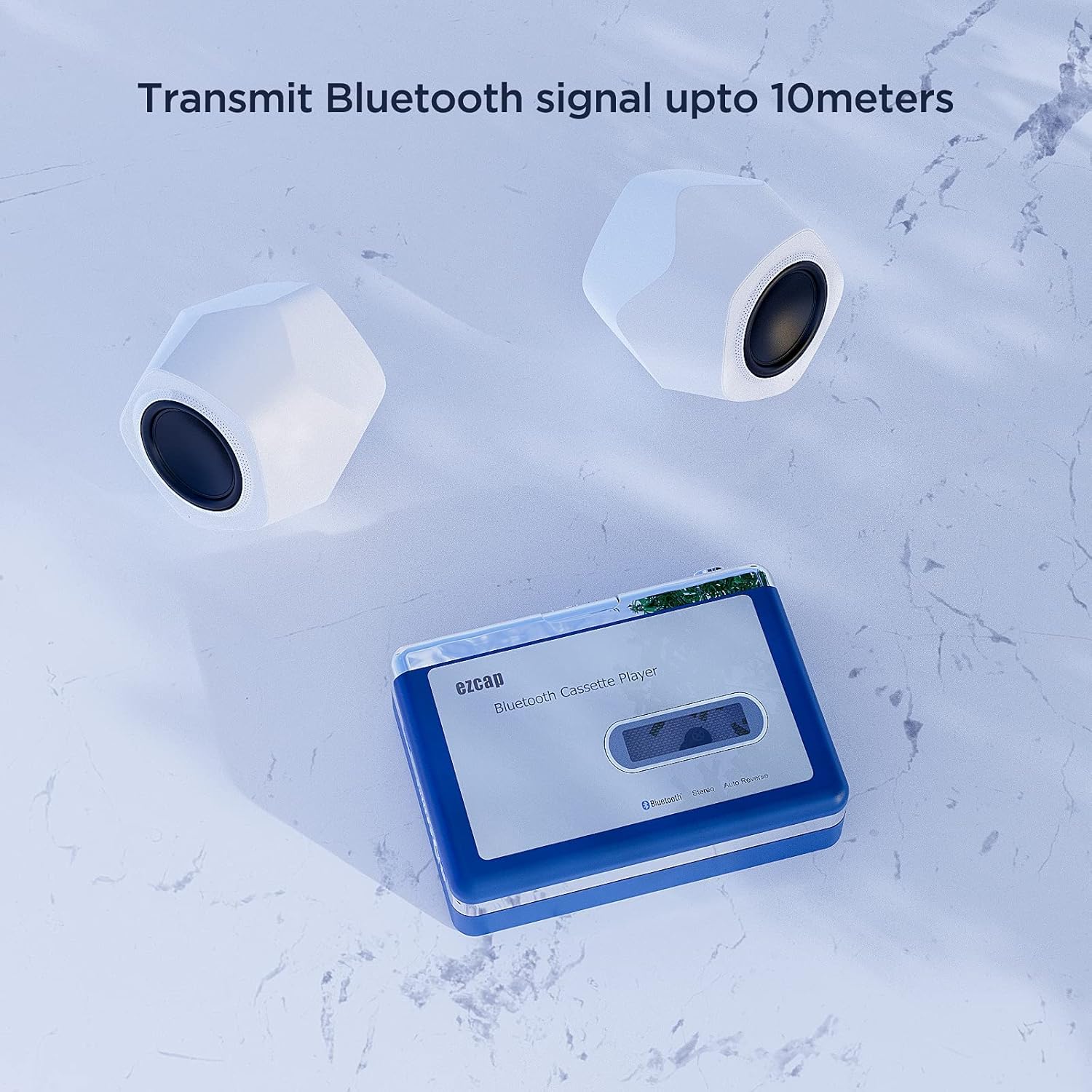
Image: The cassette player wirelessly transmitting audio to two Bluetooth speakers, illustrating its capability to send audio signals up to 10 meters.
Maintenance
- Cleaning: Use a soft, dry cloth to clean the exterior of the device. Do not use liquid cleaners or aerosols.
- Tape Heads: Periodically clean the tape heads and pinch rollers with a cotton swab lightly dampened with isopropyl alcohol to ensure optimal sound quality and prevent tape damage.
- Storage: When not in use for extended periods, remove the AA batteries to prevent leakage. Store the device in a cool, dry place away from dust.
Troubleshooting
| Problem | Possible Cause | Solution |
|---|---|---|
| No power / Device does not turn on. | Batteries are dead or incorrectly inserted. USB power cable is not connected or power source is faulty. | Replace AA batteries, ensuring correct polarity. Check USB cable connection and try a different USB power source. |
| No sound from headphones/speakers. | Volume is too low. Headphones/speakers not properly connected. Cassette tape is blank or damaged. | Increase volume using the dial. Ensure 3.5mm jack is fully inserted. Try a different cassette tape. Test with different headphones/speakers. |
| Poor sound quality (muffled, distorted). | Tape heads are dirty. Cassette tape is old or damaged. | Clean tape heads and pinch rollers. Try a different cassette tape. |
| Bluetooth pairing fails. | Bluetooth receiver is not in pairing mode or out of range. Interference. | Ensure Bluetooth receiver is in pairing mode and within 10 meters. Power cycle the cassette player to restart Bluetooth search. Reduce interference from other wireless devices. |
| Tape speed is inconsistent. | Low battery power. Worn out drive belt (internal). | Replace batteries or use USB power. If problem persists, contact customer support for service. |
Specifications
| Feature | Detail |
|---|---|
| Product Dimensions | 5.94 x 4.72 x 1.57 inches |
| Item Weight | 8.9 ounces |
| Power Supply | 2 x AA Batteries or DC 5V USB Power |
| Audio Output | 3.5mm Jack (Stereo) |
| Bluetooth Range | Up to 10 meters (33 feet) |
| Functions | Cassette Playback, Auto Reverse, Bluetooth Transmission |
| Manufacturer | ezcap |
Warranty and Support
This product comes with a standard manufacturer's warranty. For detailed warranty information, please refer to the warranty card included in your product packaging or visit the official ezcap website. For technical support, troubleshooting assistance, or service inquiries, please contact ezcap customer support through their official channels.
You can find more information and support resources on the ezcap Amazon Store.
Related documentsB098XQJ374


Ask a question about this manual
Ask about setup, troubleshooting, compatibility, parts, safety, or missing instructions. Manuals+ will review the question and use this page’s manual context to help answer it.