
Matrix TF30 Treadmill with XIR Console
Matrix Fitness TF30 Treadmill with XIR Console User Manual
Model: TF30 Treadmill with XIR Console | Brand: Matrix
1. Introduction
This manual provides essential information for the safe and effective use of your Matrix Fitness TF30 Treadmill with XIR Console. Please read this manual thoroughly before assembly, operation, or maintenance to ensure proper function and longevity of your equipment.
2. Setup and Assembly
The Matrix Fitness TF30 Treadmill requires assembly upon delivery. It is recommended to have assistance for assembly due to the size and weight of the components. Ensure you have adequate space for both operation and storage.
2.1 Unpacking and Component Check
- Carefully remove all components from the packaging.
- Verify all included components are present: Treadmill Frame, Masts, Mast Boots, Console Base, Handlebar, Handlebar Sleeves, Handlebar Caps, Frame Cover Sets, Back Cover, Power Cord, Safety Key, Hardware Kit.
- Inspect all parts for any signs of damage. Contact customer support immediately if any parts are missing or damaged.
2.2 Space Requirements and Placement
The TF30 Treadmill has dimensions of 77 inches (D) x 35 inches (W) x 62 inches (H). When folded, its dimensions are 42 inches (D) x 35 inches (W) x 71 inches (H). Ensure sufficient clearance around the treadmill for safe operation and access.

Image: Dimensions of the Matrix Fitness TF30 Treadmill, showing 77 inches length, 35 inches width, and 62 inches height.
2.3 Folding Mechanism
The treadmill features a near 90-degree fold for space-saving storage. Wheels are located at the front for easy movement of the folded unit.
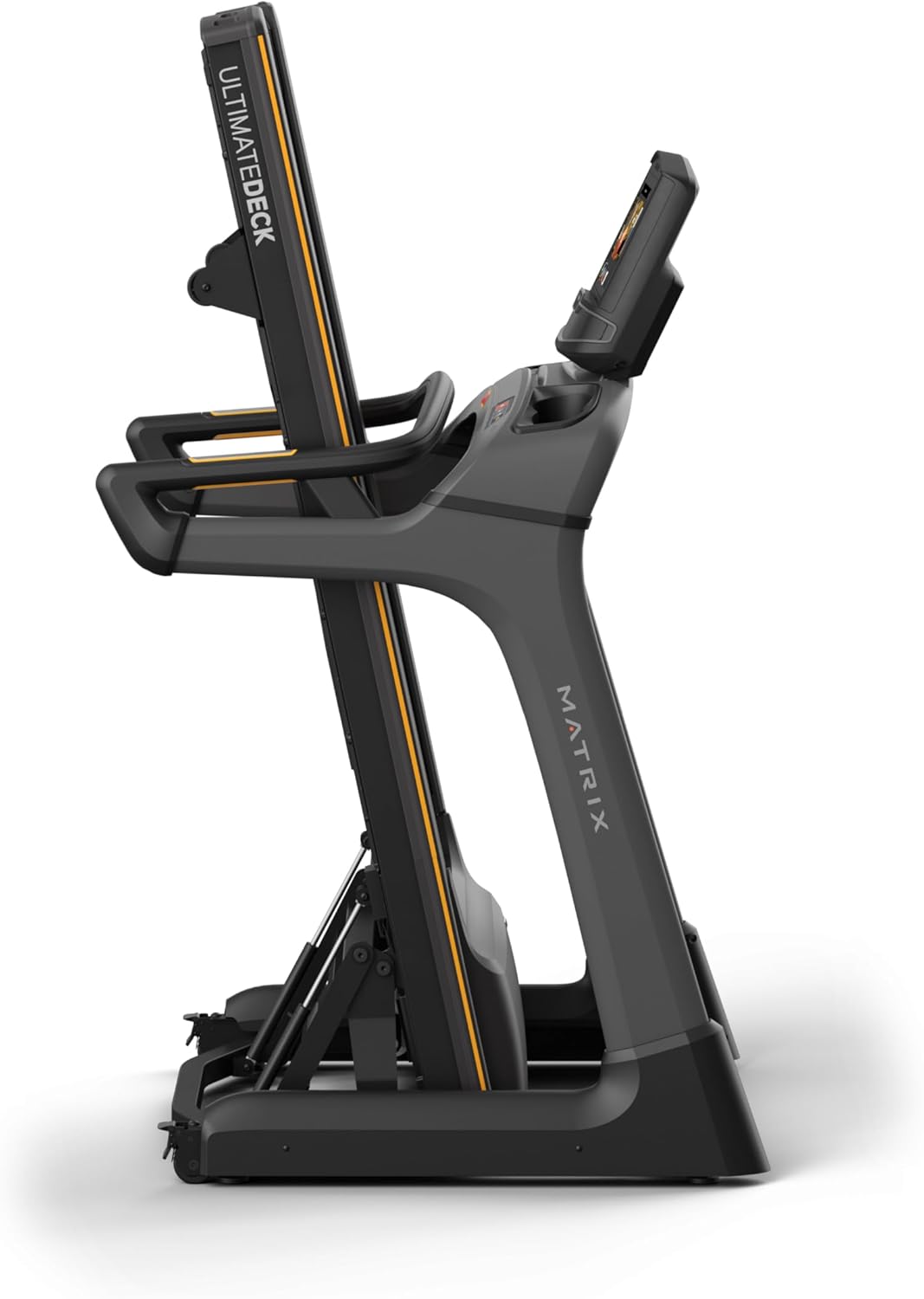
Image: Matrix Fitness TF30 Treadmill shown in its upright, folded position, demonstrating its space-saving design.
3. Operating Instructions
Familiarize yourself with the console and controls before beginning your workout.
3.1 XIR Console Overview
The 16-inch touchscreen console provides access to various workout programs, entertainment apps, and performance metrics. It features a responsive interface for easy navigation.

Image: Close-up of the XIR Console highlighting its large HD touchscreen, streaming app capabilities (Netflix, YouTube, Spotify), Virtual Active and iFIT integration, Bluetooth FTMS, integrated HDMI, 13 metric-driven programs, and Bluetooth HR connectivity.
3.2 Starting a Workout
- Ensure the safety key is properly attached to the console and clipped to your clothing.
- Select your desired workout program or app from the touchscreen.
- Adjust speed (0.5–12.5 mph) and incline (0–15%) using the console controls or quick-access buttons on the handlebars.
- The console measures distance and other metrics during your workout.

Image: The XIR Console displaying various application icons for entertainment and workout programs, including Netflix, Hulu, YouTube, Spotify, and iFIT.
3.3 Key Features for Enhanced Performance
- Johnson Drive System: This quiet, durable, and responsive continuous-duty drive system helps maintain a consistent rhythm during your workout.
- Ultimate Deck System: The heavy-duty frame, extra-thick deck, and industrial-grade cushions provide a comfortable and low-impact running surface, reducing stress on joints.
- iFIT and Virtual Active: Explore virtual routes and guided workouts from around the world. A 30-day iFIT membership is included.

Image: Diagram illustrating the internal components of the Johnson Drive System, emphasizing its quiet and durable design.

Image: Diagram showing the cushioning points of the Ultimate Deck System, designed for reduced impact.
4. Maintenance
Regular maintenance ensures the longevity and optimal performance of your treadmill.
- Cleaning: After each use, wipe down the console and running deck with a damp cloth to remove sweat and dust. Avoid using abrasive cleaners.
- Lubrication: Refer to the specific lubrication schedule in your detailed product manual (not provided here) to maintain the running belt.
- Belt Alignment and Tension: Periodically check the running belt for proper alignment and tension. Adjust as needed according to detailed instructions in the full product manual.
- General Inspection: Regularly inspect all bolts and connections to ensure they are secure.
5. Troubleshooting
This section addresses common issues you might encounter with your Matrix Fitness TF30 Treadmill.
| Problem | Possible Cause / Solution |
|---|---|
| Treadmill deck catch not engaging/disengaging properly. | Ensure the release handle is fully pulled/pushed. Check for any obstructions in the folding mechanism. |
| iFIT or other console apps not functioning as expected. | Ensure the console is connected to a stable internet connection. Check for available software updates. Restart the console. |
| Bluetooth audio connection issues. | Ensure your device's Bluetooth is enabled and discoverable. Try re-pairing the device. Note that direct phone audio mirroring to built-in speakers via Bluetooth may not be supported; use the 3.5mm audio input if available. |
| Console touchscreen unresponsive or activating randomly. | Wipe the screen clean and dry. Use the 'disable touchscreen' feature if available during intense workouts to prevent accidental inputs from sweat. |
| Safety pin triggering randomly. | Ensure the safety key is securely in place and the magnet is making full contact. Inspect the safety key and its receptacle for damage. |
| Rattling noise from the deck. | Check all assembly bolts for tightness. Ensure the treadmill is on a level surface. |
| Water bottle pockets accumulating condensation. | Wipe out the pockets after each use to prevent moisture buildup. |
6. Specifications
| Feature | Detail |
|---|---|
| Brand | Matrix |
| Model Name | Matrix Fitness TF30 Treadmill |
| Style | TF30 Treadmill with XIR Console |
| Product Dimensions (LxWxH) | 77" x 35" x 62" |
| Folded Size | 42" x 35" x 71" |
| Item Weight | 294 Pounds |
| Material | Alloy Steel |
| Running Surface | 20" x 55" |
| Speed Range | 0.5–12.5 mph |
| Incline Range | 0–15% |
| Maximum Horsepower | 3.25 Horsepower |
| Maximum Weight Recommendation | 350 Pounds |
| Display Type | LCD (16" Touchscreen) |
| Number of Programs | 13 |
| Power Source | Corded Electric |
| Special Features | Easy-Folding Design, Exclusive Johnson Drive System, Ultimate Deck System |
| Recommended Uses | Home Fitness |
7. Warranty Information
Your Matrix Fitness TF30 Treadmill is covered by the manufacturer's warranty:
- Console: 5 years parts / 1 year labor
- Frame: 5 years parts / 2 years labor
- Lifetime: Frame, motor, and cushioning
Please retain your proof of purchase for warranty claims. For detailed terms and conditions, refer to the official warranty document provided with your product or contact Matrix Fitness customer support.
8. Customer Support
For any questions, technical assistance, or service requests, please contact Matrix Fitness USA customer support. You can find contact information on the official Matrix Fitness website or through your retailer.
For more information, visit the Matrix Store on Amazon.
Related documentsTF30 Treadmill with XIR Console


Ask a question about this manual
Ask about setup, troubleshooting, compatibility, parts, safety, or missing instructions. Manuals+ will review the question and use this page’s manual context to help answer it.