
Matrix E50XIR Elliptical Trainer
Matrix Fitness E50 Elliptical Trainer with XIR Console User Manual
Model: E50XIR Elliptical Trainer
Brand: Matrix
Introduction
This manual provides essential information for the safe and effective use, setup, operation, and maintenance of your Matrix Fitness E50 Elliptical Trainer with XIR Console. Please read this manual thoroughly before assembly or use to ensure optimal performance and longevity of your equipment.
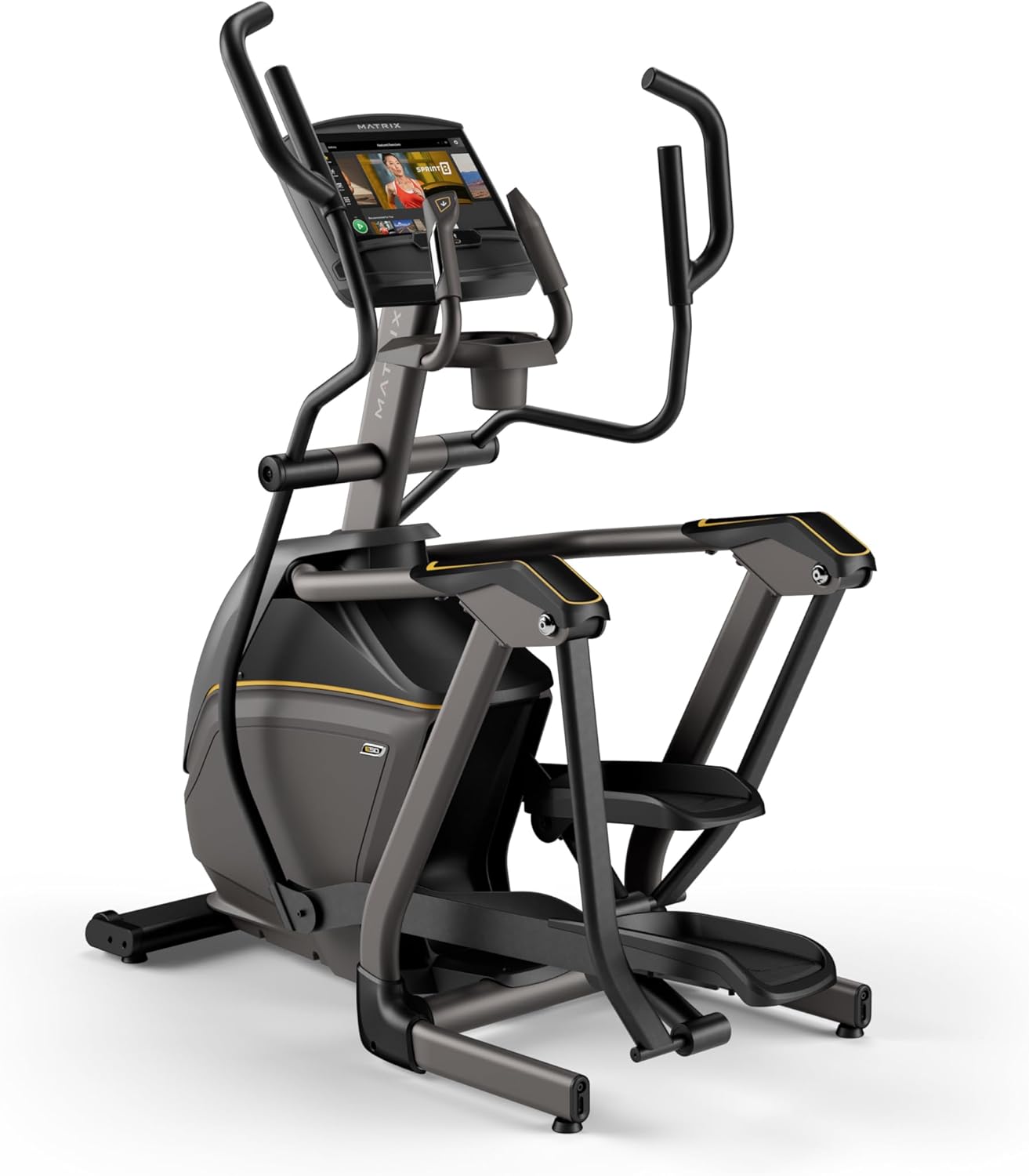
Image: The Matrix Fitness E50 Elliptical Trainer, showcasing its sleek design and integrated XIR console.
Setup and Assembly
The Matrix E50 Elliptical Trainer is designed for a compact footprint, making it suitable for various home environments. Ensure you have adequate space around the unit for safe operation and maintenance. The low 9.1-inch step-on height facilitates easy access.
Assembly typically involves attaching the console, handlebars, and stabilizing components. Refer to the included hardware and step-by-step instructions for detailed assembly procedures. Ensure all bolts and connections are securely tightened before first use.

Image: A diagram of the E50 Elliptical highlighting its compact design, multi-position handlebars, 20-inch stride length, and low step-on height.
Operating Instructions
XIR Console Overview
The 16-inch XIR Touchscreen Console provides an interactive and engaging workout experience. It features a large HD touchscreen for clear visibility and easy navigation.
- Streaming Applications: Access popular streaming apps like Netflix, YouTube, and Spotify directly from the console to enhance your workout entertainment.
- Integrated Programs: Utilize 13 metric-driven programs and custom workout options to tailor your exercise routine.
- iFIT and Virtual Active: Explore virtual outdoor routes and guided workouts with integrated iFIT and Virtual Active. A 30-day iFIT membership is included.
- Bluetooth Connectivity: Connect to third-party apps via Bluetooth FTMS and monitor your heart rate with Bluetooth HR and the included strap.
- Integrated HDMI: Connect external devices for additional content.

Image: A detailed view of the XIR 16-inch Touchscreen Console, highlighting its large HD display and various integrated features.
Workout Features
- Resistance Levels: The E50 offers 30 electronic resistance levels, allowing for precise control over your workout intensity. Adjust resistance directly from the console or handlebars.
- Stride Length: Experience a natural and comfortable motion with the 20-inch stride length, accommodating a wide range of users.
- Suspension Elliptical Technology: This wheel- and track-free design minimizes noise and friction, providing a quiet, smooth, and durable performance.
- Exact Force Induction Brake: Enjoy instant, smooth, and precise resistance changes, ideal for high-intensity interval training (HIIT).
- Dual-Action Handlebars: Engage your upper body with the dual-action handlebars for a full-body workout.
- Oversized Pedals: The oversized pedals provide enhanced comfort and stability during your exercise.
Video: An official product video demonstrating the key features and benefits of the Matrix E50 Elliptical, including its smooth motion and console capabilities.
Maintenance
Regular maintenance ensures the longevity and optimal performance of your elliptical trainer.
- Cleaning: Wipe down the console and frame with a soft, damp cloth after each use to remove sweat and dust. Avoid abrasive cleaners.
- Lubrication: The Suspension Elliptical Technology is designed to be low-maintenance. Refer to the full product manual for any specific lubrication requirements, if applicable.
- Inspections: Periodically check all bolts and connections to ensure they are secure. Tighten any loose components. Inspect the power cord for any damage.
- Placement: Ensure the elliptical is placed on a level surface to prevent wobbling and uneven wear.
Troubleshooting
If you encounter issues with your Matrix E50 Elliptical, refer to the following common solutions:
| Problem | Possible Cause | Solution |
|---|---|---|
| Console not powering on | Power cord not connected, power outlet issue, circuit breaker tripped. | Ensure power cord is fully plugged into the elliptical and a working outlet. Check household circuit breaker. |
| Resistance not changing | Console malfunction, internal wiring issue. | Restart the console. If the problem persists, contact customer support. |
| Unusual noises during operation | Loose components, foreign object, worn parts. | Inspect for loose bolts and tighten. Check for any obstructions. If noise continues, contact customer support. |
| Display frozen or unresponsive | Software glitch, temporary error. | Perform a hard reset by unplugging the unit for 60 seconds, then plugging it back in. |
For issues not listed here or if solutions do not resolve the problem, please contact Matrix Fitness customer support.
Specifications
| Feature | Detail |
|---|---|
| Model Name | E50XIR Elliptical Trainer |
| Brand | Matrix |
| Color | Black/Yellow |
| Product Dimensions (LxWxH) | 58"D x 33"W x 68.1"H |
| Material | Iron |
| Resistance Mechanism | Magnetic (Exact Force Induction Brake) |
| Maximum Weight Recommendation | 300 Pounds |
| Maximum Stride Length | 20 Inches |
| Screen Size | 16 Inches (XIR Console) |
| Item Weight | 293 Pounds |
| Number of Resistance Levels | 30 |
| Manufacturer | Matrix Fitness |
| UPC | 763165009140 |
| Included Components | Frame and Console |
Warranty Information
The Matrix Fitness E50 Elliptical Trainer comes with the following warranty:
- Frame Components: 7 years parts / 2 years labor warranty.
- Console: 5 years parts / 1 year labor warranty.
Please retain your proof of purchase for warranty claims. For full terms and conditions, refer to the official warranty documentation provided with your product or contact Matrix Fitness customer support.
Customer Support
For further assistance, technical support, or to inquire about replacement parts, please contact Matrix Fitness USA customer support. You can also visit the official Matrix Store on Amazon for more product information and resources.
Related documentsE50XIR Elliptical Trainer


Ask a question about this manual
Ask about setup, troubleshooting, compatibility, parts, safety, or missing instructions. Manuals+ will review the question and use this page’s manual context to help answer it.