
Matrix 763165008952
Matrix Fitness T75 Treadmill with XER Console User Manual
Brand: Matrix
Model: 763165008952
1. Introduction
Welcome to the Matrix Fitness T75 Treadmill with XER Console user manual. This guide provides essential information for the safe and effective operation, maintenance, and troubleshooting of your new fitness equipment. The Matrix T75 Treadmill is designed to deliver a club-quality workout experience in the comfort of your home, featuring robust construction and advanced console technology.
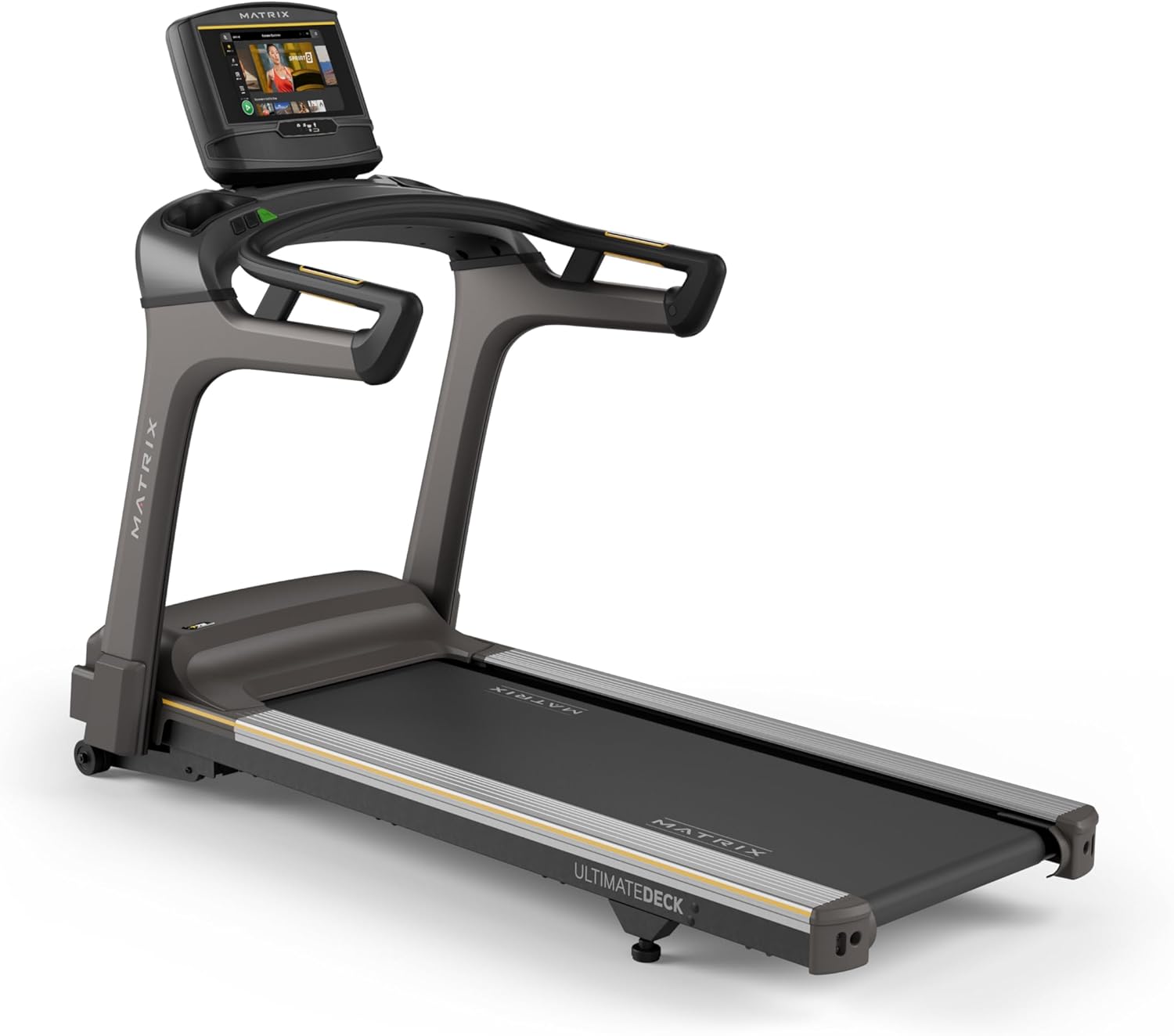
Figure 1.1: Matrix Fitness T75 Treadmill with XER Console. This image shows the complete treadmill unit, highlighting its sleek design and the integrated touchscreen console.
2. Safety Information
Please read all warnings and instructions in this manual before using the treadmill. Keep this manual for future reference. Failure to follow these instructions could result in injury or damage to the product.
- Always consult with a healthcare professional before starting any new exercise program.
- Ensure the treadmill is placed on a flat, stable surface with adequate clearance around it.
- Keep children and pets away from the treadmill during operation.
- Use the safety key at all times. Attach it to your clothing before beginning your workout.
- Do not operate the treadmill if it is damaged or not functioning properly.
- Wear appropriate athletic footwear and clothing.
- Do not attempt to service the treadmill beyond the maintenance instructions provided in this manual.
3. Package Contents
Verify that all components are present before beginning assembly:
- Treadmill Frame
- Masts
- Mast Boots
- Console Base
- Handlebar
- Handlebar Sleeves
- Handlebar Caps
- Frame Cover Sets
- Back Cover
- Power Cord
- Safety Key
- Hardware Kit
4. Setup and Assembly
The Matrix T75 Treadmill requires assembly. It is recommended that two people perform the assembly process. Follow the detailed instructions provided in the separate assembly guide for step-by-step procedures. Ensure all connections are secure before use.

Figure 4.1: Treadmill Dimensions. The image illustrates the overall dimensions of the T75 Treadmill: 79 inches (length) x 36 inches (width) x 61 inches (height).
Once assembled, place the treadmill in a location with sufficient space for safe operation. The recommended clearance is at least 6 feet (1.8 meters) behind the treadmill and 2 feet (0.6 meters) on each side.
5. Features and Technology
The Matrix T75 Treadmill is engineered with advanced features for a superior workout experience:
- Expanded 22" x 60" Running Surface: Provides ample space for comfortable and natural strides, even during intense runs.
- 0.5–12.5 mph Speed Range: Offers a wide range of speeds suitable for walking, jogging, and high-intensity running.
- 0–15% Incline Range: Simulate various terrains and increase workout intensity with adjustable incline.
- Industrial-Grade AC Motor: A powerful motor designed for durability, quiet operation, and consistent performance with lower RPM and reduced maintenance.
- Exclusive Ultimate Deck System: Features a heavy-duty frame, extra-thick deck, and industrial-grade cushions for superior shock absorption and comfort, extending the life of the deck and belt.
- Johnson Drive System: Ensures smooth, quiet, and responsive operation, maintaining perfect rhythm throughout your workout.
- 10" Touchscreen Console (XER): A vibrant display with best-in-class apps for entertainment and workout tracking.
- iFIT and Virtual Active Integration: Explore global terrains and engage in interactive workouts with a 30-day iFIT membership included.

Figure 5.1: T75 Treadmill Key Features. This diagram highlights the heavy-duty welded steel frame, extra-wide 22" x 60" Ultimate Deck System, commercial-grade AC motor, 0-15% incline range, 0.5-12.5 mph speed range, and industrial-grade cushioning.

Figure 5.2: Ultimate Deck System. An internal view showing the robust construction of the deck and cushioning for enhanced comfort and durability.

Figure 5.3: Johnson Drive System. A cutaway view illustrating the internal components of the motor, emphasizing its quiet and durable design.
Official Product Video: T75 Treadmill - Features & Benefits
Video 5.1: This video provides a visual overview of the Matrix T75 Treadmill's key features and benefits, including its robust construction, powerful motor, and advanced console capabilities.
6. Operating Instructions
The XER Console offers an intuitive interface for controlling your workout and accessing entertainment. Ensure the treadmill is plugged into a grounded outlet and the safety key is in place before starting.
6.1. XER Console Overview
The 10-inch touchscreen console provides access to various workout programs, entertainment apps, and performance metrics.

Figure 6.1: XER Console Features. This image highlights the console's ability to stream apps like Netflix, YouTube, and Spotify, its integration with Virtual Active Sprint 8 and iFIT, Bluetooth FTMS for third-party apps, 12 built-in programs, and Bluetooth HR with included strap.

Figure 6.2: XER Console Main Workout Screen. Displays workout options and progress tracking.
6.2. Starting a Workout
- Step onto the treadmill belt, placing your feet on the side rails.
- Attach the safety key clip to your clothing.
- Select your desired workout program or manual mode from the console.
- Press the START button to begin. The belt will start moving at a low speed.
- Adjust speed and incline using the console controls or quick-access buttons on the handlebars.
6.3. Using iFIT and Virtual Active
The XER Console comes with iFIT and Virtual Active pre-installed. Activate your included 30-day iFIT membership to access a vast library of trainer-led workouts and global routes. Virtual Active allows you to experience immersive outdoor scenery that adjusts to your pace and incline.

Figure 6.3: XER Console Virtual Active Display. Shows a scenic route being displayed on the console during a workout.

Figure 6.4: User Interacting with XER Console Apps. A user is shown on the treadmill, engaging with various entertainment and fitness applications available on the console.
7. Maintenance
Regular maintenance ensures the longevity and optimal performance of your Matrix T75 Treadmill.
- Cleaning: Wipe down the treadmill surfaces, including the console and handrails, with a damp cloth after each use. Avoid abrasive cleaners.
- Belt Lubrication: The Ultimate Deck System is designed for low maintenance. Refer to the separate assembly guide or contact customer support for specific lubrication intervals and procedures.
- Belt Tension and Alignment: Periodically check the walking belt for proper tension and alignment. Adjust as needed following the instructions in the assembly guide.
- Motor Cover Cleaning: Once a year, remove the motor cover and vacuum any dust or debris from the motor and surrounding components. Ensure the treadmill is unplugged before performing this.
8. Troubleshooting
This section addresses common issues you might encounter. For problems not listed here, please contact customer support.
| Problem | Possible Cause | Solution |
|---|---|---|
| Treadmill does not start. | Power cord not plugged in; Safety key not in place; Circuit breaker tripped. | Ensure power cord is securely plugged in. Insert safety key fully. Check household circuit breaker. |
| Belt slips or hesitates. | Belt tension too loose; Belt requires lubrication. | Adjust belt tension according to manual. Lubricate the belt if necessary (refer to maintenance section). |
| Unusual noise during operation. | Loose hardware; Debris under the belt; Motor issue. | Check and tighten all visible hardware. Carefully inspect under the belt for foreign objects. If noise persists, contact customer support. |
| Console display is blank. | Power issue; Console cable disconnected. | Verify power connection. Check console cable connections (refer to assembly guide). |
9. Specifications
| Attribute | Detail |
|---|---|
| Brand | Matrix |
| Model Name | Matrix Fitness T75 Treadmill |
| Product Dimensions (LxWxH) | 79"D x 36"W x 61"H |
| Item Weight | 304 Pounds |
| Maximum Speed | 12.5 Miles per Hour |
| Minimum Speed | 0.5 Miles per Hour |
| Maximum Incline Percentage | 15% |
| Deck Length | 60 Inches |
| Deck Width | 22 Inches |
| Maximum Weight Recommendation | 400 Pounds |
| Motor Horsepower | 3 Horsepower (AC motor) |
| Display Type | LCD (10-inch Touchscreen for XER Console) |
| Number of Programs | 12 |
| Control Program Name | iFIT |
| Material | Alloy Steel (Frame) |
| Power Source | Corded Electric |
| Assembly Required | Yes |
10. Warranty Information
The Matrix Fitness T75 Treadmill comes with the following manufacturer's warranty:
- Console: 5 years parts / 1 year labor
- Frame: Lifetime
- Motor: Lifetime
- Cushioning: Lifetime
- Other Parts: 7 years parts / 2 years labor
Please retain your proof of purchase for warranty claims. For full warranty terms and conditions, refer to the documentation included with your product or visit the official Matrix Fitness website.
11. Customer Support
For technical assistance, parts, or service inquiries, please contact Matrix Fitness customer support. Have your model number (763165008952) and serial number ready when contacting support.
Visit the official Matrix Fitness website for the most up-to-date contact information and support resources: Matrix Fitness Store on Amazon
Related documents763165008952


Ask a question about this manual
Ask about setup, troubleshooting, compatibility, parts, safety, or missing instructions. Manuals+ will review the question and use this page’s manual context to help answer it.