
1. Introduction
Thank you for choosing the VGR V-228 Professional Hair Trimmer. This manual provides essential information for the safe and effective use, maintenance, and troubleshooting of your new grooming device. Please read it thoroughly before first use and keep it for future reference.
2. Safety Instructions
- Always use this product with care.
- Avoid contact with eyes and sensitive skin areas.
- Do not use on infants or individuals with sensitive skin conditions without consulting a professional.
- Keep the device away from water sources. Do not immerse the trimmer in water or use it in wet environments (e.g., shower, bath).
- Use the trimmer only as instructed in this manual.
- Follow recommended cleaning and maintenance procedures to ensure optimal performance and longevity.
- Do not attempt to disassemble or repair the device yourself. Contact qualified service personnel for any repairs.
- Keep out of reach of children.
- Use only the charging cable provided with the device.
3. Package Contents
Verify that all items are present in your package:
- VGR V-228 Professional Hair Trimmer (Gold/Bronze)
- USB Charging Cable
- Cleaning Brush
- Lubricating Oil
- Guide Combs (1mm, 2mm, 3mm)

4. Product Overview
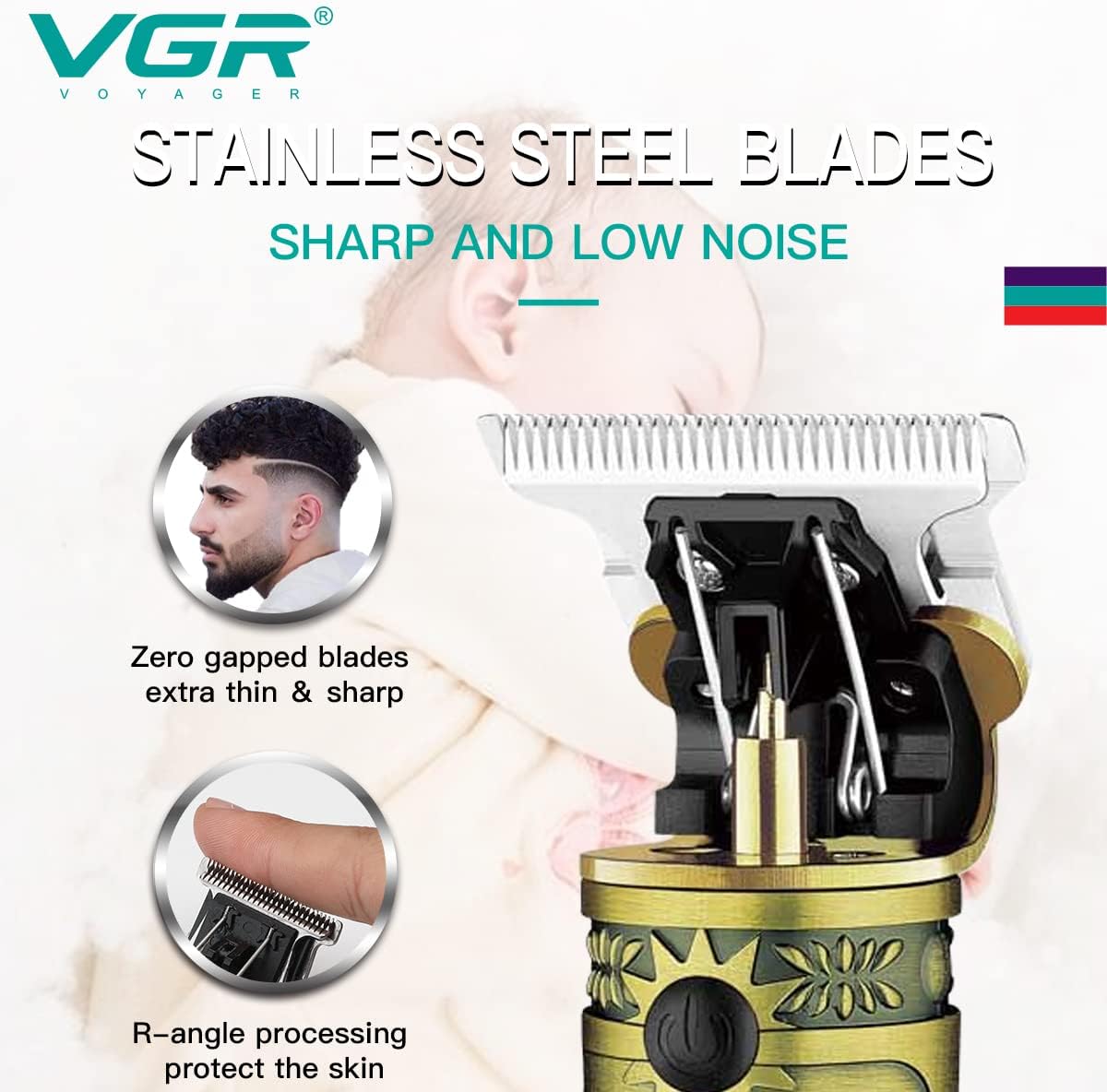
The VGR V-228 is a professional-grade hair trimmer designed for precision grooming. It features durable stainless steel blades, a powerful motor, and a convenient LED display.


5. Setup
Attaching Guide Combs
To adjust the cutting length, select the desired guide comb (1mm, 2mm, or 3mm). Align the comb with the trimmer head and push it firmly until it clicks into place. Ensure it is securely attached before use.

6. Charging
The VGR V-228 features a built-in rechargeable Lithium-Ion battery. Before first use, fully charge the trimmer for approximately 2 hours.
Charging Procedure:
- Ensure the trimmer is turned off.
- Connect the USB charging cable to the charging port at the bottom of the trimmer.
- Plug the other end of the USB cable into a compatible USB power source (e.g., computer, laptop, USB wall adapter, power bank).
- The LED display will indicate the charging status. A full charge typically takes 2 hours.
- Once fully charged, the trimmer provides approximately 180 minutes of cordless operation.
7. Operating Instructions
Basic Operation:
- Ensure the trimmer is charged.
- Press the power button to turn the trimmer on. The LED display will show the battery level.
- Select the desired guide comb and attach it securely for your preferred hair length. For a closer trim or detailing, use without a comb.
- Hold the trimmer at a slight angle against the skin and move it slowly against the direction of hair growth.
- For detailing or outlining, use the trimmer without a guide comb, carefully guiding the blades along the desired lines.
- After use, press the power button to turn the trimmer off.
Tips for Best Results:
- Ensure hair is clean and dry before trimming.
- Trim small sections at a time for better control.
- Regularly clean the blades during use to prevent hair buildup.

8. Maintenance and Cleaning
Regular cleaning and maintenance will prolong the life of your trimmer and ensure optimal performance.
Cleaning the Blades:
- Turn off the trimmer and disconnect it from any power source.
- Remove any attached guide comb.
- Use the provided cleaning brush to remove loose hairs from the blades and the trimmer head.
- For a more thorough cleaning, you may carefully detach the blade assembly (refer to product diagrams if available for specific model instructions). Rinse the blades under running water, ensuring the main body of the trimmer does not get wet. Dry thoroughly before reattaching.
Oiling the Blades:
After every few uses, or if the blades feel sluggish, apply a small drop of the provided lubricating oil to the blades. Turn on the trimmer for a few seconds to distribute the oil evenly. This helps maintain blade sharpness and smooth operation.
Storage:
Store the trimmer in a cool, dry place, away from direct sunlight and moisture. Ensure it is fully charged before storing for extended periods to preserve battery health.
9. Troubleshooting
| Problem | Possible Cause | Solution |
|---|---|---|
| Trimmer does not turn on. | Battery is depleted. | Charge the trimmer for 2 hours. |
| Blades are pulling hair or cutting poorly. | Blades are dirty or not oiled. | Clean the blades and apply lubricating oil. |
| Trimmer makes unusual noise. | Hair buildup or lack of lubrication. | Clean and oil the blades. If the problem persists, contact customer support. |
| Charging indicator not working. | Faulty charging cable or power source. | Try a different USB cable or power adapter. |
10. Specifications
| Feature | Detail |
|---|---|
| Model Number | V-228 |
| Brand | VGR |
| Power Source | Rechargeable Battery (Cordless operation) |
| Battery Type | Lithium-Ion |
| Charge Time | Approx. 2 hours |
| Work Time | Approx. 180 minutes |
| Blade Material | Stainless Steel |
| Guide Combs | 1mm, 2mm, 3mm |
| Target Audience | Men |
| Operation Function | Dry Shaving |
| Special Features | Cordless, Portable, Rechargeable, LED Display |
| Product Dimensions | 20 x 9 x 6 cm |
| Item Weight | 450 grams |
| Country of Origin | China |
| UPC | 772924202654 |
11. Warranty and Support
For warranty information and customer support, please refer to the documentation provided with your purchase or contact the retailer where you purchased the VGR V-228 Professional Hair Trimmer. Keep your proof of purchase for any warranty claims.


