
Introduction
The G-MARK EW100 UHF 2-Channel Wireless Microphone System provides clear and stable audio transmission for various applications, including home karaoke, church events, weddings, parties, and public speaking. This system includes two cordless handheld microphones and a dual-channel receiver, designed for ease of use and reliable performance.
What's in the Box
Carefully unpack your G-MARK EW100 system and ensure all components are present:
- 2 x Handheld Microphones
- 1 x UHF Receiver
- 2 x Antennas
- 1 x 6.35mm Audio Cable
- 2 x Anti-slip Rings
- 1 x User Manual (this document)
- 1 x Power Adapter

Figure 1: Package Contents. This image displays all items included in the G-MARK EW100 system: two handheld microphones, the UHF receiver, two antennas, a 6.35mm audio cable, two anti-slip rings, a user manual, and a power adapter.
Product Features
- True Vocal Sound Quality: Dynamic microphones with professional cardioid proprietary capsules deliver balanced and natural sound, picking up diverse vocal tones without being overly bright or muddy.
- Strong Anti-noise: UHF receiver frequency coverage of 520 MHz to 560 MHz with 32 fixed frequencies, limiting feedback and interference for ultra-signal stability and distortion elimination. Supports one-key frequency adjustment.
- Stable Wireless Performance: Dual-channel 2-microphone design with a large dynamic signal range, offering 100 ft to 160 ft wireless coverage, up to 200 ft in wide open spaces, while maintaining excellent audio signal quality.
- Plug & Play: The receiver features XLR and 1/4” output interfaces (XLR cable not included), allowing connection to most professional audio mixers, amplifiers, or speakers with mic jacks, and most karaoke machines.
- Wide Compatibility: The receiver automatically pairs with the microphones upon connection. Ideal for home karaoke, parties, church services, meetings, weddings, speeches, classes, opening ceremonies, DJ sets, and live performances.
Setup Instructions
1. Receiver Connection
- Connect the provided power adapter to the DC 9V-12V input on the back of the UHF receiver and plug it into a power outlet.
- Attach the two antennas to the ANT-A and ANT-B ports on the rear of the receiver. Position them vertically for optimal signal reception.
- Connect the receiver to your audio system (mixer, amplifier, or powered speaker) using either the 6.35mm audio cable (MIX OUT) or XLR cables (BALANCED OUT A/B, not included).

Figure 2: Receiver Connections. This image shows the rear panel of the receiver with labeled ports for power (DC9V-12V), antennas (ANT-A, ANT-B), balanced XLR outputs (BALANCED OUT A, BALANCED OUT B), and a 6.35mm mixed output (MIX OUT).
2. Microphone Battery Installation
- Unscrew the bottom part of each handheld microphone to reveal the battery compartment.
- Insert two AA batteries into each microphone, ensuring correct polarity (+/-).
- Screw the bottom part back onto the microphone securely.
3. Power On and Pairing
- Press the power button on the receiver. The display should light up.
- Turn on each handheld microphone by pressing its power button. The microphone's display will show its frequency and battery status.
- The receiver and microphones are designed for automatic pairing. If pairing does not occur automatically, refer to the "Operating Instructions" section for manual frequency adjustment.
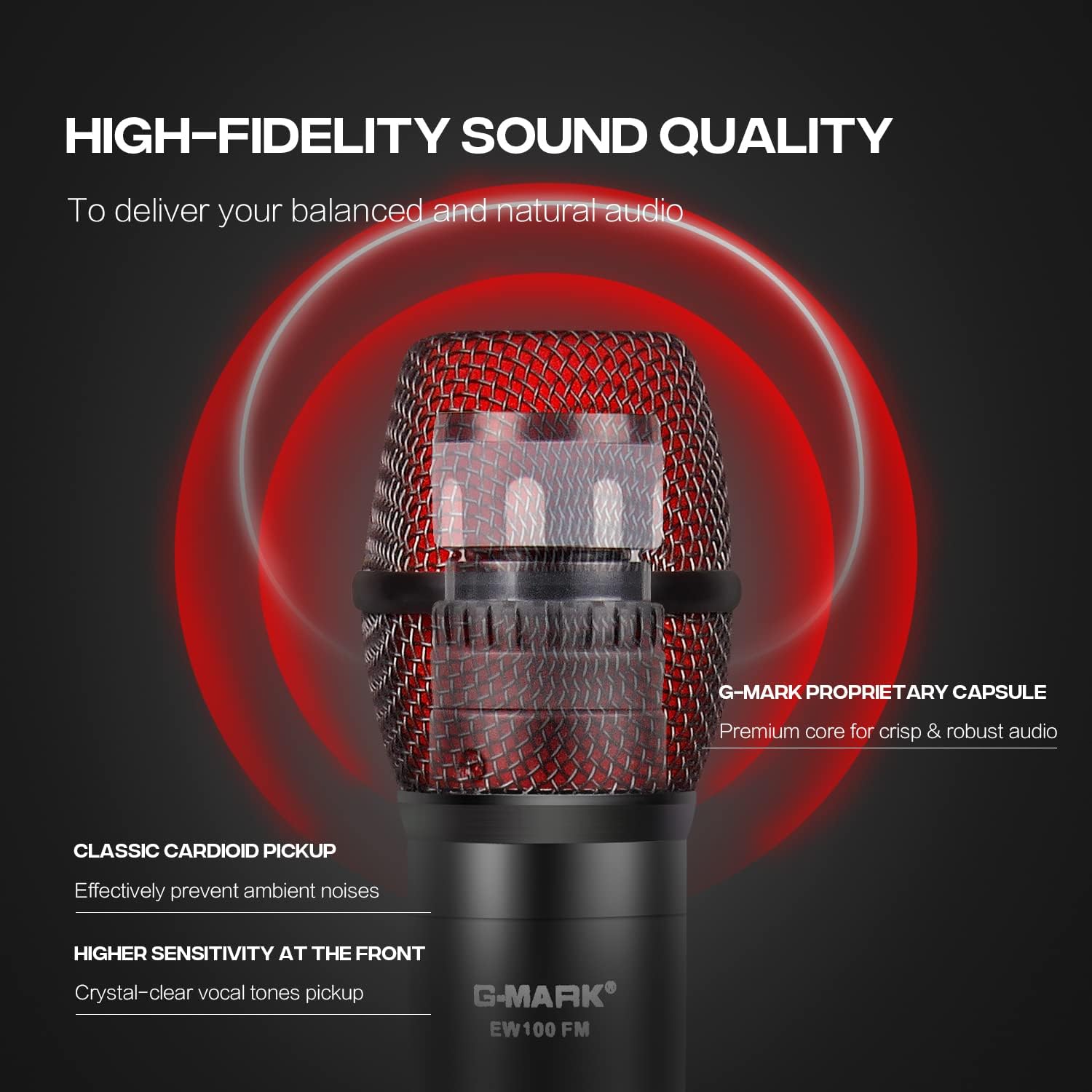
Figure 3: System Overview. This image shows the complete G-MARK EW100 system, including the receiver with antennas and two handheld microphones, ready for use.
Operating Instructions
Receiver Controls
- Power Button: Located on the front panel, used to turn the receiver on or off.
- Volume Control Knobs: Two separate knobs for adjusting the output volume of each microphone channel (A and B).
- Frequency Adjustment Buttons: Buttons (usually labeled UP/DOWN or CH+/CH-) next to each channel's display allow you to change the operating frequency if interference occurs or for manual pairing.
- Display Screen: Shows the current operating frequency, signal strength (RF), and audio signal level (AF) for each channel.

Figure 4: Receiver Front Panel. This image highlights the receiver's front panel, showing the power button, volume control knobs, frequency adjustment buttons, and the digital display for each microphone channel.
Microphone Controls
- Power Button: Press and hold to turn the microphone on or off. A short press may mute/unmute the microphone.
- Display Screen: Shows battery level, current frequency, and channel.
- Frequency Adjustment (One-Key FM): Some models feature a button for quick frequency adjustment or pairing. Consult the microphone's specific markings.

Figure 5: Microphone Display. This image shows a close-up of the microphone's LCD screen, indicating battery status and frequency information.

Figure 6: Microphone One-Key FM. This image shows the microphone's button for quick frequency adjustment or pairing.
Compatibility
The G-MARK EW100 system is compatible with audio mixers, amplifiers with microphone input, and most karaoke machines. It is not compatible with laptops, iPads, or phones directly.

Figure 7: Device Compatibility. This image illustrates the types of devices the G-MARK EW100 is compatible with (audio mixer, amplifier with mic input, karaoke machines) and incompatible with (laptop, iPad, phone).
Maintenance
- Cleaning: Use a soft, dry cloth to clean the receiver and microphones. Avoid using liquid cleaners or solvents.
- Storage: Store the system in a cool, dry place away from direct sunlight and extreme temperatures when not in use.
- Battery Replacement: Replace microphone batteries when the low battery indicator appears on the microphone's display. Always use fresh AA batteries. Remove batteries if the microphones will not be used for an extended period to prevent leakage.
- Antennas: Handle antennas carefully. Ensure they are securely attached but do not overtighten.
Troubleshooting
| Problem | Possible Cause | Solution |
|---|---|---|
| No sound from microphone. |
|
|
| Interference or static noise. |
|
|
| Short wireless range. |
|
|
Specifications
| Feature | Specification |
|---|---|
| Brand | G-MARK |
| Model Number | EW100 |
| Recommended Uses | Karaoke |
| Connectivity Technology | 6.35 mm Jack, XLR |
| Special Feature | Frequency Control, Volume Control |
| Compatible Devices | Mixer Audio, Karaoke System, PA system etc |
| Color | Black and Red |
| Polar Pattern | Unidirectional |
| Audio Sensitivity | 105 Decibels |
| Impedance | 600 Ohms |
| Microphone Form Factor | Microphone System |
| Power Source | Battery Powered (Microphones) |
| Number of Batteries (Microphone) | 2 AA batteries required per microphone |
| Signal-to-Noise Ratio | 120 dB |
| Number of Channels | 2 |
| Frequency Range | 520-560MHz |
| Enclosure Material | Metal, PVC |
| Item Dimensions | 15.75 x 12.99 x 2.76 inches |
Warranty Information
The G-MARK EW100 UHF 2-Channel Wireless Microphone System comes with a 3-month warranty. Please retain your proof of purchase for any warranty claims. For further details or to initiate a warranty claim, please contact G-MARK customer support.
Customer Support
For technical assistance, troubleshooting, or general inquiries regarding your G-MARK EW100 system, please refer to the official G-MARK website or contact their customer service department. Contact information can typically be found on the product packaging or the brand's official online presence.


