
Groview JQ818C
GROVIEW JQ818C Projector User Manual
Brand: Groview
Model: JQ818C
1. Introduction
The GROVIEW JQ818C Projector is designed to deliver a high-quality home theater experience with its native 1080P resolution, high brightness (15000lux 490ANSI lm), and impressive contrast ratio (12000:1). Utilizing LED light and LCD technology, it supports 4K Ultra HD video for clear and detailed images. This versatile projector offers seamless connectivity options including 2.4+5G dual-band WiFi and Bluetooth, enabling easy screen mirroring and audio integration. Its compact design and user-friendly features make it suitable for various applications, from home entertainment to business presentations.
2. What's in the Box
Upon unboxing your GROVIEW JQ818C Projector, please ensure all the following components are present:
- JQ818C Projector
- Remote Control
- AV Cable
- HDMI Cable
- Power Cord
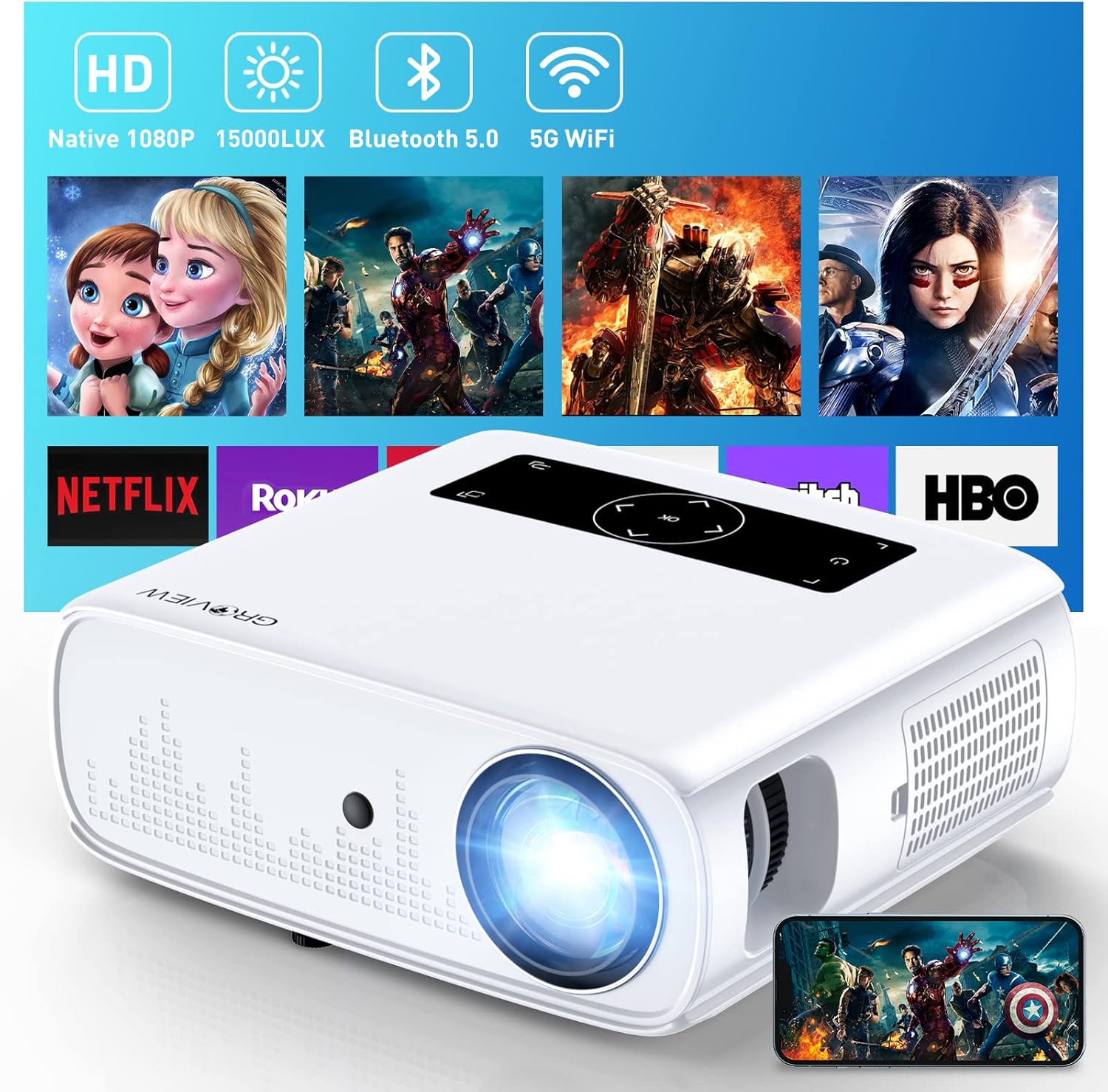
Image: The GROVIEW JQ818C Projector shown with its remote control, AV cable, HDMI cable, and power cord.
3. Product Overview
3.1 Physical Features
The GROVIEW JQ818C Projector features a sleek, white design with intuitive controls and multiple connectivity options. Its compact dimensions of 10.63 x 9.06 x 3.94 inches and a weight of 5.9 pounds make it portable for various setups.
Image: Front view of the GROVIEW JQ818C Projector, highlighting its lens and clean design.
3.2 Ports and Controls
The projector is equipped with a variety of ports for seamless integration with your devices:
- HDMI Ports (x2): For connecting laptops, gaming consoles (PS5), TV sticks, and other HDMI-enabled devices.
- USB Ports (x2): For connecting USB drives, smartphones, tablets, and other USB devices.
- AV Port: For connecting older devices using an AV cable.
- Audio Out (3.5mm Jack): For connecting external speakers or headphones.
- Power Input: For connecting the power cord.
Control buttons are conveniently located on the top panel, allowing for easy navigation and adjustments. A remote control is also included for convenient operation from a distance.

Image: Rear view of the projector, detailing the HDMI, USB, AV, and audio out ports.

Image: Top panel of the projector with illuminated control buttons.
4. Setup
4.1 Placement
Place the projector on a stable, flat surface. For optimal viewing, position it directly in front of your projection surface (wall or screen). The projector features an adjustable foot at the front to slightly tilt the projection upward if needed.

Image: Diagram illustrating recommended projection distances for various screen sizes (50-300 inches).
4.2 Power Connection
Connect the provided power cord to the projector's power input and then to a standard electrical outlet.
4.3 Initial Power On and Focus Adjustment
Press the power button on the projector or the remote control to turn on the device. Adjust the focus ring around the lens until the projected image is clear and sharp. The projector also includes a lens cap to protect the lens when not in use.
5. Operating Instructions
5.1 Connecting Devices
The GROVIEW JQ818C Projector offers multiple ways to connect your devices:
- HDMI: Use the provided HDMI cable to connect your laptop, game console (PS5), DVD player, or TV stick to either of the two HDMI ports.
- USB: Insert a USB flash drive into one of the USB ports to play media files directly.
- AV: Connect older devices like DVD players using the AV cable.
5.2 Screen Mirroring (Wireless Connectivity)
Experience seamless content sharing with the projector's advanced screen mirroring capabilities:
- WiFi (2.4G+5G Dual-Band): Connect the projector to your home WiFi network for ultra-fast and stable screen mirroring from your smartphone, tablet, or laptop.
- Cellular Network: The projector supports one-step screen mirroring via cellular network technology, allowing you to mirror your device even outdoors without a WiFi network.
- Bluetooth: Connect the projector to external Bluetooth speakers for enhanced audio experience. The built-in 5W dual stereo speakers with SRS sound system also provide clear and dynamic audio.
5.3 Image Adjustment
- Zoom Function: Adjust the display size from 50 to 300 inches using the 25% zoom function, allowing you to fine-tune the image without moving the projector.
- Keystone Correction: Manually adjust the keystone to correct distorted images if the projector is not perfectly perpendicular to the screen.
6. Maintenance
To ensure the longevity and optimal performance of your GROVIEW JQ818C Projector, follow these maintenance guidelines:
- Cleaning the Lens: Use a soft, lint-free cloth specifically designed for optical lenses to gently wipe the projector lens. Avoid using abrasive cleaners or cloths that could scratch the surface.
- Cleaning the Exterior: Wipe the exterior of the projector with a soft, dry cloth. Do not use liquid or aerosol cleaners.
- Ventilation: Ensure the projector's ventilation openings are clear and unobstructed to prevent overheating. Regularly check for dust buildup.
- Storage: When not in use for extended periods, store the projector in a cool, dry place, ideally in its original packaging or a protective case, with the lens cap on.
7. Troubleshooting
If you encounter any issues with your GROVIEW JQ818C Projector, please refer to the common troubleshooting steps below. For more detailed information, consult the full User Manual (PDF).
- No Image:
- Ensure the power cord is securely connected and the projector is turned on.
- Verify the input source is correctly selected (e.g., HDMI 1, USB, Miracast).
- Check the connected device for proper output settings.
- Blurred Image:
- Adjust the focus ring on the projector lens.
- Ensure the projection surface is flat and the projector is positioned correctly.
- Use keystone correction to adjust image shape if needed.
- No Sound:
- Check the volume settings on both the projector and the connected device.
- If using external speakers, ensure they are properly connected and powered on.
- Verify Bluetooth connection if using wireless audio.
- Connectivity Issues (WiFi/Bluetooth):
- Ensure the projector is within range of the WiFi router or Bluetooth device.
- Restart both the projector and the connecting device.
- Check for any interference from other wireless devices.
8. Technical Specifications
| Feature | Specification |
|---|---|
| Product Dimensions | 10.63 x 9.06 x 3.94 inches |
| Item Weight | 5.9 pounds |
| Model Number | JQ818C |
| Native Resolution | 1920 x 1080 (Full HD) |
| Brightness | 15000LUX (490ANSI lm) |
| Contrast Ratio | 12000:1 |
| Supported Video Resolution | Up to 4K Ultra HD (downscaled to 1080P) |
| Projection Size | 50-300 inches |
| Connectivity Technology | Wireless (WiFi 2.4G+5G, Bluetooth), HDMI, USB, AV |
| Built-in Speakers | 5W Dual Stereo Speakers with SRS Sound System |
| Special Features | Zoom function, Eye-friendly diffused reflection |
9. Warranty and Support
GROVIEW offers a 2-year customer service and replacement policy for the JQ818C Projector, providing peace of mind for your purchase.
For further assistance, detailed instructions, or troubleshooting not covered in this manual, please refer to the comprehensive User Manual (PDF) available online.
You can also visit the official Groview Store on Amazon for more product information and support.
Related documentsJQ818C


Ask a question about this manual
Ask about setup, troubleshooting, compatibility, parts, safety, or missing instructions. Manuals+ will review the question and use this page’s manual context to help answer it.