
1. Introduction
This manual provides essential information for the proper setup, operation, and maintenance of your Monster S320 Bluetooth Speaker. Please read this manual thoroughly before using the product to ensure optimal performance and longevity.
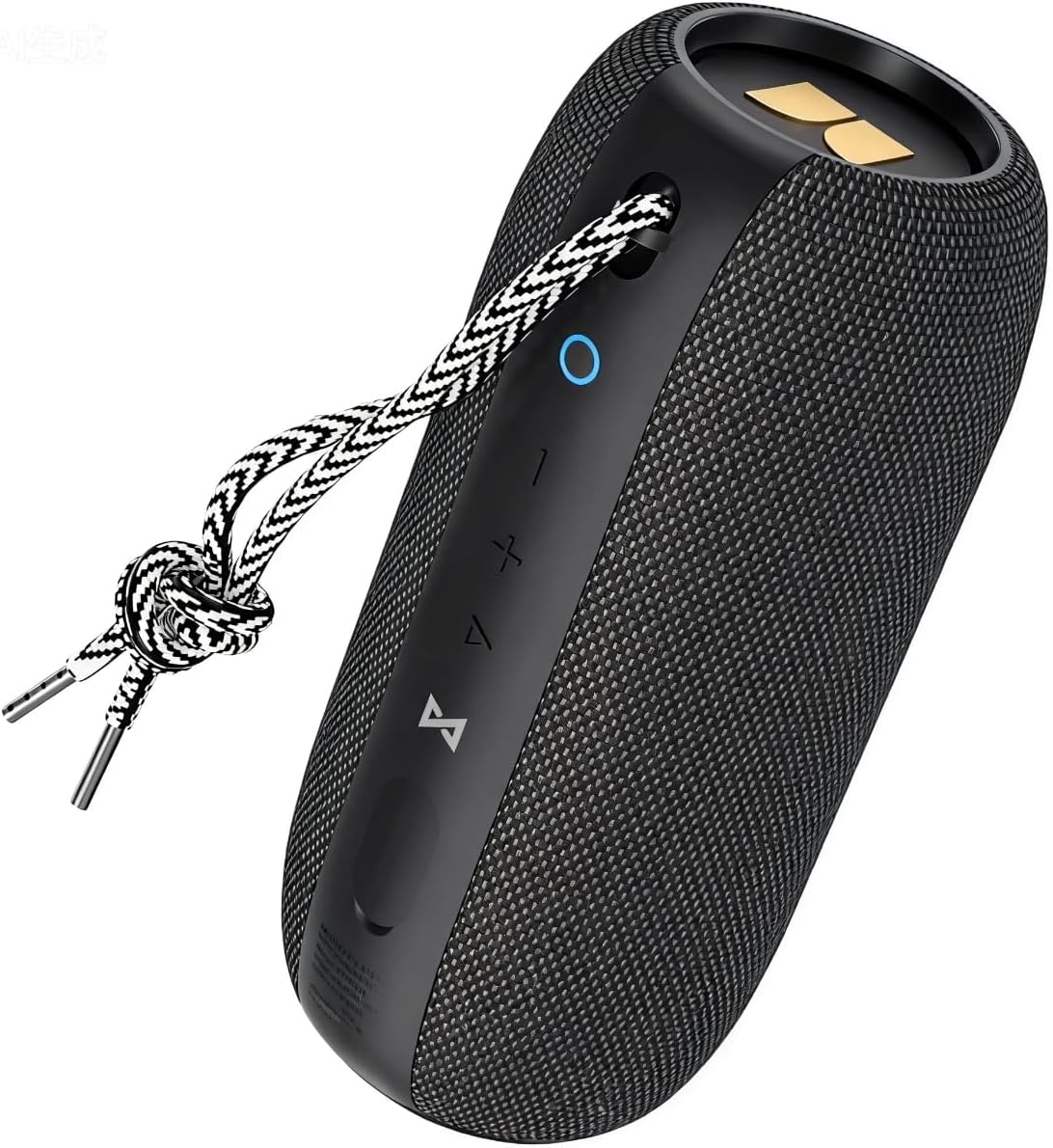
Image 1.1: The Monster S320 Bluetooth Speaker, featuring its compact design and control panel.
2. Safety Information
- Do not expose the speaker to extreme temperatures or direct sunlight for prolonged periods.
- Avoid dropping or subjecting the speaker to strong impacts.
- Keep the speaker away from medical devices, as it contains magnets.
- Do not attempt to disassemble, repair, or modify the speaker. This will void the warranty.
- Ensure the charging port cover is securely closed when near water to maintain IPX7 waterproof rating.
3. Package Contents
- 1 x Monster S320 Bluetooth Speaker
- 1 x USB-C Charging Cable
- 1 x AUX Cable
- 1 x User Manual (this document)
4. Product Overview
4.1 Controls and Ports

Image 4.1: Control buttons on the Monster S320 speaker.
- Power Button (Circle Icon): Press and hold to power on/off. Short press to check battery status.
- Volume Down Button (-): Short press to decrease volume.
- Volume Up Button (+): Short press to increase volume.
- Play/Pause/Multi-function Button (Triangle Icon): Short press to play/pause music. Press and hold to activate voice assistant. Short press to answer/end calls. Long press to reject calls.
- Bluetooth Pairing Button (Infinity Symbol): Press and hold to enter Bluetooth pairing mode. Short press to disconnect current Bluetooth device.
- TWS Pairing Button (Hourglass Symbol): Press to initiate True Wireless Stereo pairing with another S320 speaker.

Image 4.2: AUX and DC-5V (USB-C) ports located under a protective flap.
- AUX Input: For connecting devices via a 3.5mm audio cable.
- DC-5V (USB-C) Charging Port: For charging the speaker using the provided USB-C cable.
5. Setup
5.1 Charging the Speaker
- Open the protective rubber flap on the side of the speaker to expose the charging port.
- Connect the USB-C charging cable to the speaker's DC-5V port.
- Connect the other end of the USB-C cable to a compatible USB power adapter (not included).
- The LED indicator will show charging status. A full charge provides approximately 32 hours of playtime at medium volume.
- Once fully charged, disconnect the cable and securely close the rubber flap to maintain waterproofing.
5.2 Powering On/Off
- To Power On: Press and hold the Power Button (Circle Icon) for 2-3 seconds until you hear an audible prompt and the LED indicator lights up.
- To Power Off: Press and hold the Power Button (Circle Icon) for 2-3 seconds until you hear an audible prompt and the LED indicator turns off.
5.3 Bluetooth Pairing (Single Speaker)
- Ensure the speaker is powered on and the LED indicator is blinking blue, indicating it is in pairing mode.
- On your mobile device, enable Bluetooth and search for available devices.
- Select "Monster S320" from the list of devices.
- Once connected, the LED indicator will turn solid blue, and you will hear a confirmation sound.
5.4 True Wireless Stereo (TWS) Pairing (Two Speakers)
For an enhanced stereo experience, you can pair two Monster S320 speakers together.
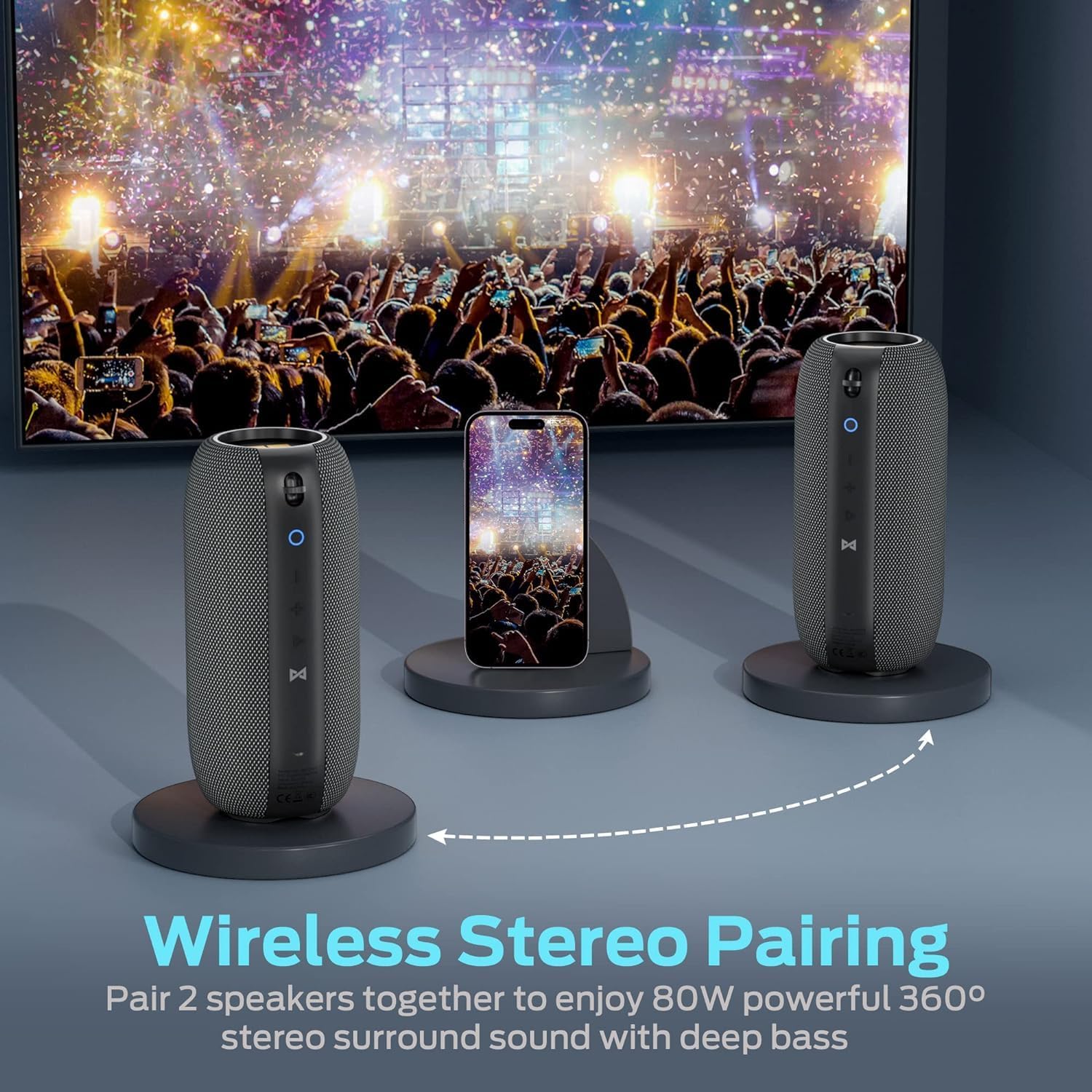
Image 5.1: Two Monster S320 speakers paired for True Wireless Stereo sound.
- Ensure both S320 speakers are powered on and not connected to any other Bluetooth device.
- On one of the speakers (this will be the primary speaker), short press the TWS Pairing Button (Hourglass Symbol). The speaker will enter TWS pairing mode.
- The primary speaker will automatically search for and connect to the second S320 speaker.
- Once successfully paired, both speakers will emit a confirmation sound, and their LED indicators will show a synchronized status.
- Now, connect your mobile device to the primary speaker via Bluetooth as described in section 5.3. Audio will play through both speakers in stereo.
6. Operating Instructions
6.1 Music Playback
- Play/Pause: Short press the Play/Pause/Multi-function Button (Triangle Icon).
- Volume Adjustment: Short press the Volume Up (+) or Volume Down (-) buttons.
- Next Track: Long press the Volume Up (+) button.
- Previous Track: Long press the Volume Down (-) button.
6.2 Hands-Free Calling
The Monster S320 features a built-in microphone for hands-free calls when connected via Bluetooth.

Image 6.1: Hands-free calling with the Monster S320 speaker.
- Answer Call: Short press the Play/Pause/Multi-function Button (Triangle Icon) when a call comes in.
- End Call: Short press the Play/Pause/Multi-function Button (Triangle Icon) during a call.
- Reject Call: Long press the Play/Pause/Multi-function Button (Triangle Icon) when a call comes in.
6.3 Voice Assistant
- Activate Voice Assistant: Press and hold the Play/Pause/Multi-function Button (Triangle Icon) for 2 seconds.
6.4 AUX Input Mode
- Connect a 3.5mm audio cable from your audio source to the AUX input port on the speaker.
- The speaker will automatically switch to AUX mode.
- Volume control can be adjusted via the speaker's buttons or your audio source. Track control must be done from your audio source in AUX mode.
7. Features and Highlights
- 40W Audio Performance: Delivers powerful and clear sound.
- 360° Stereo Sound Effect: Provides immersive audio from all directions.
- True Wireless Stereo (TWS): Pair two S320 speakers for 80W enhanced stereo surround sound.
- IPX7 Waterproof: Fully waterproof, shockproof, and splash-proof, suitable for outdoor activities and even immersion in water.
- 32-Hour Playing Time: Extended battery life for continuous music playback.
- Bluetooth 5.0: Ensures stable and efficient wireless connectivity.
- Built-in Microphone: For convenient hands-free calling.

Image 7.1: The Monster S320 speaker demonstrating its IPX7 waterproof capability.

Image 7.2: Enjoying music outdoors with the Monster S320 speaker's long battery life.
8. Maintenance
- Cleaning: Use a soft, damp cloth to clean the speaker's exterior. Do not use harsh chemicals or abrasive cleaners.
- Storage: Store the speaker in a cool, dry place away from direct sunlight and extreme temperatures.
- Battery Care: To prolong battery life, fully charge the speaker before long periods of inactivity and recharge it at least once every three months.
9. Troubleshooting
| Problem | Solution |
|---|---|
| Speaker does not power on. | Ensure the speaker is charged. Connect it to a power source using the USB-C cable. |
| Cannot pair via Bluetooth. | Ensure the speaker is in pairing mode (blinking blue LED). Turn off and on Bluetooth on your device. Forget previous pairings and try again. Ensure no other devices are connected to the speaker. |
| No sound or low volume. | Check the volume levels on both the speaker and your connected device. Ensure the speaker is properly connected. If using AUX, ensure the cable is fully inserted. |
| TWS pairing fails. | Ensure both S320 speakers are powered on and not connected to any other Bluetooth device. Place them close to each other and try TWS pairing again. |
| Poor sound quality. | Ensure the speaker is within Bluetooth range of your device. Avoid obstacles between the speaker and device. Check the audio source quality. |
10. Specifications
| Feature | Detail |
|---|---|
| Model Name | S320 |
| Brand | Monster |
| Speaker Maximum Output Power | 40 Watts |
| Connectivity Technology | Bluetooth 5.0 |
| Water Resistance Level | IPX7 Waterproof |
| Playing Time | Up to 32 hours (at medium volume) |
| Audio Output Mode | Surround |
| Speaker Type | Outdoor, Portable |
| Control Method | Touch |
| Item Weight | 0.73 Kilograms (1.61 pounds) |
| Product Dimensions | 1 x 1 x 1 inches (Approximate, based on provided data) |
| Material | Fabric or Plastic |
| UPC | 810079709236 |
11. Warranty and Support
The Monster S320 Bluetooth Speaker comes with a limited warranty. For detailed warranty information, please refer to the warranty card included in your product packaging or visit the official Monster website. If you encounter any issues or require technical assistance, please contact Monster customer support.


