
Citizen AT8220-55L
Citizen Men's Eco-Drive Promaster Navihawk A-T Watch User Manual
Model: AT8220-55L
Introduction
This manual provides comprehensive instructions for the operation and maintenance of your Citizen Men's Eco-Drive Promaster Navihawk A-T Watch, Model AT8220-55L. This timepiece is designed for superior accuracy and functionality, featuring atomic timekeeping, a chronograph, perpetual calendar, and a navigational bezel. Please read this manual thoroughly to ensure proper use and to maximize the lifespan of your watch.

Figure 1: Front view of the Citizen Promaster Navihawk A-T Watch, showcasing the blue dial and stainless steel bracelet.

Figure 2: The Citizen Promaster Navihawk A-T Watch presented in its durable protective case.
Setup and Initial Configuration
1. Initial Charge (Eco-Drive)
Your Eco-Drive watch is powered by light and does not require battery replacement. Upon first use or after prolonged storage in darkness, the watch may stop. To initiate operation, expose the watch dial to a bright light source (natural sunlight is ideal) for several hours. The second hand will begin to move at one-second intervals once sufficient charge is accumulated. For optimal performance, ensure regular exposure to light.
2. Time Synchronization (Atomic Timekeeping)
The Promaster Navihawk A-T synchronizes to atomic time for superior accuracy. The watch automatically attempts to receive the time signal daily. For manual synchronization or to adjust time zones:
- Select Home City: Refer to the watch's dial for city codes. Pull the crown out to the time setting position and rotate to select your desired home city.
- Manual Receive: Press and hold the designated button (refer to watch diagram for exact button, typically at 2 or 4 o'clock position) for several seconds until the second hand points to "RX" or "ON" indicating signal reception attempt.
- Confirmation: After successful reception, the watch will display the correct time for the selected city.
3. Bracelet Adjustment
The stainless steel bracelet can be adjusted by adding or removing links. It is recommended to have this procedure performed by a qualified jeweler to prevent damage to the bracelet or watch. Ensure the watch fits comfortably on your wrist, allowing for slight movement without being too loose or too tight.

Figure 3: Side profile of the watch, showing the crown and pushers used for various functions.
Operating Instructions
1. Chronograph Function
The watch features a precise chronograph for measuring elapsed time.
- Start/Stop: Press the upper right pusher to start and stop the chronograph.
- Reset: Press the lower right pusher to reset the chronograph to zero.
2. Perpetual Calendar
The perpetual calendar automatically adjusts for odd/even months and leap years until February 28, 2100. No manual adjustment is required for the date unless the watch has been without power for an extended period.
3. Power Reserve Indicator
A sub-dial on the watch face indicates the current power reserve level. Ensure the indicator remains in the "Full" or "High" range for optimal performance. If the power reserve is low, expose the watch to light.
4. Navigational Bezel and Sliding Scale
The rotating navigational bezel and inner sliding scale can be used for various calculations, including multiplication, division, fuel consumption, and speed. Consult specialized aviation navigation resources for detailed instructions on utilizing these features for flight calculations.

Figure 4: The watch worn by a pilot, demonstrating its intended use in aviation environments.
Maintenance
1. Cleaning
Wipe the watch case and bracelet regularly with a soft, dry cloth to remove dirt and perspiration. For stainless steel, a slightly damp cloth can be used, followed by a dry cloth. Avoid using harsh chemicals or abrasive materials.
2. Charging
To maintain optimal charge, expose the watch to light regularly. Avoid prolonged storage in dark places. The watch is designed to operate for extended periods on a full charge, but consistent light exposure is recommended.
3. Water Resistance
This watch is water-resistant. However, avoid operating the crown or pushers when the watch is wet to prevent water ingress. After exposure to saltwater, rinse the watch with fresh water and dry thoroughly.
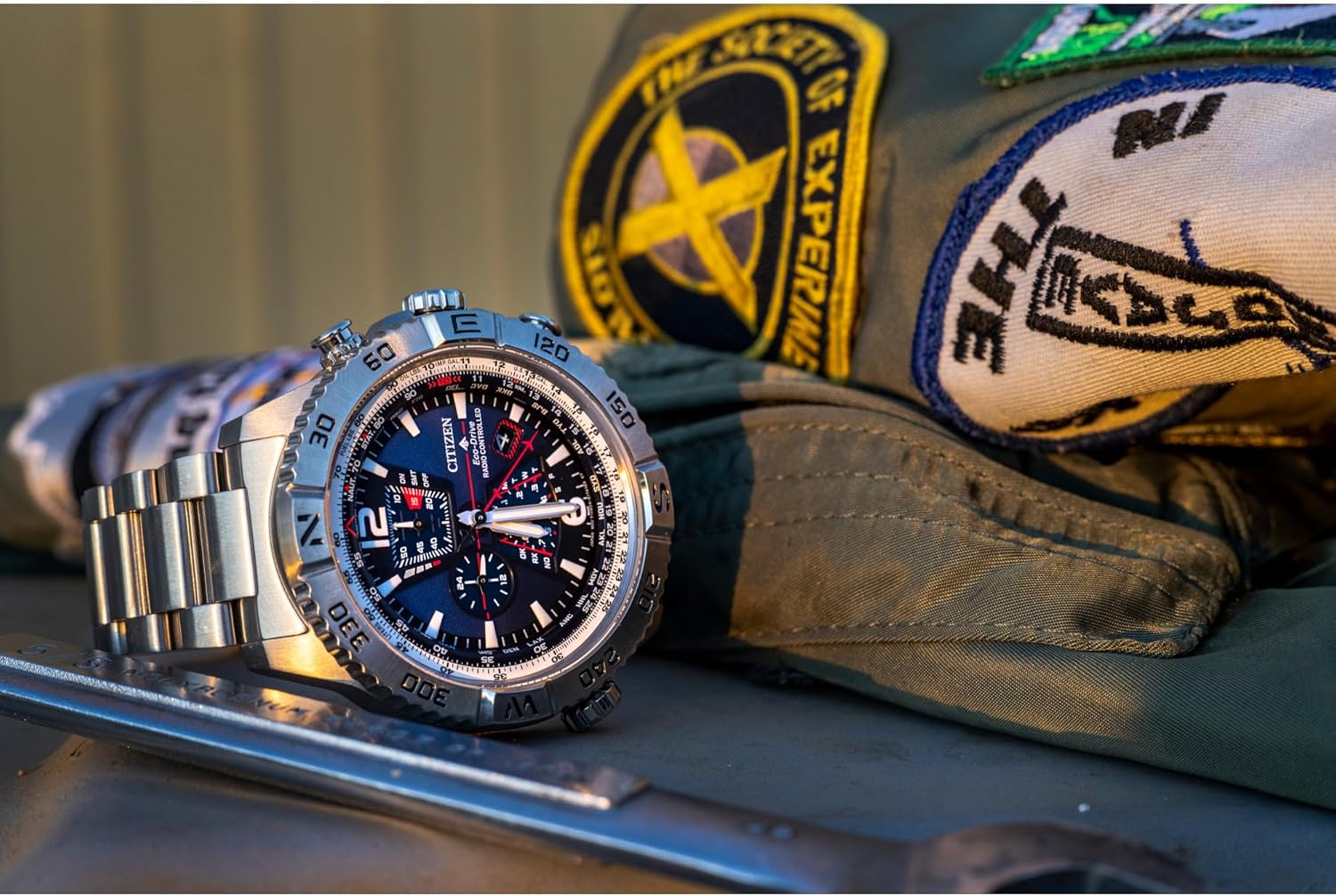
Figure 5: The watch displayed alongside various tools, emphasizing its robust construction and precision.
Troubleshooting
| Problem | Possible Cause | Solution |
|---|---|---|
| Watch has stopped or is running intermittently. | Insufficient power reserve. | Expose the watch to bright light for several hours to fully charge. |
| Time is incorrect or not synchronizing. | Poor signal reception, incorrect home city setting, or watch in power save mode. | Ensure watch is exposed to an open area for signal reception. Verify home city setting. Perform manual time signal reception. |
| Date is incorrect. | Watch has been without power for an extended period, requiring initial date setting. | Refer to the full instruction manual (available online) for detailed perpetual calendar setting procedures. |
Specifications
- Model Number: AT8220-55L
- Movement: Eco-Drive (Light-Powered)
- Timekeeping: Atomic Timekeeping (Radio-Controlled)
- Case Material: Stainless Steel
- Bracelet Material: Stainless Steel
- Dial Color: Blue
- Crystal: Sapphire Crystal
- Functions: Chronograph, Perpetual Calendar, Power Reserve Indicator, 26 Time Zones, Navigational Bezel, Sliding Scale
- Water Resistance: 20 Bar (200 meters)
- Dimensions: Package Dimensions: 6.26 x 5.2 x 4.17 inches; 6.91 ounces (Watch dimensions not explicitly provided, only package)
- Batteries: 1 Lithium Ion batteries required. (included) - For internal memory/backup, as Eco-Drive is light-powered.

Figure 6: Rear view of the watch, showing the case back with model information and water resistance markings.
Warranty and Support
Your Citizen Promaster Navihawk A-T Watch is covered by a manufacturer's warranty. Please refer to the warranty card included with your purchase for specific terms, conditions, and duration. For technical support, service, or to locate an authorized service center, please visit the official Citizen Watch website or contact their customer service department. Keep your proof of purchase for warranty claims.
For further assistance, you may visit the Citizen Store on Amazon.
Related documentsAT8220-55L


Ask a question about this manual
Ask about setup, troubleshooting, compatibility, parts, safety, or missing instructions. Manuals+ will review the question and use this page’s manual context to help answer it.