
1. Introduction
This manual provides essential information for the safe and efficient operation of your Dreo Space Heater, Model DR-HSH004-G. This 1500W portable electric heater utilizes PTC ceramic technology for rapid and consistent heating. It features 70° oscillation, a programmable digital thermostat, a 12-hour timer, and multiple operating modes to enhance your indoor comfort.
2. Important Safety Information
Read all instructions before using this heater. Failure to follow these instructions may result in fire, electric shock, or injury.
Key Safety Features:
- Shield360° Protection: Comprehensive safety system.
- ETL-Listed: Certified for safety standards.
- Tip-Over Protection: Automatically shuts off if accidentally knocked over.
- Overheat Protection: Prevents overheating by shutting off if internal temperature exceeds safe limits.
- Enhanced Safety Plug: Designed for secure electrical connection.
- UL94 V-0 Flame-Retardant Materials: Constructed with materials that resist ignition and spread of flame.
General Safety Precautions:
- Always plug heaters directly into a wall outlet/receptacle. Never use with an extension cord or relocatable power tap (outlet/power strip).
- Do not use the heater in bathrooms, laundry areas, or similar indoor locations where it may come into contact with water.
- Keep combustible materials, such as furniture, pillows, bedding, papers, clothes, and curtains at least 3 feet (0.9 m) from the front of the heater and keep them away from the sides and rear.
- Do not insert or allow foreign objects to enter any ventilation or exhaust opening as this may cause an electric shock or fire, or damage the heater.
- Do not block air openings or operate when the opening is blocked.

Image: The Dreo Space Heater features Shield360° protection, highlighting its V-0 flame retardant materials, enhanced safety plug, tip-over protection, overheat protection, and ETL listing.
3. Product Overview
The Dreo Space Heater is designed for efficient and quiet operation in various indoor settings. Its compact tower form factor allows for versatile placement on desks, tables, or floors.
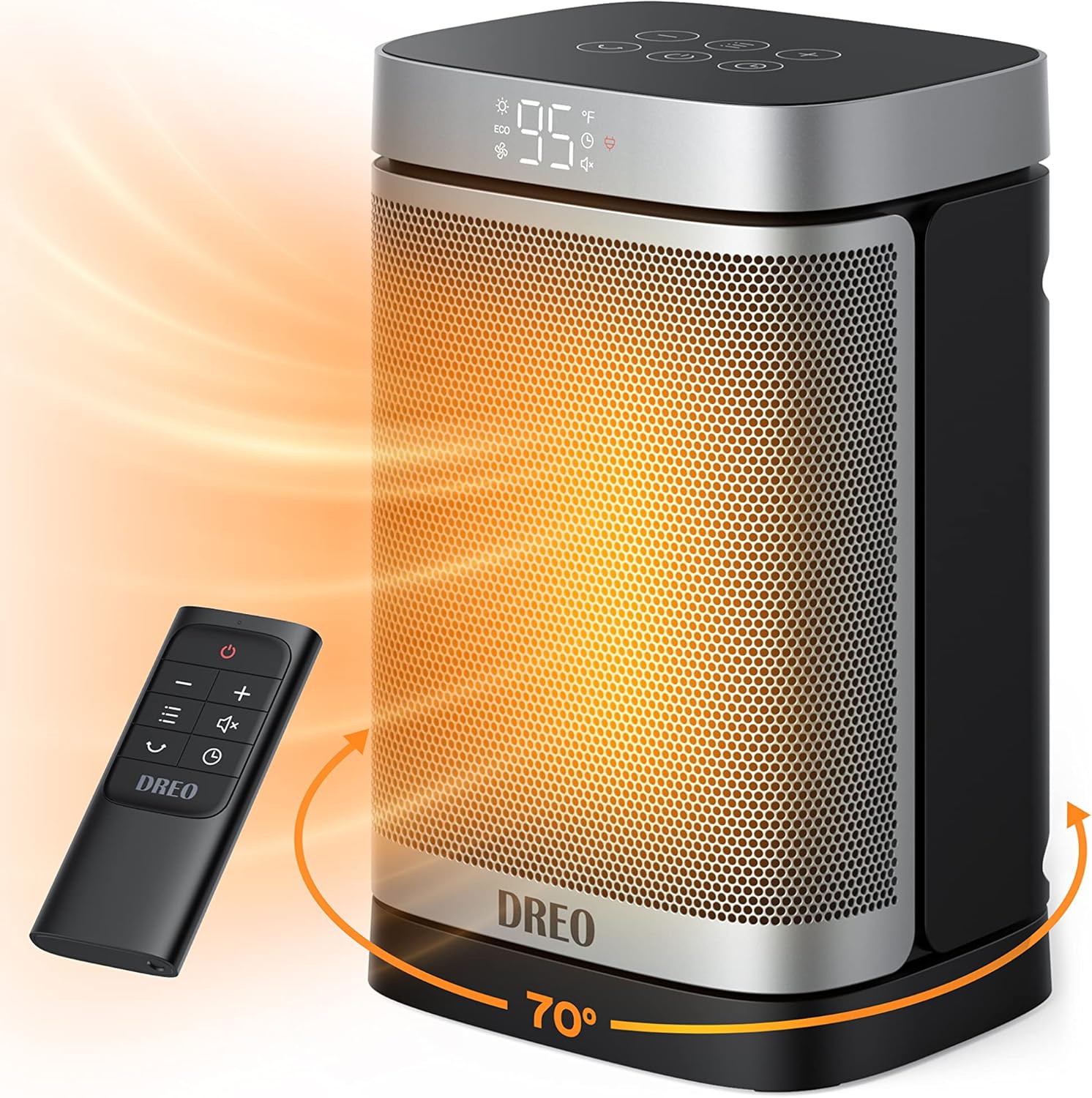
Image: The Dreo Space Heater, showcasing its sleek design, digital display, and remote control. Arrows indicate its 70-degree oscillation capability.
Components:
- Heater Unit (with LED Display/Control Panel)
- Remote Control
- Detachable Filter (located at the rear)

Image: Detailed dimensions of the Dreo Space Heater, indicating its height of 11.42 inches, width of 7.17 inches, and depth of 6.69 inches.
4. Setup
- Unpack the heater and all accessories.
- Place the heater on a firm, level surface. Ensure there are no obstructions to the air intake or exhaust.
- Plug the power cord into a 120V AC, 60Hz wall outlet.
5. Operating Instructions
The Dreo Space Heater can be operated using the touch controls on the top panel or the included remote control.
Power On/Off:
Press the Power button (⏻) on the control panel or remote to turn the heater on or off. When turning off, the heater will enter a 30-second cool-down period before fully shutting down.
Adjusting Modes:
Press the Mode button (☰) to cycle through the 5 available modes:
- High Heat (H3): Maximum heating power (1500W).
- Medium Heat (H2): Moderate heating power.
- Low Heat (H1): Lower heating power.
- ECO Mode: Automatically adjusts heat level to maintain desired temperature, optimizing energy consumption.
- Fan Only: Circulates air without heating.

Image: The Dreo Space Heater highlighting its ECO Mode, which can provide up to 40% energy savings.
Setting Temperature:
In heating modes, use the Plus (+) or Minus (-) buttons to set your desired temperature between 41°F and 95°F (5°C and 35°C) in 1°F increments. The heater will automatically maintain this temperature.
Oscillation Function:
Press the Oscillation button (⟳) to activate or deactivate the 70° wide-angle oscillation, distributing warmth across a larger area.

Image: The Dreo Space Heater demonstrating its 70-degree wide oscillation feature, effectively warming a larger space.
Timer Setting:
Press the Timer button (◷) to set the auto-off timer from 1 to 12 hours. The heater will automatically turn off after the set duration.
6. Maintenance
Regular maintenance ensures optimal performance and longevity of your Dreo Space Heater.
Cleaning:
- Always unplug the heater from the power outlet and allow it to cool completely before cleaning.
- Use a soft, dry cloth to clean the exterior surfaces. Do not use abrasive cleaners or solvents.
- The heater features a detachable filter. Regularly clean the filter to prevent dust buildup and maintain airflow. Refer to the full user manual for detailed filter cleaning instructions.

Image: The detachable filter of the Dreo Space Heater, shown removed from the unit for cleaning.
7. Troubleshooting
If your heater is not operating correctly, please refer to the following common issues and solutions:
- Heater does not turn on: Ensure the power cord is securely plugged into a working outlet. Check if the tip-over switch has been activated (reposition the heater on a flat surface). Verify that the thermostat setting is higher than the current room temperature.
- Heater stops operating unexpectedly: This may indicate activation of the overheat protection. Unplug the heater, allow it to cool down for 30 minutes, and then plug it back in. Ensure there are no obstructions blocking the air intake or exhaust.
- Reduced heat output: Clean the detachable filter to ensure proper airflow.
For issues not covered here, please contact Dreo customer support.
8. Specifications
| Feature | Detail |
|---|---|
| Brand | Dreo |
| Model Number | DR-HSH004-G |
| Color | Silver |
| Form Factor | Tower |
| Indoor/Outdoor Usage | Indoor |
| Product Dimensions | 6"D x 7"W x 11"H |
| Recommended Uses | Desk, Garage, Home, Office, Indoor Use, Heating, Bedroom, Living Room, Basement, Table |
| Mounting Type | Floor Mount |
| Room Type | Bedroom, Home Office |
| Heating Coverage | 200 sq.ft |
| Burner Type | PTC Ceramic |
| Fuel Type | Electric |
| Number of Speeds | 5 |
| Voltage | 120 Volts |
| Min Temperature Setting | 41 Degrees Fahrenheit |
| Max Temperature Setting | 95 f |
| Item Weight | 3.8 pounds |
| Batteries (Remote) | 1 CR2 batteries required (included) |
9. Warranty & Support
For detailed warranty information, please refer to the official user manual provided with your product. You can also find digital versions of the user guide and user manual online:
For further assistance, technical support, or customer service inquiries, please visit the official Dreo website or contact their customer support team directly.


