
1. Introduction
Thank you for purchasing the VTech VM5255 Video Baby Monitor. This manual provides comprehensive instructions on how to set up, operate, and maintain your new baby monitor. Please read this manual thoroughly before use to ensure proper operation and safety.
The VTech VM5255 is designed to provide a clear video and audio connection to your baby, offering peace of mind with features like a 5-inch color display, night vision, two-way talk, and a soothing night light.
2. Safety Information
Please observe the following safety precautions to reduce the risk of injury, electric shock, or fire:
- Keep the baby unit and parent unit out of reach of children.
- Do not place the baby unit or cords within 3 feet (1 meter) of the crib.
- Use only the power adapters provided with the product.
- Do not expose the product to water or moisture.
- Avoid placing the product near heat sources such as radiators, heat registers, stoves, or other apparatus that produce heat.
- Do not block any ventilation openings.
- Only use attachments/accessories specified by the manufacturer.
3. Package Contents
Ensure all items are present in your package:
- Parent Unit (with rechargeable battery)
- Baby Unit (Camera)
- Two Power Adapters (one for parent unit, one for baby unit)
- User's Manual (this document)
4. Product Overview
4.1 Parent Unit
The parent unit features a 5-inch LCD screen for clear viewing of your baby. It includes controls for volume, menu navigation, talk-back function, and zoom.
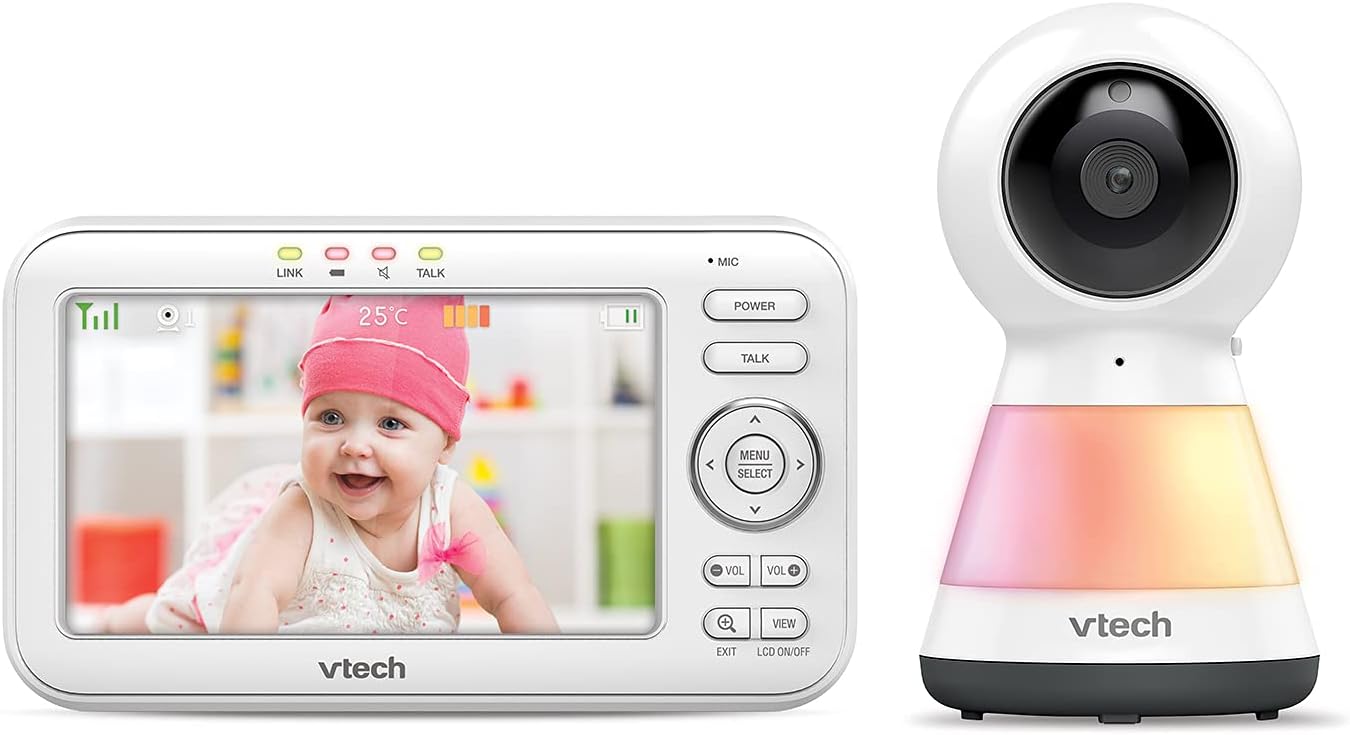
Image: The VTech VM5255 Parent Unit (left) displaying a baby, alongside the Baby Unit (right) with its integrated night light.
4.2 Baby Unit (Camera)
The baby unit is equipped with a camera, microphone, speaker, and an integrated night light. It also features infrared LEDs for night vision and a temperature sensor.

Image: Front view of the VTech VM5255 Baby Unit, showing the camera lens and the night light base.

Image: Side view of the VTech VM5255 Baby Unit, illustrating its profile and the optional wall mount bracket.
5. Setup
5.1 Charging the Parent Unit
- Connect the small plug of the parent unit power adapter to the parent unit's power jack.
- Connect the large plug of the power adapter to a wall outlet.
- The battery icon on the screen will indicate charging status. For optimal performance, charge the parent unit for at least 12 hours before initial use.
5.2 Positioning the Baby Unit
- Place the baby unit at least 3 feet (1 meter) away from your baby to avoid potential cord hazards.
- Position the baby unit on a flat surface, such as a dresser or shelf, or mount it on a wall.
- Adjust the camera angle to ensure a clear view of your baby.
- Connect the baby unit power adapter to the baby unit and then to a wall outlet.
5.3 Powering On/Off
- To power on the parent unit, press and hold the POWER button until the screen lights up.
- To power on the baby unit, slide the ON/OFF switch to the ON position.
- To power off, reverse the steps.
6. Operating
6.1 Basic Monitoring
Once both units are powered on and linked, the parent unit will automatically display the video feed from the baby unit. The screen will show the live video, temperature, and battery status.
6.2 Adjusting Volume
Press the VOL+ or VOL- buttons on the parent unit to adjust the listening volume.
6.3 Two-Way Talk
To talk to your baby, press and hold the TALK button on the parent unit. Speak clearly into the microphone. Release the button to hear your baby.
6.4 Night Vision
The baby unit automatically activates its infrared LEDs for night vision when the room is dark. This allows you to see your baby clearly in low-light conditions.
6.5 Night Light Control
The baby unit features a multi-color night light. You can control it from the parent unit's menu. Navigate to the light settings to turn it on/off or change colors.
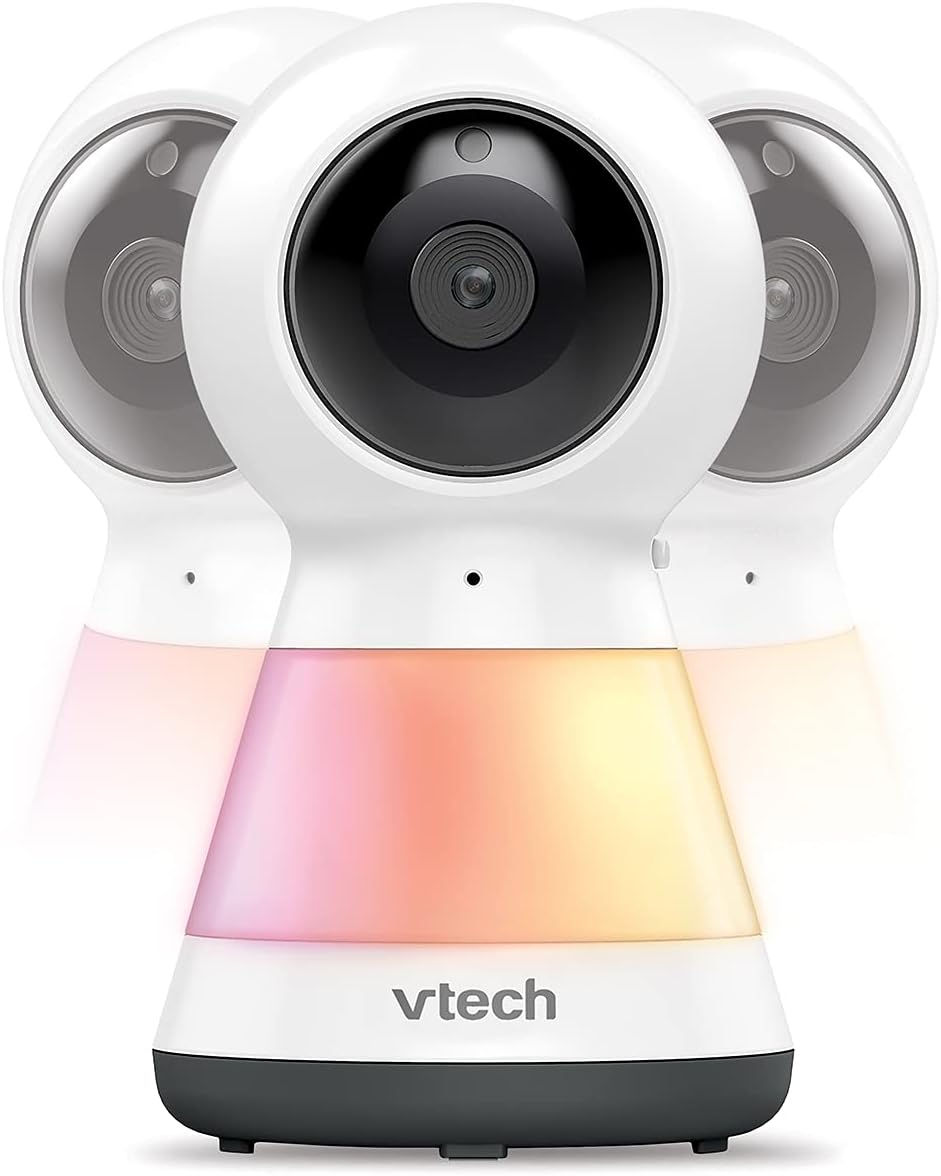
Image: Multiple VTech VM5255 Baby Units demonstrating the various color options of the integrated night light.
6.6 Pan, Tilt, and Zoom
Use the directional arrows (UP, DOWN, LEFT, RIGHT) on the parent unit to remotely pan and tilt the baby unit camera. Press the ZOOM button to digitally zoom in or out on the image.

Image: The VTech VM5255 Parent Unit highlighting its 5-inch LCD screen, with the baby unit visible on the right.
7. Maintenance
7.1 Cleaning the Product
- Clean the product with a slightly damp cloth. Do not use cleaning sprays or liquid cleaners.
- Ensure the product is unplugged before cleaning.
7.2 Battery Care
- To prolong battery life, fully charge the parent unit before first use.
- If the product will not be used for an extended period, remove the battery from the parent unit.
8. Troubleshooting
| Problem | Solution |
|---|---|
| No video/audio on parent unit. |
|
| Static or interference. |
|
| Parent unit battery drains quickly. |
|
9. Specifications
| Feature | Detail |
|---|---|
| Model | VM5255 |
| Screen Size | 5-inch color LCD |
| Wireless Technology | 2.4GHz FHSS |
| Night Vision | Infrared LEDs |
| Power Source | Parent Unit: Rechargeable Battery; Baby Unit: AC Power Adapter |
| Operating Temperature | 32°F - 104°F (0°C - 40°C) |
| Dimensions (Parent Unit) | Approx. 11.77 x 8.35 x 3.31 inches (Package Dimensions) |
| Weight | 1.8 pounds |
10. Warranty and Support
VTech products are designed with quality and reliability in mind. For warranty information, technical support, or service inquiries, please refer to the warranty card included with your product or visit the official VTech website.
You can also find frequently asked questions and additional support resources online.


