
Edifier GM3
Hecate GM3 True Wireless Earbuds User Manual
Model: GM3 | Brand: Edifier
Introduction
Thank you for choosing the Edifier Hecate GM3 True Wireless Earbuds. These earbuds are designed to provide an immersive audio experience, especially for gaming, with features like low latency, specialized sound effects, and comfortable wear. This manual will guide you through the setup, operation, and maintenance of your GM3 earbuds to ensure optimal performance.

Image: Hecate GM3 True Wireless Low-latency Gaming Earbuds. This image displays the product branding and highlights its gaming focus.
Package Contents
Please check the package contents to ensure all items are present:
- Hecate GM3 True Wireless Earbuds (Left and Right)
- Charging Case
- USB Charging Cable
- Ear Tips (various sizes)
- User Manual (this document)

Image: The Hecate GM3 True Wireless Earbuds shown inside their charging case, with the case lid open revealing the earbuds and the illuminated indicator lights.
Setup
1. Charging the Earbuds and Case
Before first use, it is recommended to fully charge the earbuds and the charging case.
- Place the earbuds into the charging case. Ensure they are correctly seated.
- Connect the USB charging cable to the charging port on the case and to a power source (e.g., USB wall adapter, computer USB port).
- The indicator lights on the charging case will show the charging status. Once fully charged, the lights may change or turn off.
A single charge provides approximately 4.5 hours of playback, and the charging case provides an additional 15 hours, totaling up to 19.5 hours of battery life.

Image: Visual representation of the Hecate GM3's battery life, showing 15 hours from the charging case and 4.5 hours from a single earbud charge.
2. Bluetooth Pairing
The GM3 earbuds feature automatic pairing for convenience.
- Open the charging case. The earbuds will automatically power on and enter pairing mode.
- On your device (smartphone, tablet, computer), enable Bluetooth and search for available devices.
- Select "Hecate GM3" from the list of found devices to connect.
- Once connected, you will hear an audio prompt, and the earbuds will be ready for use.
The earbuds utilize Bluetooth 5.2 for a stable and efficient connection.
Operating Instructions
Touch Controls
The Hecate GM3 earbuds are equipped with touch-sensitive controls for easy management of audio playback and calls. The touch-control ring is vacuum plated for precise and easy interaction.
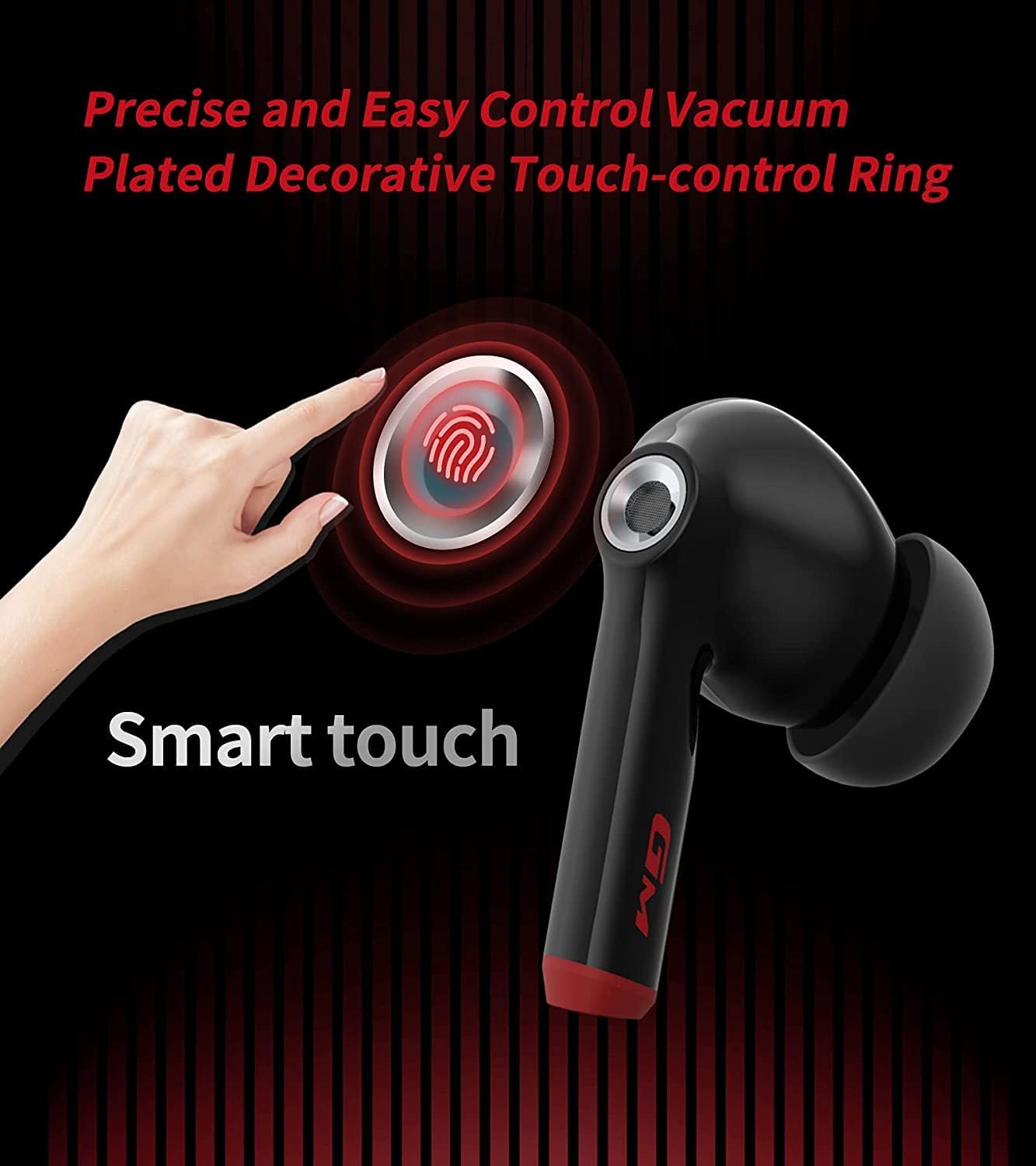
Image: A close-up of the Hecate GM3 earbud highlighting the "Smart touch" area, indicating the location of the touch-control ring.
| Action | Left Earbud (L) | Right Earbud (R) |
|---|---|---|
| Play/Pause | Single Tap | Single Tap |
| Next Track | Double Tap | Double Tap |
| Previous Track | Triple Tap | Triple Tap |
| Answer/End Call | Single Tap | Single Tap |
| Reject Call | Press and Hold (2s) | Press and Hold (2s) |
| Switch Game/Music Mode | Press and Hold (3s) | Press and Hold (3s) |
Game Mode and Low Latency
The GM3 earbuds offer a dedicated Game Mode to enhance your gaming experience by reducing audio latency to as low as 60ms. This ensures a more synchronized audio-visual experience, crucial for competitive gaming.
- To activate Game Mode, press and hold the touch control area on either earbud for 3 seconds. You will hear an audio prompt indicating the mode change.
- In Game Mode, the earbuds prioritize low latency, making footsteps and gunfire sounds more distinct and positionable.
- To switch back to Music Mode for enhanced HiFi audio, repeat the same action.

Image: An illustration showing the Hecate GM3 earbuds and charging case next to a smartphone displaying a game, emphasizing the 60ms imperceptible latency and the Game/Music Mode feature.

Image: The Hecate GM3 earbuds and case with a graphic illustrating enhanced positional audio, highlighting the ability to hear detailed sounds like gunshots, footsteps, and explosions in gaming.

Image: The Hecate GM3 earbuds positioned above a portable gaming console, illustrating the enhanced footstep and gunfire sound effects for gaming.
Smart Noise Cancelling for Calls
The GM3 earbuds incorporate smart noise cancelling technology to ensure smooth and clear calls, reducing background noise for better communication.

Image: A user wearing a Hecate GM3 earbud, with a graphic illustrating the reduction of sound waves "Before" and "After" noise cancellation, indicating clearer calls.
Maintenance
Cleaning
Regular cleaning helps maintain the performance and longevity of your earbuds:
- Use a soft, dry, lint-free cloth to wipe the earbuds and charging case.
- For ear tips, remove them from the earbuds and clean with a mild soap solution if necessary, then rinse thoroughly and dry completely before reattaching.
- Do not use abrasive cleaners, alcohol, or chemical solvents.
Water Resistance (IP55)
The Hecate GM3 earbuds are rated IP55 for dust and water resistance. This means they are protected against limited dust ingress and low-pressure water jets from any direction. They are suitable for use during workouts or in light rain, but are not designed for submersion in water.
- Do not intentionally submerge the earbuds in water.
- Ensure the earbuds are dry before placing them back into the charging case to prevent damage to the charging contacts.

Image: A close-up of a Hecate GM3 earbud with water splashing around it, visually representing its IP55 water resistance rating.
Storage
When not in use, store the earbuds in their charging case to protect them and keep them charged. Store in a cool, dry place away from extreme temperatures.
Troubleshooting
If you encounter any issues with your Hecate GM3 earbuds, please refer to the following common solutions:
| Problem | Possible Solution |
|---|---|
| Earbuds not pairing/connecting |
|
| Only one earbud playing sound |
|
| Low volume or poor sound quality |
|
| Charging case not charging |
|
Specifications
Key technical specifications for the Hecate GM3 True Wireless Earbuds:
- Model: GM3
- Connectivity: Wireless (Bluetooth 5.2)
- Low Latency: As low as 60ms (Game Mode)
- Diaphragm: 10mm composite bio-cellulose diaphragm
- Battery Life: Approx. 4.5 hours (earbuds), 15 hours (charging case) - Total 19.5 hours
- Water Resistance: IP55 (Dust and Water Proof)
- Controls: Touch Enabled
- Included Components: Wireless Charging Case
- Material: Plastic
- Product Dimensions: 4 x 5 x 3 cm; 109 g
- Battery Type: Lithium Polymer (included)

Image: An overview graphic detailing key features of the Hecate GM3, including 60ms latency, H+ Game Sound Effects, 10mm Biologic Diaphragm, Ergonomic Design, 19.5h Playback, IP55 rating, Vacuum Plated Touch-control Ring, and Dual Mode (Music/Game).

Image: A cutaway diagram of the Hecate GM3 earbud, highlighting the 10mm composite biologic diaphragm and its internal components responsible for sound production.
Warranty and Support
Edifier products are designed for reliability and performance. For warranty information and support, please refer to the official Edifier website or contact their customer service. Keep your purchase receipt as proof of purchase for warranty claims.
For further assistance or specific inquiries, please visit the Edifier Store on Amazon or the official Edifier support channels.
Related documentsGM3


Ask a question about this manual
Ask about setup, troubleshooting, compatibility, parts, safety, or missing instructions. Manuals+ will review the question and use this page’s manual context to help answer it.