
YOOREAL YR-HM011F
Yooreal Digital Small Engine Tachometer Hour Meter User Manual
Model: YR-HM011F
Brand: YOOREAL
Introduction
This user manual provides detailed instructions for the installation, operation, and maintenance of the Yooreal Digital Small Engine Tachometer Hour Meter. This device is designed to accurately track engine hours and RPM for various small engines, including those found in lawn mowers, generators, chainsaws, outboard motors, snowblowers, jet skis, and dirt bikes. Please read this manual thoroughly before using the product to ensure proper function and longevity.
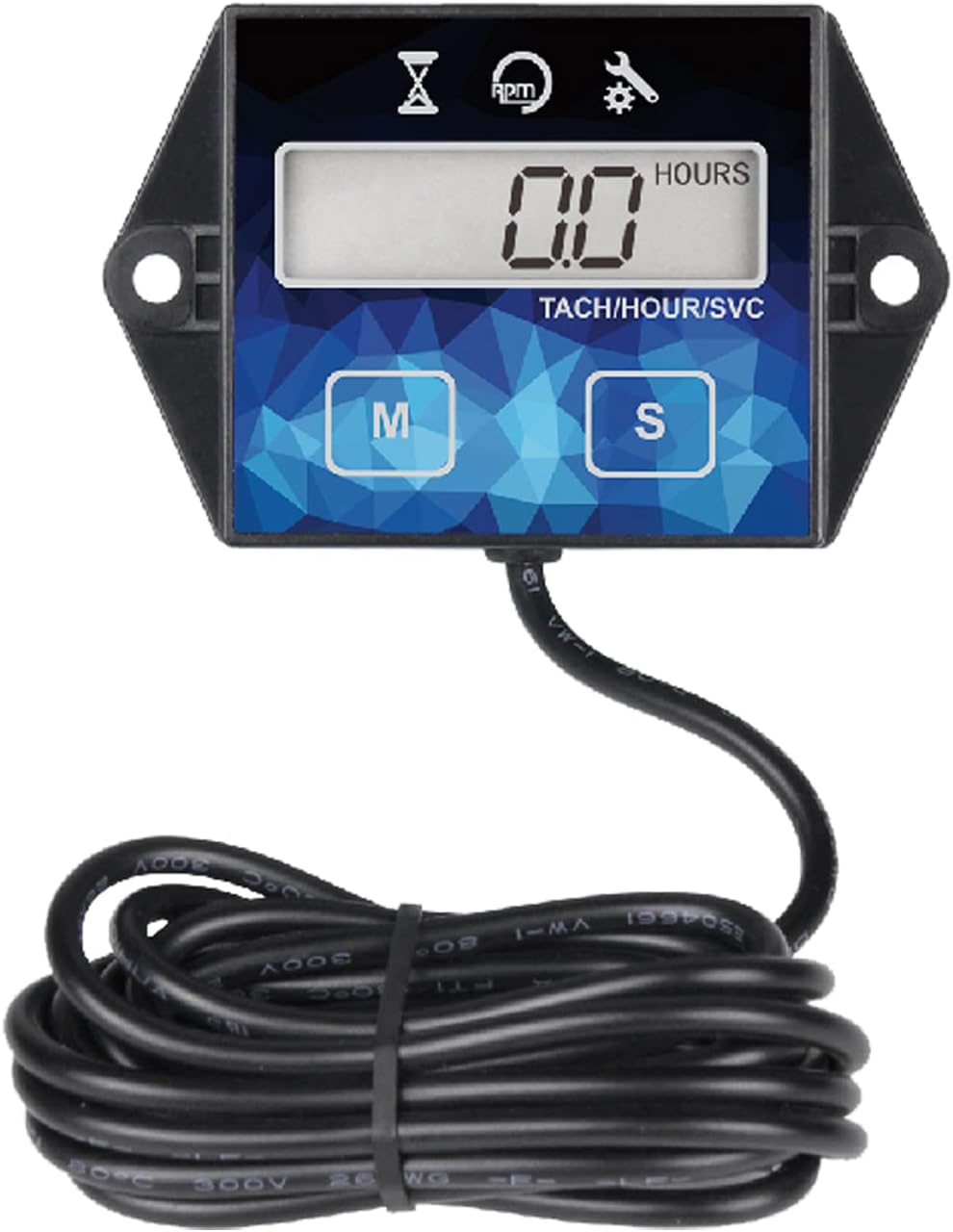
Figure 1: Yooreal Digital Small Engine Tachometer Hour Meter. This image shows the front view of the hour meter with its digital display, 'M' and 'S' buttons, and the attached inductive wire.
Key Features
- Resettable Hourmeter: Tracks total engine usage (TOT) from 0-99999 hours and service intervals (SVC) from 0-9999.9 hours. The TOT hours can be reset, and the SVC timer can be turned off.
- RPM Gauge: Measures engine RPM from 0-20000 RPM with 10 RPM accuracy and a 0.5-second refresh rate. Features 3 selectable engine firing patterns for precise readings.
- Power Saving Design: Utilizes a CR2450 replaceable battery. An insulation sheet is included to preserve battery life during transport, and an LCD shutdown feature further extends battery life during periods of inactivity.
- Easy Installation: Can be mounted using screw-on or stick-on methods. Features a simple one-wire hook-up for engine signal detection. The inductive wire is approximately 68.8 inches (1.75m) long and can be shortened or extended (total length not to exceed 5m/16ft).
- Durability: Designed with favorable IP65 waterproof resistance and a robust housing. User data is retained even after display shutdown or battery replacement.
Package Contents
Upon opening the product packaging, please verify that all the following items are included:
- Yooreal Digital Small Engine Tachometer Hour Meter (1 unit)
- Double-sided tape (1 piece)
- Cable ties (2 pieces)
- User manual (1 piece)
- Product box (1 piece)

Figure 2: Included accessories. This image displays the hour meter, double-sided tape, cable ties, user manual, and the product box, illustrating the complete package contents.
Specifications
| Attribute | Detail |
|---|---|
| Brand | YOOREAL |
| Model Number | YR-HM011F |
| Material | Acrylonitrile Butadiene Styrene (ABS) |
| Dimensions (L x W x H) | 2.89 x 1.84 x 0.79 inches (73.5 x 46.7 x 20.1 mm) |
| Item Weight | 60 Grams (2.12 ounces) |
| UPC | 787997589571 |
| Manufacturer | Ningbo Yooreal Electronics Co.,Ltd |
| Battery Type | 1 Lithium Metal (CR2450), included and replaceable |
| Waterproof Rating | IP65 |
| RPM Measurement Range | 0-20000 RPM |
| TOT Hours Range | 0-99999 Hours |
| SVC Timer Range | 0-9999.9 Hours |
Figure 3: Product dimensions. This image provides a detailed diagram of the hour meter's dimensions in both millimeters and inches.
Setup and Installation
The Yooreal Digital Small Engine Tachometer Hour Meter is designed for straightforward installation. Follow these steps to properly set up your device:
- Mounting the Meter: Choose a suitable flat surface on your equipment. The meter can be mounted using either the provided double-sided tape for a stick-on application or screws through the integrated mounting holes for a more secure screw-on installation. Ensure the surface is clean and dry before applying tape.
- Connecting the Inductive Wire: Wrap the inductive wire around the spark plug wire of your engine. The wire detects the engine's ignition pulses to measure RPM and total hours. Ensure the wire is securely fastened to prevent accidental dislodgement. The inductive wire length is approximately 68.8 inches (1.75m). It can be shortened or extended, but the total length should not exceed 5 meters (16 feet) to maintain signal integrity.
- Selecting Engine Firing Pattern: The meter supports three selectable engine firing patterns to ensure accurate RPM readings for different engine types. Refer to the table below to select the correct pattern for your engine. This setting is crucial for accurate RPM display.

Figure 4: Easy installation guide. This image illustrates the simple process of mounting the meter and wrapping the inductive wire around the spark plug cable.

Figure 5: Three selectable firing patterns. This image shows the inductive wire connection and a table detailing the different engine firing patterns (1P1R, 2P1R, 1P2R) and their corresponding engine types and RPM capacities.
Engine Firing Pattern Table
| Engine Firing Pattern | Engine Type | Spark Plug Firing and Engine Rotate Laps | RPM Capacity |
|---|---|---|---|
| 1P1R | 4 stroke 2 cylinder 2 stroke 1 cylinder | 1 spark per revolution | 20000 |
| 2P1R | 4 stroke 4 cylinder 2 stroke 2 cylinder | 2 spark per revolution | 12000 |
| 1P2R | 4 stroke 1 cylinder | 1 spark 2 revolution | 20000 |
Operating Instructions
The Yooreal Tachometer Hour Meter provides multiple functions accessible via its 'M' (Mode) and 'S' (Set) buttons.
Understanding Display Modes
Press the 'M' button to cycle through the different display modes:
- TOT (Total Hours): Displays the total accumulated running time of the engine. This value is non-resettable by default, ensuring a permanent record of engine usage. However, it can be reset if replacing the device or for specific maintenance needs (refer to the "Resetting TOT Hours" section). The range is 0-99999 hours.
- RPM Gauge: Shows the real-time engine revolutions per minute (RPM) when the engine is running. The display refreshes every 0.5 seconds.
- SVC (Service Interval Timer): This mode tracks time until a programmed service interval is due. The range is 0-9999.9 hours. When the service interval is reached, a "SERVICE" icon will flash on the display to remind you, preventing missed maintenance.

Figure 6: Multifunction hour meter display. This image highlights the TOT, RPM Gauge, and Maintenance (SVC) functions, showing how the display changes to reflect each mode.

Figure 7: Maintenance hour meter. This image shows the display indicating a service reminder, emphasizing the programmable maintenance reminder feature.
Setting Service Intervals (SVC)
To set or adjust the service interval:
- While in SVC mode, press and hold the 'S' button until the digits begin to flash.
- Use the 'M' button to increase the value of the flashing digit.
- Press the 'S' button to move to the next digit.
- Once the desired service interval is set, press and hold the 'S' button again to save the setting and exit.
When the engine accumulates hours equal to the set SVC value, the "SERVICE" icon will flash, indicating that maintenance is due.
Resetting TOT Hours
The TOT (Total Hours) can be reset, which is useful when installing the meter on a new engine or for specific record-keeping purposes. This action is irreversible.
- Ensure the meter is in TOT display mode.
- Press and hold both the 'M' and 'S' buttons simultaneously for approximately 5-10 seconds until the display shows "RESET" or the TOT value resets to 0.
- Release the buttons. The TOT hours are now reset.
Figure 8: TOT reset and SVC reminder. This image visually demonstrates the "RESET" indication for total hours and the flashing "SERVICE" icon for maintenance reminders.
Maintenance
Proper maintenance ensures the longevity and accuracy of your Yooreal Tachometer Hour Meter.
Battery Replacement
The meter is powered by a replaceable CR2450 lithium metal battery. When the display becomes dim or unresponsive, it may be time to replace the battery.
- Locate the battery compartment on the back of the meter.
- Use a small coin or screwdriver to twist the battery cover counter-clockwise to unlock it.
- Carefully remove the old CR2450 battery.
- Insert a new CR2450 battery with the positive (+) side facing up.
- Replace the battery cover and twist it clockwise to secure it.
Note: User data (TOT, SVC settings) will be retained even after the battery is replaced.

Figure 9: Power saving features. This image illustrates the CR2450 battery compartment and the insulating sheet, which helps preserve battery life during storage and transport.
Cleaning and Storage
- Clean the meter with a soft, damp cloth. Do not use harsh chemicals or abrasive cleaners.
- While the device is IP65 waterproof, avoid prolonged submersion or direct high-pressure water jets.
- When storing the device for extended periods, especially before first use, ensure the insulation sheet is in place in the battery compartment to prevent battery drain.

Figure 10: Waterproof design. This image highlights the IP65 waterproof rating, showing the meter being exposed to water, and examples of applications like chainsaws, snowmobiles, lawn mowers, and UTVs.
Troubleshooting
If you encounter issues with your Yooreal Tachometer Hour Meter, please refer to the following common problems and solutions:
| Problem | Possible Cause / Solution |
|---|---|
| Display is blank or dim. |
|
| RPM reading is inaccurate or erratic. |
|
| Hour meter (TOT) is not accumulating. |
|
| Cannot reset TOT hours. |
|
If the problem persists after attempting these solutions, please contact YOOREAL customer support for further assistance.
Safety Information
WARNING: This product contains a button cell or coin battery. Button cell batteries can cause severe internal chemical burns if swallowed. Keep new and used batteries away from children. Seek immediate medical attention if a battery is swallowed or inserted into any part of the body.
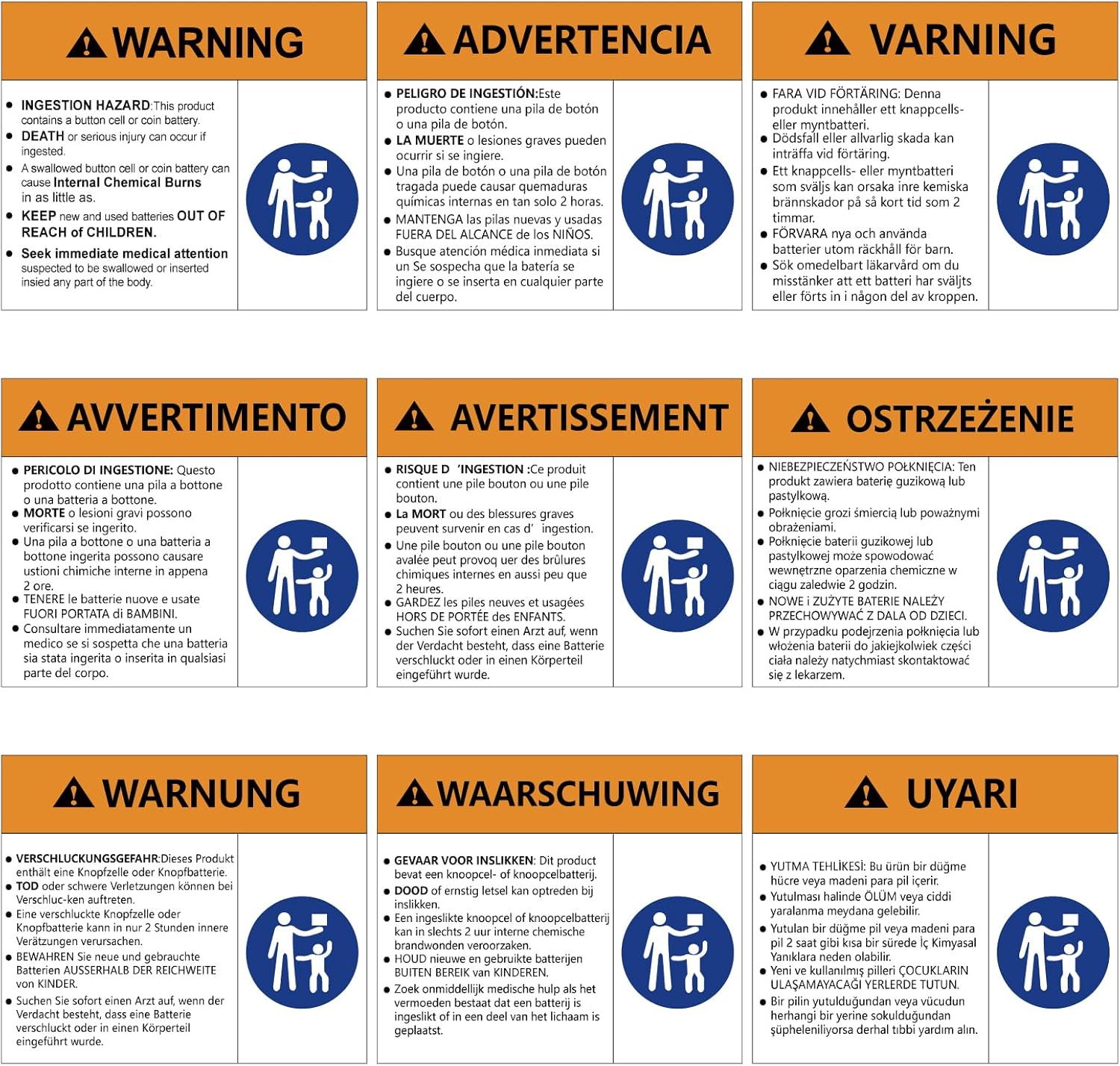
Figure 11: Button cell battery warning. This image displays a multi-language warning regarding the dangers of button cell batteries if swallowed, emphasizing the need to keep them away from children.
Warranty and Support
YOOREAL is committed to providing high-quality products and excellent customer service.
- Warranty: YOOREAL provides 2 years of technical support and after-sales service for this product. During this period, if there is any quality problem with the product, YOOREAL offers free replacement or return service.
- Customer Service: YOOREAL offers 7*24H professional online customer service. If you encounter any issues or have questions about the product, you can always contact the YOOREAL store through the Amazon platform for assistance.
- Hassle-free Policy: Even if the standard Amazon return window has closed, YOOREAL is dedicated to resolving your problems. Please reach out to the seller directly with your concerns.
For further assistance, please visit the YOOREAL Store on Amazon.
Ask a question about this manual
Ask about setup, troubleshooting, compatibility, parts, safety, or missing instructions. Manuals+ will review the question and use this page’s manual context to help answer it.