Introduction
This manual provides essential instructions for the safe and effective use of your Wellue Digital Body Weight and Fat Scale. Please read this manual thoroughly before using the device and retain it for future reference. This scale is designed to measure body weight and various body composition metrics, including heart rate, and sync data with the Fitdays app.
Important Safety Information
- Do not use if you are pregnant, have a pacemaker, or other internal medical devices.
- The scale is for household use only and not for medical diagnosis or treatment.
- Ensure the scale is placed on a firm, flat surface. While designed for carpet use, extreme unevenness can affect accuracy.
- Do not step on the edge of the scale; always step on the center to prevent tipping.
- Keep the scale dry. Do not immerse in water or use harsh cleaning agents.
- Keep out of reach of children.
Package Contents
Verify that all items are present in your package:
- Wellue Digital Body Weight and Fat Scale
- USB Charging Cable
- User Manual (this document)

Image: The Wellue Digital Body Weight and Fat Scale, showing its sleek design and large display.
Product Features
The Wellue Digital Body Weight and Fat Scale offers comprehensive body composition analysis and user-friendly features:
- 16 Essential Body Measurements: Utilizes advanced BIA algorithm to measure body weight, heart rate, body balance, BMI, body fat rate, fat-free body weight, subcutaneous fat, visceral fat, body water, skeletal muscle rate, muscle mass, bone mass, protein, BMR, heart index, and body age.
- High Accuracy on Carpet: Features double tempered glass and four super-sensitive G-sensors for accuracy within 0.2lb, designed to stand steadily even on carpeted surfaces.
- Automatic Data Sync: Connects via Bluetooth 4.0 BLE to the "Fitdays APP" (available on Apple Store or Google Play) for automatic data synchronization and tracking.
- Extra Large LCD Display: Shows 8 essential measurements directly on the scale: Weight, Body Balance%, Body Fat%, BMI, Water%, Skeletal Muscle%, Heart Rate, and Bone Mass.
- Rechargeable Battery: Powered by a rechargeable battery, charged via the included USB cable.
- Multi-User Support: Supports up to 24 user profiles within the app, with automatic user recognition.
- Baby Mode: Allows for convenient tracking of a baby's weight growth.

Image: Close-up of the Wellue scale highlighting its top 6mm tempered glass, ITO surface, extra large display, 4 precision G-sensors, and USB charging port, emphasizing its upgraded design for use on carpet.
Setup Guide
1. Charging the Scale
Before first use, ensure the scale is fully charged. Connect the included USB charging cable to the scale's charging port and to a standard USB power adapter (not included). The display will indicate charging status. A "LO" indication on the display means the battery is low and requires charging.
2. Installing the Fitdays App
The Wellue scale works with the "Fitdays APP" to track and analyze your body composition data. Download the app from:
- Apple App Store (for iOS devices)
- Google Play Store (for Android devices)
After installation, create your user profile within the app.
3. Pairing with the App (Bluetooth Connection)
- Enable Bluetooth on your smartphone.
- Open the Fitdays app.
- Step onto the scale barefoot to activate it. The display will light up.
- The app should automatically detect and connect to the scale. If not, navigate to the "Device" or "Me" section in the app and follow the instructions to add a new device.
- Once connected, the app will display a confirmation, and your measurements will sync automatically.
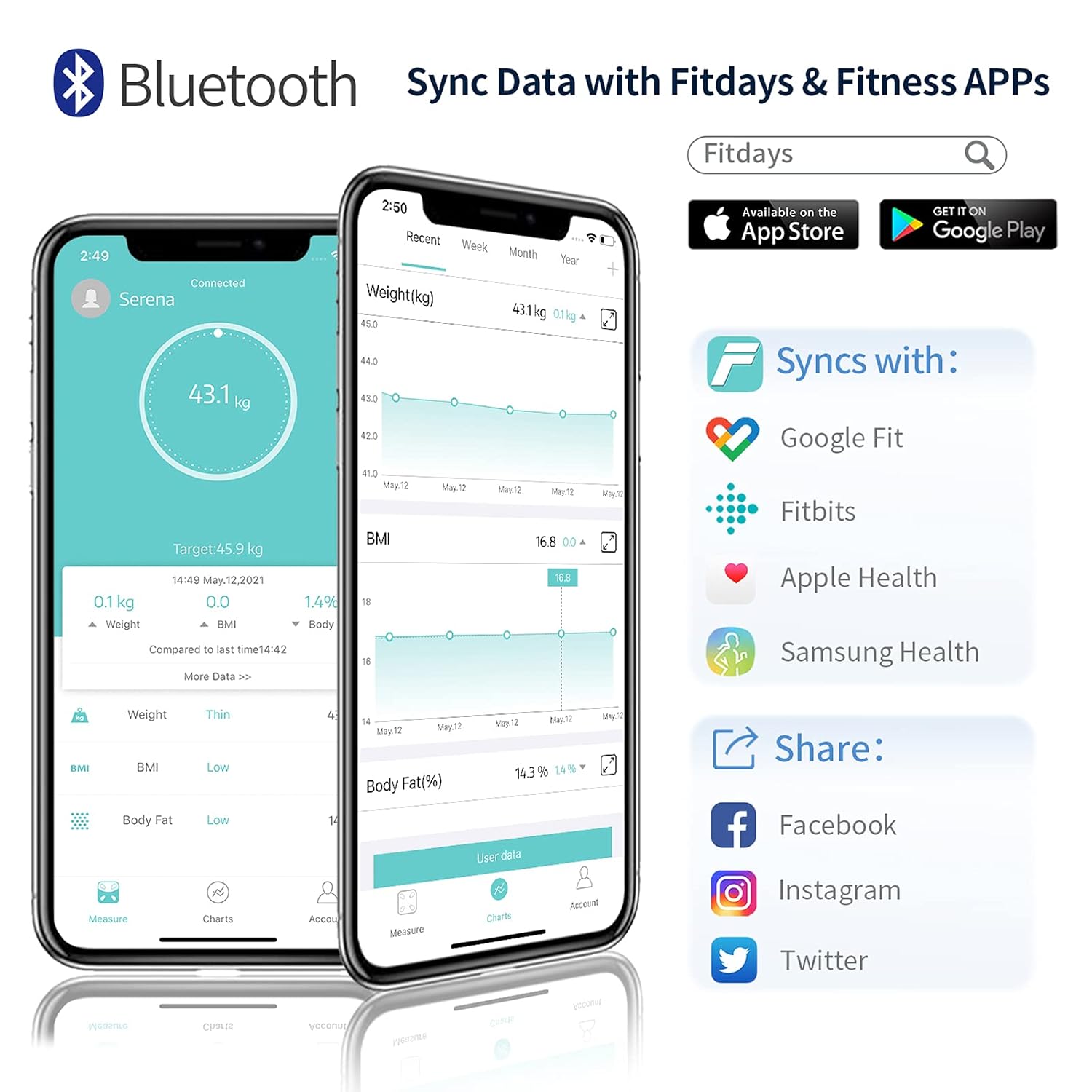
Image: Illustration showing the Fitdays app interface on a smartphone, demonstrating Bluetooth data synchronization and compatibility with Google Fit, Apple Health, and Samsung Health.
Operating Instructions
Taking a Measurement
- Place the scale on a firm, flat surface. While designed for carpet, a hard surface provides the most consistent readings.
- Step onto the scale barefoot and stand still. Ensure your feet are centered on the ITO surface for accurate body composition readings.
- The scale will display your weight first, then cycle through other essential metrics on its large LCD screen.
- Keep the Fitdays app open on your smartphone nearby to ensure automatic data synchronization.
Understanding the Display
The scale's large VA display shows 8 key measurements directly:
- Weight
- Body Balance%
- Body Fat%
- BMI (Body Mass Index)
- Water% (Body Water Percentage)
- Skeletal Muscle%
- Heart Rate
- Bone Mass
Additional metrics are available within the Fitdays app.
Multi-User Function
The Fitdays app supports up to 24 user profiles. The scale is designed to automatically recognize individual users based on their weight. If the weight difference is within 2kg (4.4 lb), the app will prompt you to confirm the user. Each user's data is stored separately within their profile.
Baby Mode
To use Baby Mode:
- Open the Fitdays app and select "Baby Mode" from the settings or profile options.
- First, weigh yourself alone.
- Then, step on the scale while holding your baby. The app will calculate the baby's weight by subtracting your weight from the combined weight.
Understanding Your Body Data
The Wellue scale and Fitdays app provide 16 comprehensive body composition metrics to help you monitor your health:
- Body Weight: Your total weight.
- Heart Rate: Your pulse rate.
- Body Balance: Indicates the weight distribution between your left and right sides.
- BMI (Body Mass Index): A measure of body fat based on height and weight.
- Body Fat Rate: The percentage of fat in your body.
- Fat-Free Body Weight: Your total body weight minus body fat.
- Subcutaneous Fat: Fat stored directly under the skin.
- Visceral Fat: Fat stored around your organs.
- Body Water: The total amount of fluid in your body.
- Skeletal Muscle Rate: The percentage of skeletal muscle in your body.
- Muscle Mass: The total weight of muscle in your body.
- Bone Mass: The total weight of bone mineral in your body.
- Protein: The total amount of protein in your body.
- BMR (Basal Metabolic Rate): The number of calories your body needs to function at rest.
- Heart Index: An indicator related to cardiovascular health.
- Body Age: An estimation of your body's biological age based on your metrics.

Image: Visual representation of the 16 essential body composition measurements provided by the Wellue scale, including BMI, Body Fat, Muscle Mass, Visceral Fat, Body Age, Bone Mass, Fat-free Body Weight, Protein, BMR, Skeletal Muscle, Weight, Subcutaneous Fat, Heart Rate, Heart Index, Body Balance, and Body Water.

Image: Diagram illustrating how the scale tests body balance by showing weight distribution between the left and right sides of the body, helping to identify imbalances.

Image: A chart from the Fitdays app demonstrating how users can set goals and track fitness progress over time, showing trends for Weight, Body Fat Rate, and BMI.
Maintenance
- Cleaning: Wipe the scale surface with a damp cloth and mild detergent. Do not use abrasive cleaners or immerse the scale in water.
- Storage: Store the scale in a cool, dry place. Avoid extreme temperatures and direct sunlight.
- Calibration: The scale is designed for automatic calibration. If you move the scale, step on it once to activate it, then step off and wait for it to display "0.0" before taking an accurate measurement.
Troubleshooting
| Problem | Possible Cause | Solution |
|---|---|---|
| Scale does not turn on. | Low battery. | Charge the scale using the provided USB cable. |
| Inaccurate readings. | Scale on uneven surface; not standing still; not barefoot. | Place on a firm, flat surface. Stand still and barefoot. Recalibrate by stepping on and off. |
| Cannot connect to Fitdays app. | Bluetooth off; app not open; scale not activated. | Ensure Bluetooth is on. Open the app. Step on the scale to activate it. Try restarting phone/app. |
| "LO" displayed. | Low battery. | Recharge the scale. |
| "ERR" or "OVER" displayed. | Overload or measurement error. | Ensure weight is within the 400lb limit. Step off and try again. |
Specifications
- Model: WFUS-600-03197-00-1
- Brand: Wellue
- Weight Limit: 400 Pounds (180 kg)
- Readout Accuracy: 0.2 lb (0.1 kg)
- Display Type: LCD
- Connectivity: Bluetooth 4.0 BLE
- Power Source: Rechargeable (USB cable included)
- Material: ITO & Tempered Glass & Plastic
- Dimensions: Approximately 44.2 x 39.37 x 4.57 cm
- Special Features: Body Fat, Bodyweight, Muscle Mass, Heart Rate, Body Balance, Carpet Use Design
Warranty and Support
For warranty information and customer support, please refer to the documentation included with your purchase or contact Wellue customer service directly. Contact details are typically available on the manufacturer's official website.


