
boAt Xtend
boAt Xtend Smart Watch User Manual
Model: Xtend (ASIN: B096VF5YYF)
Introduction
The boAt Xtend Smart Watch is a versatile wearable device designed to enhance your daily life with smart features and health monitoring capabilities. It features a vibrant 1.69-inch HD display, built-in Alexa voice assistant, comprehensive health tracking including heart rate, SpO2, and stress monitoring, and support for 14 sports modes. With a 5 ATM water resistance rating and up to 7 days of battery life, the Xtend Smart Watch is built for convenience and durability.
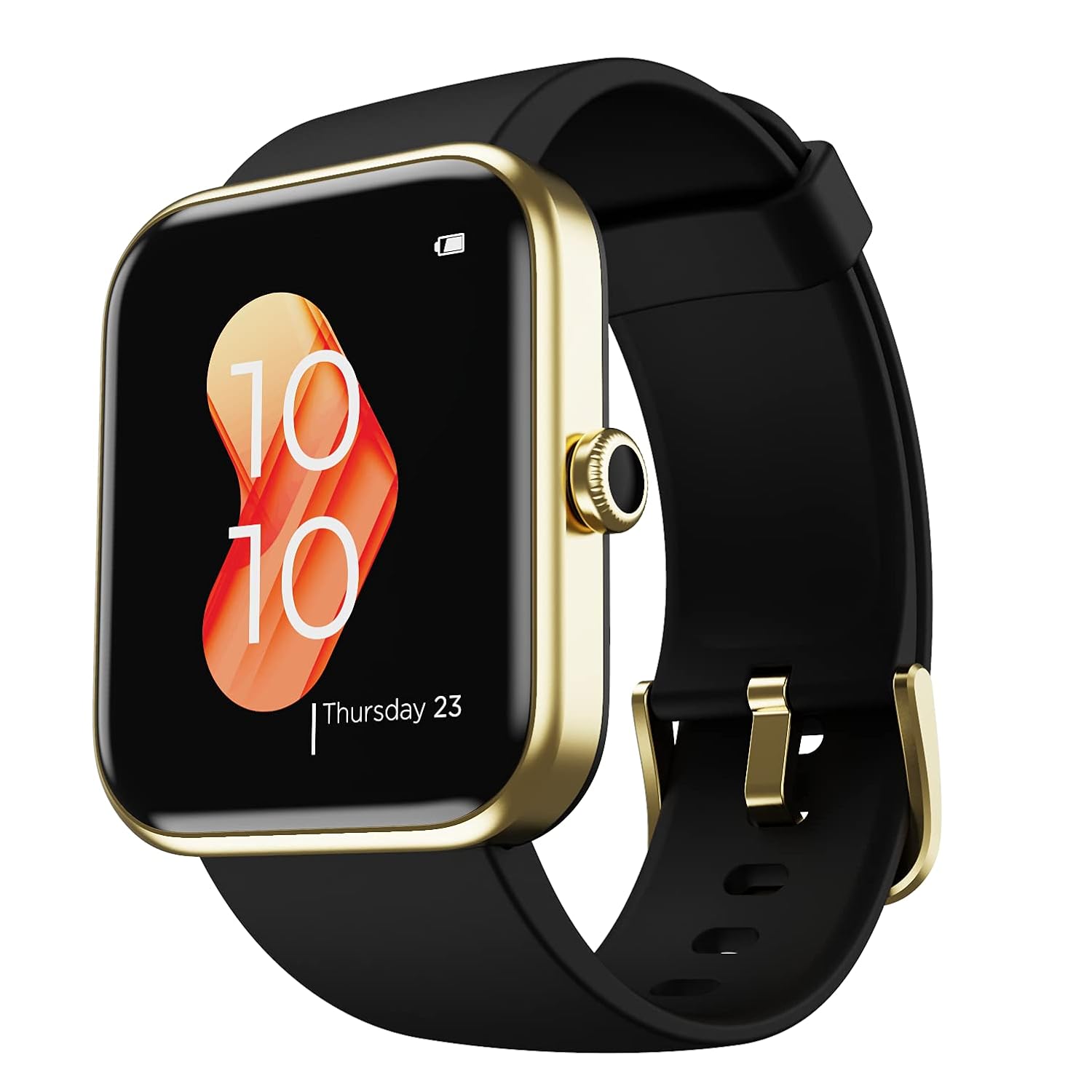
Image: The boAt Xtend Smart Watch, showcasing its square display and sleek design.
What's in the Box
Upon unboxing your boAt Xtend Smart Watch, please ensure all the following items are present:
- boAt Xtend Smart Watch
- USB Magnetic Charging Cable
- User Manual
- Warranty Card
Product Overview and Features
Display and Interface
The boAt Xtend features a 1.69-inch big square color LCD display with a round dial, offering a complete capacitive touch experience for effortless control. The ambient light display automatically adjusts brightness to suit your environment, ensuring optimal visibility. It boasts a peak brightness of 500 Nits.
Alexa Built-in Voice Assistant
Integrated with Alexa, your boAt Xtend Smart Watch allows you to set reminders, alarms, and get answers to various questions, from weather forecasts to live cricket scores, all with voice commands. Note that the watch does not have a microphone for direct voice input, but it processes commands via the connected smartphone.

Image: The boAt Xtend Smart Watch highlighting its Alexa Built-in feature.

Image: A visual guide demonstrating how to interact with Alexa on the boAt Xtend Smart Watch.
Health Monitoring
Keep track of your well-being with comprehensive health monitoring features:
- Stress Monitor: Reads your heart rate to indicate stress levels.
- Heart Rate Monitor: Continuously monitors your heart rate.
- SpO2 Monitor: Measures your blood oxygen levels.
- Sleep Monitor: Tracks all stages of sleep (deep, light, awake) to help you understand your sleep health.
- Guided Meditative Breathing: Provides guided breathing exercises.
Note: HR and SpO2 readings are not intended for medical usage and should not be used as a substitute for professional medical advice.

Image: Overview of real-time health monitoring features on the boAt Xtend Smart Watch.

Image: The boAt Xtend Smart Watch actively measuring stress levels.
Sports Modes and Durability
The watch supports 14 sports modes, making it an ideal fitness companion. It is also 5 ATM dust, splash, and sweat resistant, suitable for various activities including swimming.
- Supported Sports Modes: Basketball, Climbing, Swimming, Yoga, Football, Walking, Cycling, Fitness, Running, Badminton, Skipping, Indoor Cycling, Indoor Running, Outdoor Running, Outdoor Walking, Hiking, Rowing, Elliptical, Pool Swimming, Open Water Swimming, Workout.

Image: Visual representation of the multiple sports modes available on the boAt Xtend Smart Watch.
Battery Life
The boAt Xtend Smart Watch offers a long-lasting battery life of up to 7 days on a single charge. Battery consumption may vary with usage and time.

Image: The boAt Xtend Smart Watch highlighting its impressive battery life.
Customizable Watch Faces
Personalize your watch with multiple watch faces and customizable options to match your daily style.
Setup Guide
1. Charging the Device
Before first use, fully charge your boAt Xtend Smart Watch. Connect the USB Magnetic Charging Cable to the charging points on the back of the watch and plug the USB end into a compatible power adapter (not included) or a computer's USB port. The watch display will indicate charging status.
2. Pairing with Your Smartphone
- Download the official boAt Wearables app from your smartphone's app store (Google Play Store for Android, Apple App Store for iOS).
- Ensure Bluetooth is enabled on your smartphone.
- Open the boAt Wearables app and follow the on-screen instructions to create an account or log in.
- Select "Add Device" or a similar option within the app.
- The app will search for nearby devices. Select "boAt Xtend" from the list of discovered devices.
- Confirm the pairing request on both your watch and smartphone if prompted.
- Once paired, your watch will synchronize data with the app, and you can begin customizing settings and tracking activities.
Operating Instructions
Navigating the Watch
- Swipe Up/Down: Access notifications or quick settings.
- Swipe Left/Right: Navigate through widgets like activity tracking, heart rate, weather, etc.
- Tap: Select an option or open an application.
- Press Side Button: Return to the home screen or access the app menu.
Using Alexa Built-in
To activate Alexa, tap the Alexa icon on your watch screen. Once "Listening..." appears, speak your command clearly. Alexa will process your request via your connected smartphone and display the result on the watch screen. Examples include setting alarms, checking weather, or asking general questions.
Monitoring Health Data
Access health monitoring features by swiping through the watch's widgets or selecting them from the app menu. Ensure the watch is worn snugly on your wrist for accurate readings. Data will sync with the boAt Wearables app for detailed analysis and historical tracking.
Tracking Sports Activities
From the sports modes menu, select your desired activity. The watch will begin tracking relevant metrics such as steps, distance, calories burned, and heart rate. End the activity when finished to save the data.
Changing Watch Faces
You can change watch faces directly from the watch by long-pressing the home screen and swiping to select, or through the boAt Wearables app for a wider selection and customization options.
Maintenance
Cleaning Your Watch
Regularly clean your watch and strap to prevent skin irritation and maintain device functionality. Use a soft, lint-free cloth. If necessary, dampen the cloth with a small amount of water. Do not use harsh chemicals or abrasive materials. Ensure the watch is dry before charging.
Water Resistance (5 ATM)
The boAt Xtend Smart Watch is 5 ATM water resistant, meaning it can withstand pressures equivalent to a depth of 50 meters. This makes it suitable for showering, swimming in shallow water, and other surface water activities. It is not suitable for diving, snorkeling, or high-speed water sports. Avoid exposing the watch to hot water, steam, or detergents, as this may compromise its water resistance.
Troubleshooting
| Problem | Possible Solution |
|---|---|
| Watch not turning on | Ensure the watch is fully charged. Connect it to the charging cable and a power source for at least 30 minutes. |
| Cannot pair with smartphone |
|
| Inaccurate health readings | Ensure the watch is worn snugly on your wrist, about one finger's width above the wrist bone. Clean the sensor on the back of the watch. Avoid excessive movement during readings. |
| Alexa not responding |
|
Specifications
| Feature | Detail |
|---|---|
| Model Name | Xtend |
| Display Size | 1.69 inches (4.2 cm) |
| Display Type | HD LCD, Capacitive Touch |
| Peak Brightness | 500 Nits |
| Operating System | Android (compatible) |
| Special Features | Alexa Built-in, Multiple Watch Faces, Stress Monitor, Heart Rate Monitor, SpO2 Monitor, Sleep Monitor |
| Battery Capacity | 200 mAh (approx.) |
| Battery Life | Up to 7 Days |
| Connectivity Technology | Bluetooth |
| Wireless Communication Standard | Bluetooth |
| Water Resistance Rating | 5 ATM |
| Supported Applications | HR, SpO2, Fitness Tracker, Text SMS, Pedometer, Calendar, Alarm |

Image: Size chart detailing the dimensions of the boAt Xtend Smart Watch and recommended wrist sizes.
Warranty and Support
Your boAt Xtend Smart Watch comes with a Limited Warranty. Please refer to the included Warranty Card for specific terms, conditions, and duration of coverage. For technical support, service, or warranty claims, please visit the official boAt support website or contact their customer service as per the details provided on the warranty card or product packaging.
For more information, you may visit the official boAt store: boAt Official Store
Related documentsXtend


Ask a question about this manual
Ask about setup, troubleshooting, compatibility, parts, safety, or missing instructions. Manuals+ will review the question and use this page’s manual context to help answer it.