
Introduction
This manual provides essential instructions for the setup, operation, maintenance, and troubleshooting of your Spirit Of Gamer PRO-MK5 3-in-1 Gaming Pack. This pack includes a gaming keyboard, a gaming mouse, and a gaming mouse pad. Please read this manual carefully before using the product to ensure optimal performance and longevity.
Setup Instructions
1. Connecting the Keyboard
- Locate an available USB port on your computer.
- Plug the USB connector of the PRO-MK5 keyboard into the USB port.
- The keyboard will automatically install necessary drivers. Wait for the installation to complete.
- The RGB backlighting will illuminate upon successful connection.
2. Connecting the Mouse
- Locate an available USB port on your computer.
- Plug the USB connector of the PRO-MK5 mouse into the USB port.
- The mouse will automatically install necessary drivers. Wait for the installation to complete.
- The RGB backlighting on the mouse will illuminate upon successful connection.
3. Positioning the Mouse Pad
- Place the Spirit Pad mouse pad on a flat, stable surface.
- Ensure the non-slip rubber base is in full contact with the surface to prevent movement during use.

Image: Overview of the Spirit Of Gamer PRO-MK5 keyboard, mouse, and mouse pad, showing their respective dimensions and USB cable lengths.
Operating Instructions
Keyboard Features and Use
- RGB LED Backlight: The keyboard features an RGB LED backlight with a breathing mode. Specific key combinations (e.g., Fn + Scroll Lock or similar, refer to on-device markings) may control lighting effects and brightness.
- Semi-Mechanical Keys: The slim semi-mechanical keys provide a responsive typing and gaming experience.
- 7-Button Anti-Ghosting: This technology ensures that up to 7 simultaneous key presses are registered accurately, preventing input loss during intense gaming sessions.
- Durable Design: The keyboard features a robust metal housing for enhanced durability.
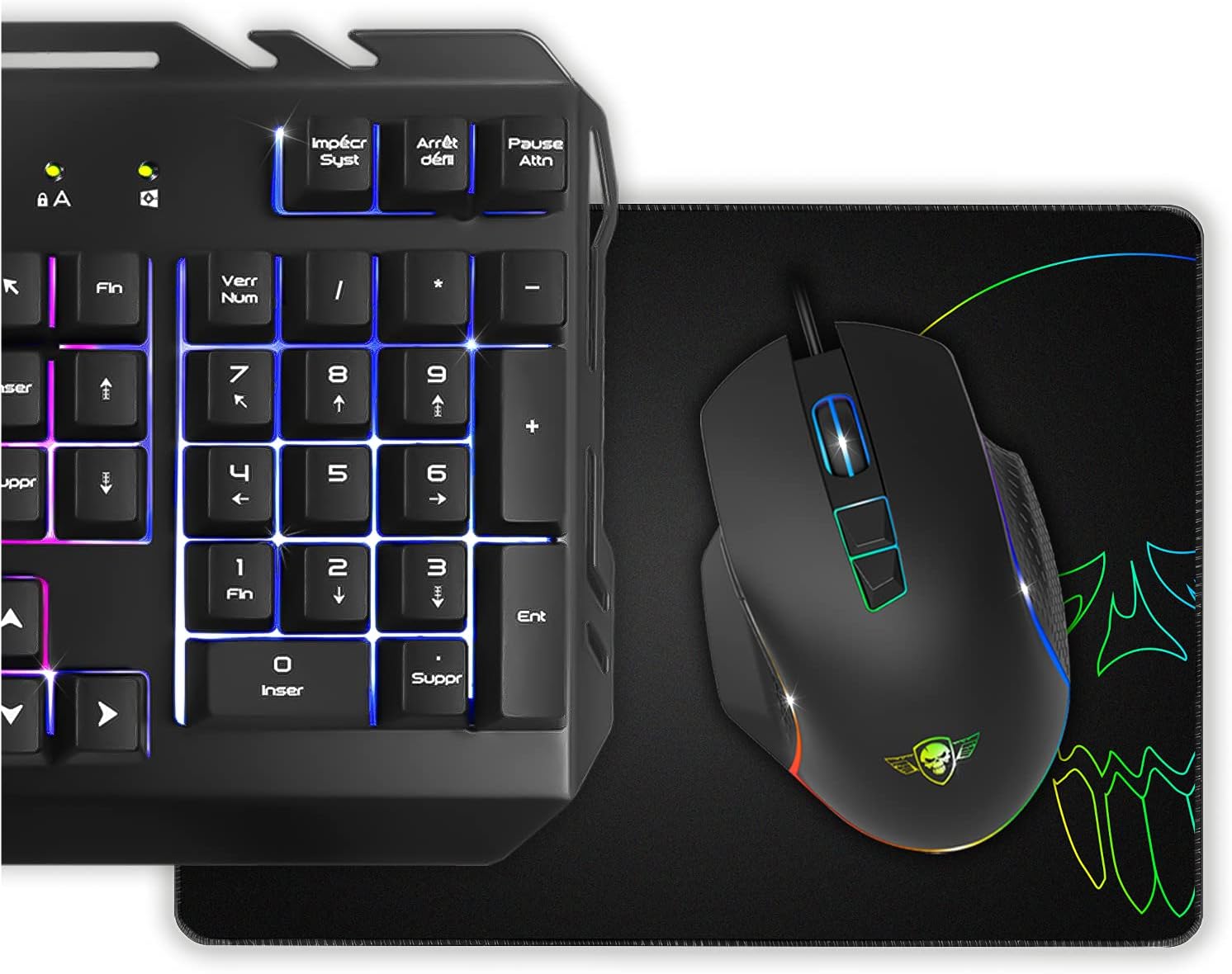
Image: Detailed view of the PRO-MK5 keyboard highlighting its RGB backlighting, slim semi-mechanical keys, and metal chassis.

Image: The PRO-MK5 keyboard illuminated with vibrant RGB lighting in a low-light environment.
Mouse Features and Use
- 6400 DPI Optical Sensor: The mouse is equipped with an optical sensor offering a maximum resolution of 6400 DPI. DPI (Dots Per Inch) can be adjusted to suit your preference for cursor speed and precision.
- Adjustable Resolution: Use the dedicated DPI buttons on the mouse to cycle through different DPI settings.
- RGB Backlight: The mouse features adjustable RGB backlighting with 6 preset effects. These effects can typically be cycled through using a dedicated button or software (if available).
- Ergonomic Design: Designed with a soft-touch surface and a comfortable thumb rest for extended gaming sessions.
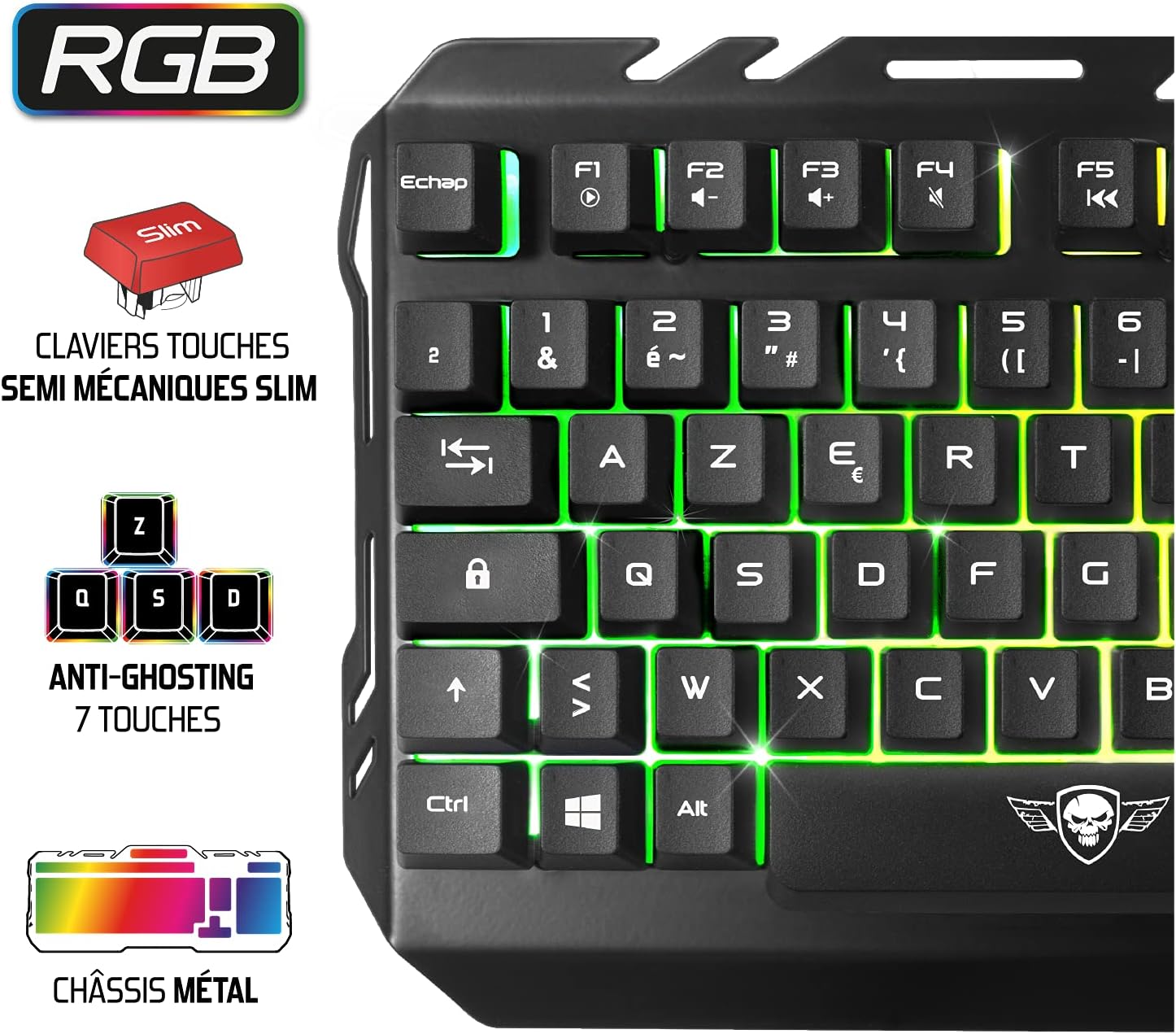
Image: Detailed view of the PRO-MK5 mouse, highlighting its RGB lighting modes and 6400 DPI resolution capability.

Image: The PRO-MK5 mouse illuminated with vibrant RGB lighting in a low-light environment.
Mouse Pad Features and Use
- Smooth Surface: Provides precise control and smooth gliding for the mouse.
- Non-Slip Rubber Base: Ensures the mouse pad remains stable during intensive use.
- Stitched Edges: Designed for durability and to prevent fraying.

Image: Detailed view of the Spirit Pad mouse pad, showcasing its skull design, precise control surface, stitched edges, and non-slip base.

Image: The Spirit Pad mouse pad featuring its distinctive skull design in a low-light environment.
Maintenance
To ensure the longevity and optimal performance of your PRO-MK5 Gaming Pack, follow these maintenance guidelines:
- Cleaning the Keyboard and Mouse: Use a soft, dry cloth to wipe down the surfaces. For stubborn dirt, a slightly damp cloth with mild soap can be used, ensuring no liquid enters the device. Avoid abrasive cleaners or solvents.
- Cleaning the Mouse Pad: The mouse pad can be gently wiped with a damp cloth. Allow it to air dry completely before use. Do not machine wash.
- Storage: Store the devices in a cool, dry place away from direct sunlight and extreme temperatures.
- Cable Care: Avoid sharp bends or excessive pulling on the USB cables to prevent damage.
Troubleshooting
If you encounter issues with your PRO-MK5 Gaming Pack, refer to the following common solutions:
| Problem | Possible Solution |
|---|---|
| Keyboard/Mouse not responding |
|
| RGB lighting not working |
|
| Mouse cursor movement is erratic or slow |
|
| Keys are not registering or are 'ghosting' |
|
Specifications
| Feature | Detail |
|---|---|
| Product Model Number | CLS-PMK5 |
| ASIN | B0965YS2S3 |
| Product Dimensions (Keyboard) | 43.3 x 17.7 x 3 cm (approximate, from image) |
| Product Dimensions (Mouse) | 12.2 x 8 x 4.1 cm (approximate, from image) |
| Product Dimensions (Mouse Pad) | 35 x 25 cm, 3 mm thickness (approximate, from image) |
| Total Product Weight | 1.25 kg |
| Keyboard Type | Semi-mechanical, Slim keys |
| Keyboard Backlighting | RGB LED with breathing mode |
| Keyboard Anti-Ghosting | 7-button anti-ghosting |
| Mouse Sensor Type | Optical |
| Mouse DPI | Up to 6400 DPI (adjustable) |
| Mouse Backlighting | RGB with 6 preset effects |
| Mouse Pad Surface | Smooth, optimized for precise control |
| Mouse Pad Base | Non-slip rubber |
| Connectivity | USB (Wired) |
| Country of Origin | China |
| Release Date | 1 Jan. 2023 |
Warranty Information
Specific warranty details for the Spirit Of Gamer PRO-MK5 3-in-1 Gaming Pack are typically provided with the product packaging or can be obtained directly from the manufacturer or your point of purchase. Please retain your proof of purchase for any warranty claims.
Customer Support
For further assistance, technical support, or inquiries regarding your Spirit Of Gamer PRO-MK5 Gaming Pack, please refer to the official Spirit Of Gamer website or contact their customer service department. Contact information is usually available on the manufacturer's website or product packaging.

