Introduction
This user manual provides essential information for the Lenovo ThinkPad X1 Carbon Gen 9 laptop. It covers initial setup, basic operation, maintenance guidelines, troubleshooting tips, and detailed product specifications. Please read this manual thoroughly to ensure proper use and care of your device.
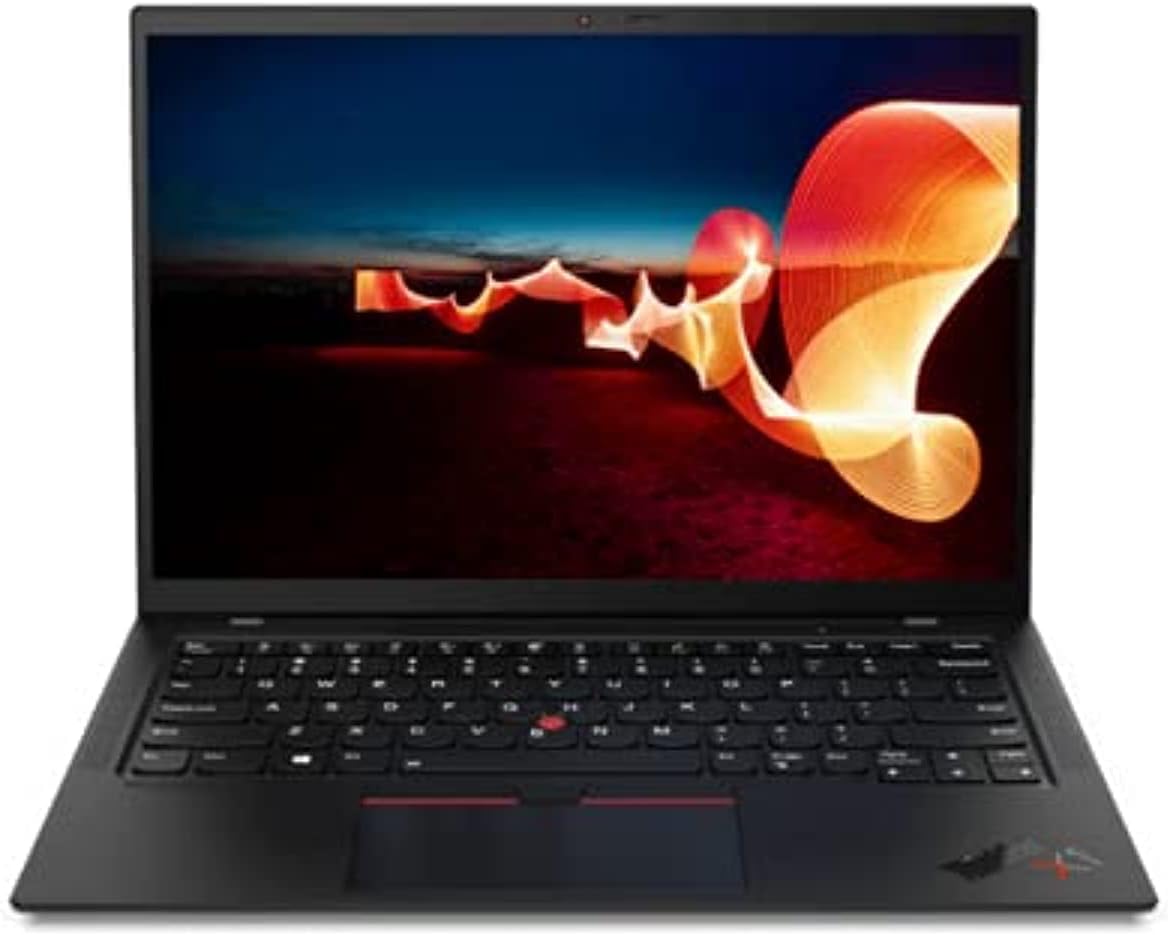
Image: The Lenovo ThinkPad X1 Carbon Gen 9 laptop in a closed position, showcasing its sleek design.
Setup
1. Unpacking and Initial Inspection
Carefully remove the laptop and all accessories from the packaging. Verify that all components are present, including the laptop and the power adapter. Inspect the device for any visible damage.
2. Connecting the Power Adapter
Connect the power adapter to the laptop's USB-C port (Thunderbolt 4 compatible) and then plug it into a power outlet. It is recommended to fully charge the battery before initial use.

Image: Left side of the laptop, illustrating the USB-C (Thunderbolt 4) and USB 3.1 ports for power and data connections.
3. Initial Power On and Windows Setup
Press the power button to turn on the laptop. Follow the on-screen instructions to complete the Windows 11 Pro operating system setup. This includes selecting your region, connecting to a Wi-Fi network, and creating a user account.
Operating Instructions
Power On/Off and Sleep Mode
- Power On: Press the power button located on the side of the laptop.
- Power Off: Click the Start button, then Power, and select "Shut down."
- Sleep Mode: Close the laptop lid or click the Start button, then Power, and select "Sleep."
Keyboard and Input Devices
The ThinkPad X1 Carbon Gen 9 features a backlit keyboard for improved visibility in low-light conditions. Utilize the integrated touchpad or the TrackPoint pointing device for navigation.
Connecting External Devices
The laptop is equipped with various ports for connecting external devices:
- USB-C (Thunderbolt 4): For high-speed data transfer, video output, and charging.
- USB 3.1: For connecting standard USB devices.
- HDMI: For connecting to external displays or projectors.
- Audio Jack: For headphones or external speakers.

Image: Right side of the laptop, displaying the audio jack, USB 3.1 port, and a security lock slot.
Wireless Connectivity
The laptop supports Wi-Fi 6 (Intel AX201 11ax) for fast wireless internet access and Bluetooth 5.1 for connecting wireless peripherals such as mice, keyboards, or headphones.
Fingerprint Reader
Utilize the integrated fingerprint reader for secure and convenient login to your Windows operating system.
Maintenance
Cleaning the Laptop
- Use a soft, lint-free cloth slightly dampened with water or a screen cleaner to clean the display.
- For the keyboard and chassis, use a soft cloth. Avoid harsh chemicals or abrasive materials.
- Ensure the laptop is powered off and unplugged before cleaning.
Battery Care
- Avoid exposing the battery to extreme temperatures.
- For optimal battery longevity, avoid consistently discharging the battery to 0% or keeping it at 100% for extended periods.
Software Updates
Regularly check for and install operating system updates (Windows Update) and driver updates (Lenovo Vantage software or Lenovo support website) to ensure optimal performance and security.
Troubleshooting
If you encounter issues with your Lenovo ThinkPad X1 Carbon Gen 9, consider the following common troubleshooting steps:
- No Power: Ensure the power adapter is securely connected and the outlet is functional. Try a different power outlet.
- Display Issues: If the screen is blank, try connecting an external monitor to verify if the issue is with the laptop's display or graphics output. Ensure display drivers are updated.
- Connectivity Problems (Wi-Fi/Bluetooth): Check if Wi-Fi and Bluetooth are enabled in Windows settings. Restart your router for Wi-Fi issues. Ensure drivers are up to date.
- Slow Performance: Close unnecessary applications, check for malware, and ensure sufficient free storage space.
- System Not Responding: Press and hold the power button for 10-15 seconds to force a shutdown, then restart the laptop.
For more complex issues or hardware failures, refer to the official Lenovo support website or contact their customer service.
Specifications
Below are the key technical specifications for the Lenovo ThinkPad X1 Carbon Gen 9 laptop:
| Feature | Detail |
|---|---|
| Processor | Intel Core i7-1165G7 (4C / 8T, 2.8 / 4.7GHz, 12MB) |
| Graphics | Integrated Intel Iris Xe Graphics |
| Display | 14" FHD IPS 400nits Anti-glare (1920 x 1080 pixels) |
| Memory (RAM) | 16GB LPDDR4 (soldered) |
| Storage | 512GB SSD M.2 2280 PCIe x4 NVMe Opal2 |
| Operating System | Windows 11 Pro |
| Wireless Connectivity | Wi-Fi 6 (Intel AX201 11ax), Bluetooth 5.1 |
| Ports | USB-C (Thunderbolt 4), HDMI, USB 3.1, Audio Jack |
| Webcam | Integrated Webcam with Microphone |
| Security Features | Fingerprint Reader |
| Dimensions (WxDxH) | 315 x 221.6 x 14.9 mm (12.4 x 8.72 x 0.59 inches) |
| Weight | Approximately 2.48 pounds |
Warranty and Support
Amazon Renewed Guarantee
This product is covered by the Amazon Renewed Guarantee. If you are not satisfied with your purchase, renewed products are eligible for replacement or refund within 90 days of receipt under this guarantee. For details, please refer to the Amazon Renewed program terms.
Manufacturer Support
For technical assistance, driver downloads, or further product information, please visit the official Lenovo support website. You may need your product's serial number for specific support inquiries.
Optional protection plans may be available for extended coverage beyond the Amazon Renewed Guarantee. Please check your purchase details for information on any additional plans.


