
1. Safety Information
Please read this manual thoroughly before operating your PELONIS 3-in-1 Air Cooler. Keep these instructions for future reference. Failure to follow these instructions may result in electric shock, fire, or serious injury.
- Electrical Safety: Always ensure the power supply matches the voltage specified on the appliance. Do not operate with a damaged cord or plug.
- Placement: Place the air cooler on a stable, flat surface. Do not block air inlets or outlets. Maintain adequate clearance from walls and furniture.
- Water Tank: Only use clean tap water in the water tank. Do not add any chemicals or additives other than the provided ice packs. Ensure the water tank is securely locked before operation.
- Children and Pets: Keep the appliance out of reach of children and pets. Supervise children to ensure they do not play with the appliance.
- Maintenance: Unplug the appliance before cleaning or performing any maintenance. Refer to the maintenance section for proper cleaning procedures.
- No Refrigerants: This evaporative air cooler does not use refrigerants like a traditional air conditioner. It cools by evaporating water.
2. Product Overview
The PELONIS 3-in-1 Air Cooler is a versatile appliance designed to provide cooling, humidification, and fan functions for enhanced indoor comfort. It is an energy-efficient solution for various environments.

Figure 2.1: The PELONIS 3-in-1 Air Cooler and its remote control.
Key Features:
- 3-in-1 Functionality: Operates as an air cooler, humidifier, and fan.
- Energy Efficient: Provides a cost-effective cooling solution with lower energy consumption compared to traditional air conditioners.
- 60° Wide Oscillation: Automatically oscillates to distribute airflow evenly across the room.
- Quiet Sleep Mode: Designed for low-noise operation, ideal for use during sleep.
- 5-Liter Water Tank: Large capacity for extended operation, up to 10 hours.
- 7-Hour Timer: Customizable timer settings for convenience.
- Includes Ice Packs: Two ice packs are provided to enhance cooling performance.
- Remote Control: Full control of functions from a distance.
Components:
- Air Cooler Unit
- Remote Control (Batteries not included)
- User Manual (This document)
- 2 Ice Packs

Figure 2.2: Overview of key features and components including remote control, 5L water tank, removable filter, dimensions, and timer.
Video 2.1: An overview of the PELONIS 3-in-1 Air Cooler's main features, including its fan, humidifier, and air cooling capabilities, along with its oscillation and quiet operation.
3. Setup
Follow these steps to set up your PELONIS Air Cooler for first-time use.
- Unboxing: Carefully remove the air cooler and all accessories from the packaging. Retain packaging for future storage or transport.
- Placement: Place the unit on a firm, level surface in the desired location. Ensure there is adequate space around the unit for proper airflow.
- Fill Water Tank:
- Unlock the water tank latch and pull out the water tank from the bottom rear of the unit.
- Fill the tank with clean tap water up to the 'MAX' indicator line (5 liters capacity).
- For enhanced cooling, place the provided ice packs in a freezer for at least 3 hours, then add them to the water tank.
- Securely reinsert the water tank and lock the latch.
- Power Connection: Plug the power cord into a suitable electrical outlet.

Figure 3.1: The 5-liter water tank, showing the water level indicator and space for ice packs. The tank is designed for easy filling and maintenance.
Video 3.1: A detailed demonstration of unboxing, setting up, filling the water tank, inserting ice packs, and operating the PELONIS Air Cooler using both the control panel and remote control.
4. Operating Instructions
Your PELONIS Air Cooler can be operated using the control panel on top of the unit or the included remote control.
Control Panel & Remote Control:
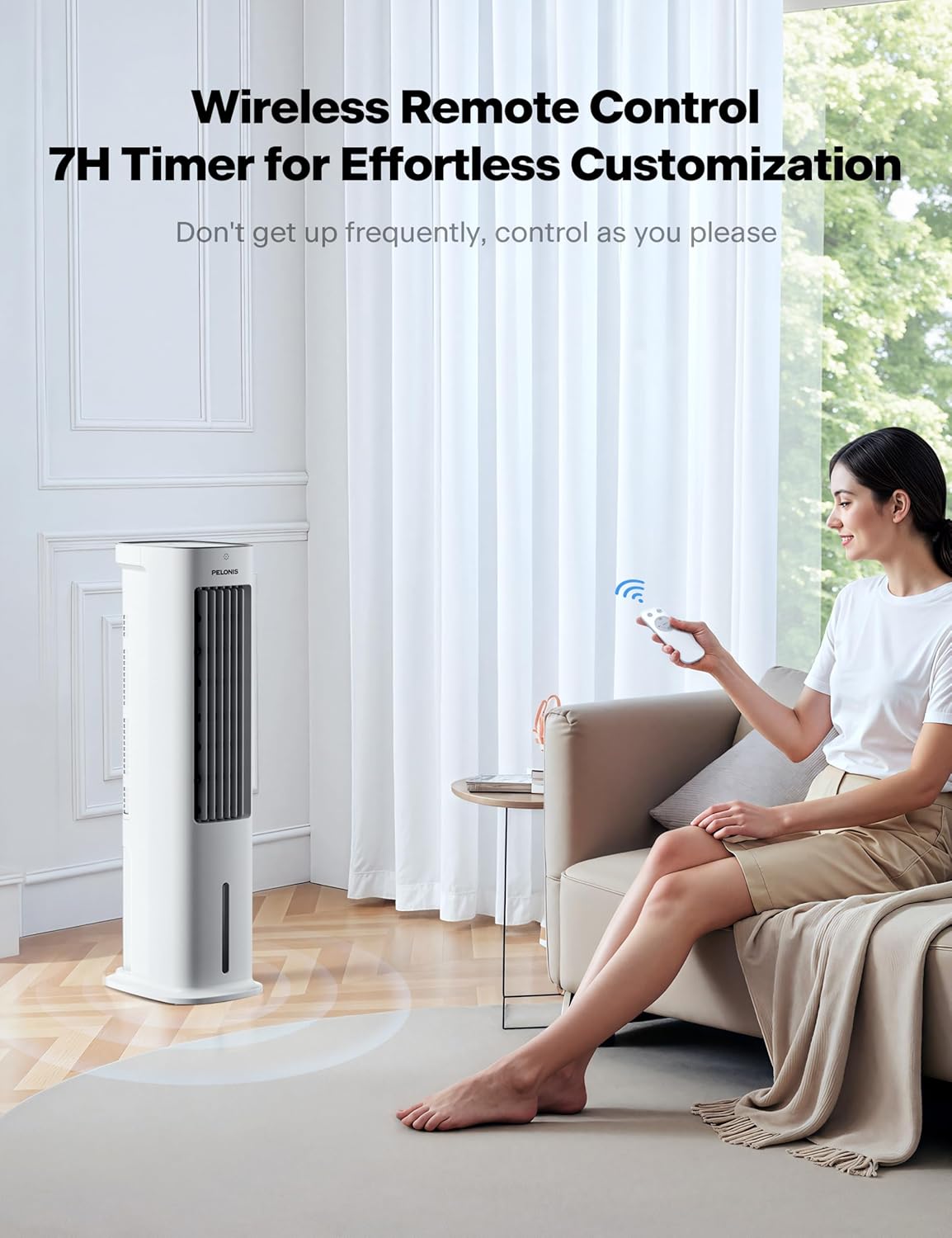
Figure 4.1: The intuitive control panel located on the top of the air cooler, alongside the remote control for convenient operation from a distance.
- Power Button (⏻): Press to turn the unit ON or OFF.
- Oscillation Button (⟳): Activates or deactivates the 60° automatic oscillation feature for wide area cooling.
- Speed Button (⚹): Cycles through three fan speeds: Low, Medium, and High.
- Mode Button (🌊): Selects between different wind modes: Normal, Natural, and Sleep.
- Timer Button (🕒): Sets the auto-off timer for 1, 2, 4, or 7 hours.
- Humidifier Button (💧): Turns the humidification function ON or OFF.
Adjusting Airflow Direction:
In addition to automatic oscillation, you can manually adjust the vertical airflow direction.
- Manually adjust the up and down fins on the front grille to direct airflow as desired.

Figure 4.2: The air cooler provides 3D surround cooling with automatic 60-degree left/right oscillation and manual up/down adjustment for comprehensive air distribution.

Figure 4.3: The air cooler offers three customizable wind modes (Normal, Natural, Sleep) to suit various preferences and scenarios, from powerful cooling to gentle airflow for rest.
5. Maintenance
Regular maintenance ensures optimal performance and longevity of your air cooler.
- Cleaning the Air Filter:
- The air filter is located at the back of the unit.
- To remove, gently pull the filter cover outwards.
- Clean the filter regularly with a soft brush or vacuum cleaner to remove dust and debris. For deeper cleaning, rinse with water and allow to air dry completely before reinserting.
- Cleaning the Water Tank:
- Periodically drain and clean the water tank to prevent mold or mildew buildup.
- Use a mild detergent and water, then rinse thoroughly.
- Exterior Cleaning:
- Wipe the exterior of the unit with a soft, damp cloth.
- Do not use abrasive cleaners or solvents.
6. Troubleshooting
If you encounter any issues with your PELONIS Air Cooler, refer to the following common problems and solutions:
| Problem | Possible Cause | Solution |
|---|---|---|
| Unit does not turn on | No power supply; Power button not pressed | Check power cord connection; Press the power button |
| No mist/humidification | Water tank empty; Humidifier function not activated; Water pump issue | Fill water tank; Activate humidifier function; Check water pump for obstructions |
| Weak airflow | Air filter clogged; Low fan speed setting | Clean air filter; Increase fan speed |
| Unusual noise | Unit not on a level surface; Obstruction in fan; Water pump noise (normal during humidification) | Place on level surface; Check for obstructions; Normal operation sound |
If the problem persists after trying these solutions, please contact PELONIS customer support.
7. Specifications
| Feature | Detail |
|---|---|
| Manufacturer | PELONIS |
| Part Number | 20AR-UKG |
| Product Dimensions | 23.01 x 29.49 x 84.99 cm |
| Item Model Number | 20AR-UKG |
| Size | PELONIS Air Cooler |
| Colour | White |
| Style | 33 Inch with Remote |
| Power Source | Corded Electric |
| Voltage | 230 Volts |
| Installation Method | Floor-Mounted |
| Item Package Quantity | 1 |
| Number of Pieces | 1 |
| Air Flow Capacity | 330 CMPH |
| Sound Level | 52 dB |
| Plug Profile | Floor Mount |
| Switch Style | Remote |
| Special Features | 3 in 1 Air Cooler/Fan/ Humidifier, 3 Wind Speed Settings & 3 Modes, 5-liter Water Tank, 60-Degree Wide-angle Oscillation, Operated by Soft Button Control or Remote |
| Included Components | 1* Remote Control (Batteries not included), 1 * User manual, 1 * Air Cooler |
| Batteries Included? | No |
| Batteries Required? | No |
| Item Weight | 5.7 kg |
| Date First Available | 28 May 2021 |
8. Warranty and Support
PELONIS offers a 2-YEAR warranty for this product, demonstrating confidence in its quality and durability.
For any product inquiries, technical support, or warranty claims, please refer to the contact information provided in your original purchase documentation or visit the official PELONIS website.
Online Resources:
- Visit the Pelonis Store on Amazon for more products and information.


