1. Product Overview
This manual provides instructions for the installation, operation, and maintenance of your AUTOWIKI Tail Light Assemblies. These tail lights are designed as direct replacements for the original equipment on 1998-2004 Nissan Frontier trucks, ensuring a precise fit and reliable performance.
The assemblies meet SAE and DOT standards, ensuring compliance with safety regulations. They feature a durable construction with a multi-protection polycarbonate lens for better light transmission and UV resistance, and are designed to be waterproof for enhanced longevity.
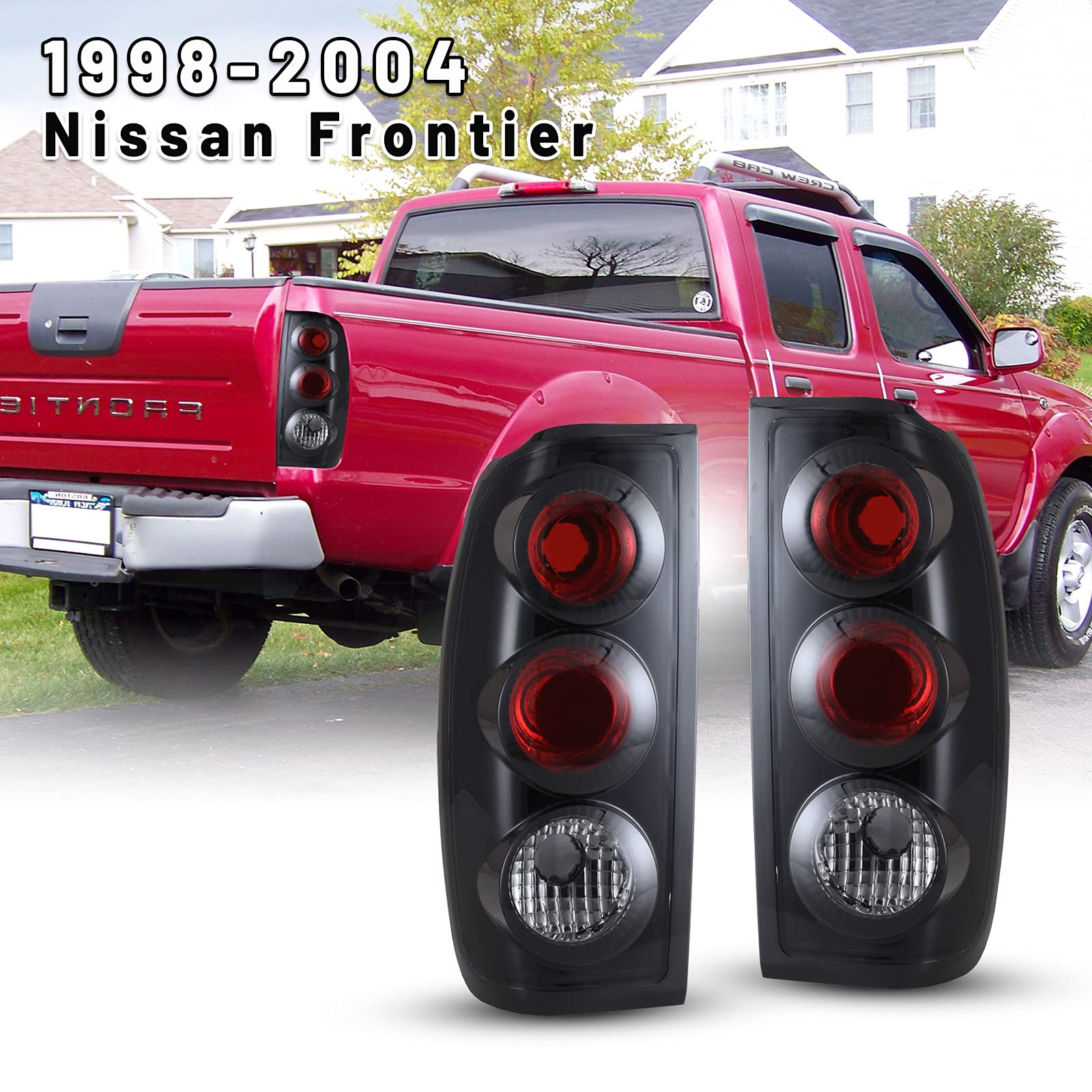
Image 1.1: Overview of the AUTOWIKI Tail Light Assemblies.
2. Product Features
- Direct Fitment: Specifically designed for 1998-2004 Nissan Frontier models.
- Enhanced Visibility: Engineered to provide improved visual effects, especially during nighttime driving.
- Easy Installation: Includes fixed accessories for straightforward installation.
- Safety Standards: Complies with SAE and DOT safety and quality standards.
- Durable Construction: Features a multi-protection polycarbonate lens for light transmission and UV resistance, and high-grade ABS plastic housing.
- Weather Resistant: Waterproof design with one-way vents to dissipate moisture, ensuring shock-proof and heat-proof performance against weather damage.
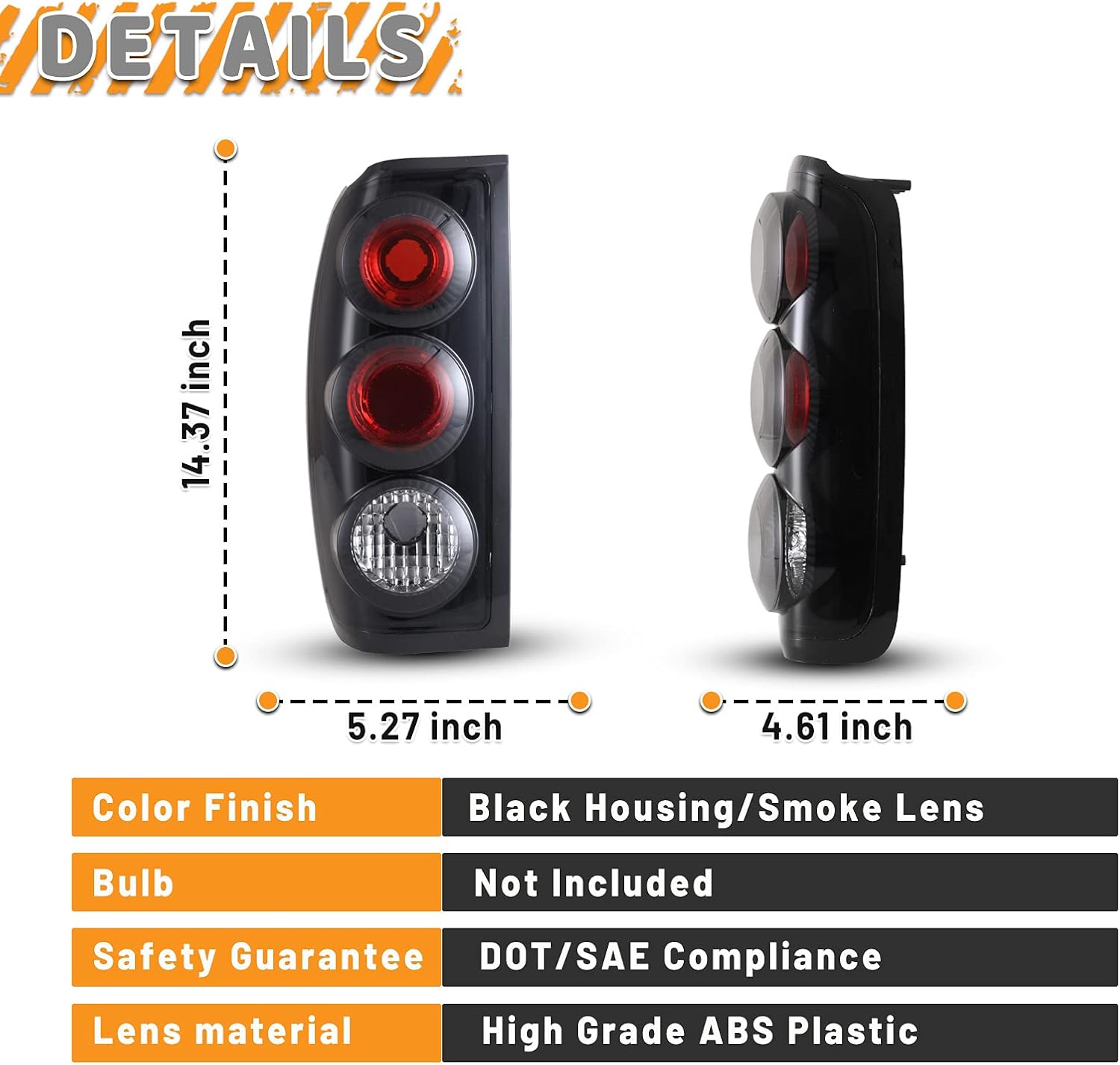
Image 2.1: Detailed dimensions and material specifications of the tail light assembly.
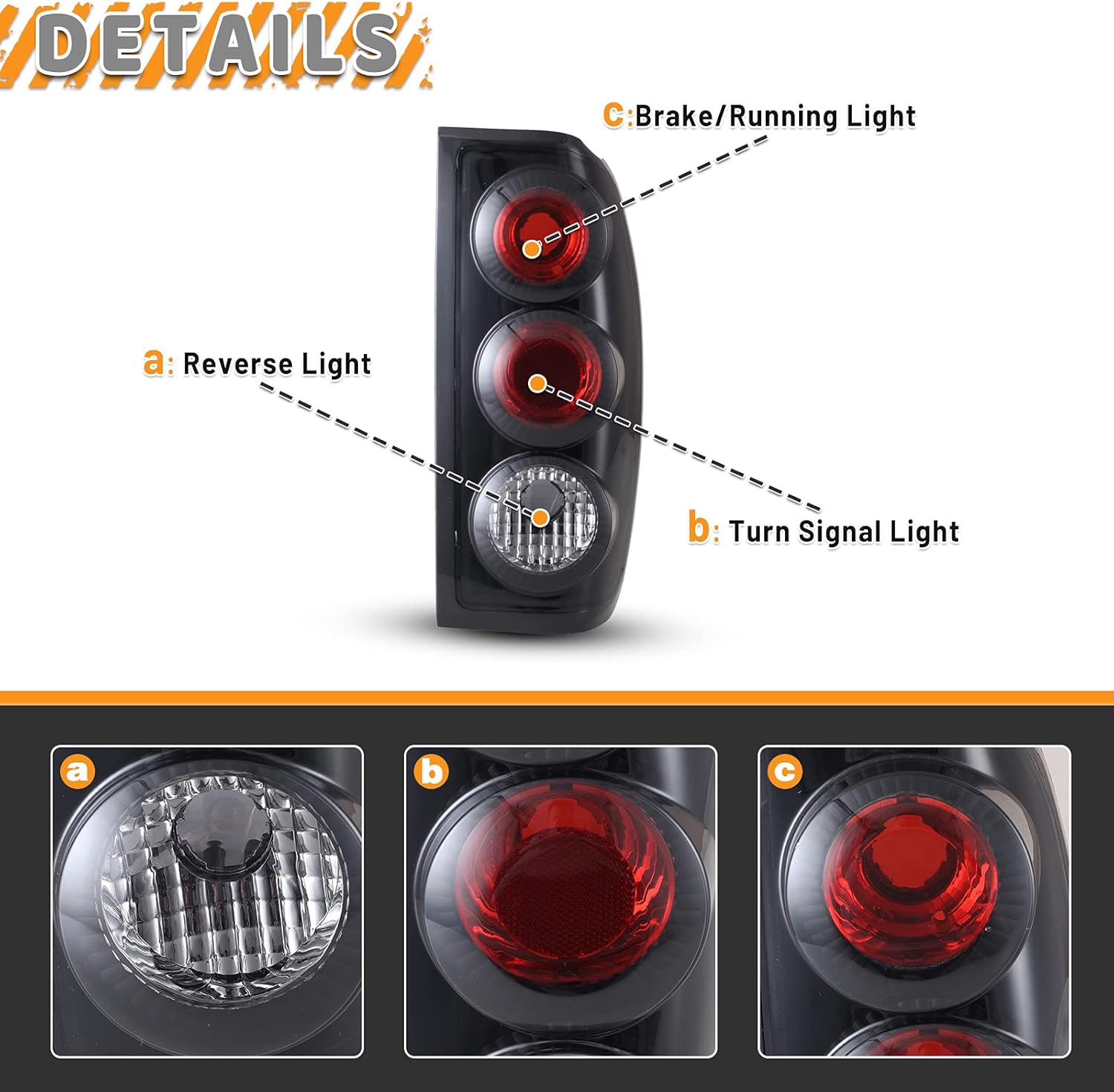
Image 2.2: Illustration of the individual light functions: Reverse Light, Turn Signal Light, and Brake/Running Light.

Image 2.3: Close-up view of the sealing design, highlighting the waterproof and dustproof features of the lens.
Video 2.1: A short demonstration of the tail lights in operation, showcasing their illumination patterns.
3. Specifications
| Brand | AUTOWIKI |
| Model Number | CB20-0043-05S0 |
| OEM Part Number (Left) | 265553S525; 265557B425; 265558Z325 |
| OEM Part Number (Right) | 265503S525; 265507B425; 265508Z325 |
| Vehicle Service Type | Truck (Nissan Frontier 1998-2004) |
| Light Source Type | LED |
| Lens Material | Polymethylacrylate |
| Lens Color | Clear |
| Special Feature | Waterproof |
| Item Weight | 4.05 pounds |
| Package Dimensions | 16.69 x 12.56 x 8.03 inches |
4. Installation Instructions
Replacing your tail light assemblies is a straightforward process. It is recommended to consult your vehicle's service manual for specific details regarding tail light removal and installation for your Nissan Frontier model year.
Required Tools:
- Screwdriver set (Phillips and/or flathead, depending on vehicle)
- Socket wrench set (if applicable)
- Trim removal tool (optional, for plastic clips)
General Steps:
- Safety First: Ensure the vehicle is turned off and the parking brake is engaged. Disconnect the negative terminal of the battery to prevent electrical shorts.
- Access Mounting Screws: Open the tailgate or access panel to locate the mounting screws or bolts holding the tail light assembly in place. These are typically found on the inside edge of the light housing.
- Remove Old Assembly: Carefully remove all visible screws or bolts. Gently pull the tail light assembly straight back from the vehicle. It may be held by alignment pins or clips, so a firm but gentle pull may be necessary.
- Disconnect Wiring: Once the assembly is loose, disconnect the electrical connectors from the bulb sockets. Twist the bulb sockets counter-clockwise to remove them from the old housing.
- Transfer Bulbs (if applicable): If your new assembly does not include bulbs, transfer the existing functional bulbs from the old sockets to the new ones by twisting them into place.
- Connect New Assembly: Connect the electrical connectors to the new tail light assembly. Ensure all connections are secure.
- Position New Assembly: Align the new tail light assembly with the mounting holes and alignment pins on the vehicle body. Push it firmly into place.
- Secure New Assembly: Reinstall the mounting screws or bolts that were removed in step 2. Tighten them securely, but do not overtighten to avoid cracking the plastic.
- Test Functionality: Reconnect the vehicle battery. Test all tail light functions: running lights, brake lights, turn signals, and reverse lights, to ensure they are working correctly before driving.

Image 4.1: Rear view of the tail light assembly, indicating key installation points and bulb socket locations.
Video 4.1: A detailed video demonstrating the installation process for tail lights on a Nissan Frontier.
Video 4.2: An instructional video showing the replacement of rear tail lights for a 2000-2004 Nissan Frontier.
Video 4.3: A compatibility and feature overview video for AUTOSAVER88 taillights for Frontier 1998 models.
5. Operating Instructions
The AUTOWIKI Tail Light Assemblies operate in conjunction with your vehicle's existing electrical system. No special operating procedures are required beyond the standard use of your vehicle's lighting controls.
- Running Lights: Activate automatically when your vehicle's headlights or parking lights are turned on.
- Brake Lights: Illuminate when the brake pedal is pressed, signaling deceleration or stopping.
- Turn Signals: Flash when the turn signal lever is engaged, indicating a turn or lane change.
- Reverse Lights: Illuminate when the vehicle is shifted into reverse gear, providing visibility and signaling backing maneuvers.
Always ensure all lights are functioning correctly before driving, especially at night or in adverse weather conditions.
6. Maintenance
Proper maintenance ensures the longevity and optimal performance of your tail light assemblies.
- Regular Cleaning: Clean the outer lens regularly with a soft cloth and mild automotive soap to remove dirt, dust, and road grime. Avoid abrasive cleaners or harsh chemicals that could damage the lens material.
- Inspect for Damage: Periodically inspect the tail light assemblies for any signs of cracks, chips, or moisture accumulation inside the housing. While designed to be waterproof, extreme conditions or impacts can compromise seals.
- Check Bulb Functionality: Regularly check that all bulbs (brake, running, turn signal, reverse) are working. Replace any non-functional bulbs promptly. Refer to your vehicle's service manual for correct bulb types and replacement procedures.
- Wiring Inspection: Occasionally check the wiring and connectors for corrosion or damage. Ensure all connections are secure.
7. Troubleshooting
If you encounter issues with your tail light assemblies, consider the following common troubleshooting steps:
- Light Not Illuminating:
- Check the bulb: The most common cause is a burnt-out bulb. Replace it with the correct type.
- Check the fuse: A blown fuse can affect one or more lights. Consult your vehicle's fuse box diagram and replace any blown fuses.
- Check wiring connections: Ensure all electrical connectors are securely attached and free from corrosion.
- Moisture Inside Lens:
- Minor condensation can occur due to temperature changes and usually dissipates.
- If significant water accumulation or persistent moisture is present, inspect the seals around the housing. Ensure the one-way vents are not blocked. If the issue persists, the seal may be compromised.
- Intermittent Function:
- Often caused by loose or corroded electrical connections. Disconnect, clean, and re-secure all connectors.
- A faulty bulb socket can also cause intermittent operation.
If these steps do not resolve the issue, it is recommended to consult a qualified automotive technician.
8. Warranty and Support
For information regarding product warranty, returns, or technical support, please refer to the documentation included with your purchase or contact AUTOWIKI customer service directly. Keep your proof of purchase for any warranty claims.


