
EuroFone S2 Black
EuroFone S2 Motorcycle Bluetooth Headset User Manual
Model: S2 Black
1. Introduction
The EuroFone S2 Motorcycle Bluetooth Headset is designed to provide seamless communication and entertainment for motorcycle riders. Featuring Bluetooth 5.1 technology, it offers stable connections, clear audio, and a range of functions including rider-to-rider intercom, hands-free calling, music playback, and FM radio. Its robust IP67 waterproof and dustproof design ensures reliable performance in various weather conditions.
2. Key Features
- 2-Rider Full Duplex Intercom: Communicate with a riding partner up to 800 meters away.
- IP67 Waterproof & Dustproof: Designed to withstand rain, dust, snow, and low temperatures.
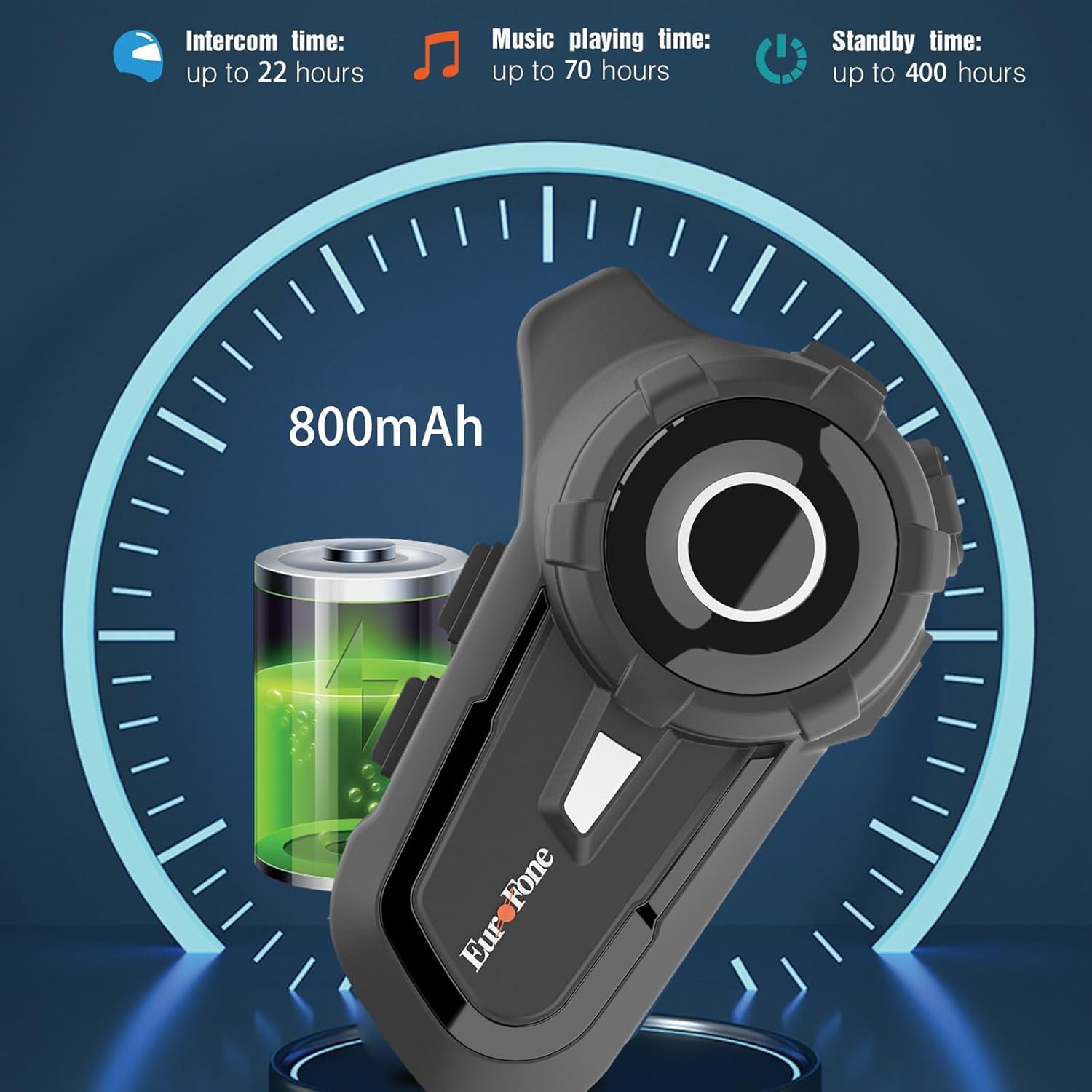
- Long Battery Life: 800 mAh battery provides up to 20 hours of working time and 18 months standby.
- Auto Answer & Voice Control: Automatically answers calls in 10 seconds and supports voice assistant/Siri.
- Noise Reduction & Hi-Fi Stereo Sound: CVC advanced noise cancellation for clear audio and high-fidelity sound quality.
- Bluetooth 5.1: Ensures stable and efficient wireless connection.
- FM Radio: Built-in FM radio for entertainment on the go.
- GPS Positioning: Can connect to GPS devices for navigation.
3. Package Contents
Verify that all items are present in your package:
- EuroFone S2 Bluetooth Headset Unit
- Hard Microphone (Boom Mic)
- Soft Microphone (Wired Mic)
- Speaker Set
- USB Type-C Charging Cable
- Mounting Clamp
- Velcro Pads for Speakers
- User Manual

4. Setup and Installation
4.1 Charging the Device
Before first use, fully charge the EuroFone S2 headset. Connect the provided USB Type-C cable to the charging port on the unit and to a USB power source. The indicator light will show charging status. A full charge takes approximately 2.5 hours.

4.2 Installing into Helmet
Follow these steps to install the headset into your motorcycle helmet:
- Prepare Helmet: Carefully remove the internal padding of your helmet to access the ear pockets and inner shell.
- Attach Speakers: Use the provided velcro pads to attach the speakers inside the helmet's ear pockets. Ensure they are positioned directly over your ears for optimal sound quality. Route the speaker wires neatly under the lining.
- Install Microphone: Choose either the hard boom microphone (for open-face/modular helmets) or the soft wired microphone (for full-face helmets). Attach the microphone to the helmet lining near your mouth using the adhesive base. Route the microphone cable along with the speaker wires.
- Mount Main Unit: Secure the main headset unit to the side of the helmet using the mounting clamp. Tighten the screws to ensure a firm attachment.
- Connect Cables: Plug the speaker and microphone cables into the corresponding ports on the main headset unit. Ensure connections are secure.
- Reassemble Helmet: Carefully reinsert the helmet's internal padding, ensuring all wires are tucked away and do not interfere with comfort or safety.

5. Operating Instructions
5.1 Controls Overview
The EuroFone S2 features intuitive controls for easy operation:
| Control | Function |
|---|---|
| On/Off Key | Power On/Off |
| Multi-function Key | Play/Pause music, Answer/End calls, Activate voice assistant |
| Knob (Jog Dial) | Rotate clockwise for Volume Up, Counter-clockwise for Volume Down. Short press rotate for Next/Previous track. |
| FM Key | Activate/Deactivate FM Radio |
| Talkback Key (Intercom Button) | Initiate/End intercom communication |
| Charging Port & K-wire Interface | For charging and connecting external devices. |
| Phone Jack | For wired audio connection (if applicable). |

5.2 Bluetooth Pairing (Phone)
To pair your EuroFone S2 headset with your mobile phone:
- Ensure the headset is powered off.
- Simultaneously press and hold the Intercom Button and the Multi-function Button for approximately 5 seconds until you hear a "di di" voice prompt indicating factory settings restoration. Release the buttons.
- Turn on the power button until you hear a voice prompt. The indicator light will flash blue and red, indicating pairing mode.
- On your mobile phone, go to Bluetooth settings and search for available devices.
- Select "S2" from the list of Bluetooth devices.
- Once paired, the headset will confirm with a voice prompt, and the indicator light will show a steady blue light or slow flashes.
5.3 Intercom Pairing (Two Units)
To pair two EuroFone S2 units for intercom communication:
- Ensure both headsets are powered off.
- On the first headset, turn on the power button and press and hold the Intercom Button for approximately 5 seconds until the indicator flashes with a quick blue light. You will hear a "pairing mode" voice prompt.
- On the second headset, turn on the power button and press and hold the Intercom Button for approximately 5 seconds until the indicator flashes with a quick blue light. You will also hear a "pairing mode" voice prompt.
- Wait for a few seconds. The two headsets will automatically pair with each other. The indicator lights will change to a steady blue or slow flashes once connected.
5.4 Reconnecting Intercom
If the intercom connection is lost or you wish to re-establish it:
- Short click the Multi-function Button on either headset to hear the prompt "end intercom".
- Double click the Intercom Button on any one of the headsets.
- Then click the Multi-function Button. You will hear the "start intercom" voice prompt again, indicating the connection is re-established.
5.5 Music Playback
After pairing with your phone, you can control music playback:
- Play/Pause: Click the Multi-function Button to play or pause music.
- Volume Control: Rotate the Jog Dial clockwise to increase volume, counter-clockwise to decrease volume.
- Next/Previous Track: Short press and rotate the Jog Dial counter-clockwise to play the next song. Short press and rotate clockwise to play the previous song.
5.6 Phone Calls
Manage phone calls hands-free:
- Answer Call: The headset will automatically answer incoming calls after 10 seconds. You can also click the Multi-function Button to answer immediately.
- End Call: Click the Multi-function Button to end an ongoing call.
- Reject Call: Press and hold the Multi-function Button for 2 seconds to reject an incoming call.
- Voice Assistant/Siri: Press the Multi-function Button twice to activate your phone's voice assistant (Siri, Google Assistant, etc.).
5.7 FM Radio
To use the built-in FM radio:
- Turn On/Off FM: Click the FM Key to activate or deactivate the FM radio.
- Scan Stations: While FM is on, press and hold the FM Key to automatically scan and save available stations.
- Change Station: Rotate the Jog Dial to switch between saved FM stations.
6. Maintenance and Care
- Cleaning: Wipe the headset unit with a soft, damp cloth. Do not use harsh chemicals or abrasive cleaners.
- Water Exposure: While IP67 waterproof, avoid prolonged submersion. Ensure charging port cover is securely closed when not charging.
- Storage: Store the headset in a cool, dry place away from direct sunlight and extreme temperatures.
- Battery Care: For optimal battery life, charge the device regularly, even if not in frequent use. Avoid fully discharging the battery for extended periods.
7. Troubleshooting
| Problem | Possible Cause | Solution |
|---|---|---|
| Device won't turn on. | Low battery. | Charge the device fully. |
| Cannot pair with phone. | Headset not in pairing mode; phone Bluetooth off; previously paired device interfering. | Ensure headset is in pairing mode (flashing blue/red). Turn phone Bluetooth off/on. Forget previous pairings on phone. Perform factory reset on headset. |
| Intercom not connecting. | Headsets not in intercom pairing mode; out of range. | Ensure both headsets are in intercom pairing mode. Move closer to each other. Re-initiate intercom connection as per section 5.4. |
| No sound or low volume. | Volume too low; speakers not positioned correctly; loose connections. | Increase volume using the Jog Dial. Adjust speaker position in helmet. Check all cable connections. |
| Poor sound quality/noise. | Microphone not positioned correctly; excessive wind noise; interference. | Adjust microphone position. Ensure microphone foam cover is in place. Reduce speed if wind noise is excessive. |
8. Specifications
| Feature | Detail |
|---|---|
| Model Name | S2 Black |
| Bluetooth Version | 5.1 |
| Intercom Range | Up to 800 meters (2-riders) |
| Battery Capacity | 800 mAh |
| Charging Time | 2.5 Hours |
| Working Time (Intercom) | Up to 22 hours |
| Working Time (Music) | Up to 70 hours |
| Standby Time | Up to 18 months |
| Water Resistance Level | IP67 Waterproof & Dustfree |
| Noise Control | Active Noise Cancellation (CVC) |
| Dimensions | 3.35 x 2.17 x 0.98 inches |
| Item Weight | 12.7 ounces |
| Manufacturer | Shenzhen Goldstar Electronics Co., Ltd |
9. Warranty and Support
For warranty information and technical support, please refer to the official EuroFone website or contact their customer service directly. Keep your purchase receipt as proof of purchase for any warranty claims.
You can visit the EuroFone Store on Amazon for more product information and support resources.
Ask a question about this manual
Ask about setup, troubleshooting, compatibility, parts, safety, or missing instructions. Manuals+ will review the question and use this page’s manual context to help answer it.