Product Overview
The HOCO M81 Imperceptible Universal Sleeping Earphones are designed for comfort and discreet use, especially during sleep. Featuring a compact, in-ear design and a 3.5mm audio jack, these wired earphones provide clear audio and include an integrated microphone for communication.
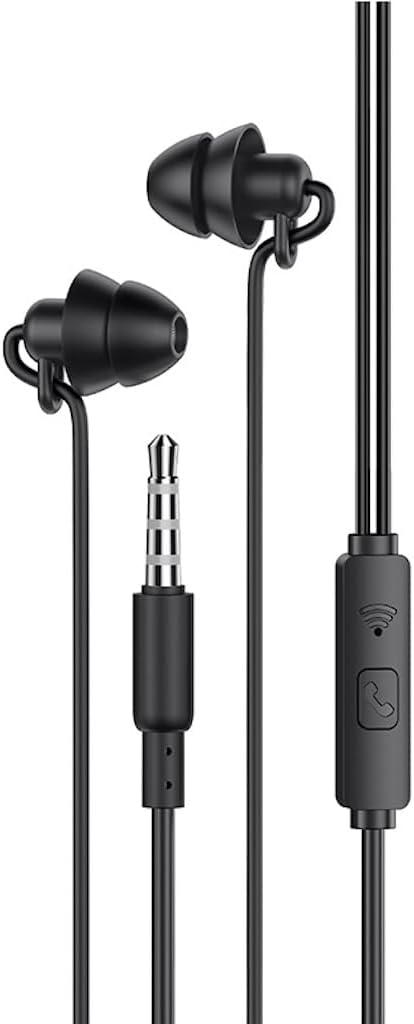
Image: The HOCO M81 earphones, showcasing the compact earbuds, the 3.5mm audio jack, and the in-line remote control with microphone.
Package Contents
- HOCO M81 Imperceptible Universal Sleeping Earphones
- Ear Cushions
Setup
- Identify the Audio Jack: Locate the 3.5mm audio jack on your device (smartphone, tablet, laptop, etc.).
- Connect the Earphones: Insert the 3.5mm plug of the HOCO M81 earphones firmly into your device's audio jack.
- Insert Earbuds: Gently place the earbuds into your ears. The design is intended to be imperceptible, especially for side sleepers. Adjust for a comfortable and secure fit.
- Test Audio: Play some audio on your device to ensure sound is coming through both earphones clearly.
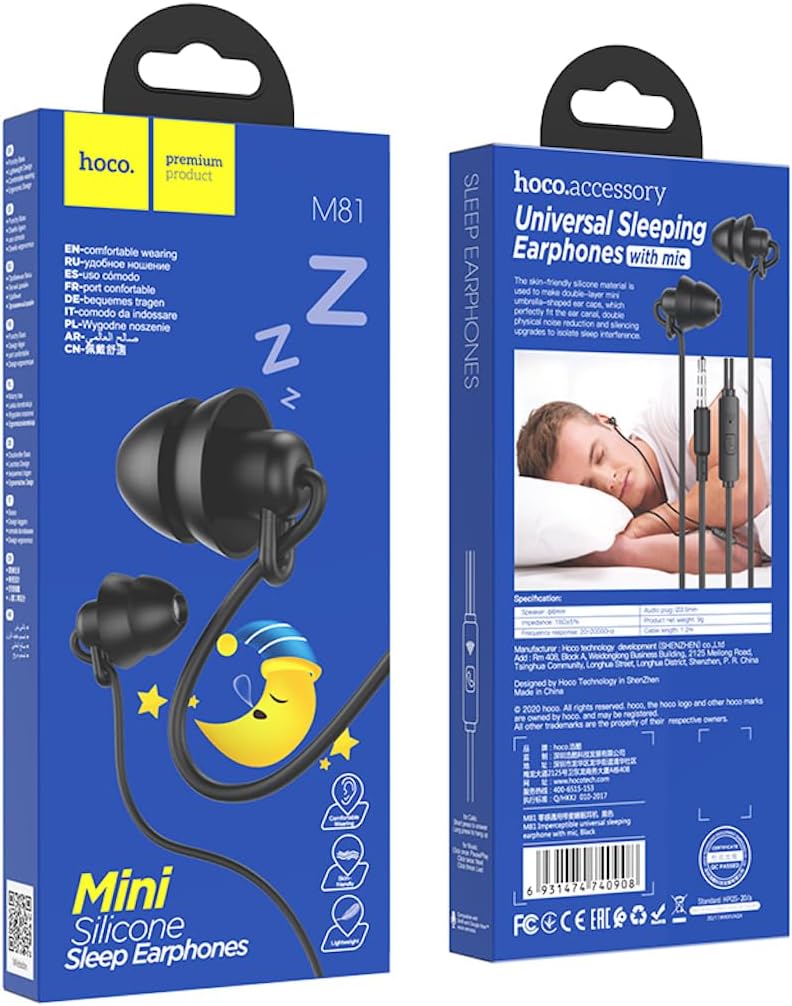
Image: The HOCO M81 earphones connected to a smartphone, demonstrating typical usage with a mobile device.
Operating Instructions
Audio Playback
- Once connected, audio from your device will be routed through the earphones.
- Control volume directly from your connected device.
- The in-line remote may feature a single button for play/pause functionality. Press once to play or pause audio.
Microphone Usage
- The integrated microphone allows for hands-free calls.
- When a call comes in, press the button on the in-line remote once to answer.
- To end a call, press the button on the in-line remote once again.
- For voice commands or recording, ensure your device recognizes the external microphone.

Image: A man sleeping on his side with the HOCO M81 earphones, demonstrating their low-profile design suitable for comfortable use during sleep.
Maintenance
- Cleaning: Gently wipe the earbuds and cable with a soft, dry cloth. Do not use harsh chemicals or abrasive materials.
- Storage: When not in use, store the earphones in a clean, dry place, preferably in a small pouch or case to prevent tangling and damage to the cable.
- Cable Care: Avoid sharp bends or excessive pulling on the cable, especially near the connectors, to prevent internal wire damage.
- Moisture: Keep the earphones away from water and excessive moisture.
Troubleshooting
| Problem | Possible Solution |
|---|---|
| No sound from earphones. |
|
| Microphone not working. |
|
| Sound quality is poor or distorted. |
|
Specifications
| Feature | Detail |
|---|---|
| Brand | HOCO |
| Model Name | M81 |
| Color | Black |
| Connectivity Technology | Wired |
| Headphones Jack | 3.5 mm Jack |
| Headphones Form Factor | In Ear |
| Headphones Ear Placement | In Ear |
| Noise Control | None |
| Included Components | Ear Cushions |
| Item Package Weight | 9 g |
| Cable Length | 1.2m |
| Speaker Size | 6mm |
Warranty and Support
For warranty information and technical support, please refer to the official HOCO website or contact your retailer. Keep your proof of purchase for any warranty claims.
Extended warranty options may be available from third-party providers, as detailed at the point of purchase.


