
LEDLUX SH1901
LEDLUX SH1901 RF 433 MHz Single Channel Remote Control User Manual
Model: SH1901
1. Introduction
This manual provides comprehensive instructions for the LEDLUX SH1901 RF 433 MHz single-channel remote control. This device is designed to operate electric roller shutters, blinds, and compatible smart LED light switches. Please read this manual carefully before use to ensure proper installation and operation.
2. Product Overview
The LEDLUX SH1901 is a compact and elegant remote control featuring a 433 MHz RF frequency for reliable wireless communication. It includes three distinct buttons for intuitive control and comes with a wall mount for convenient storage.
Key Features:
- RF 433 MHz Frequency: Ensures stable and responsive control.
- Single Channel Operation: Designed to control one electric roller shutter, blind, or smart LED light switch.
- Three Control Buttons: Dedicated buttons for 'Up', 'Stop', and 'Down' functions for shutters/blinds. The 'Stop' button also functions as 'On/Off' for light switches.
- Compact Design: Dimensions of 109x37x14 mm for comfortable handling.
- Wall Mount Included: Provides a convenient storage solution for the remote.
- Battery Powered: Operates on a 12V 23A battery (not included) for extended standby time.

Figure 2.1: Front view of the LEDLUX SH1901 remote control, showing its three control buttons and sleek design.
3. Package Contents
Please verify that all items are present in your package:
- 1 x LEDLUX SH1901 RF 433 MHz Remote Control
- 1 x Wall Mount Holder
Note: A 12V 23A battery is required for operation and is not included in the package.
4. Setup
4.1 Battery Installation
- Locate the battery compartment on the back of the remote control.
- Open the compartment cover.
- Insert one 12V 23A battery, ensuring correct polarity (+/-).
- Close the battery compartment cover securely.
4.2 Pairing with a Device
The remote control needs to be paired with your electric roller shutter, blind, or smart LED light switch. The pairing process is generally straightforward:
- Ensure your target device (shutter motor or smart switch) is in pairing mode. Refer to the specific instructions for your device to activate pairing mode.
- On the LEDLUX SH1901 remote control, press and hold the 'Stop' button.
- Observe the indicator light on the remote control and/or the feedback from your target device to confirm successful pairing.
- Test the remote control's functions to ensure it operates the device correctly.
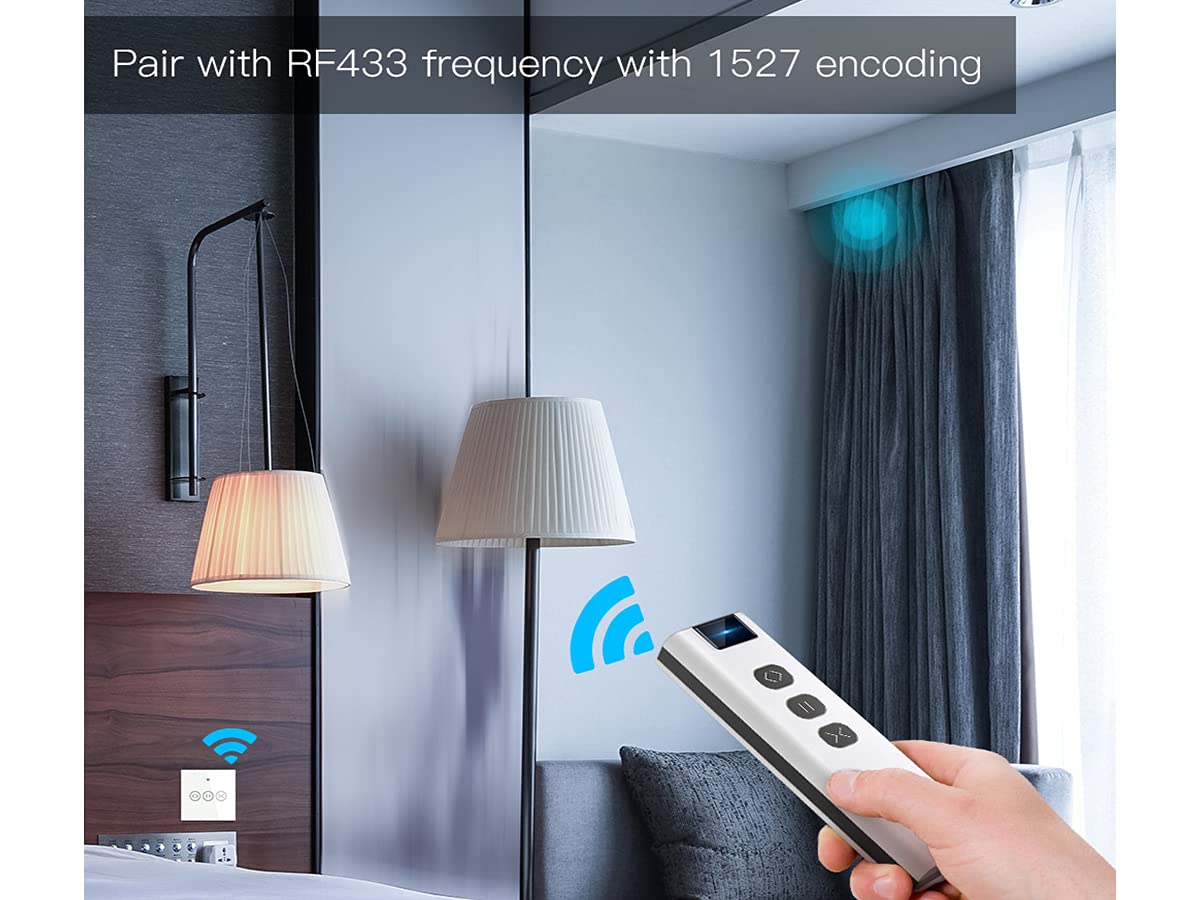
Figure 4.1: Illustration of the remote control pairing process using RF433 frequency with 1527 encoding.

Figure 4.2: The remote control is compatible with LEDLUX RF curtain switches and curtain switch modules (sold separately).
5. Operating Instructions
The LEDLUX SH1901 remote control features three intuitive buttons for controlling your paired device.
5.1 For Electric Roller Shutters/Blinds:
- Up Button (〈): Press to raise the roller shutter or blind.
- Stop Button (⏸): Press to stop the roller shutter or blind at its current position.
- Down Button (〉): Press to lower the roller shutter or blind.
5.2 For Smart LED Light Switches:
- Stop Button (⏸): Press to toggle the light switch (turn on/off). The 'Up' and 'Down' buttons are not typically used for light switches.

Figure 5.1: The remote control can operate a single curtain switch, allowing for easy control of roller shutters.
6. Maintenance
- Cleaning: Wipe the remote control with a soft, dry cloth. Do not use abrasive cleaners or solvents.
- Battery Replacement: Replace the 12V 23A battery when the remote's range decreases or it becomes unresponsive. Ensure proper disposal of old batteries.
- Storage: Store the remote control in a dry place, away from direct sunlight and extreme temperatures.
7. Troubleshooting
7.1 Remote Not Responding:
- Check Battery: Ensure the battery is correctly installed and has sufficient charge. Replace if necessary.
- Re-pair Device: Attempt to re-pair the remote control with your device following the instructions in Section 4.2.
- Obstructions: Ensure there are no significant obstructions between the remote control and the receiver.
- Distance: Verify you are within the effective operating range of the remote control.
7.2 Device Not Entering Pairing Mode:
- Refer to the instruction manual of your specific roller shutter motor or smart switch for detailed pairing procedures.
8. Specifications
| Model Number | SH1901 |
| Brand | LEDLUX |
| Operating Frequency | 433 MHz |
| Number of Channels | 1 (Single Channel) |
| Number of Buttons | 3 (Up, Stop, Down) |
| Power Supply | 1 x 12V 23A Battery (not included) |
| Operating Voltage | 12 Volts |
| Operating Current | 23 A |
| Dimensions | 109 x 37 x 14 mm |
| Material | Plastic |
| Operating Mode | ON-STOP-OFF |
| Contact Type | Normally Open |
| Connector Type | Screw |
| Circuit Type | 1 Way |
9. Warranty and Support
For warranty information and technical support, please refer to the documentation provided with your purchase or contact LEDLUX customer service through their official website or your retailer. Keep your proof of purchase for warranty claims.
Related documentsSH1901


Ask a question about this manual
Ask about setup, troubleshooting, compatibility, parts, safety, or missing instructions. Manuals+ will review the question and use this page’s manual context to help answer it.