
HOCO BS37
HOCO BS37 Dancer Outdoor Wireless Speaker User Manual
Model: BS37
1. Introduction
Thank you for choosing the HOCO BS37 Dancer Outdoor Wireless Speaker. This manual provides detailed instructions for the safe and efficient operation of your device. Please read this manual thoroughly before use and retain it for future reference.
The HOCO BS37 is a versatile outdoor wireless speaker featuring Bluetooth V5.0 connectivity, TWS (True Wireless Stereo) support, FM radio, USB playback, and AUX input. It includes a wired microphone for karaoke functions and independent colored lights to enhance your audio experience.
2. Package Contents
Please check the package for the following items:
- HOCO BS37 Dancer Outdoor Wireless Speaker
- Wired Microphone
- Charging Cable (USB)
- User Manual
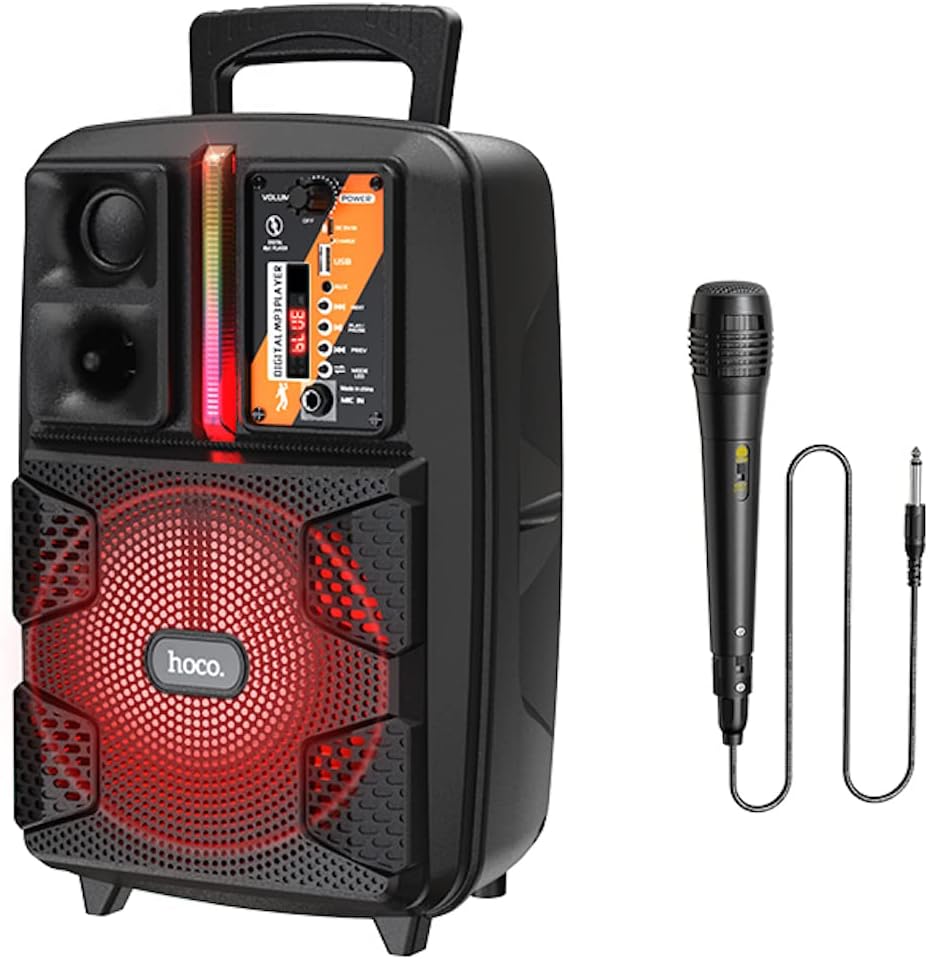
Image: The HOCO BS37 speaker shown with its included wired microphone.
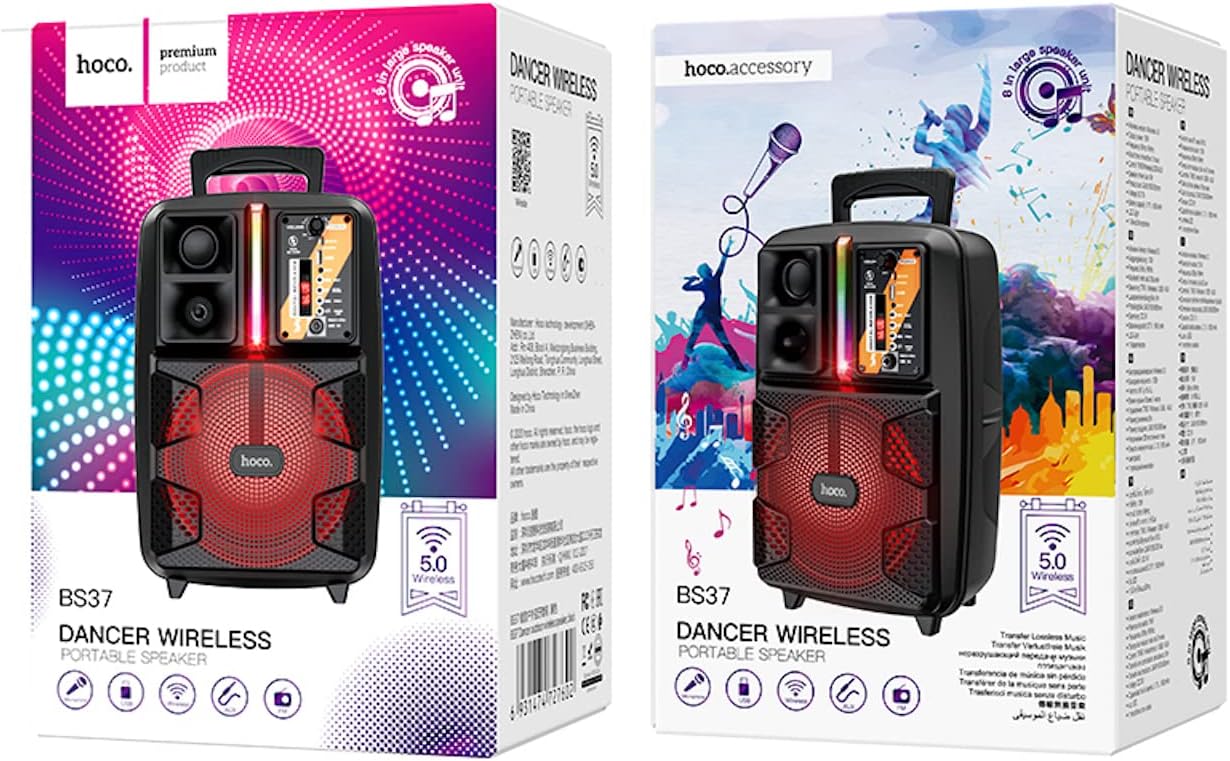
Image: The retail packaging for the HOCO BS37 Dancer Outdoor Wireless Speaker.
3. Product Overview
The HOCO BS37 speaker features an 8-inch speaker unit and a control panel for various functions. Familiarize yourself with the layout of the speaker's controls and ports.

Image: A detailed view of the HOCO BS37 speaker's control panel, showing volume knob, power switch, USB port, AUX input, microphone input, and mode selection buttons.
Control Panel Features:
- VOLUME Knob: Adjusts the overall speaker volume.
- POWER Switch: Turns the speaker ON or OFF.
- DC 5V IN: Charging port for the speaker.
- USB Port: For USB flash drive playback.
- AUX IN: 3.5mm audio input for external devices.
- MIC IN: 6.35mm input for the wired microphone.
- MODE Button: Switches between Bluetooth, FM, USB, and AUX modes.
- PLAY/PAUSE Button: Plays or pauses audio playback.
- PREV/NEXT Buttons: Skips to the previous or next track/station.
- Light Switch: Controls the independent colored lights.
4. Setup
4.1 Initial Charging
Before first use, fully charge the speaker. Connect the provided charging cable to the DC 5V IN port on the speaker and the other end to a suitable USB power adapter (not included). The charging time is approximately 2.5 hours.
4.2 Powering On/Off
To power on the speaker, slide the POWER switch to the "ON" position. To power off, slide it to the "OFF" position.
5. Operating Instructions
5.1 Bluetooth Pairing
- Turn on the speaker. It will automatically enter Bluetooth pairing mode, indicated by an audible prompt or flashing indicator light.
- Enable Bluetooth on your mobile device (smartphone, tablet, etc.).
- Search for "HOCO BS37" in the list of available Bluetooth devices.
- Select "HOCO BS37" to connect. Once connected, you will hear a confirmation sound.
The speaker supports Bluetooth V5.0 for stable and efficient wireless connection.
5.2 TWS (True Wireless Stereo) Interconnection
To connect two HOCO BS37 speakers for a stereo sound experience:
- Ensure both HOCO BS37 speakers are powered on and not connected to any Bluetooth device.
- On one of the speakers (this will be the primary speaker), press and hold the MODE button or a dedicated TWS button (if available, refer to specific button labels on your device) until you hear a pairing prompt.
- The two speakers will attempt to connect to each other. Once successfully paired, you will hear a confirmation sound.
- Now, connect your mobile device to the primary speaker via Bluetooth as described in section 5.1. Audio will play in stereo through both speakers.
5.3 FM Radio Mode
- Press the MODE button repeatedly until you enter FM radio mode.
- Press the PLAY/PAUSE button once to automatically scan and save available FM stations.
- Use the PREV and NEXT buttons to navigate between saved stations.
5.4 USB Playback
- Insert a USB flash drive containing MP3 audio files into the USB Port.
- The speaker will automatically switch to USB mode and begin playing audio. If not, press the MODE button to select USB mode.
- Use the PLAY/PAUSE, PREV, and NEXT buttons to control playback.
5.5 AUX Mode
- Connect an external audio device (e.g., MP3 player, laptop) to the AUX IN port using a 3.5mm audio cable (not included).
- Press the MODE button to select AUX mode.
- Control playback from your connected external device.

Image: The HOCO BS37 speaker highlighting its multiple playback options: Bluetooth, USB, and AUX.
5.6 Microphone Usage (Karaoke)
- Connect the wired microphone to the MIC IN port on the speaker.
- Ensure the microphone's ON/OFF switch is in the "ON" position.
- Adjust the main VOLUME knob on the speaker to control the microphone's output level.
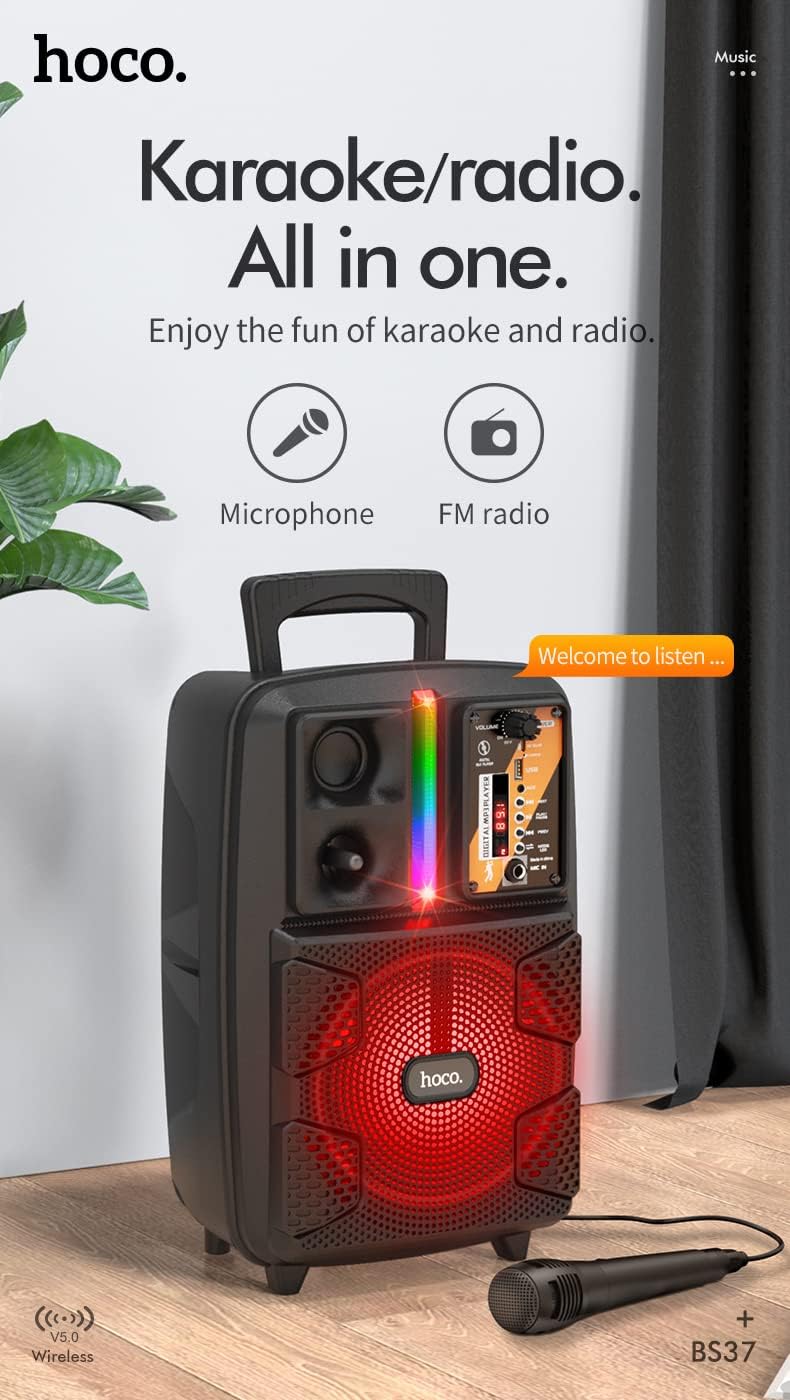
Image: The HOCO BS37 speaker with the wired microphone connected, illustrating its karaoke and radio capabilities.
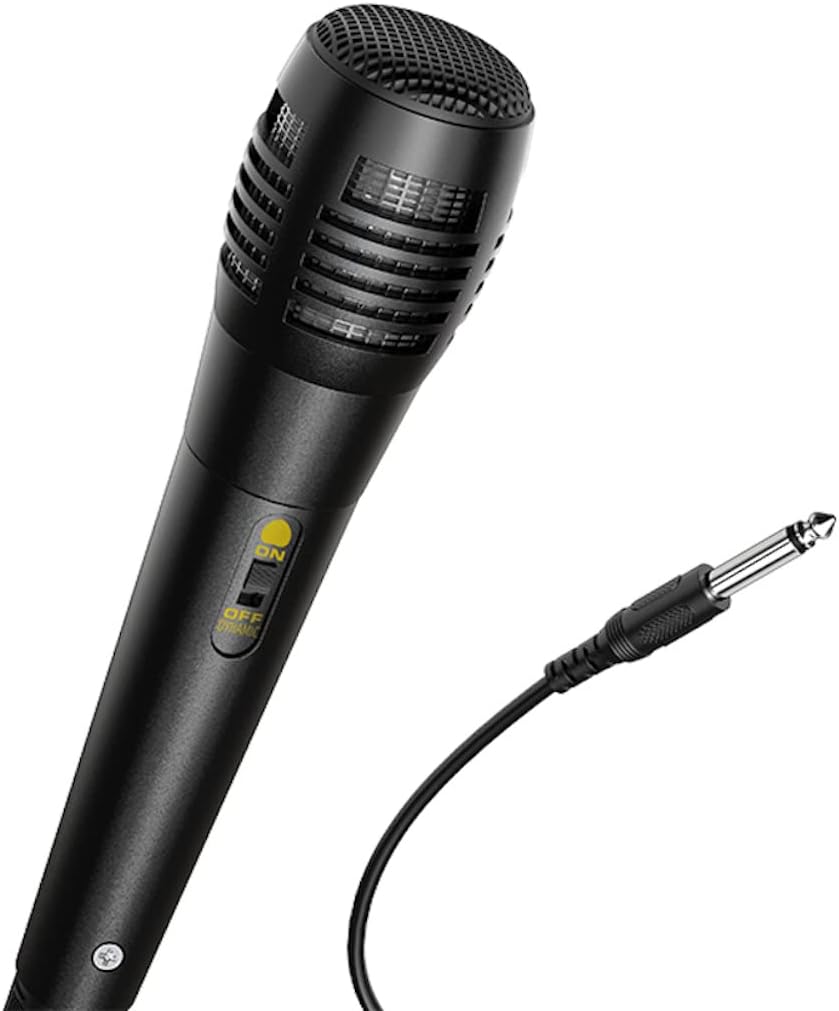
Image: A close-up view of the wired microphone included with the HOCO BS37 speaker, showing its ON/OFF switch and connector.
5.7 Light Effects
The speaker features independent colored lights. Use the dedicated Light Switch on the control panel to turn the lights ON or OFF, or to cycle through different light modes (if applicable).

Image: The HOCO BS37 speaker displaying its colorful breathing light effects.
6. Charging the Speaker
When the battery is low, the speaker may indicate this with an audible prompt or a flashing indicator light. To charge:
- Connect the charging cable to the DC 5V IN port on the speaker.
- Connect the other end of the charging cable to a standard USB power source (e.g., wall adapter, computer USB port).
- The charging indicator light will illuminate. Once fully charged (approximately 2.5 hours), the indicator light may change or turn off.
A full charge provides approximately 3 hours of music playback at 80% volume.
7. Maintenance
- Clean the speaker with a soft, dry cloth. Do not use abrasive cleaners or solvents.
- Keep the speaker away from water, moisture, and extreme temperatures.
- Store the speaker in a cool, dry place when not in use for extended periods.
- Avoid dropping or subjecting the speaker to strong impacts.
8. Troubleshooting
| Problem | Possible Cause | Solution |
|---|---|---|
| Speaker does not turn on. | Battery is depleted. | Charge the speaker for at least 30 minutes. |
| Cannot pair via Bluetooth. | Speaker is not in pairing mode; Bluetooth is off on device; device is too far. | Ensure speaker is in pairing mode. Turn Bluetooth off/on on your device. Move device closer to speaker (within 10 meters). |
| No sound from speaker. | Volume is too low; incorrect mode selected; cable not connected properly. | Increase speaker and device volume. Press MODE button to select correct input. Check all cable connections. |
| Microphone not working. | Microphone switch is off; not plugged in correctly. | Ensure microphone switch is ON. Plug microphone firmly into MIC IN port. |
9. Specifications
| Model | BS37 Dancer |
| Speaker Unit | 8 inch, 2Ω10W |
| Dimensions (L x W x H) | 367 x 243 x 196 mm (14.45 x 9.57 x 7.72 inches) |
| Weight | 1.9 KG (4.19 lbs) |
| Bluetooth Version | V5.0 (Blue trum 5322) |
| Battery Capacity | 1800mAh (A grade 18650) |
| Music Playback Time | Approximately 3 hours (at 80% volume) |
| Charging Time | Approximately 2.5 hours |
| Connectivity Options | Bluetooth, TWS, FM Radio, USB, AUX |
| Included Accessories | Wired Microphone |
| Compatible Devices | Desktop, Laptop, MP3 Player, Smartphone, Tablet |
10. Safety Information
- Do not expose the speaker to rain or moisture to prevent electric shock or fire.
- Do not disassemble, repair, or modify the device yourself. Refer all servicing to qualified personnel.
- Avoid placing the speaker near heat sources, such as radiators, heat registers, stoves, or other apparatus that produce heat.
- Use only the specified charging voltage and current.
- Keep out of reach of children.
- Prolonged listening at high volume levels may cause hearing damage.
11. Warranty and Support
This product is covered by a limited warranty. Please refer to the warranty card included with your purchase or contact your local HOCO distributor for details regarding warranty terms and conditions.
For technical support or service inquiries, please contact the retailer where you purchased the product or visit the official HOCO website for contact information.
Ask a question about this manual
Ask about setup, troubleshooting, compatibility, parts, safety, or missing instructions. Manuals+ will review the question and use this page’s manual context to help answer it.