
Deerma DEM-DX115C
Deerma DEM-DX115C Vacuum Cleaner Instruction Manual
Model: DEM-DX115C | Brand: Deerma
Product Overview
The Deerma DEM-DX115C vacuum cleaner is an ideal 2-in-1 solution for those seeking versatility and performance in a compact and ultra-light design. Weighing only 1.09 kg, this vacuum allows for effortless and convenient cleaning, making it perfect for hard floors, carpets, and even pet hair removal. Thanks to its 2-in-1 functionality, you can use it as a handheld vacuum or a stick vacuum, easily cleaning every corner of your home, including furniture and hard-to-reach places. Equipped with a powerful 600W motor and a 1-liter dustbin, the Deerma DEM-DX115C allows for cleaning large areas without frequent dustbin emptying. Additionally, the HEPA filtration system captures even the finest particles, improving air quality and ensuring a healthier environment. The versatile brushes provided are ideal for cleaning all types of surfaces, from wooden floors to carpets, effectively removing dust and dirt. Thanks to its compact design and space-saving cable management system, the vacuum is easy to store and takes up little space in your apartment. With the Deerma DEM-DX115C, enjoy efficient, practical, and organized cleaning at all times.

Image: The Deerma DEM-DX115C vacuum cleaner, showcasing its stick and handheld modes, along with the included crevice tool, dusting brush, and washable filter.
Setup Guide
Follow these steps to assemble your Deerma DEM-DX115C vacuum cleaner:
- Unpack Components: Carefully remove all parts from the packaging. Verify that all components listed in the packing list are present: main motor unit, extension tube, floor brush, crevice tool, dusting brush, and power cord.
- Attach Extension Tube: Insert the extension tube firmly into the main motor unit until it clicks into place.
- Connect Floor Brush: Attach the floor brush to the other end of the extension tube, ensuring it is securely fastened. For handheld use, attach the desired accessory (crevice tool or dusting brush) directly to the main motor unit.
- Power Connection: Unwind the power cord and plug it into a standard electrical outlet. Ensure the voltage matches the product's requirements (600W).

Image: The Deerma DEM-DX115C vacuum cleaner demonstrating its versatility with the floor tool for general cleaning, the crevice tool for tight spaces, and the dusting brush for delicate surfaces.
Operating Instructions
The Deerma DEM-DX115C is designed for ease of use. Follow these guidelines for optimal performance:
- Power On/Off: Locate the power button on the main motor unit. Press it once to turn the vacuum cleaner on, and press it again to turn it off.
- Mode Selection (2-in-1):
- Stick Vacuum Mode: Use with the extension tube and floor brush for cleaning floors and carpets.
- Handheld Vacuum Mode: Detach the main motor unit from the extension tube and attach the crevice tool or dusting brush directly for cleaning furniture, car interiors, or hard-to-reach areas.
- Cleaning Surfaces: The powerful 600W motor and 15kPa suction are effective on various surfaces. Move the vacuum slowly over the area to ensure thorough cleaning.
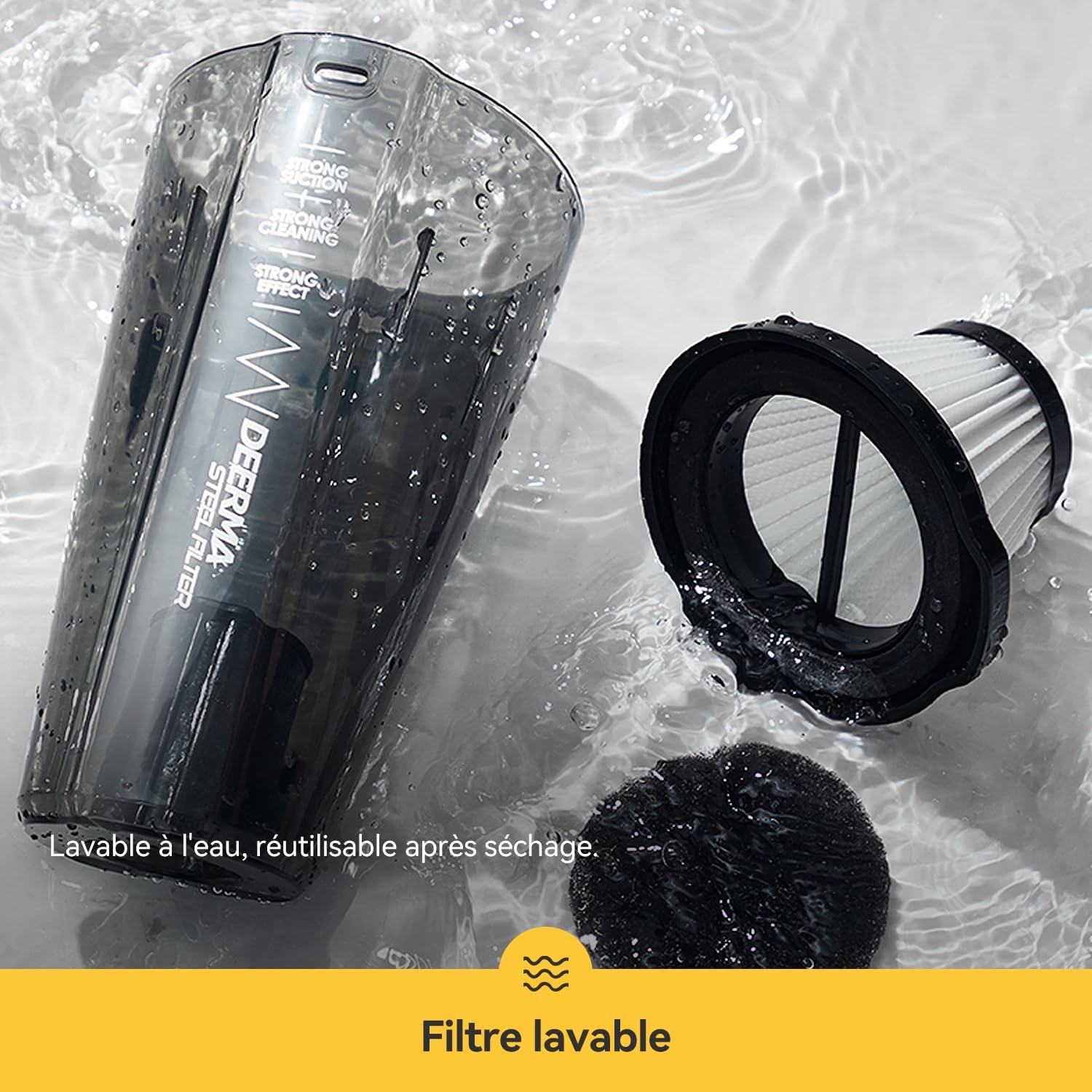
Image: The vacuum cleaner head effectively cleaning different floor types, including patterned tiles, wooden planks, and soft carpets, highlighting its multi-surface deep cleaning ability.

Image: A user cleaning a sofa with the Deerma DEM-DX115C in its handheld configuration, illustrating its ultra-lightweight design (1.09 kg main unit) and low center of gravity for easy maneuverability.
Maintenance
Regular maintenance ensures the longevity and optimal performance of your vacuum cleaner:
- Emptying the Dustbin: The 1.2L dustbin (0.5L effective capacity) should be emptied regularly, especially when the "MAX" line is reached. To empty, detach the dustbin from the main unit and dispose of the collected debris.
- Cleaning the HEPA Filter: The HEPA filter is washable and reusable.
- Remove the HEPA filter from the dustbin.
- Rinse the filter under running water until clean.
- Allow the filter to air dry completely for at least 24 hours before reinserting it into the vacuum cleaner. Do not use the vacuum with a wet filter.
- Cleaning Accessories: Wipe down the exterior of the vacuum and accessories with a damp cloth. Do not use harsh chemicals or abrasive cleaners.
- Cord Storage: Utilize the integrated cable management system for neat storage, preventing tangles and damage to the power cord.

Image: A hand emptying the contents of the 1.2L dustbin, demonstrating the large capacity that reduces the frequency of emptying.

Image: The washable HEPA filter and dustbin being cleaned under running water, illustrating the ease of maintenance and reusability after drying.

Image: A detailed diagram showing the triple filtration system: (1) 1.2L dust collection bin for preliminary separation, (2) Mesh filter to intercept large particles, and (3) High-density sponge filter to prevent dust escape, ensuring thorough air purification.
Troubleshooting
If you encounter issues with your Deerma DEM-DX115C, refer to the table below:
| Problem | Possible Cause | Solution |
|---|---|---|
| Vacuum does not turn on. | No power supply; Power button not pressed correctly. | Check if the power cord is securely plugged into a working outlet. Press the power button firmly. |
| Low suction power. | Dustbin full; Filter clogged; Hose/nozzle blocked. | Empty the dustbin. Clean or replace the HEPA filter. Check the hose and nozzle for any obstructions and remove them. |
| Unusual noise during operation. | Obstruction in the brush roll or hose; Loose parts. | Turn off and unplug the vacuum. Check the brush roll and hose for any foreign objects and remove them. Ensure all parts are securely assembled. |
| Dust escaping from the vacuum. | Dustbin not properly closed; Filter not installed correctly or damaged. | Ensure the dustbin is securely closed. Reinstall the HEPA filter correctly or replace it if damaged. |
Product Specifications
| Feature | Detail |
|---|---|
| Brand | Deerma |
| Model Number | DEM-DX115C |
| Color | Sparkling Black |
| Power | 600 Watts |
| Suction Power | 15 kPa |
| Noise Level | 85 dB |
| Dustbin Capacity | 1.2 Liters (0.5L effective) |
| Filter Type | HEPA Filter (Washable) |
| Product Weight | 1.5 Kilograms (Main unit: 1.09 kg) |
| Dimensions (Package) | 59 x 15 x 12 cm |
| Special Features | Compact, Washable Filter, HEPA, Lightweight, 2-in-1 (Stick/Handheld) |
| Power Source | Corded Electric |
| Recommended Surface | Hard Floor, Carpet, Upholstery |

Image: An internal diagram illustrating the powerful 600W motor and 15kPa suction capability of the Deerma DEM-DX115C, ensuring strong cleaning performance.
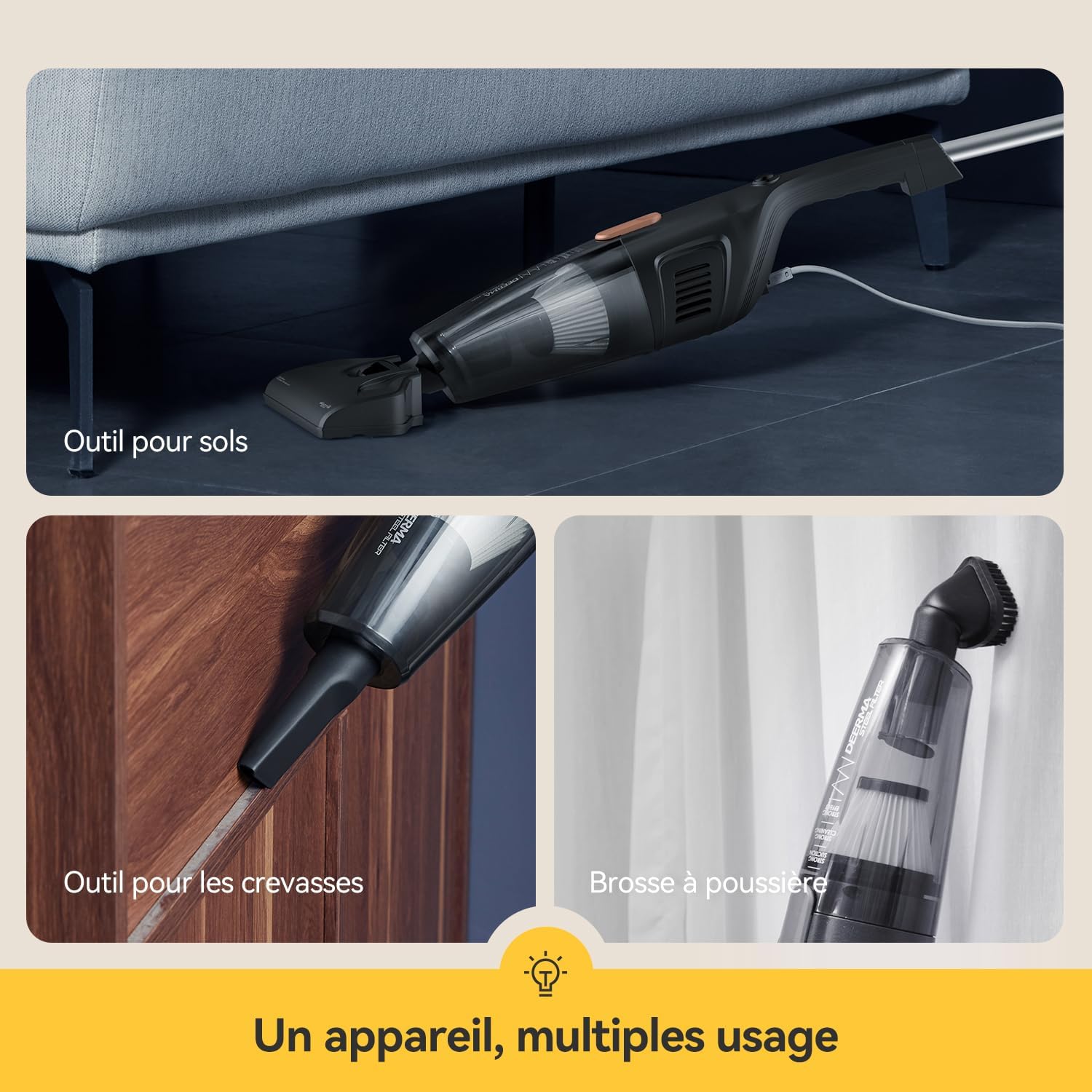
Image: The Deerma DEM-DX115C vacuum cleaner stored upright, demonstrating its compact design and integrated cable organizer for convenient and tidy storage.
Warranty Information
This product comes with a standard manufacturer's warranty. For specific details regarding warranty coverage, duration, and terms, please refer to the warranty card included in your product packaging or contact Deerma customer support.
Return Policy: The buybox winner indicates a 30-day return policy for refund/replacement through Amazon. Please refer to your purchase platform's return policy for the most accurate information.
Customer Support
For technical assistance, spare parts, or any inquiries not covered in this manual, please contact Deerma customer support. You can typically find contact information on the official Deerma website or through the retailer where you purchased the product.
Please have your model number (DEM-DX115C) and purchase date ready when contacting support.
Related documentsDEM-DX115C


Ask a question about this manual
Ask about setup, troubleshooting, compatibility, parts, safety, or missing instructions. Manuals+ will review the question and use this page’s manual context to help answer it.