LONPOO Portable Boombox Instruction Manual
Model: LP-D03
Introduction
Thank you for purchasing the LONPOO Portable Boombox. This device offers versatile audio playback options including CD, Bluetooth, USB, AUX, and FM radio, all in a compact and portable design. Please read this manual carefully before using the product to ensure proper operation and to maximize your listening experience.
What's in the Box
- LONPOO Portable CD Boombox (Model: LP-D03)
- 2-Prong US AC Power Cord (110V-240V)
- Auxiliary Cable
- User Manual
Product Features
- Multiple Playback Modes: Supports CD, CD-R, CD-RW, MP3 CD, Bluetooth, USB, AUX-in, and FM Radio.
- Built-in Stereo Speakers: Equipped with 2x2W stereo speakers for clear audio.
- Portable Design: Compact and lightweight with a convenient carrying handle.
- Power Options: Operates via AC power or 4 x C-size batteries (not included) for portable use.
- LCD Display: Blue backlit LCD for easy viewing of mode and track information.
- Headphone Jack: 3.5mm headphone output for private listening.
Product Overview
Familiarize yourself with the various parts and controls of your LONPOO Portable Boombox.
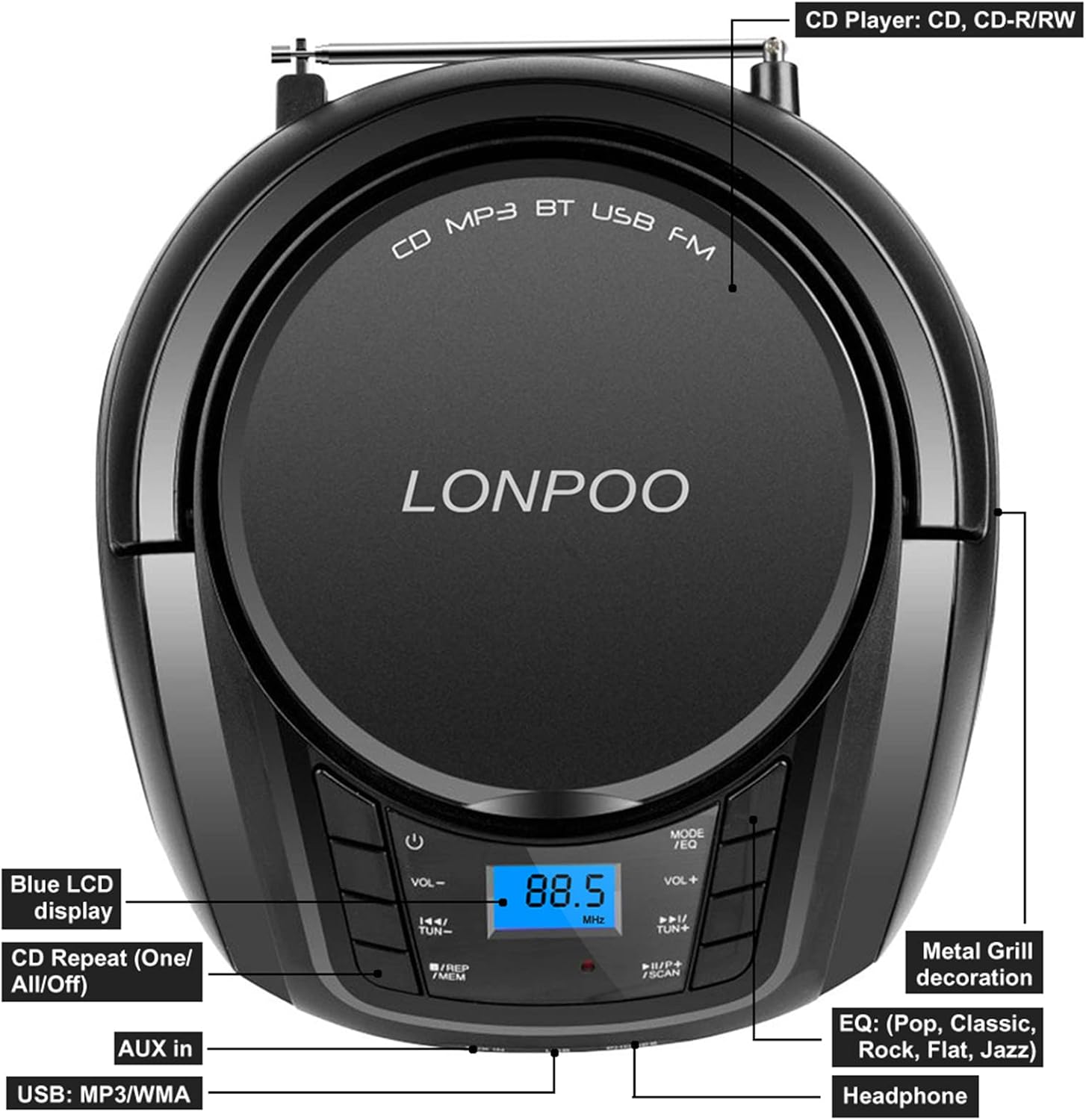
Figure 1: Top Panel Controls and Features
This image shows the top view of the boombox, highlighting the Blue LCD display, CD Repeat (One/All/Off) function, AUX in port, USB port, Headphone jack, Metal Grill decoration, and EQ (Pop, Classic, Rock, Flat, Jazz) settings.

Figure 2: Side and Rear Components
This image illustrates the Hang Handle, FM Antenna, and AC Port on the boombox. It also indicates support for MP3 CD/CD-R/CD-RW playback and the presence of 2x stereo speakers.
Setup
Powering the Boombox
The LONPOO Portable Boombox can be powered by either AC electricity or batteries.
- AC Power: Insert the supplied 2-prong AC power cord into the AC port on the back of the boombox and plug the other end into a standard 110V-240V wall outlet.
- Battery Power: For portable use, open the battery compartment on the bottom of the unit and insert 4 x C-size (UM2) 1.5V batteries (not included), ensuring correct polarity.

Figure 3: Power Supply Options
This diagram illustrates both the battery compartment for 4 C batteries (not included) and the AC power connection (110V-240V 50/60Hz) for the boombox.
FM Antenna Setup
For optimal FM radio reception, extend the telescopic FM antenna located on the back of the unit. Adjust its position for the best signal clarity.

Figure 4: FM Antenna Extended
This image shows the boombox with its telescopic FM antenna fully extended for improved radio signal reception.
Operating Instructions
General Controls
- Power Button (⏻): Press to turn the unit ON or OFF.
- Volume Controls (VOL- / VOL+): Adjust the master volume level.
- Mode Button (MODE/EQ): Press repeatedly to cycle through different playback modes: CD, Bluetooth (BT), USB, AUX, FM Radio. Long press to cycle through EQ presets (Pop, Classic, Rock, Flat, Jazz).
- Tune/Skip Buttons (◀◀ / ▶▶):
- In CD/USB mode: Press to skip to the previous/next track.
- In FM mode: Press to manually tune the frequency.
- Play/Pause Button (▶▶/SCAN):
- In CD/USB/Bluetooth mode: Press to play or pause playback.
- In FM mode: Long press to auto-scan and save available radio stations.
- Repeat Button (REP/MEM):
- In CD/USB mode: Press repeatedly to select repeat one track, repeat all tracks, or turn repeat off.
- In FM mode: Press to recall saved stations.

Figure 5: Control Panel Detail
This image provides a close-up view of the main control buttons, including power, volume, mode, track skip/tune, play/pause/scan, and repeat/memory functions.
CD Playback
- Press the OPEN/CLOSE button to open the CD compartment lid.
- Carefully place a CD (CD, CD-R, CD-RW, or MP3 CD) onto the spindle with the label side facing up.
- Close the CD compartment lid firmly.
- Press the MODE button until "CD" appears on the LCD display.
- The CD will begin playing automatically. If not, press the ▶▶ button.
- Use the ◀◀ / ▶▶ buttons to skip tracks.
- Press the REP button to set repeat mode (single track, all tracks).
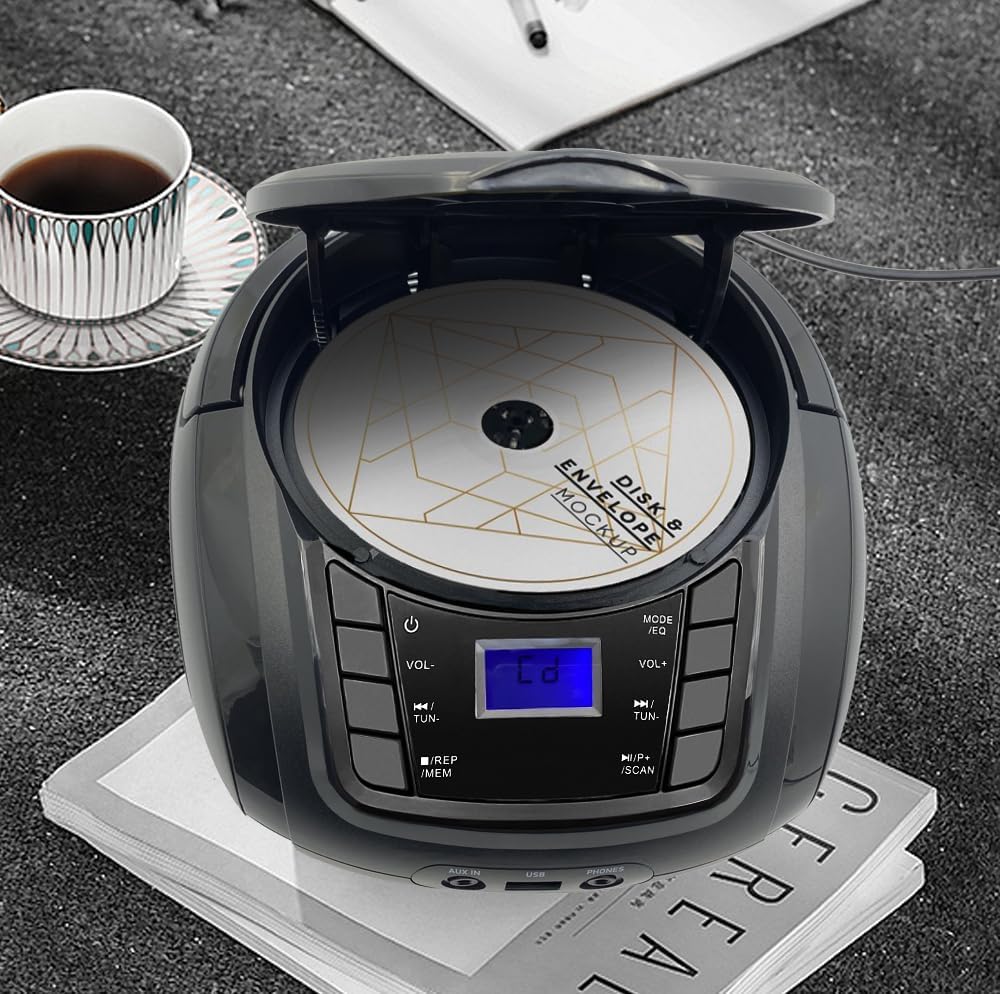
Figure 6: CD Compartment Open
This image shows the boombox with its CD compartment open, ready for disc insertion or removal.
Bluetooth Operation
- Press the MODE button until "BT" (Bluetooth) appears on the LCD display. The unit will enter pairing mode, indicated by a flashing "BT" icon.
- Enable Bluetooth on your mobile device (smartphone, tablet, etc.) and search for available devices.
- Select "LONPOO LP-D03" from the list of devices.
- Once paired, the "BT" icon will stop flashing and remain solid. You can now play audio from your device through the boombox.
- Use the boombox's ◀◀ / ▶▶ buttons to control track skipping, or control directly from your paired device.

Figure 7: Bluetooth Connectivity
This image depicts the boombox wirelessly connected to a smartphone via Bluetooth, ready for audio streaming.
USB Playback
- Insert a USB flash drive containing MP3 or WMA audio files into the USB port on the front of the boombox.
- Press the MODE button until "USB" appears on the LCD display.
- The unit will automatically detect and begin playing the audio files from the USB drive.
- Use the ◀◀ / ▶▶ buttons to skip tracks.
- Press the REP button to set repeat mode (single track, all tracks).

Figure 8: USB Playback Setup
This image shows the boombox positioned next to a USB flash drive, indicating its capability for USB audio playback.
AUX Input
- Connect one end of the supplied auxiliary cable to the AUX-in port on the front of the boombox.
- Connect the other end of the auxiliary cable to the headphone jack or audio output of your external audio device (e.g., MP3 player, smartphone).
- Press the MODE button until "AUX" appears on the LCD display.
- Play audio from your external device. The sound will be routed through the boombox's speakers.
- Volume control is managed by the boombox's volume buttons and your external device's volume.
FM Radio
- Extend the FM telescopic antenna for best reception.
- Press the MODE button until "FM" appears on the LCD display.
- Auto Scan: Long press the ▶▶/SCAN button to automatically scan and save available FM radio stations. The unit will store stations in memory.
- Manual Tune: Press the ◀◀ / ▶▶ buttons briefly to manually tune to a specific frequency.
- Recall Presets: Press the REP/MEM button to cycle through saved radio stations.
Using Headphones
To listen privately, plug any standard 3.5mm stereo headphones (not included) into the "PHONES" jack on the front of the boombox. The internal speakers will automatically mute when headphones are connected.
Maintenance
- Cleaning: Use a soft, dry cloth to clean the exterior of the unit. Do not use abrasive cleaners or solvents.
- CD Lens Care: If CD playback issues occur, use a commercially available CD lens cleaner disc.
- Storage: When not in use for extended periods, remove batteries and store the unit in a cool, dry place away from direct sunlight and extreme temperatures.
- Ventilation: Ensure proper ventilation around the unit during operation to prevent overheating. Do not block ventilation openings.
Troubleshooting
| Problem | Possible Cause | Solution |
|---|---|---|
| No power | Power cord not connected; Batteries depleted or incorrectly inserted. | Check AC cord connection; Replace batteries or ensure correct polarity. |
| No sound | Volume too low; Headphones connected; Incorrect mode selected. | Increase volume; Disconnect headphones; Press MODE button to select correct source. |
| CD skips or doesn't play | CD dirty or scratched; CD inserted incorrectly; CD format not supported. | Clean CD with a soft cloth; Reinsert CD correctly; Ensure it's an audio CD or compatible MP3 CD. |
| Poor FM reception | Antenna not extended or positioned correctly; Weak signal area. | Fully extend and adjust the telescopic antenna; Try moving the unit to a different location. |
| Bluetooth not pairing | Boombox not in BT mode; Device too far; Bluetooth not enabled on external device. | Ensure boombox is in BT mode; Move device closer; Enable Bluetooth on your device and rescan. |
Specifications
| Feature | Detail |
|---|---|
| Model Number | LP-D03 |
| Product Dimensions (L x W x H) | 9.3 x 8.3 x 4.5 inches (23.6 x 21.1 x 11.4 cm) |
| Item Weight | 2.65 pounds (1.2 kg) |
| Connectivity Technology | Auxiliary, Bluetooth, USB |
| Speaker Type | Built-In Stereo Speakers (2x2W) |
| Supported Disc Formats | CD, CD-R, CD-RW, MP3 CD |
| Supported USB Formats | MP3, WMA |
Warranty and Support
LONPOO provides a 30-day hassle-free money-back guarantee and a 1-year free replacement warranty for this product. For any questions, technical support, or warranty claims, please contact LONPOO customer service through the retailer where you purchased the product or visit the official LONPOO website for contact information.
Please retain your purchase receipt as proof of purchase for warranty purposes.


