
1. Important Safety Instructions
Please read all instructions carefully before operating the Afloia Kilo Air Purifier. Keep this manual for future reference.
- Always unplug the air purifier before moving it, opening the grille, changing filters, or whenever it is not in use.
- Do not operate any air purifier with a damaged cord or plug.
- Do not run cord under carpeting. Do not cover cord with throw rugs, runners, or similar coverings. Arrange cord away from traffic area where it will not be tripped over.
- Do not use the air purifier in wet or damp environments, such as bathrooms or laundries.
- Keep the air purifier away from heat sources such as stoves, ovens, radiators, or computers.
- Do not block air openings or place on a soft surface, such as a bed or sofa, where openings may become blocked.
- Do not insert foreign objects into any ventilation or exhaust opening.
- This appliance has a polarized plug (one blade is wider than the other). To reduce the risk of electric shock, this plug is intended to fit in a polarized outlet only one way. If the plug does not fit fully in the outlet, reverse the plug. If it still does not fit, contact a qualified electrician. Do not attempt to defeat this safety feature.
- This air purifier is for indoor use only.
- Supervise children when the air purifier is in use.
2. Package Contents
- Afloia Kilo Air Purifier Unit
- 3-in-1 Composite Filter (Pre-installed)
- User Manual
3. Product Overview
The Afloia Kilo Air Purifier is designed to improve indoor air quality by filtering out various airborne particles and odors. It features a 3-stage filtration system and quiet operation.

Figure 3.1: Afloia Kilo Air Purifier unit alongside its cylindrical 3-in-1 filter. The purifier is white with a perforated lower section for air intake and a blue illuminated top indicating operation. The filter is white with black rings at the top and bottom.
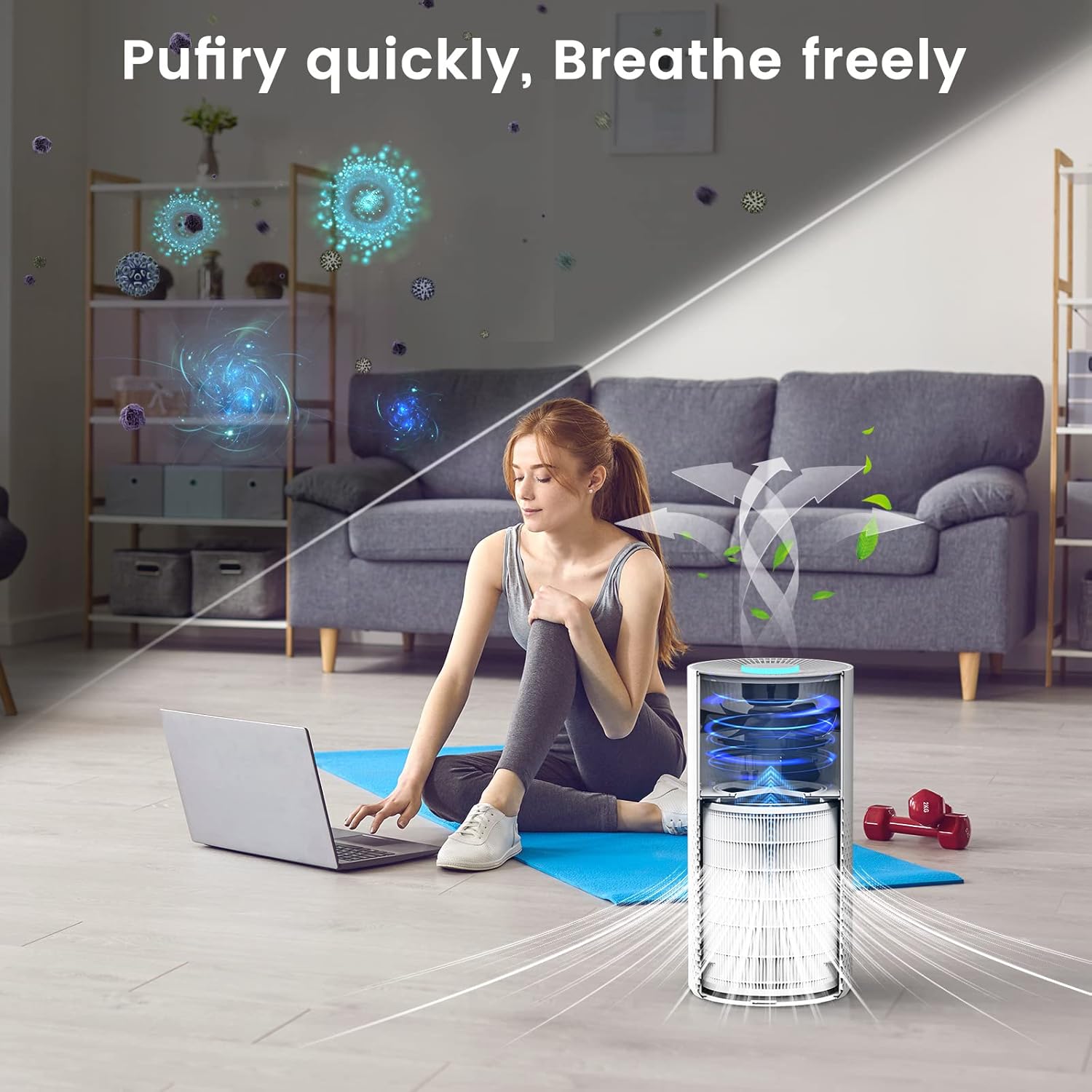
Figure 3.2: Illustration depicting the air purification process. Air is drawn into the bottom of the purifier, passes through the filter, and clean air is expelled from the top. Various airborne particles are shown being captured by the filter.
3.1. Key Features
- Efficient Air Cleaning: Purifies air up to 4 times per hour in a 269 sq ft room, capable of purifying a 1076 sq ft room in approximately one hour.
- Quiet Operation: Operates at a low noise level of 22 dB in sleep mode, suitable for bedrooms.
- 3-in-1 Filtration System: Utilizes a composite filter for effective removal of airborne particles.
- Timer Function: Includes 2, 4, and 8-hour timer settings for customized operation.
- Adjustable Night Light: Features 7 colors for ambient lighting.
4. Setup
- Unpack the Air Purifier: Carefully remove the air purifier and all packaging materials from the box.
- Remove Filter Packaging: The 3-in-1 filter is typically pre-installed but sealed in plastic for freshness.
- Turn the air purifier upside down.
- Twist the base cover counter-clockwise to unlock and remove it.
- Carefully pull out the cylindrical filter.
- Remove all plastic packaging from the filter.
- Reinstall the Filter: Insert the filter back into the air purifier with the black ring facing upwards.
- Secure the Base Cover: Place the base cover back on the unit and twist clockwise to lock it into place.
- Position the Air Purifier: Place the air purifier on a firm, level surface. Ensure there is at least 6 inches (15 cm) of clear space around all sides for optimal airflow.
- Connect to Power: Plug the power cord into a standard 120V AC electrical outlet.
5. Operating Instructions
5.1. Control Panel
The control panel is located on the top of the unit and features touch controls.
5.2. Power On/Off
- To turn on the air purifier, touch the Power button. The unit will start in a default mode.
- To turn off the air purifier, touch the Power button again.
5.3. Fan Speed Adjustment
The Afloia Kilo Air Purifier typically offers multiple fan speed settings (e.g., Low, Medium, High, Sleep Mode).
- Touch the Fan Speed button (if available, or repeatedly touch Power button if it cycles modes) to cycle through the available fan speeds.
- Sleep Mode: Select Sleep Mode for quiet operation (22 dB), ideal for nighttime use.

Figure 5.1: The Afloia Kilo Air Purifier operating in a bedroom, highlighting its quiet 22 dB sleep mode and programmable 2-8 hour timer function, designed for undisturbed rest.
5.4. Timer Function
Set the air purifier to operate for a specific duration before automatically turning off.
- Touch the Timer button to select desired operating times: 2 hours, 4 hours, or 8 hours.
- The corresponding indicator light will illuminate.
- To cancel the timer, cycle through the timer settings until no timer indicator light is on, or turn off the unit.
5.5. Night Light Function
The air purifier features an adjustable night light with multiple color options.
- Touch the Light button to turn the night light on or off.
- Repeatedly touch the Light button to cycle through the 7 available colors.

Figure 5.2: The Afloia Kilo Air Purifier displaying its adjustable night light feature, with a circular diagram indicating 7 different color options available for selection.
6. Maintenance
Regular maintenance ensures optimal performance and extends the lifespan of your air purifier.
6.1. Filter Replacement
The Afloia Kilo Air Purifier uses a 3-in-1 composite filter that needs to be replaced periodically. The filter life depends on air quality and usage, but typically every 3-6 months. A filter replacement indicator light will illuminate when it's time to change the filter.

Figure 6.1: A detailed view of the Afloia Kilo Air Purifier's cylindrical filter, showing its dimensions: 165mm (diameter) and 218mm (height).
- Unplug the Unit: Always unplug the air purifier from the power outlet before replacing the filter.
- Remove Base Cover: Turn the air purifier upside down. Twist the base cover counter-clockwise to unlock and remove it.
- Remove Old Filter: Carefully pull out the used cylindrical filter. Dispose of the old filter responsibly.
- Install New Filter: Remove all packaging from the new Afloia Kilo 3-in-1 replacement filter. Insert the new filter into the air purifier, ensuring the black ring faces upwards.
- Secure Base Cover: Place the base cover back on the unit and twist clockwise to lock it into place.
- Reset Filter Indicator: Plug the machine back in. Turn on the machine. Keep pressing the Power button until the blinking red light (filter indicator) disappears. This resets the filter life counter.
6.2. Cleaning the Air Purifier
- Exterior Cleaning: Wipe the exterior surface of the air purifier with a soft, dry cloth. Do not use abrasive cleaners or solvents.
- Air Inlet/Outlet: Use a soft brush or vacuum cleaner with a brush attachment to gently clean dust from the air inlet (perforated section) and outlet.
- Do not wash the filter.
7. Troubleshooting
If you encounter issues with your Afloia Kilo Air Purifier, please refer to the following common problems and solutions:
| Problem | Possible Cause | Solution |
|---|---|---|
| Air Purifier does not turn on. | Not plugged in; Power outlet malfunction; Power button not pressed. | Ensure the power cord is securely plugged into a working outlet. Try a different outlet. Press the Power button firmly. |
| Reduced airflow or purification efficiency. | Filter is dirty or clogged; Filter packaging not removed; Air inlets/outlets blocked. | Check and replace the filter if necessary. Ensure all plastic packaging is removed from the filter. Clear any obstructions from air inlets and outlets. |
| Unusual noise. | Filter not installed correctly; Foreign object inside; Unit not on a level surface. | Ensure the filter is seated correctly and the base cover is securely locked. Unplug and check for any foreign objects. Place the unit on a stable, flat surface. |
| Filter replacement indicator light remains on after filter change. | Filter reset procedure not performed correctly. | Follow the filter reset instructions in Section 6.1: Turn on the machine, then press and hold the Power button until the light disappears. |
If the problem persists after trying these solutions, please contact Afloia Customer Service.
8. Specifications
| Feature | Detail |
|---|---|
| Model | Kilo White |
| Brand | Afloia |
| Color | White |
| Product Dimensions | 7.6"D x 7.6"W x 15"H (19.3 cm D x 19.3 cm W x 38.1 cm H) |
| Item Weight | 4.4 pounds (2 kg) |
| Noise Level | 22 dB (Sleep Mode) |
| Controller Type | Touch Control |
| Coverage Area | Up to 1076 sq ft (purifies 269 sq ft 4x/hour) |
| Filter Type | 3-in-1 Composite Filter |
| Certification | ETL Certified |
9. Warranty and Customer Support
Afloia provides customer support for its products. For any questions or issues regarding your Afloia Kilo Air Purifier, please do not hesitate to contact our customer service team.
Please refer to your purchase documentation or the official Afloia website for specific warranty terms and contact information.
Contact Information:
- Website: Visit the Afloia Store on Amazon (for general inquiries and product information)
- For direct support, please check the packaging or product registration card for specific email or phone contact details.
When contacting support, please have your product model (Kilo White) and purchase date available.


