
Introduction
The Pavlok 3 is a personal wearable device designed to help users build positive habits, break negative ones, and improve overall mindfulness. It utilizes a combination of stimuli including chime, vibration, and electric zap to reinforce desired behaviors and provide real-time feedback. This manual provides comprehensive instructions for setting up, operating, maintaining, and troubleshooting your Pavlok 3 device.
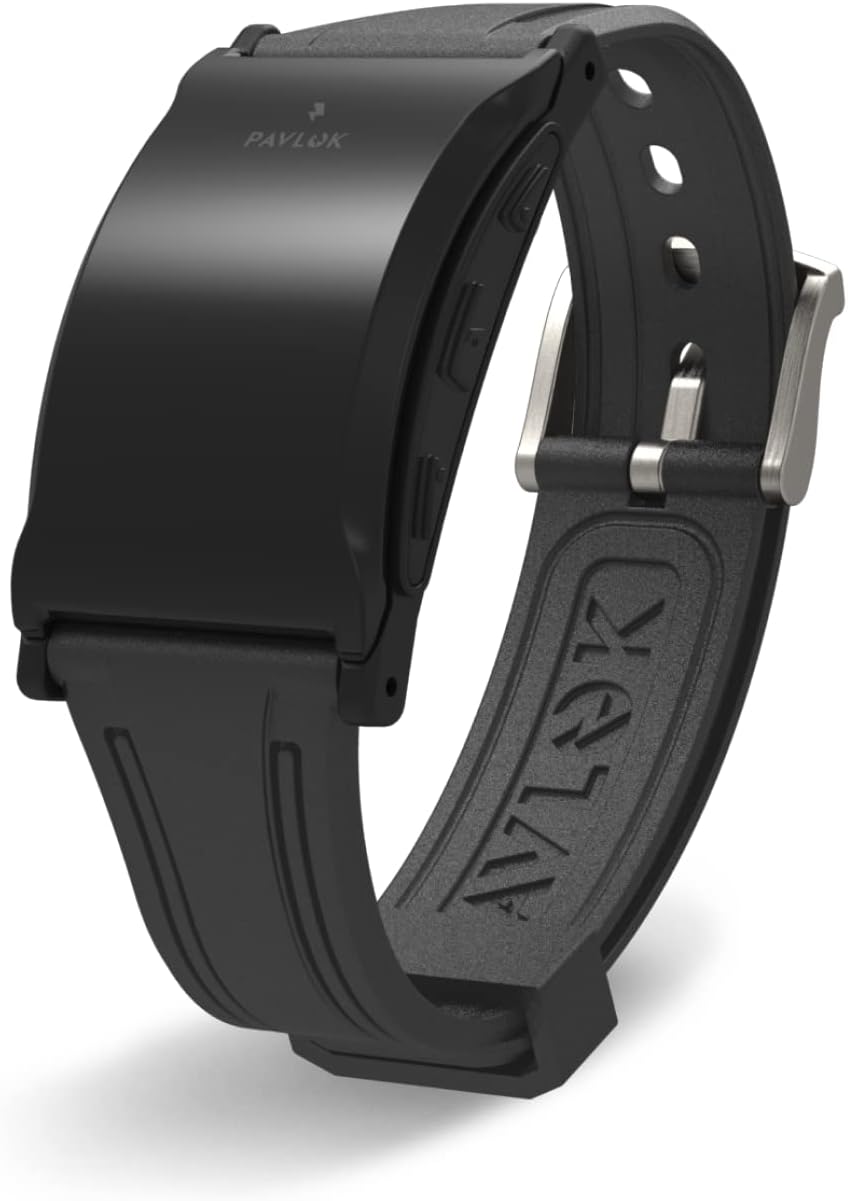
Figure 1: The Pavlok 3 Sports Edition device.
Key Features:
- Waking Up: Choose between chime, vibration, or zap to ensure you wake up and stay awake.
- Mindfulness: Receive prompts throughout the day to enhance presence and grounding.
- Habit Formation: Set goals and earn rewards for breaking bad habits and forming new ones.
- Apps & Integrations: Access core Pavlok apps and features tailored to your personal goals.
- Wearability: Can be worn independently or clipped onto a smartwatch or analog watch.
- Durability: Waterproof up to 1 meter (3 feet) and offers up to 7 days of battery life.

Figure 2: Overview of Pavlok 3's durable design and key benefits.
What's in the Box
Your Pavlok 3 package includes the following components:
- Pavlok 3 Module
- Silicone Strap (pre-attached or separate, depending on edition)
- USB-C Charging Cable
- Quick Start Guide (digital version available via app)

Figure 3: Components included with your Pavlok 3 device.
Setup Guide
1. Charging Your Pavlok 3
Before first use, fully charge your Pavlok 3. Connect the provided USB-C charging cable to the device and a power source. A green LED light will appear when charging begins and will remain lit when the device is 100% charged. A full charge typically takes approximately 90 minutes.
2. Downloading the Pavlok App
The Pavlok 3 requires the companion mobile application for full functionality. Download the "Pavlok" app from your device's app store:
- Google Play Store (for Android devices)
- Apple App Store (for iOS devices)
3. Pairing Your Device
Open the Pavlok app and follow the on-screen instructions to pair your Pavlok 3. Your device will vibrate twice to confirm successful pairing.

Figure 4: The Pavlok mobile application interface.
Operating Instructions
Stimuli Options
The Pavlok 3 offers three distinct stimuli to help you achieve your goals:
- Chime: A gentle auditory cue.
- Vibration: A tactile alert on your wrist.
- Zap: A mild electric stimulus for strong reinforcement.
You can configure the intensity and type of stimulus for various functions within the Pavlok app.

Figure 5: The Pavlok 3 device, designed for effective habit change.
Using the Pavlok App
The Pavlok app is your central hub for controlling the device and managing your habits:
- Alarms: Set custom alarms with your preferred stimuli to wake up on time. The device can wake you silently without disturbing others.
- Habit Tracking: Monitor your progress and gain insights into your behavior patterns.
- Mindfulness Exercises: Access guided prompts to practice mindfulness throughout your day.
- Sleep Patterns: Track your sleep to understand your sleep cycles and improve sleep quality.
- Community & Accountability: Connect with friends and the Pavlok community to share progress and stay motivated.
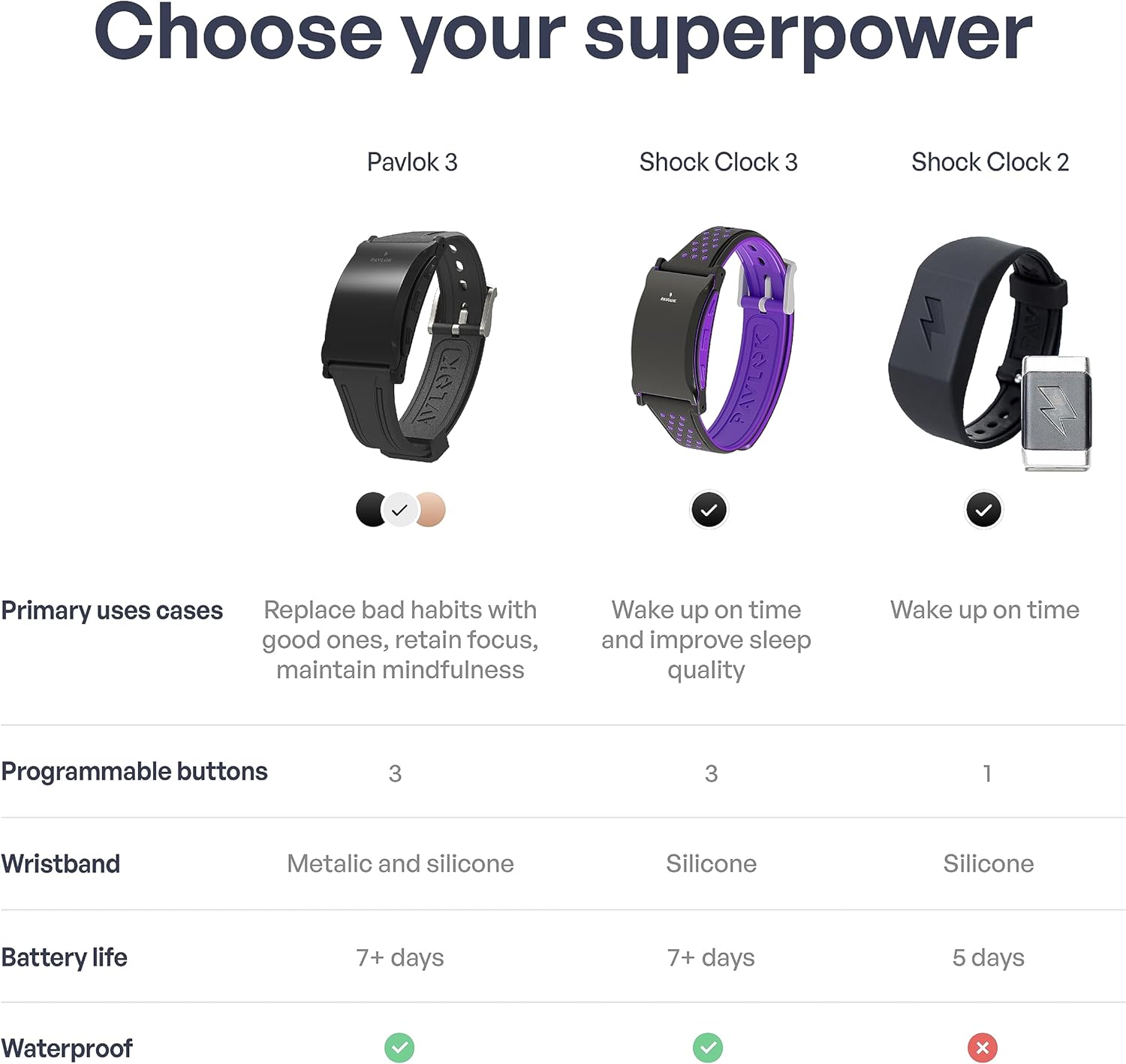
Figure 6: Pavlok 3's silent wake-up feature.
Official Product Videos:
Pavlok 3 Official Unboxing
Video 1: This video provides an official unboxing experience of the Pavlok 3, showing the device and its contents as they appear when first opened.
Pavlok 3: A Mindfulness Coach on Your Wrist
Video 2: This video demonstrates how the Pavlok 3 functions as a mindfulness coach, guiding users through exercises and prompts to enhance their awareness.
Maintenance
To ensure the longevity and optimal performance of your Pavlok 3, follow these maintenance guidelines:
- Cleaning: Regularly wipe the device and strap with a soft, damp cloth. Avoid harsh chemicals or abrasive materials.
- Charging Port: Periodically inspect the charging port for any debris or gunk. Gently clean with a dry, soft brush if necessary to ensure proper connection and charging.
- Water Exposure: While waterproof up to 1 meter (3 feet), it is recommended to dry the device thoroughly after exposure to water to prevent mineral buildup or corrosion, especially around the charging contacts.
Troubleshooting
If you encounter issues with your Pavlok 3, consider the following common solutions:
- Device Not Responding: Ensure the device is fully charged. Try restarting the device by holding down the main button for 10 seconds.
- App Connectivity Issues: Check that Bluetooth is enabled on your phone. Ensure the Pavlok app is updated to the latest version. Try unpairing and re-pairing the device within the app settings.
- Alarms Not Triggering: Verify that alarms are correctly set and enabled in the Pavlok app. Check the device's battery level.
- Battery Draining Quickly: Ensure the device is fully charged. Reduce the frequency or intensity of stimuli if battery life is a concern.
For persistent issues or further assistance, please contact Pavlok Live Support as detailed in the Warranty and Support section.
Specifications
| Feature | Detail |
|---|---|
| Brand Name | Pavlok |
| Model Name | Sports |
| Color | Black |
| Material | Silicone |
| Item Weight | 34 Grams |
| Item Dimensions (LxWxH) | 0.47 x 1.22 x 0.94 inches |
| Battery Cell Composition | Lithium Polymer |
| Connectivity Technology | Bluetooth |
| Operating System | Android (App required for full functionality) |
| Special Feature | Notifications, Habit Tracking, Sleep Tracking |
| Water Resistance | Up to 1 meter / 3 feet |
| Battery Life | Up to 7 days (depending on usage) |
Warranty and Support
1-Year Replacement Warranty
Pavlok warrants its products against manufacturer's defects for 1 year from the date of original purchase. This warranty applies only to Pavlok products sold by Pavlok or an authorized Pavlok reseller. If a defect is present, Pavlok will repair or replace the defective product at no cost, including shipping for the replacement. Please note that customer disassembly or tampering with the device will void the warranty. Products showing signs of water damage (beyond specified limits) or misuse/abuse are ineligible for warranty coverage.
Live Support
Our dedicated live support team is available 24/7 to assist you with any questions or issues regarding your Pavlok 3. You can reach out for support via the Pavlok app or through the official Pavlok website.