
1. Introduction
The Pavlok 3 Sports is an app-controlled wearable device designed to assist users in habit formation and breaking unwanted behaviors through a combination of vibration, chime, and zap stimuli. It also features step and sleep tracking capabilities to help monitor daily activity and rest patterns. This manual provides essential information for setting up, operating, and maintaining your Pavlok 3 Sports device.
2. What's in the Box
- Pavlok 3 Module
- Wristband
- USB-C Charging Cable
Video: Official unboxing of the Pavlok 3, showing the device, wristband, and charging cable.
3. Setup
3.1 Charging the Device
Before initial use, fully charge your Pavlok 3 Sports device using the provided USB-C charging cable. A green LED light will appear when the device is 100% charged, typically after about 90 minutes. The device offers up to 7 days of battery life on a single charge.
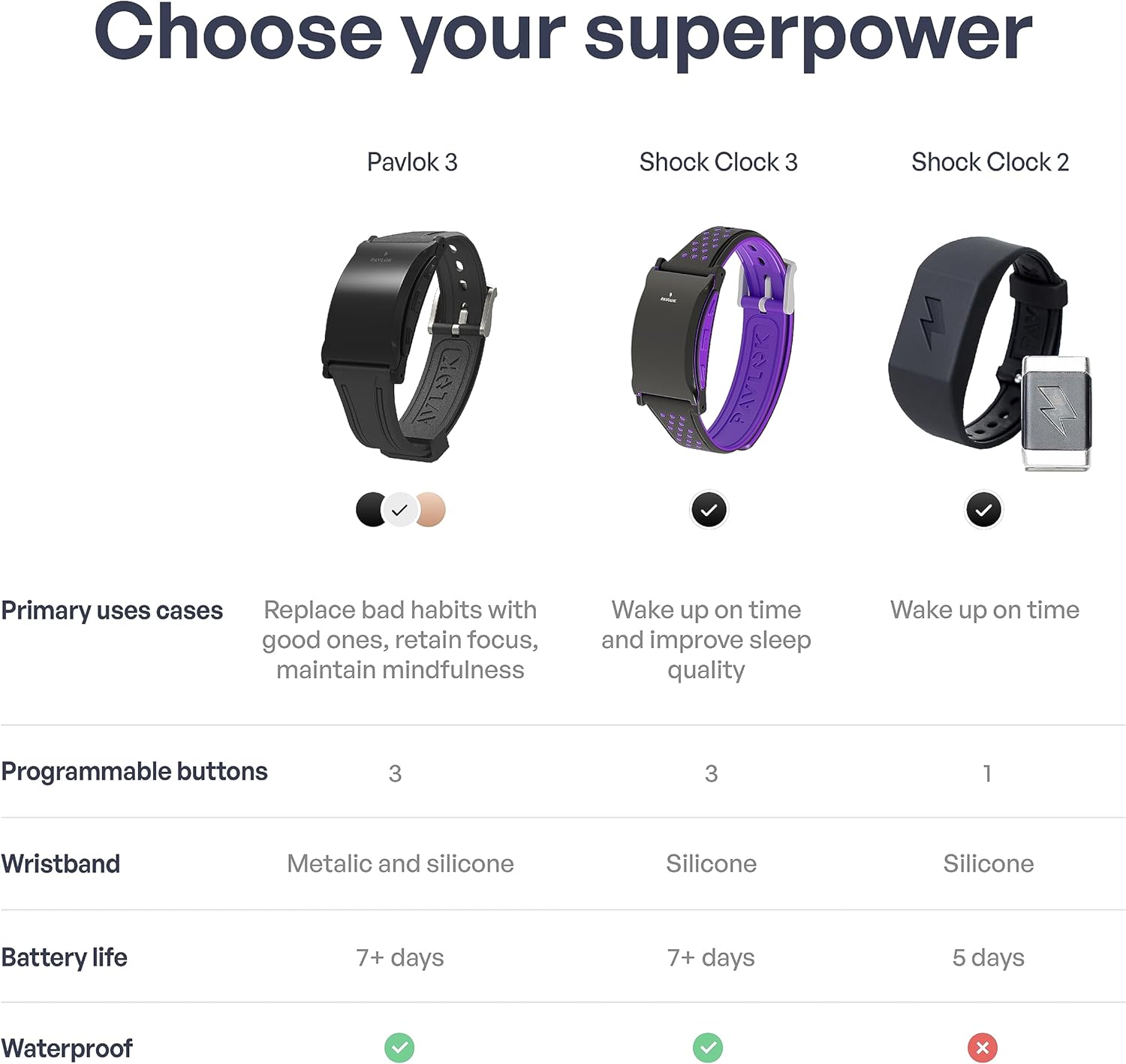
Image: The Pavlok 3 Sports device being charged with its USB-C cable.
3.2 App Installation and Pairing
- Download the official Pavlok App from your device's app store (Google Play Store for Android or Apple App Store for iOS).
- Open the Pavlok App and follow the on-screen instructions to create an account or log in.
- Ensure your Pavlok 3 device is charged and powered on.
- Within the app, select the option to pair a new device. Your device will vibrate twice when successfully paired.

Image: The Pavlok app interface shown on multiple smartphones, illustrating habit tracking and device control.
4. Operating Instructions
4.1 Silent Alarm and Wake-Up Options
The Pavlok 3 offers various wake-up stimuli to ensure you rise on time without disturbing others. You can configure these settings within the Pavlok App:
- Vibration: A gentle or strong vibration on your wrist.
- Chime: An audible sound from the device.
- Zap: An adjustable electric stimulus.
Advanced wake-up guarantees can be set in the app:
- Jumping Jacks Wake-up: Requires a set number of jumping jacks to turn off the alarm, utilizing the device's motion sensor.
- QR Code Wake-up: Requires scanning a pre-printed QR code (placed in another room) to disable the alarm, ensuring you physically leave your bed.
- Snooze Zap: Configures the device to deliver a zap if you attempt to snooze the alarm.

Image: The Pavlok 3 Sports device on a user's wrist during sleep, highlighting its ability to wake without disturbing others.
4.2 Habit Formation and Breaking
The Pavlok 3 utilizes sensory feedback to help reinforce positive habits and eliminate negative ones. Through the app, you can:
- Set up routines for desired behaviors.
- Receive prompts and stimulus-based nudges (vibration, chime, or zap) to stay consistent.
- Manually trigger stimuli to interrupt unwanted actions (e.g., nail-biting, excessive phone use).

Image: An infographic detailing various habits that the Pavlok 3 can help users manage or develop.
5. Tracking Features
5.1 Steps and Activity Tracking
The Pavlok 3 tracks your daily steps and activity levels. This data is synchronized with the Pavlok App, allowing you to monitor your progress and set activity goals.
5.2 Sleep Tracking
The device monitors your sleep patterns, providing insights into your sleep duration and quality. While sleep tracking offers a general approximation, users should be aware that accuracy may vary. The app displays your sleep data, including deep and light sleep phases.
6. Maintenance
6.1 Cleaning
Regularly clean your Pavlok 3 module and wristband with a soft, damp cloth. Avoid using harsh chemicals or abrasive materials. Ensure the charging port is free of debris to maintain optimal charging performance.
6.2 Water Resistance
The Pavlok 3 Sports is designed with water resistance, making it suitable for daily wear and workouts. However, it is not recommended for swimming or prolonged submersion.
7. Troubleshooting
- Device Not Responding: Ensure the device is charged. Try restarting the device by holding down the main button.
- App Connectivity Issues: Verify Bluetooth is enabled on your smartphone. Try re-pairing the device with the app. Check for app updates in your device's app store.
- Alarm Malfunctions: If alarms are not triggering or are duplicating, check your alarm settings within the Pavlok App. Ensure the app is running in the background and has necessary permissions.
- Charging Problems: Inspect the USB-C charging port for any lint or debris that might obstruct the connection.
- Inaccurate Jumping Jacks Count: If using the Jumping Jacks Wake-up feature, adjust the required count to a lower setting if the device consistently miscounts your movements.
8. Specifications
| Feature | Detail |
|---|---|
| Product Dimensions | 0.98 x 1.18 x 0.47 inches |
| Item Weight | 1.2 ounces (34 Grams) |
| Model Number | Pavlok 3 |
| Batteries | 1 Lithium Polymer battery (included) |
| Standing Screen Display Size | 0.96 Inches |
| Operating System | Android (App compatibility) |
| Special Features | Silent alarm, shock alarm, vibration alarm |
| Connectivity Technology | Bluetooth, 802.11b |
| GPS | No GPS |
| Shape | Round |
9. Warranty and Support
9.1 Product Warranty
The Pavlok 3 Sports includes a 1-year replacement warranty from the date of purchase, covering manufacturing defects. Please retain your proof of purchase for warranty claims.
9.2 Customer Support
For further assistance, technical support, or warranty inquiries, please visit the official Pavlok website or contact their customer service department. Refer to the product packaging or the Pavlok app for specific contact details.


