
Introduction
Thank you for choosing the Westclox Tilt & Swivel Digital Alarm Clock. This manual provides detailed instructions for setting up, operating, and maintaining your new alarm clock. Designed for ease of use and optimal visibility, this clock features a large LED display and a unique adjustable stand to suit your needs.
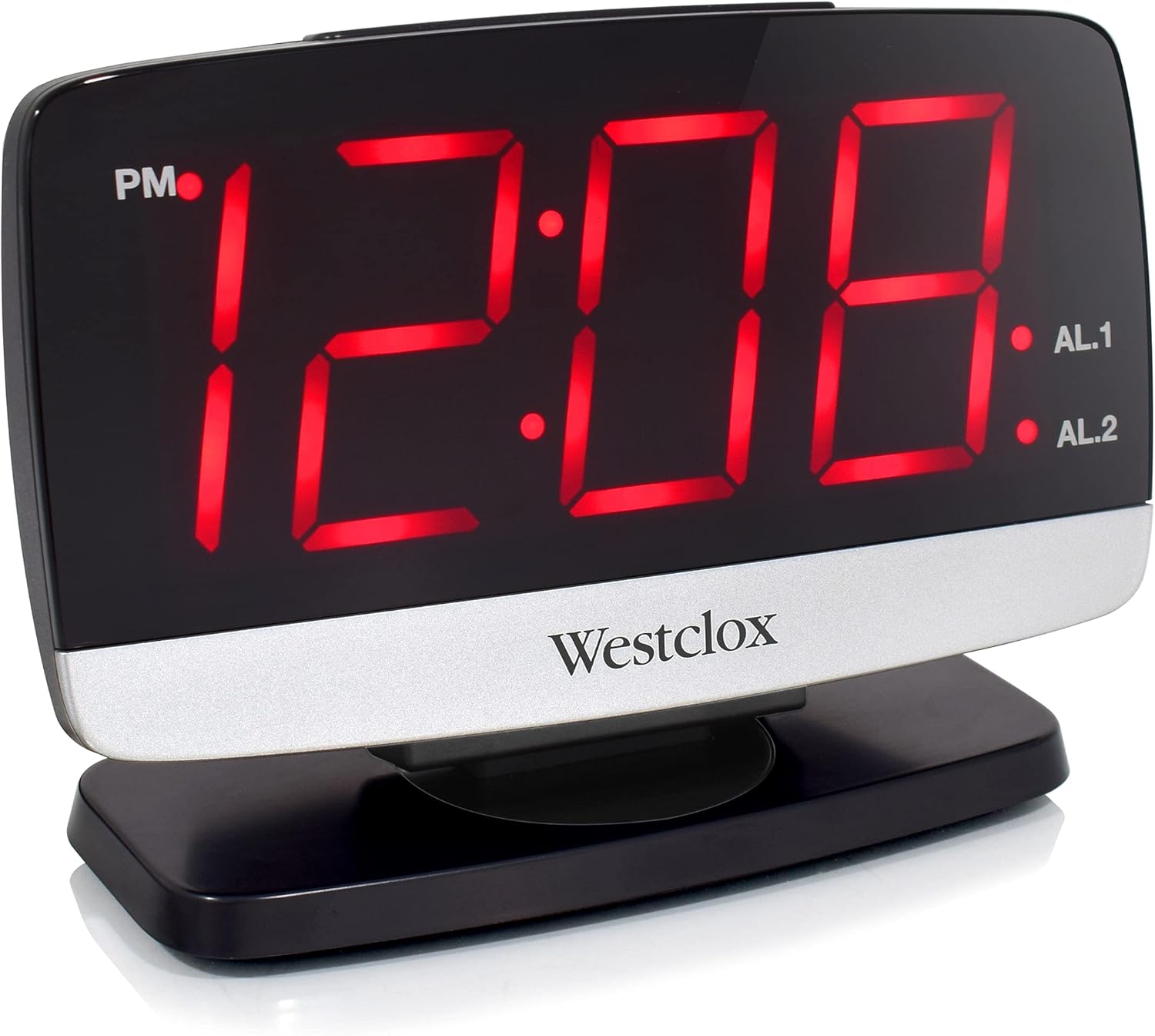
Figure 1: Front view of the Westclox Tilt & Swivel Digital Alarm Clock with its large red LED display.
Key Features
- Digital Display: Features a large 1.8" LED digital display for easy reading.
- Tilt & Swivel Design: Unique tilt and swivel stand allows flexible positioning.
- Alarm Clock Function: Built-in alarm clock with loud, distinctive sound.
- Easy to Use: Simple to set alarms and adjust settings.
- Durable Construction: Made from sturdy ABS plastic with metal accents.

Figure 2: Key features of the Westclox Digital Alarm Clock.
Package Contents
- Westclox Tilt & Swivel Digital Alarm Clock (Model# 71052)
- Power Adapter
- Instruction Manual
Setup
1. Power Connection
- Unpack the alarm clock and power adapter from the packaging.
- Insert the small end of the power adapter into the DC IN jack located on the back of the clock.
- Plug the other end of the power adapter into a standard electrical outlet. The LED display will illuminate.
2. Battery Backup (Optional)
For backup power during outages, install 2 AAA batteries (not included) into the battery compartment on the bottom of the clock. The battery backup maintains time and alarm settings but does not power the display.

Figure 3: The clock operates electrically with optional battery backup.
Operating Instructions

Figure 4: Rear panel controls for setting time and alarms.
1. Setting the Time
- Press and hold the TIME SET button located on the back of the clock until the hour digits begin to flash.
- Press the HOUR SET button repeatedly to adjust the hour. Observe the PM indicator for correct AM/PM setting.
- Press the MIN SET button repeatedly to adjust the minutes.
- Press the TIME SET button again to confirm and save the time.
2. Setting Alarms (AL1 and AL2)
This clock features two independent alarms.
- To Set Alarm 1: Press and hold the ALARM 1 SET button until the hour digits flash. Use HOUR SET and MIN SET buttons to adjust the alarm time. Press ALARM 1 SET again to confirm.
- To Set Alarm 2: Follow the same procedure using the ALARM 2 SET button.
- To Activate/Deactivate Alarm: Use the ALARM 1 ON/OFF and ALARM 2 ON/OFF switches on the back of the clock to turn each alarm on or off. An indicator light on the display will show if an alarm is active.
3. Snooze and Dimmer Function
The large button on top of the clock serves two functions:
- Snooze: When an alarm sounds, press the SNOOZE / DIMMER button to temporarily silence the alarm for a few minutes. The alarm will sound again after the snooze period.
- Dimmer: When the alarm is not sounding, press the SNOOZE / DIMMER button to cycle through different brightness levels for the LED display (5% to 100%).

Figure 5: The large snooze button on top of the clock.

Figure 6: Adjustable display brightness from 5% to 100%.
4. Tilt & Swivel Function
The clock is designed with a flexible stand for optimal viewing angles:
- Tilt: The clock face can be tilted 35 degrees back and forth. Gently adjust the top panel to your desired angle.
- Swivel: The base allows the clock to swivel 90 degrees left and right. Rotate the clock on its base for the best viewing position.
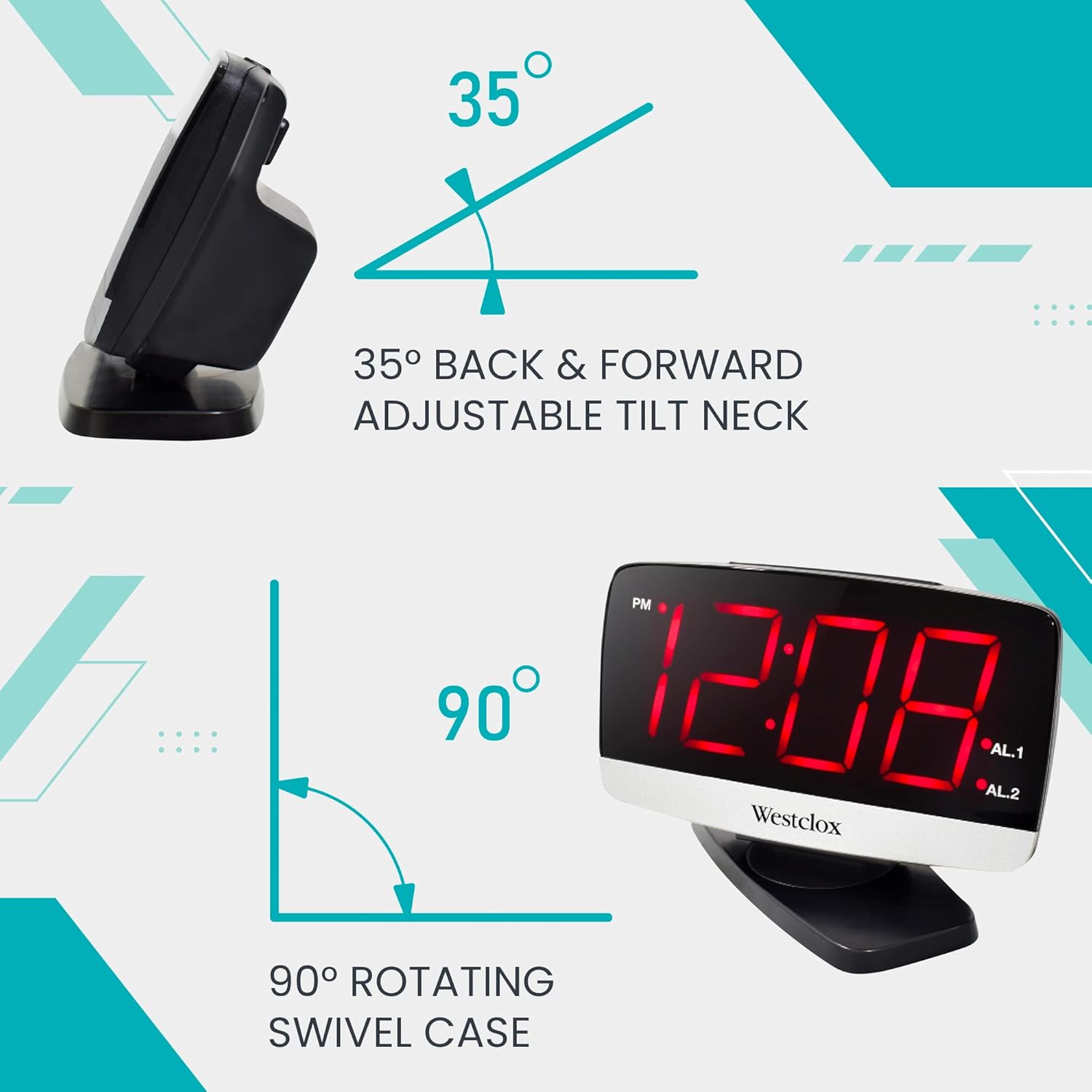
Figure 7: The clock offers 35-degree tilt and 90-degree swivel for flexible positioning.

Figure 8: Multiple viewing angles are possible with the tilt and swivel feature.
Maintenance
To ensure the longevity and optimal performance of your Westclox alarm clock, follow these simple maintenance guidelines:
- Cleaning: Wipe the clock with a soft, dry cloth. Do not use abrasive cleaners or solvents, as they may damage the finish.
- Placement: Place the clock on a stable, flat surface away from direct sunlight, excessive heat, or moisture.
- Battery Replacement: If using battery backup, replace AAA batteries annually or when the display shows signs of dimming during a power outage.
Troubleshooting
If you encounter any issues with your alarm clock, please refer to the following common problems and solutions:
- No Display / Clock Not Working:
- Ensure the power adapter is securely plugged into both the clock and a working electrical outlet.
- Check if the outlet is receiving power by plugging in another device.
- If using battery backup, ensure batteries are correctly installed and not depleted.
- Alarm Not Sounding:
- Verify that the ALARM ON/OFF switch for the desired alarm (AL1 or AL2) is in the "ON" position.
- Check that the alarm time is correctly set and is not set for AM instead of PM, or vice-versa.
- Display Too Bright/Dim:
- Press the SNOOZE / DIMMER button on top of the clock to adjust the brightness level.
Specifications
| Feature | Detail |
|---|---|
| Brand | Westclox |
| Model Number | 71052 |
| Color | Red |
| Display Type | Digital LED |
| LED Display Size | 1.8 inches |
| Product Dimensions | 6"W x 4"H |
| Power Source | Corded Electric |
| Battery Backup | 2 AAA batteries (not included) |
| Frame Material | Acrylonitrile Butadiene Styrene |
| Item Weight | 9.92 ounces |
| Mounting Type | Tabletop |

Figure 9: Dimensions of the Westclox Digital Alarm Clock.
Warranty and Support
Westclox products are manufactured with high-quality standards. For warranty information or technical support, please refer to the contact details provided on the product packaging or visit the official Westclox website. Keep your purchase receipt as proof of purchase for any warranty claims.