
1. Introduction
This manual provides essential information for the safe and efficient use of your AEG 6000 Series MultipleBridge Induction Hob, model IKE64453IB. Please read these instructions carefully before installation and operation, and retain them for future reference. This appliance is designed for domestic use only.

Image 1.1: The AEG 6000 Series MultipleBridge Induction Hob IKE64453IB, showcasing its sleek black glass ceramic surface and integrated touch controls.
2. Safety Information
For your safety and to ensure correct operation, please read this manual carefully before installation and first use. Keep these instructions in a safe place for future reference.
- Electrical Safety: This appliance must be installed by a qualified person. Ensure the electrical supply matches the rating plate.
- Child Safety: This appliance can be used by children aged 8 years and above and persons with reduced physical, sensory or mental capabilities or lack of experience and knowledge if they have been given supervision or instruction concerning use of the appliance in a safe way and understand the hazards involved. Children shall not play with the appliance. Cleaning and user maintenance shall not be made by children without supervision.
- Hot Surfaces: The hob surface will become hot during use. Avoid touching the hot surface. Use oven mitts or pot holders.
- Overheating: Do not leave cooking unattended. Fat and oil can ignite if overheated.
- Pacemakers: Persons with pacemakers should consult their doctor before using induction hobs.
- Cleaning: Always switch off the appliance and allow it to cool before cleaning.
3. Product Overview and Features
The AEG 6000 Series MultipleBridge Induction Hob offers advanced cooking technology with user-friendly features.
Key Features:
- MultipleBridge Function: Combine two cooking zones on each side to create a larger cooking area, ideal for oversized cookware like griddle pans.
- Direct Touch Control: Intuitive interface with numbers from 1 to 14 for precise temperature adjustment.
- PowerBoost: Provides an instant burst of heat for rapid boiling or searing.
- Integrated Timer: Cooking zones automatically turn off when the set time expires, preventing overcooking.
- Child Safety Lock: Prevents accidental changes to hob settings, ensuring a safe kitchen environment.
- Scratch-Resistant Surface: Durable glass ceramic surface that is easy to clean.

Image 3.1: The AEG induction hob demonstrating the MultipleBridge function with a large grill pan spanning two cooking zones.

Image 3.2: Visual comparison illustrating the heating principles of gas, induction, and ceramic hobs, highlighting the direct and efficient heating of induction technology.
4. Setup and Installation
The AEG IKE64453IB induction hob is designed for independent built-in installation. It is crucial that installation is performed by a qualified electrician or technician in accordance with local regulations and the provided installation diagram.
Unpacking:
Carefully remove the hob from its packaging. The package includes the hob unit itself. Inspect the appliance for any damage incurred during transit. Report any damage immediately to your supplier.
Installation Requirements:
- Dimensions: The hob measures approximately 580 mm (width) x 510 mm (depth) x 44 mm (height). Ensure your countertop cutout meets the specified dimensions for a secure fit.
- Ventilation: Adequate ventilation must be provided to prevent overheating. Refer to the installation diagram for minimum clearance requirements.
- Electrical Connection: The hob requires a 240 Volt electrical supply. The connection must be made by a qualified electrician.

Image 4.1: Detailed installation diagram showing the required cutout dimensions (560x490 mm) and minimum clearances for the AEG IKE64453IB induction hob.
5. Operating Instructions
Familiarize yourself with the control panel before operating the hob.

Image 5.1: Close-up view of the AEG induction hob's Direct Touch control panel, showing individual zone controls, power levels (0-14, P), and timer functions.
5.1 Turning On/Off
- To turn on: Touch the main power symbol.
- To turn off: Touch the main power symbol again.
5.2 Adjusting Heat Settings (Direct Touch Control)
Each cooking zone has its own set of controls. The Direct Touch interface uses numbers from 1 to 14.
- Select the desired cooking zone by touching its corresponding control.
- Slide your finger along the numbered scale or directly touch the desired power level (1-14).
- Level 'P' indicates the PowerBoost function.

Image 5.2: A hand interacting with the Direct Touch controls of the AEG induction hob, demonstrating the ease of adjusting heat settings.
5.3 Using the MultipleBridge Function
The MultipleBridge function allows you to combine two cooking zones into one large zone, ideal for larger cookware.
- Place your large cookware (e.g., griddle, fish kettle) over the two zones you wish to bridge.
- Select one of the two zones.
- Touch the Bridge symbol (often represented by two interlocking rectangles or a bridge icon). The two zones will now operate as a single unit, synchronizing temperature and timer settings.
- To deactivate, touch the Bridge symbol again.
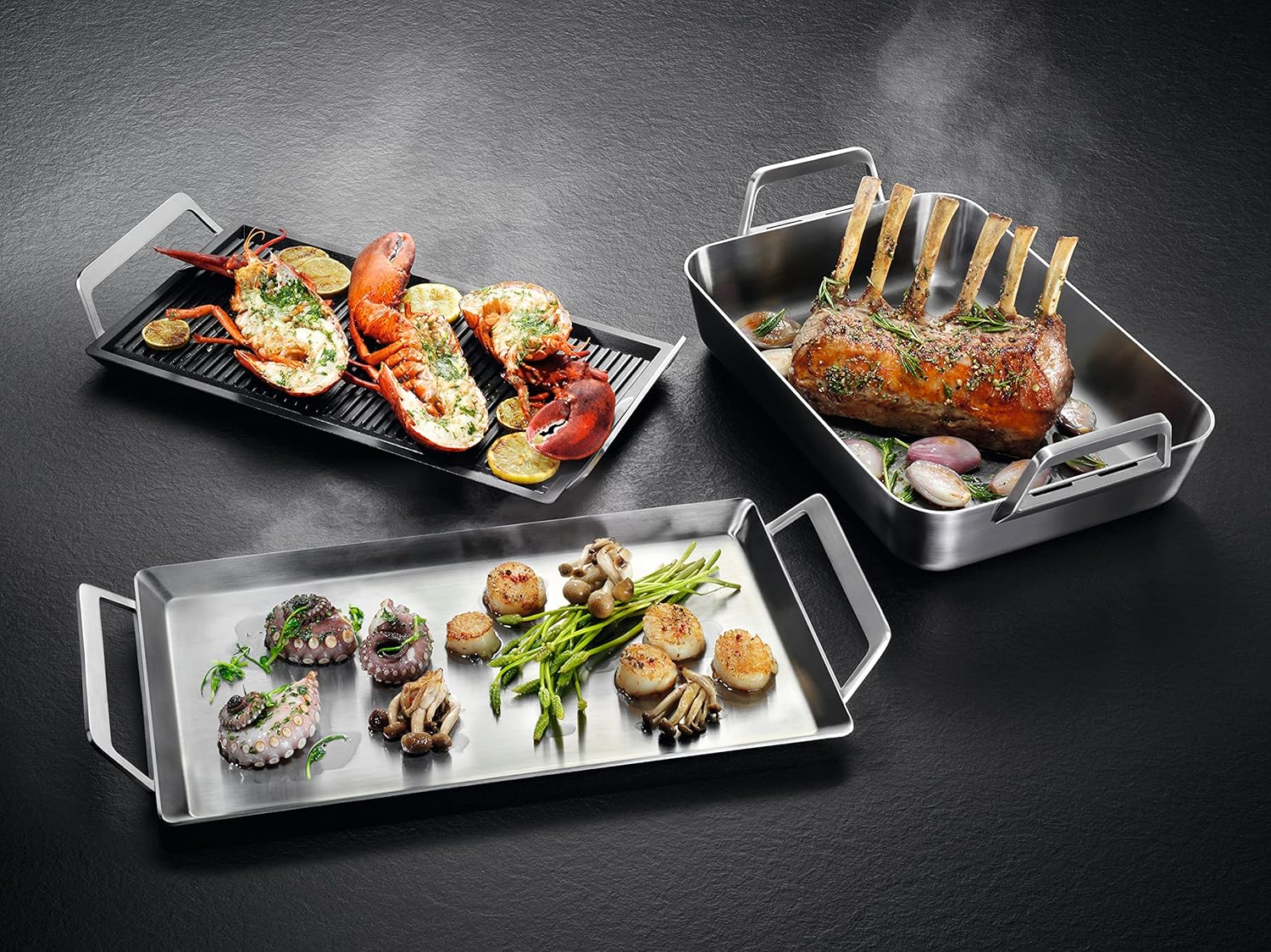
Image 5.3: An array of cookware, including large roasting pans and griddle plates, positioned on the AEG induction hob, illustrating the flexibility provided by the MultipleBridge function.
5.4 PowerBoost Function
For rapid heating, use the PowerBoost function.
- Select the desired cooking zone.
- Touch the 'P' symbol on the Direct Touch control. The zone will operate at maximum power for a limited time, then automatically reduce to a high setting.
5.5 Integrated Timer
Each cooking zone has an independent timer.
- Select the cooking zone for which you want to set the timer.
- Touch the timer symbol (often a clock icon).
- Use the '+' and '-' controls to set the desired cooking duration (up to one hour).
- Once the time expires, the cooking zone will automatically switch off.
5.6 Child Safety Lock
To prevent accidental operation or changes to settings:
- To activate: With the hob off, press and hold the lock symbol for a few seconds until an indicator light appears.
- To deactivate: Press and hold the lock symbol again until the indicator light disappears.
6. Maintenance and Cleaning
Regular cleaning and maintenance will ensure the longevity and optimal performance of your induction hob.
- Daily Cleaning: After each use, allow the hob to cool down. Wipe the glass ceramic surface with a damp cloth and a small amount of mild detergent. Dry thoroughly with a clean cloth.
- Stubborn Stains: For burnt-on food or stubborn stains, use a specialized ceramic hob scraper or cleaner. Follow the product instructions carefully.
- Avoid Abrasives: Do not use abrasive cleaners, scouring pads, or harsh chemicals, as these can scratch or damage the surface.
- Spills: As the surface around the pans remains cool, spills do not get hot and stick. Simply wipe them away with a damp cloth.
7. Troubleshooting
If you encounter issues with your hob, refer to the following common troubleshooting steps. For problems not listed here, contact qualified service personnel.
| Problem | Possible Cause | Solution |
|---|---|---|
| Hob does not turn on. | No power supply; Child lock activated. | Check circuit breaker; Deactivate child lock. |
| Cooking zone not heating. | Incorrect cookware; Pan not centered; Zone not selected. | Use induction-compatible cookware; Reposition pan; Select zone and power level. |
| Display shows an error code (e.g., 'E'). | Specific internal fault. | Refer to the full service manual or contact customer support with the specific code. |
| Hob turns off unexpectedly. | Overheating protection; Timer expired. | Allow hob to cool; Check timer settings. |
8. Specifications
- Brand: AEG
- Model: IKE64453IB
- Installation Type: Independent Built-in
- Heating Elements: 4 Induction Burners
- Surface Material: Glass Ceramic
- Color: Black
- Product Dimensions: 580 mm (W) x 510 mm (D) x 44 mm (H) / 22.83" (W) x 20.08" (D) x 1.97" (H)
- Item Weight: Approximately 27 pounds (12.25 kg)
- Voltage: 240 Volts
- Wattage: 3.48 kW (Max)
- Special Features: Double Bridge Function, Timer, PowerBoost, Direct Touch Control, Child Safety Lock
9. Warranty and Support
Your AEG IKE64453IB Induction Hob comes with a manufacturer's warranty. Please refer to the warranty card included with your purchase for specific terms and conditions, including coverage duration and registration details.
For technical assistance, spare parts, or service requests, please contact AEG customer support. Have your model number (IKE64453IB) and serial number ready when contacting support.
You can typically find contact information for customer support on the AEG official website or in the documentation provided with your appliance.


