
Singing Machine SML652BK
Singing Machine Groove Mini Portable Karaoke System SML652BK User Manual
Model: SML652BK
1. Introduction
This manual provides detailed instructions for the setup, operation, maintenance, and troubleshooting of your Singing Machine Groove Mini Portable Karaoke System, Model SML652BK. Please read this guide thoroughly before using the product to ensure proper function and longevity.

Image 1.1: Front view of the Singing Machine Groove Mini Portable Karaoke System with the included wired microphone.
2. Included Components
Verify that all items are present in the packaging:
- 1 x Groove Mini Portable Karaoke System (Model SML652BK)
- 1 x Wired Microphone
- 1 x AC Power Adapter
- 1 x User Manual (this document)
3. Setup
3.1 Power Connection
The Groove Mini can be powered by either the included AC adapter or 6 C-size batteries (not included).
- AC Power: Connect the AC power adapter to the DC IN jack on the back of the unit and plug the other end into a standard wall outlet.
- Battery Power: Open the battery compartment on the bottom of the unit. Insert 6 C-size batteries, ensuring correct polarity (+/-). Close the compartment securely.
3.2 Microphone Connection
Insert the plug of the wired microphone into the MIC 1 jack on the front of the unit.
3.3 Connecting to a TV (Optional)
To display lyrics from CD+G discs or compatible apps on your television, connect the unit to your TV using an HDMI cable (not included).
- Connect one end of an HDMI cable to the HDMI OUT port on the back of the karaoke system.
- Connect the other end of the HDMI cable to an available HDMI IN port on your television.
- Select the corresponding HDMI input on your TV using its remote control.
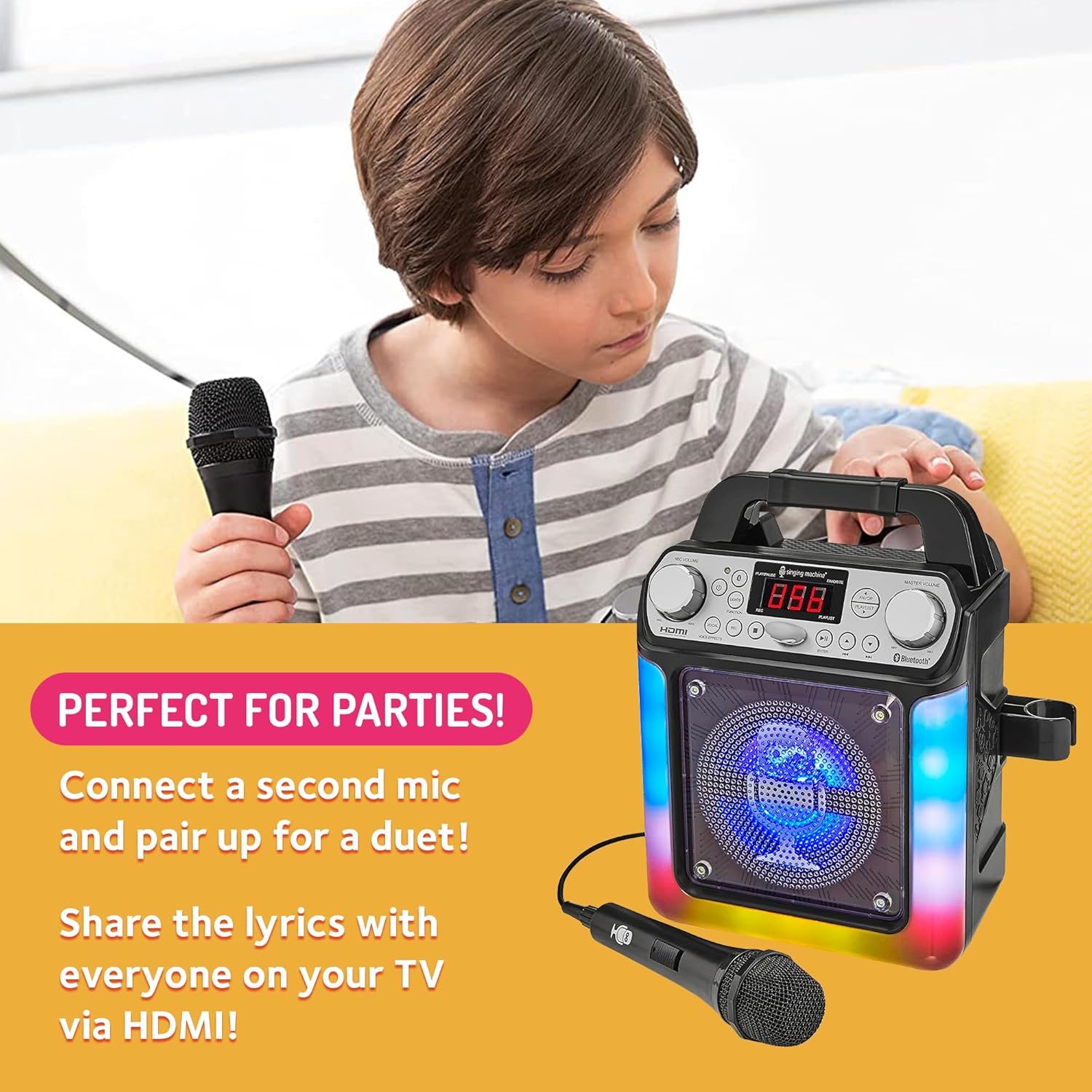
Image 3.1: The unit supports HDMI connection for displaying lyrics on a TV and features a second microphone input for duets.
4. Operating Instructions
4.1 Power On/Off
Press the POWER button located on the front panel to turn the unit on or off.
4.2 Bluetooth Pairing
To stream audio wirelessly from a Bluetooth-enabled device:
- Turn on the Groove Mini. The Bluetooth indicator light will flash, indicating it is in pairing mode.
- Enable Bluetooth on your device (smartphone, tablet, etc.) and search for available devices.
- Select "Singing Machine" from the list of devices. Once paired, the Bluetooth indicator light will glow solid.
- You can now play music from your device through the karaoke system.
4.3 CD+G Playback
To play music from a CD+G disc:
- Open the CD compartment and insert a CD+G disc with the label side facing up. Close the compartment.
- The unit will automatically begin playing the disc. If connected to a TV via HDMI, lyrics will appear on the screen.
- Use the PLAY/PAUSE, SKIP, and STOP buttons to control playback.
4.4 Line-In Connection
To connect an external audio device (e.g., MP3 player) via a 3.5mm audio cable (not included):
- Connect one end of the audio cable to the LINE IN jack on the unit.
- Connect the other end to the headphone or audio output jack of your external device.
- Press the FUNCTION button to select LINE IN mode.
4.5 USB Playback
To play music from a USB drive:
- Insert a USB drive containing MP3 files into the USB port.
- Press the FUNCTION button to select USB mode.
- Use the playback buttons to control your music.
4.6 Voice Effects
The unit features six built-in voice-changing effects:
- Chipmunk
- Robot
- Female
- Male
- Echo
- Radio
Press the VOICE EFFECTS button repeatedly to cycle through the available effects.
4.7 LED Lights
Press the LIGHT button to turn the multi-colored LED lights on or off.
4.8 Recording Function
To record your performance:
- Ensure a USB drive is inserted for storage.
- Press the REC button to start recording.
- Press the REC button again to stop recording.
4.9 Volume Control
- MASTER VOLUME: Rotate the MASTER VOLUME knob to adjust the overall sound output.
- MIC VOLUME: Rotate the MIC VOLUME knob to adjust the microphone's volume independently.
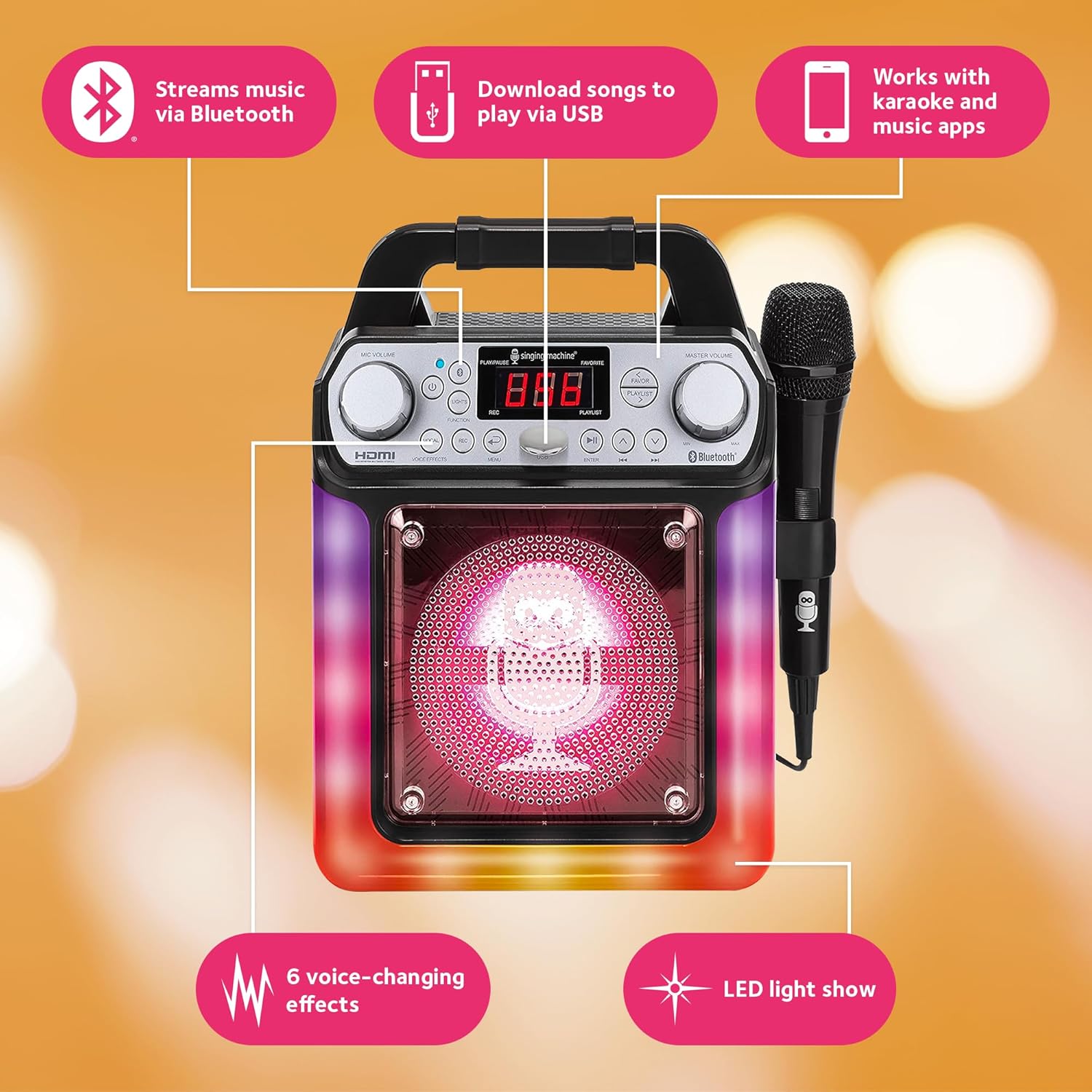
Image 4.1: Key features and controls of the Singing Machine Groove Mini Portable Karaoke System.
5. Maintenance
5.1 Cleaning
To clean the unit, use a soft, dry cloth. Do not use abrasive cleaners or solvents, as they may damage the finish. Keep the CD compartment free of dust and debris.
5.2 Storage
When not in use for extended periods, store the unit in a cool, dry place. If using batteries, remove them before storage to prevent leakage.
6. Troubleshooting
| Problem | Possible Cause | Solution |
|---|---|---|
| No power | AC adapter not connected or faulty; batteries depleted or incorrectly inserted. | Ensure AC adapter is securely plugged in. Replace batteries or check polarity. |
| No sound from speaker | Master volume too low; incorrect function mode selected; external device volume low. | Increase MASTER VOLUME. Press FUNCTION to select correct source (Bluetooth, CD, Line In, USB). Increase volume on connected device. |
| No sound from microphone | Microphone not connected; MIC VOLUME too low; microphone faulty. | Ensure microphone is fully plugged into MIC 1 jack. Increase MIC VOLUME. Test with another microphone if available. |
| Bluetooth pairing fails | Bluetooth not enabled on device; unit too far from device; interference. | Ensure Bluetooth is active on your device. Move device closer to the unit. Turn off other Bluetooth devices. |
| Lyrics not appearing on TV | HDMI cable not connected or faulty; incorrect TV input selected; disc is not CD+G. | Check HDMI cable connection. Select correct HDMI input on TV. Ensure a CD+G disc is used. |
7. Specifications
- Model: SML652BK
- Dimensions (W x D x H): 8.3 x 5.4 x 11.2 inches (21.1 x 13.7 x 28.4 cm)
- Weight: 2.87 pounds (1.3 kg)
- Power Source: AC Adapter (9V) or 6 x 'C' size batteries
- Connectivity: Bluetooth, HDMI, Line-In (3.5mm), USB
- Speaker Count: 1
- Included Components: Karaoke System, Wired Microphone
- Special Features: Multi-colored LED lights, Voice Effects, Recording Function
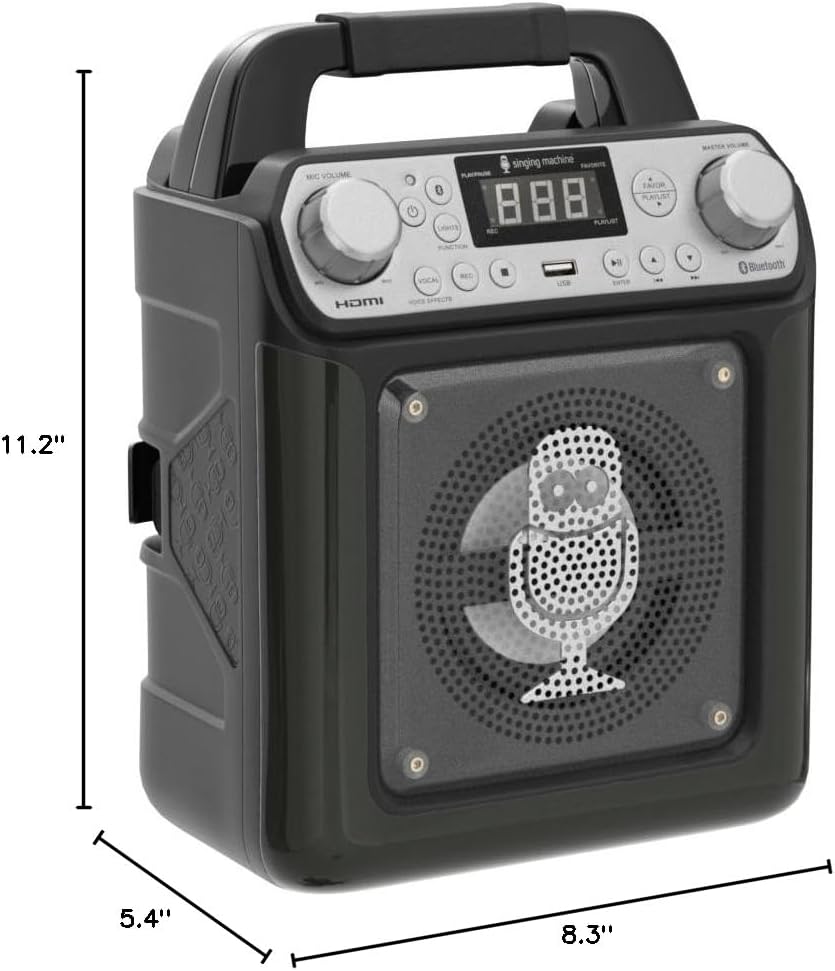
Image 7.1: Physical dimensions of the Groove Mini Portable Karaoke System.
8. Warranty Information
Singing Machine products are designed for quality and reliability. For specific warranty details and terms, please refer to the warranty card included with your product or visit the official Singing Machine website. Keep your proof of purchase for warranty claims.
9. Customer Support
For technical assistance, troubleshooting, or warranty inquiries, please contact Singing Machine customer service:
- Website: www.singingmachine.com/support
- Phone: Refer to the official website for regional contact numbers.
Please have your model number (SML652BK) and proof of purchase ready when contacting support.
Related documentsSML652BK


Ask a question about this manual
Ask about setup, troubleshooting, compatibility, parts, safety, or missing instructions. Manuals+ will review the question and use this page’s manual context to help answer it.