
1. Introduction
Thank you for choosing the USHINING 3G Flip Phone, Model SC6531E. This phone is specifically designed for seniors, featuring large buttons, clear displays, and enhanced audio for ease of use. It includes essential functions such as an SOS emergency call button, FM radio, and a flashlight, making it a reliable communication device. This manual provides detailed instructions on how to set up, operate, and maintain your new phone.

Image 1.1: The USHINING 3G Flip Phone shown with its charging dock.
2. Safety Information
Please read this section carefully before using your phone to ensure safe and proper operation. Keep this manual for future reference.
- Battery Safety: Use only approved batteries and chargers. Do not short-circuit, puncture, or disassemble the battery. Keep away from flammable and explosive materials during charging.
- Hearing Protection: Avoid prolonged exposure to high volume levels when using headphones or the loudspeaker.
- Driving Safety: Do not use your phone while driving. Always prioritize road safety.
- Medical Devices: Maintain a safe distance between the phone and medical devices like pacemakers to avoid interference.
- Disposal: Dispose of the phone and battery according to local regulations. Do not dispose of in household waste.

Image 2.1: Product packaging showing warning labels, including battery safety information.
3. Package Contents
Please check the package contents upon unboxing:
- USHINING 3G Flip Phone (Model SC6531E)
- Charging Dock
- USB Charging Cable
- 1200 mAh Lithium-ion Battery
- User Manual (this document)
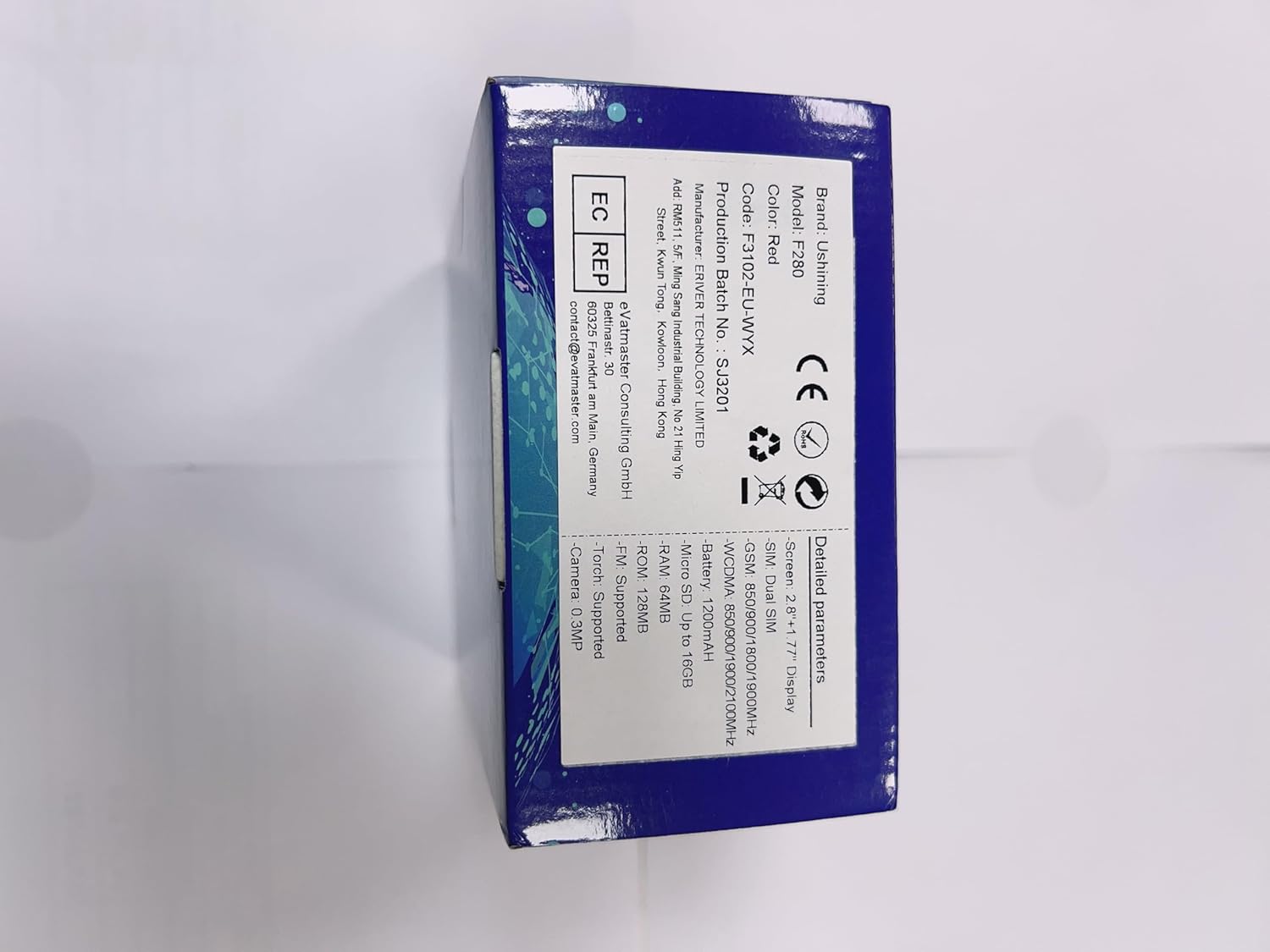

Image 3.1: Front and side views of the USHINING flip phone, illustrating its design.
4. Setup
4.1. Inserting SIM Card(s) and Battery
- Open the back cover of the phone by gently prying it from the notch.
- If present, remove the battery.
- Locate the SIM card slot(s). This phone supports Dual SIM. Insert your SIM card(s) with the gold contacts facing down, ensuring they are correctly seated.
- Insert the 1200 mAh Lithium-ion battery into its compartment, aligning the contacts.
- Replace the back cover until it clicks securely into place.
4.2. Charging the Phone
Before first use, fully charge the phone. The phone can be charged using the included charging dock or directly via the USB cable.
- Using the Charging Dock: Connect the USB cable to the charging dock and then to a power adapter (not included) or a USB port. Place the phone into the charging dock, ensuring it sits firmly. The charging indicator on the phone will light up.
- Direct Charging: Connect the USB cable directly to the phone's charging port and then to a power adapter or USB port.


Image 4.1: Illustrations of the phone being charged via its convenient charging dock.
4.3. Powering On/Off and Initial Setup
- Power On: Press and hold the Power/End Call button (red button) until the screen lights up.
- Power Off: Press and hold the Power/End Call button until the power off options appear, then select "Power off".
- Language Selection: Upon first power-on, you may be prompted to select your preferred language. The phone supports Spanish, English, French, Italian, and German.
5. Operating Instructions
5.1. Basic Call Functions
- Making a Call: Dial the number using the keypad and press the Call button (green button).
- Answering a Call: When the phone rings, press the Call button (green button).
- Ending a Call: Press the End Call button (red button).
- Adjusting Volume: Use the side volume keys during a call or in standby mode to adjust the earpiece or ringtone volume.
5.2. SOS Emergency Call Function
The SOS button is a critical safety feature, allowing you to quickly contact pre-set emergency numbers.
- Setting Up SOS Numbers: Navigate to the SOS settings in the phone's menu. You can set up to 5 family numbers or emergency contacts.
- Activating SOS: In an emergency, press and hold the dedicated SOS button on the back of the phone for a few seconds. The phone will automatically dial the pre-set numbers in sequence until one answers. It will also send an emergency SMS to these contacts.


Image 5.1: Visual representation of the SOS emergency call function and its contact setup.
5.3. Key Features and Functions
The USHINING flip phone includes several useful features:
- Large Buttons and Display: Designed for easy dialing and viewing, with large fonts and menu icons.
- Enhanced Speakers: Provides clear and loud audio for calls and multimedia.
- FM Radio: Listen to your favorite radio stations. Access via the main menu.
- Flashlight: A built-in LED torch for convenience. Activate it via a dedicated button or menu option.
- Camera: Capture simple photos. Access the camera from the main menu.
- Speed Dial: Assign frequently called numbers to specific keys (M1, M2, or number keys 2-9) for quick dialing.
- Calendar & Alarm Clock: Manage your schedule and set reminders.
- Blacklist/Whitelist: Manage incoming calls by blocking unwanted numbers or allowing only specific contacts.
- Hearing Aids Compatible: Designed to reduce interference with hearing aids.


Image 5.2: Overview of the phone's various features and the flashlight in action.


Image 5.3: The phone's FM radio function and its enhanced audio quality for clear listening.
6. Maintenance
- Cleaning: Use a soft, dry cloth to clean the phone's surface. Avoid using liquid cleaners or aerosols.
- Storage: Store the phone in a cool, dry place away from direct sunlight and extreme temperatures.
- Battery Care: To prolong battery life, avoid fully discharging the battery frequently. Charge the phone regularly, especially if not used for extended periods.
- Avoid Drops: While durable, avoid dropping the phone to prevent damage to the screen or internal components.
7. Troubleshooting
If you encounter issues with your phone, please refer to the following common solutions:
| Problem | Possible Cause | Solution |
|---|---|---|
| Phone does not power on. | Battery is low or not inserted correctly. | Charge the battery. Ensure the battery is properly inserted. |
| Cannot make or receive calls. | No SIM card, SIM card not active, or out of network coverage. | Ensure SIM card is inserted and active. Check network signal strength. Contact your service provider. |
| Poor call quality. | Weak signal, environmental interference. | Move to an area with better signal. Avoid obstacles. |
| Battery drains quickly. | Frequent use, background applications, or old battery. | Reduce screen brightness, close unused applications. If battery is old, consider replacement. |
| SOS function not working. | SOS numbers not set, or no credit/signal. | Verify SOS numbers are correctly set in settings. Ensure sufficient credit and network signal. |
8. Specifications
| Feature | Detail |
|---|---|
| Brand | USHINING |
| Model Number | SC6531E |
| Operating System | Nucleus OS |
| Screen Size | 2.8 Inches (main), 1.77 Inches (sub-screen) |
| Resolution | 480 x 800 |
| Cellular Technology | 3G |
| Connectivity | USB |
| Battery Capacity | 1200 mAh Lithium-ion |
| Talk Time | Up to 300 minutes |
| Standby Time | Up to 200 hours |
| RAM Size | 32 MB |
| Memory Storage Capacity | 16 GB (expandable) |
| SIM Support | Dual SIM |
| Supported Languages | Spanish, English, French, Italian, German |
| Color | Orange |
9. Warranty and Support
USHINING products are designed for reliability and performance. For warranty information, please refer to the warranty card included in your product packaging or contact your point of purchase. For technical support or further assistance, please visit the official USHINING website or contact their customer service.
Note: Information regarding software updates and spare parts availability was not provided at the time of this manual's creation.
