
Introduction
Thank you for choosing the Remax PR1 Portable Digital Voice Recorder. This device is designed for high-quality audio recording with 8GB of internal storage, offering up to 120 hours of digital recording time. This manual provides essential information for setting up, operating, maintaining, and troubleshooting your device to ensure optimal performance.
Product Overview
The Remax PR1 is a compact and lightweight digital voice recorder featuring a built-in stereo microphone and a 2-inch screen for easy navigation. It is equipped with a 3.5mm headphone jack for private listening and a USB interface for connecting to compatible devices like smartphones for data transfer.

This image displays the Remax PR1 Digital Voice Recorder from various angles, including its front, back, and side profiles with detailed dimensions. It highlights the device's compact design and button layout.
Setup
1. Charging the Device
- Connect the voice recorder to a USB power source (e.g., computer USB port, USB wall adapter) using the provided USB cable.
- The charging indicator will illuminate. Allow sufficient time for a full charge before first use.
2. Powering On/Off
- To power on, press and hold the power button until the screen illuminates.
- To power off, press and hold the power button until the screen turns off.
3. Connecting to a Computer
- Use the USB cable to connect the recorder to your computer.
- The device will appear as a removable disk, allowing you to transfer recorded files.
Operating Instructions
1. Recording Audio
- Ensure the device is powered on.
- Press the REC button to start recording. The recording indicator will light up.
- To pause recording, press the REC button again. Press it once more to resume.
- To stop recording and save the file, press the STOP button.
2. Playing Back Recordings
- Navigate through your saved files using the navigation buttons.
- Press the PLAY/PAUSE button to start playback of a selected file.
- Use the volume buttons to adjust the playback level.
- Connect 3.5mm headphones to the headphone jack for private listening.
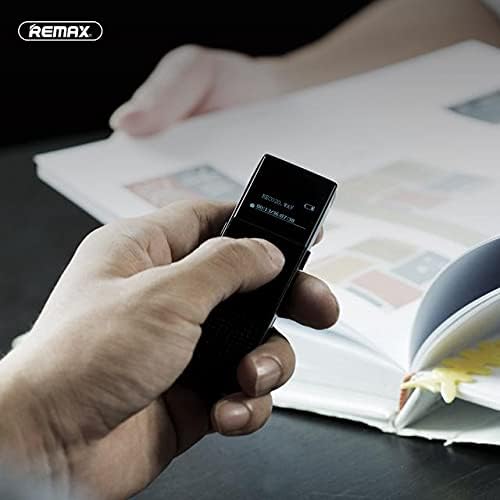
This image shows a hand holding the Remax PR1 Digital Voice Recorder, with the screen displaying recording information. It illustrates the device's portability and ease of use during operation.
3. File Management
- Access the file menu to delete, rename, or move recordings. Refer to the on-screen prompts for specific actions.
- Connect to a computer via USB to easily manage files on a larger screen.
Maintenance
- Cleaning: Use a soft, dry cloth to clean the device. Avoid liquid cleaners or abrasive materials.
- Storage: Store the recorder in a cool, dry place away from direct sunlight and extreme temperatures.
- Battery Care: To prolong battery life, avoid fully discharging the battery frequently. Charge the device regularly, even if not in use for extended periods.
Troubleshooting
Device Not Turning On
- Ensure the battery is charged. Connect the device to a power source and allow it to charge for at least 30 minutes.
- Try resetting the device (if a reset button is available, or by holding the power button for an extended period).
Cannot Record
- Check if the device has sufficient storage space. Delete unnecessary files if storage is full.
- Ensure the microphone is not obstructed.
Poor Audio Quality
- Ensure you are recording in a quiet environment.
- Check microphone settings (if adjustable) for sensitivity.
- Keep the device close to the audio source.
Device Not Recognized by Computer
- Try a different USB port on your computer.
- Use a different USB cable.
- Restart both the recorder and the computer.
Specifications
| Feature | Detail |
|---|---|
| Brand Name | Remax |
| Model | PR1 |
| Memory Storage Capacity | 8 GB |
| Digital Recording Time | 120 hours |
| Screen Size | 2 inch |
| Microphone Form Factor | Built-In |
| Microphone Operation Mode | Stereo |
| Headphone Jack | 3.5 mm |
| Hardware Interface | USB |
| Compatible Devices | Smartphone |
| Manufacturer | Remax |
| ASIN | B0924WP65K |
Warranty and Support
For warranty information and technical support, please refer to the documentation included with your purchase or visit the official Remax website. You may also contact your retailer for assistance.

