
1. Product Overview
The WIWU 2-in-1 Passive Stylus + Ballpoint Pen is a versatile writing and drawing tool designed for use with various touchscreen devices and traditional paper. This passive stylus requires no charging, offering immediate functionality for your digital and analog needs.
Key Features:
- Dual Functionality: Combines a passive stylus for touchscreens and a traditional ballpoint pen.
- No Charging Required: Ready to use at any time without power.
- Smooth Operation: Designed for fluid drawing and writing on compatible screens.
- Replaceable Tip: The stylus tip is easily replaceable for extended product life.
- Screen Protection: Features a transparent silicone disc tip that prevents damage and ensures smooth gliding on screens.
- Wide Compatibility: Supports Android, Apple, and Microsoft operating systems.
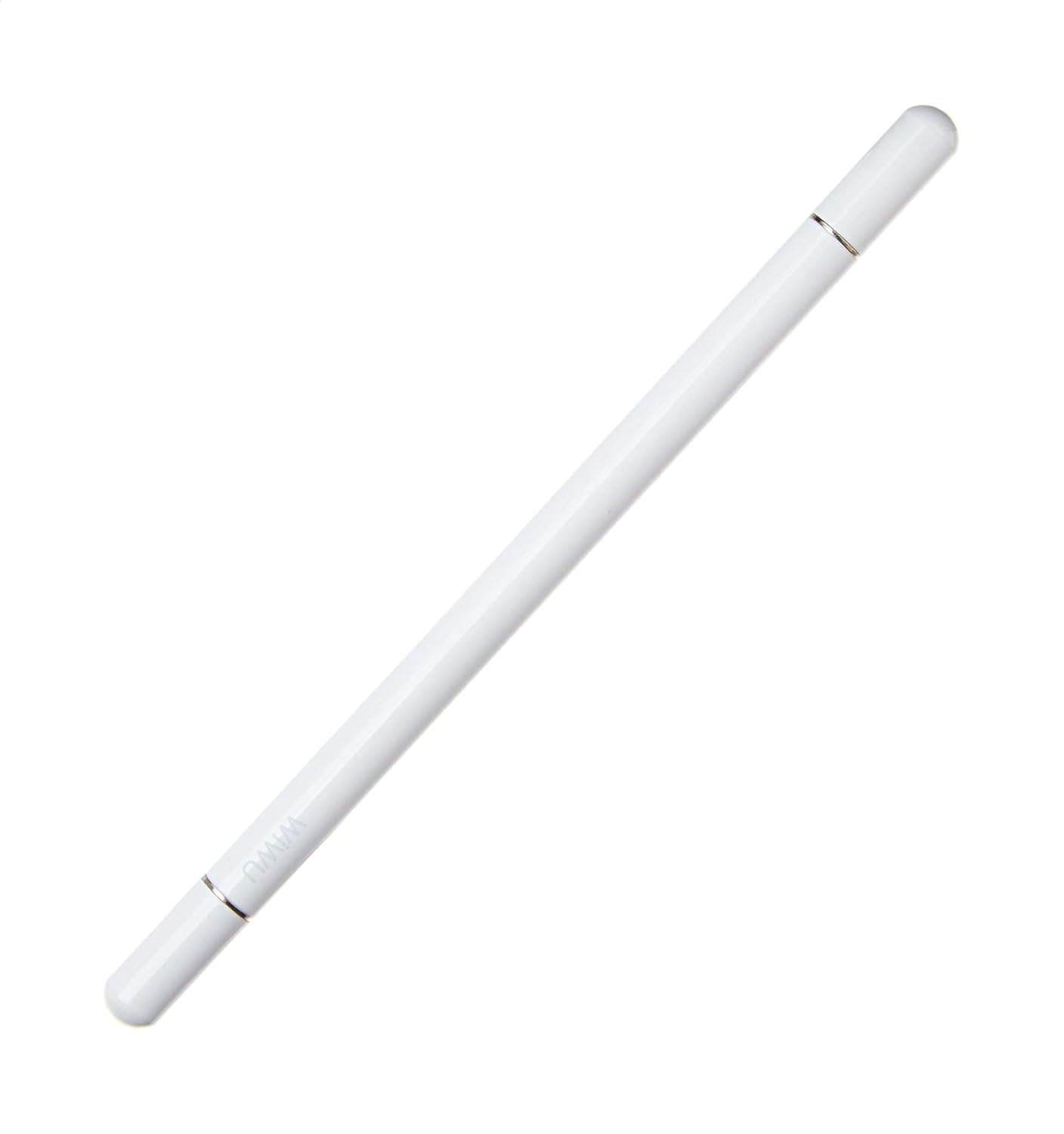
Figure 1: The WIWU 2-in-1 Passive Stylus + Ballpoint Pen, showcasing its sleek white design.
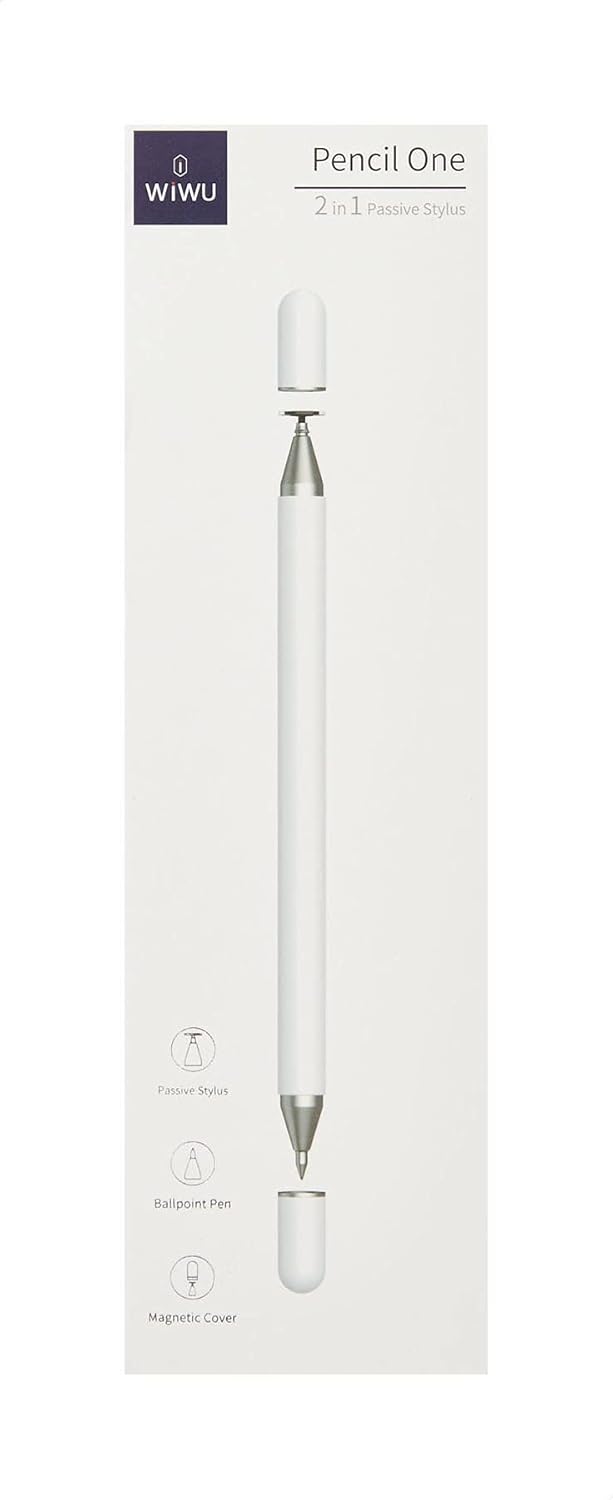
Figure 2: Product packaging for the WIWU Pencil One 2-in-1 Passive Stylus, highlighting its dual functionality and passive nature.
2. Setup
The WIWU 2-in-1 Passive Stylus + Ballpoint Pen requires no complex setup or battery installation. It is designed for immediate use.
- Unpack: Carefully remove the stylus from its packaging.
- Inspect: Check both the stylus tip (with the transparent silicone disc) and the ballpoint pen tip for any visible damage.
- Ready for Use: The stylus is now ready for use on your compatible touchscreen device or for writing on paper.
3. Operating Instructions
This device offers two primary functions:
3.1 Using the Passive Stylus
- Touchscreen Interaction: Gently touch the transparent silicone disc tip of the stylus to your device's screen.
- Drawing and Writing: Apply light pressure to draw, write, or navigate your touchscreen. The silicone disc ensures smooth movement and protects your screen from scratches.
- Compatibility: Works with most capacitive touchscreens, including those on Android, Apple, and Microsoft devices.
3.2 Using the Ballpoint Pen
- Traditional Writing: Use the opposite end of the stylus, which contains the ballpoint pen, for writing on paper.
- Cap Removal: Remove the protective cap from the ballpoint end before use.
4. Maintenance
Proper care will ensure the longevity and optimal performance of your WIWU 2-in-1 Stylus + Ballpoint Pen.
- Cleaning: Wipe the stylus body with a soft, dry cloth. For the silicone disc tip, a slightly damp cloth can be used, ensuring it is completely dry before use on a screen.
- Tip Replacement: The transparent silicone disc tip is designed to be replaceable. If the tip becomes worn or damaged, gently pull it off and press a new replacement tip into place. (Replacement tips sold separately, if available).
- Storage: Store the stylus in a clean, dry place away from extreme temperatures and direct sunlight. Keep the ballpoint pen capped when not in use to prevent ink drying.
5. Troubleshooting
If you encounter issues with your stylus, consider the following common solutions:
- Stylus Unresponsive:
- Ensure the transparent silicone disc tip is clean and free of debris.
- Check if your device's screen is clean.
- Verify that your device's touchscreen is functioning correctly with finger input.
- If using a screen protector, ensure it is compatible with stylus input and not excessively thick.
- Inspect the silicone disc for damage; replace if necessary.
- Ballpoint Pen Not Writing:
- Check if the pen cap has been removed.
- Ensure the ink cartridge is not empty. If it is, replace the ballpoint pen refill.
- No Power Issues: As a passive stylus, this device does not require batteries or charging, eliminating power-related troubleshooting.
6. Specifications
| Brand | WIWU |
| Model | f/y |
| Material | Aluminum alloy + Silicone |
| Color | White |
| Length | 163 mm |
| Diameter | 9 mm |
| Weight | 350 grams (Note: This weight may refer to the package weight.) |
| Compatibility | Android, Apple, and Microsoft devices |
| ASIN | B0923223K6 |
| UPC | 6973218930046 |

Figure 3: The stylus shown with its approximate length of 17 cm (6.7 inches).

Figure 4: Back of the product packaging displaying detailed specifications and a QR code for additional information. The QR code links to http://weixin.qq.com/r/5EQ0LDzEGWFmrXhP9xH2.
7. Warranty and Support
Specific warranty details for the WIWU 2-in-1 Passive Stylus + Ballpoint Pen are not provided within this manual. For warranty information, please refer to the product packaging, the retailer where the product was purchased, or contact WIWU customer support directly.
For further assistance or inquiries, you may visit the official WIWU brand store: WIWU Brand Store.