
1. Introduction
This manual provides essential information for the safe and effective operation, maintenance, and troubleshooting of your Total TH1153216 1500W Rotary Hammer Drill. Please read and understand all instructions before using the tool. Keep this manual for future reference.
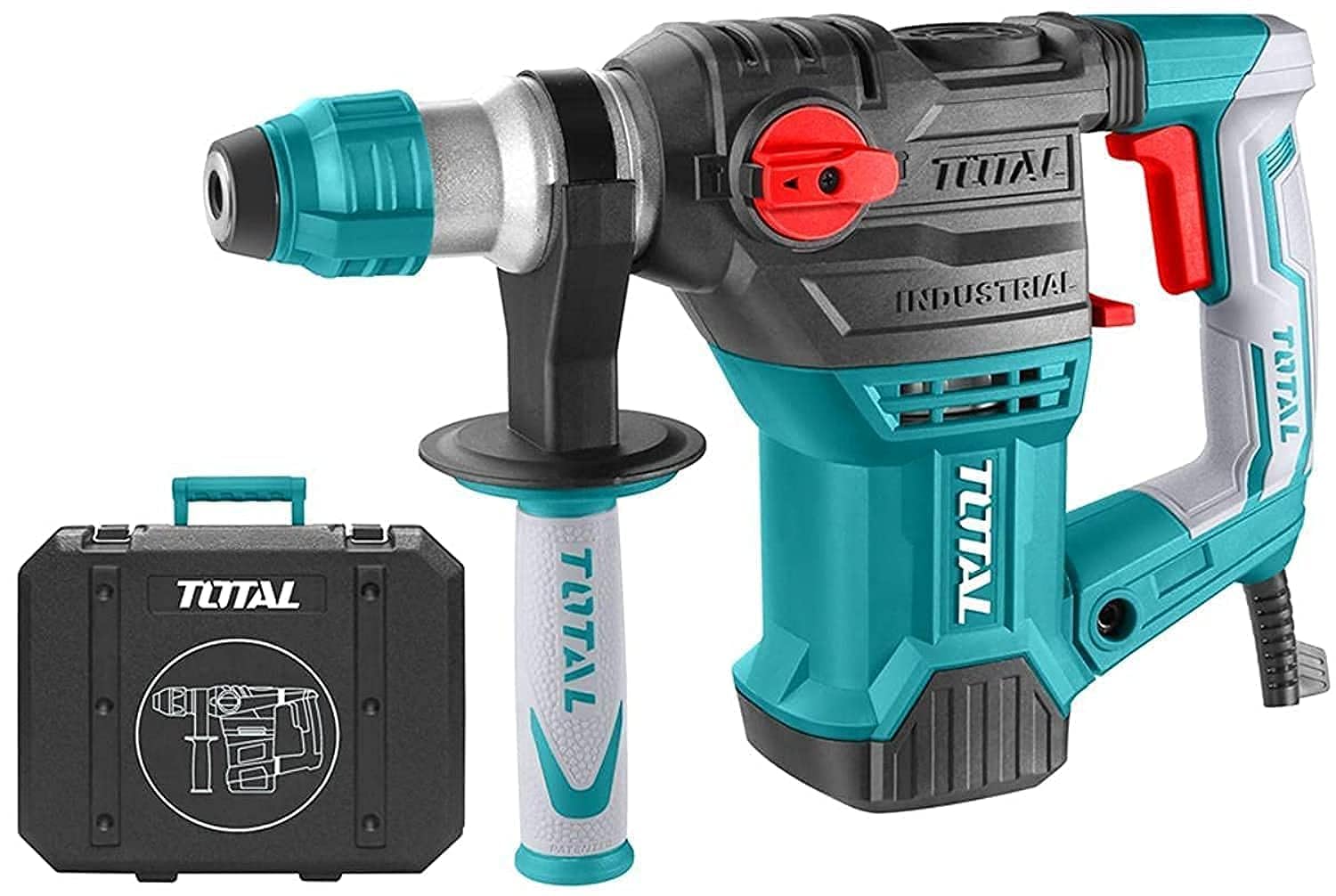
The Total TH1153216 is a powerful 1500W rotary hammer drill designed for heavy-duty drilling and chiseling tasks in various materials, including concrete, masonry, wood, and metal. It features three operating modes: drilling, hammer drilling, and chiseling.
2. General Safety Instructions
Always follow basic safety precautions to reduce the risk of fire, electric shock, and personal injury when using power tools.
- Work Area Safety: Keep your work area clean and well-lit. Cluttered or dark areas invite accidents. Do not operate power tools in explosive atmospheres, such as in the presence of flammable liquids, gases, or dust.
- Electrical Safety: Power tool plugs must match the outlet. Never modify the plug in any way. Do not use any adapter plugs with earthed (grounded) power tools. Avoid body contact with earthed or grounded surfaces such as pipes, radiators, ranges, and refrigerators.
- Personal Safety: Always wear eye protection. Use hearing protection when operating the tool for extended periods. Wear a dust mask if working in dusty conditions. Dress properly; do not wear loose clothing or jewelry. Keep hair, clothing, and gloves away from moving parts.
- Tool Use and Care: Do not force the power tool. Use the correct power tool for your application. Disconnect the plug from the power source before making any adjustments, changing accessories, or storing power tools.
- Service: Have your power tool serviced by a qualified repair person using only identical replacement parts. This will ensure that the safety of the power tool is maintained.
3. Components Overview
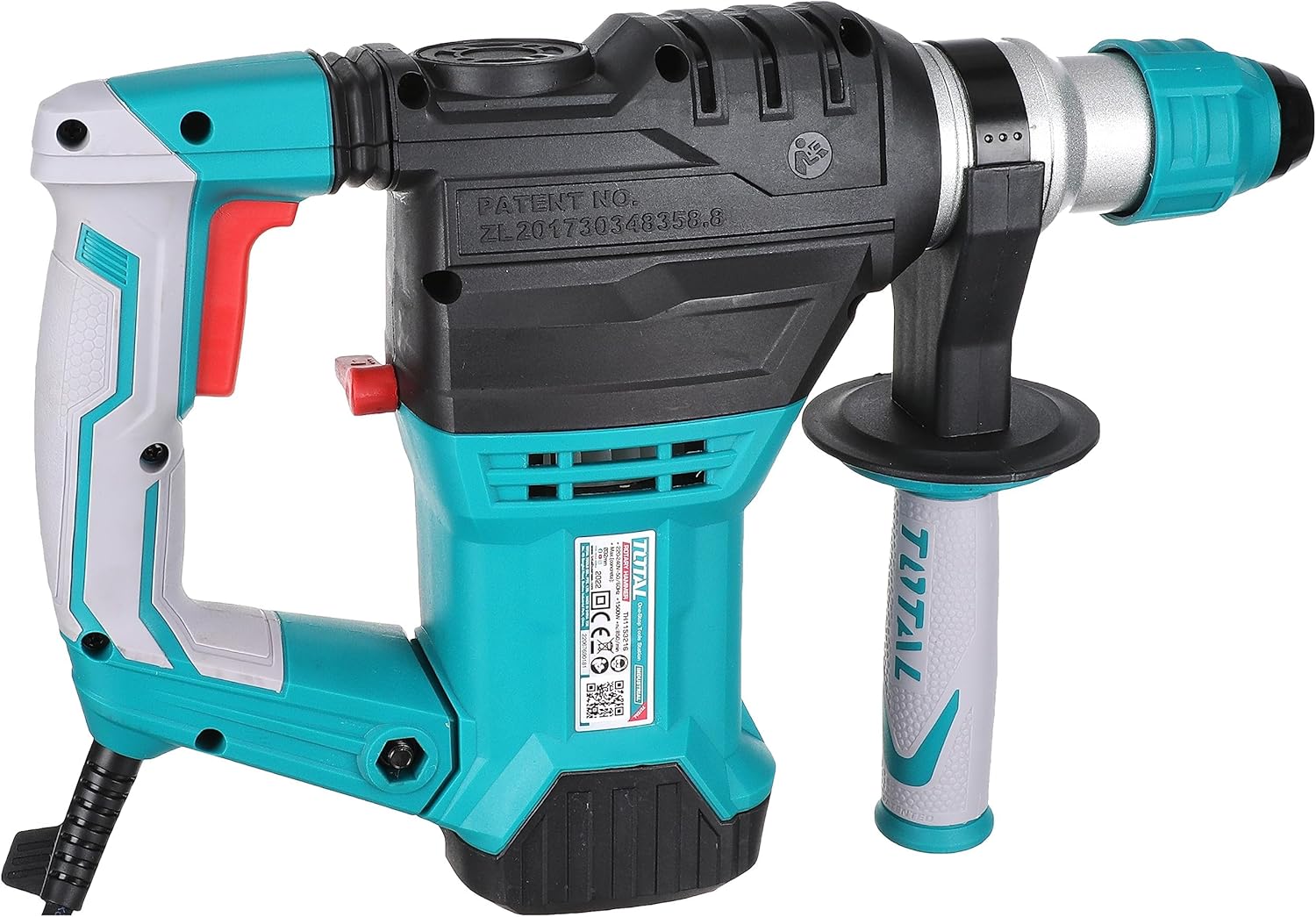
Familiarize yourself with the parts of your Total TH1153216 Rotary Hammer Drill.
- Main Handle: Ergonomic grip for control.
- Auxiliary Handle: Provides additional stability and control during operation.
- Depth Gauge: For precise drilling depth control.
- Mode Selector Switch: To switch between drilling, hammer drilling, and chiseling modes.
- Chuck: For inserting and securing drill bits or chisels.
- Trigger Switch: To power on/off the tool.
- Lock-on Button: For continuous operation.
- Power Cord: For electrical connection.
4. Setup
4.1 Unpacking
Carefully remove the tool and all accessories from the packaging. Inspect for any damage during transit. Ensure all listed components are present.
4.2 Attaching the Auxiliary Handle
- Loosen the auxiliary handle by twisting it counter-clockwise.
- Slide the handle onto the front of the drill housing.
- Adjust the handle to a comfortable and secure position.
- Tighten the handle by twisting it clockwise until it is firmly secured.
4.3 Inserting and Removing Drill Bits/Chisels
- To Insert: Pull back the chuck sleeve, insert the SDS-Plus shank of the drill bit or chisel into the chuck until it clicks into place. Release the sleeve. Pull on the bit to ensure it is locked.
- To Remove: Pull back the chuck sleeve firmly and pull the drill bit or chisel out of the chuck.
4.4 Connecting to Power
Ensure the tool's voltage rating matches your power supply. Plug the power cord into a suitable earthed (grounded) electrical outlet. The tool is corded electric and requires a constant power supply.
5. Operating Instructions
5.1 Selecting Operating Mode
The Total TH1153216 offers three modes:
- Drilling Mode (Rotary Only): For drilling in wood, metal, and plastics. Set the mode selector switch to the drill icon.
- Hammer Drilling Mode (Rotary with Hammer): For drilling in concrete, brick, and masonry. Set the mode selector switch to the hammer drill icon.
- Chiseling Mode (Hammer Only): For light chiseling, chipping, or demolition work. Set the mode selector switch to the chisel icon.
Caution: Always ensure the mode selector switch is fully engaged in the desired position before starting the tool.
5.2 Starting and Stopping the Tool
- To Start: Press the trigger switch.
- For Continuous Operation: Press the trigger switch and then press the lock-on button.
- To Stop (from continuous operation): Press the trigger switch again.
- To Stop (from momentary operation): Release the trigger switch.
5.3 Drilling Techniques
- General: Hold the tool firmly with both hands. Apply steady, even pressure. Do not force the drill.
- Wood/Metal: Use appropriate drill bits. Start with a small pilot hole for larger diameters.
- Concrete/Masonry: Use carbide-tipped SDS-Plus hammer drill bits. Allow the hammer action to do the work; excessive pressure can reduce efficiency and damage the bit.
5.4 Chiseling Techniques
When using chiseling mode, ensure the chisel is properly inserted and locked. Apply steady pressure and allow the hammer action to break the material. Always wear appropriate personal protective equipment.
6. Maintenance
Regular maintenance ensures optimal performance and extends the life of your tool.
6.1 Cleaning
- After each use, clean the tool housing with a soft, damp cloth. Do not use harsh chemicals or abrasive cleaners.
- Clear any dust or debris from the ventilation openings to prevent overheating.
- Clean the chuck regularly to ensure smooth bit insertion and removal.
6.2 Lubrication
The internal components are factory-lubricated. For prolonged heavy use, consult a qualified service technician for periodic inspection and lubrication if necessary.
6.3 Carbon Brush Replacement
The carbon brushes are wear items. If the tool experiences reduced power or intermittent operation, the carbon brushes may need replacement. This should be performed by a qualified service technician.
6.4 Storage
Store the tool in a dry, secure place, out of reach of children. Disconnect from power before storing. If storing for extended periods, ensure it is clean and free of debris.
7. Troubleshooting
Refer to the table below for common issues and their potential solutions.
| Problem | Possible Cause | Solution |
|---|---|---|
| Tool does not start | No power supply Faulty power cord/plug Trigger switch fault | Check power outlet and connections Inspect cord for damage; replace if necessary Contact service center |
| Reduced power/performance | Worn carbon brushes Overheating Incorrect mode selection | Have brushes replaced by technician Allow tool to cool down Ensure correct mode is selected for the task |
| Bit not locking in chuck | Chuck dirty or damaged Incorrect bit type (not SDS-Plus) | Clean chuck thoroughly Use only SDS-Plus shank bits |
| Excessive vibration | Damaged bit Internal component issue | Replace bit Contact service center |
8. Specifications
Technical data for the Total TH1153216 Rotary Hammer Drill.
| Feature | Detail |
|---|---|
| Model Number | TH1153216 |
| Type | Rotary Hammer Drill |
| Power Input | 1500W |
| Power Source | Corded Electric |
| No-Load Speed | 0-850 RPM |
| Impact Rate | 0-4400 BPM |
| Drilling Capacity (Concrete) | 32mm |
| Drilling Capacity (Steel) | 13mm |
| Drilling Capacity (Wood) | 40mm |
| Functions | 3 (Drill, Hammer Drill, Chisel) |
| Chuck Type | SDS-Plus |
| Approximate Dimensions (L x W x H) | Refer to product packaging for exact dimensions. (Height approx. 30 cm / 12 inches) |
| Approximate Item Weight | 12 kg (Note: This weight may include packaging or accessories. Actual tool weight may vary.) |
| Included Components | Tools (5PCS Accessories Free, as per packaging) |

9. Warranty and Support
Total Tools products are manufactured to high-quality standards. For information regarding warranty coverage, service, or technical support, please refer to the warranty card included with your product or contact your local Total Tools dealer or authorized service center.
Keep your purchase receipt as proof of purchase for any warranty claims.


