
roborock E5 Mop
roborock E5 Mop Robot Vacuum Cleaner User Manual
Model: E5 Mop
1. Introduction
This manual provides essential information for the safe and efficient operation of your roborock E5 Mop Robot Vacuum Cleaner. The roborock E5 Mop is designed for methodical cleaning, combining vacuuming and mopping functionalities. It features OpticEye and dual gyroscopes for efficient navigation, 2500Pa HyperForce suction, and multiple control options including app, voice, and remote control. It is suitable for various floor types, including carpets and hard floors, and is effective in managing pet hair.
2. What's in the Box
The following components are included with your roborock E5 Mop Robot Vacuum Cleaner:
- E5 Robot Vacuum (1)
- Remote Control (1)
- Water Tank (1)
- Waterproof Pad (1)
- Mop Cloth (1)
- Water Tank Filter (1)
- Charging Dock (1)
- Power Cable (1)
- User Manual (1)

Image: The Roborock E5 Mop Robot Vacuum Cleaner in white, accompanied by its remote control.
3. Setup
3.1 Initial Preparation
- Clear clutter from the floor, including cables, small objects, and loose rugs, to prevent the robot from getting stuck.
- Ensure good Wi-Fi coverage in the area where the robot will operate for optimal app control.
3.2 Dock Setup
- Place the charging dock against a wall on a flat, hard surface. Ensure there is adequate clear space around the dock (at least 0.5m on both sides and 1.5m in front).
- Connect the power cable to the charging dock and plug it into a power outlet. Tidy away any excess cable to prevent entanglement.
3.3 Robot Preparation
- Ensure the main brush and side brush are correctly installed.
- For mopping, fill the water tank and attach the mop cloth and waterproof pad.
3.4 Initial Charging & App Connection
- Place the robot on the charging dock. The robot will automatically turn on and begin charging.
- Download the Mi Home app and follow the in-app instructions to connect your roborock E5 Mop. This enables remote control, scheduling, and mode selection.
Video: Instructions on how to set up your Roborock E5 Mop Robot Vacuum Cleaner.
4. Operating the Robot Vacuum
4.1 Cleaning Modes
- Vacuuming: The robot uses 2500Pa HyperForce suction to effectively lift dust and hair from floors and carpets. Carpet Boost automatically increases suction on carpets.
- Mopping: The 180ml SnapMop system allows for mopping up to 1600 sqft, removing fine dirt.
- Simultaneous Vacuuming and Mopping: For a comprehensive clean, the robot can perform both tasks concurrently.

Image: The Roborock E5 Mop demonstrating its integrated mopping system on a hard floor.

Image: The Roborock E5 Mop illustrating its intense HyperForce suction on a carpeted area.
4.2 Navigation
Equipped with OpticEye and dual gyroscopes, the E5 Mop navigates methodically, ensuring thorough coverage with a Z-shape cleaning path.

Image: The Roborock E5 Mop demonstrating its effective navigation path around furniture.
4.3 Control Methods
- Mi Home App: Control all robot functions, including starting/stopping cleanups, setting schedules, and monitoring status.
- Voice Control: Compatible with Alexa for convenient voice commands.
- Remote Control: Use the included remote control for basic operations. It can be attached to magnetic surfaces with Roborock MagBase.

Image: A user operating the Roborock E5 Mop using the included remote control.
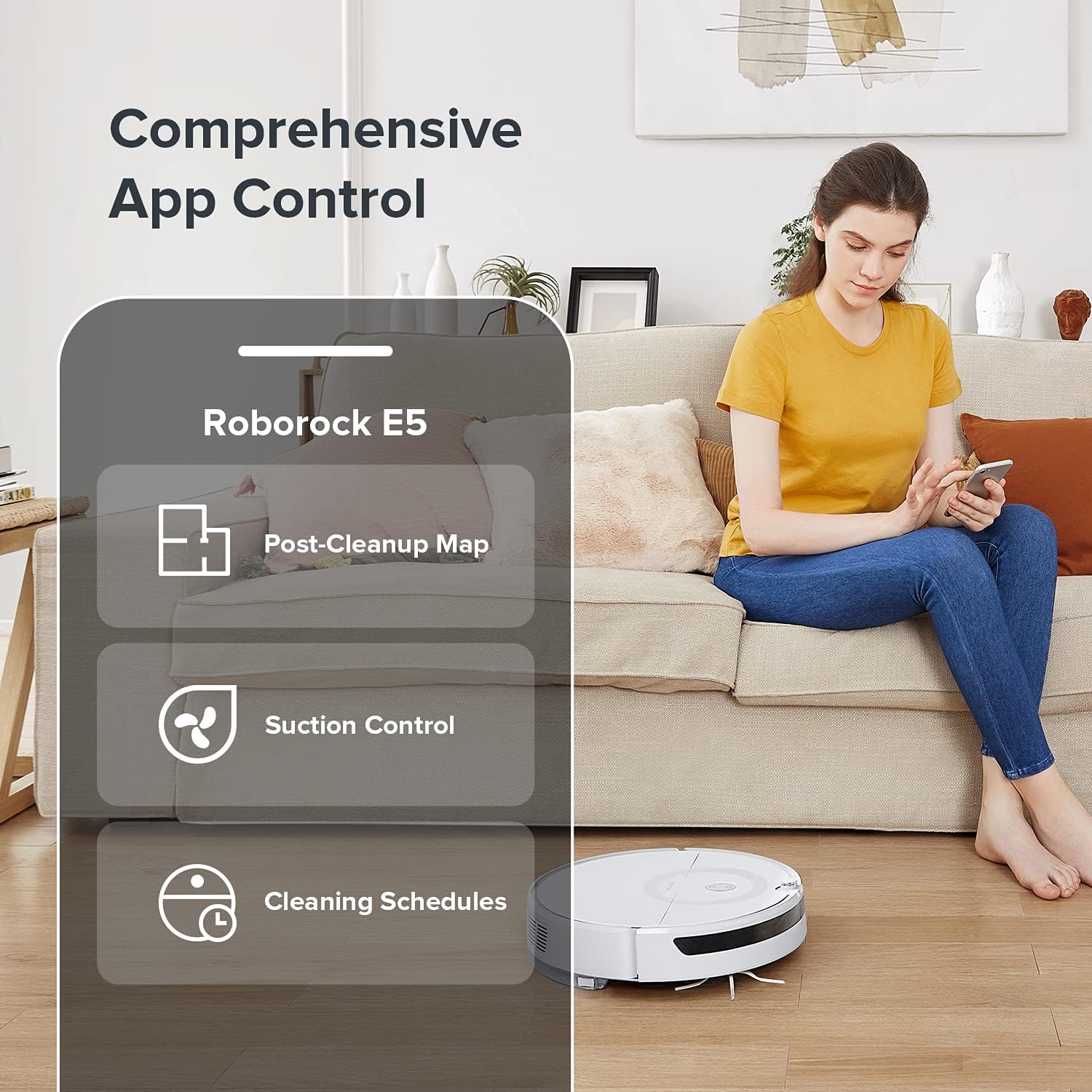
Image: A user interacting with the Roborock E5 Mop through the comprehensive mobile application.
Video: Demonstrating how to clean with the buttons on the Roborock E5 Mop.
5. Maintenance
5.1 Dustbin and Filter Cleaning
The 640ml dustbin should be emptied regularly, especially after cleaning large areas or if you have pets. The filter is washable; rinse it with water and allow it to air dry completely before reinserting.
Video: Detailed instructions on how to clean the dustbin and filter of the Roborock E5 Mop.
5.2 Mopping System Maintenance
After mopping, remove the mop cloth and clean it. Empty any remaining water from the 180ml SnapMop water tank.
Video: Guide on how to use and maintain the mopping feature of the Roborock E5 Mop.
5.3 Side Brush Cleaning
Periodically check the side brush for tangled hair or debris. Remove and clean as needed to ensure optimal performance.
Video: Instructions for cleaning the side brush of the Roborock E5 Mop.
6. Troubleshooting
| Problem | Possible Cause | Solution |
|---|---|---|
| Robot gets stuck frequently | Loose cables, small objects, or thick rugs. | Clear obstacles from the cleaning path. Use virtual walls or no-go zones if available via app. |
| Poor suction performance | Full dustbin, clogged filter, tangled main brush. | Empty dustbin, clean or replace filter, clear main brush. |
| Mopping leaves streaks | Dirty mop cloth, insufficient water flow. | Clean mop cloth, ensure water tank is filled and water flow is set appropriately in the app. |
| Robot does not charge | Charging contacts are dirty, power cable is disconnected. | Clean charging contacts on both robot and dock. Ensure power cable is securely plugged in. |
| App connection issues | Weak Wi-Fi signal, incorrect network settings. | Ensure strong Wi-Fi signal. Re-pair the robot with the app if necessary. |
7. Specifications
| Feature | Detail |
|---|---|
| Brand | roborock |
| Model Name | E5 Mop |
| Special Features | 180 ml SnapMop system, 2500Pa Strong Suction, 640ML Oversize Dustbin, Large Battery, Logical Navigation |
| Color | White |
| Product Dimensions | 18.9"L x 14.96"W x 7.87"H |
| Included Components | E5 Robot Vacuum (1), Remote Control (1), Water Tank (1), Waterproof Pad (1), Mop Cloth (1), Water Tank Filter (1), Charging Dock (1), Power Cable (1), User Manual (1) |
| Filter Type | Washable |
| Battery Life | 200 minutes |
| Voltage | 110 Volts |
| Capacity | 640 Milliliters (Dustbin) |
| Power Source | Battery Powered |
| Are Batteries Included | Yes |
| Control Method | Remote, Voice (Alexa), App |
| Compatible Devices | Amazon Echo |
| Form Factor | Robotic |
| Item Weight | 6.61 pounds |
| Manufacturer | Roborock |
| First Available | April 9, 2021 |
| Surface Recommendation | Carpets, Hard Floors |
8. Warranty and Support
For warranty information, please refer to the documentation included with your product or visit the official roborock website. For technical support, troubleshooting assistance, or to purchase replacement parts, please contact roborock customer service.
You can also visit the roborock Store on Amazon for additional products and support resources.
Related documentsE5 Mop


Ask a question about this manual
Ask about setup, troubleshooting, compatibility, parts, safety, or missing instructions. Manuals+ will review the question and use this page’s manual context to help answer it.