
1. Introduction
Thank you for choosing the Baseus Smart Eye-Caring Desk Lamp. This portable and rechargeable LED lamp is designed to provide optimal illumination for various tasks, featuring intelligent auto-dimming, adjustable color temperature, and a flexible, space-saving design. This manual provides detailed instructions for setup, operation, maintenance, and troubleshooting to ensure you get the most out of your device.
2. Safety Instructions
- Do not disassemble, repair, or modify the product. Unauthorized disassembly may cause electric shock or fire.
- Do not expose the lamp to water or high humidity. This product is designed for indoor use only.
- Avoid placing the lamp in direct sunlight or near heat sources to prevent damage to internal components.
- Use only the specified charging cable and adapter. Incorrect charging may lead to battery damage or fire.
- Keep out of reach of children.
- If the lamp exhibits abnormal behavior, such as smoke or unusual odors, immediately unplug it and contact customer support.
3. Package Contents
Please check the package for the following items:
- 1 x Baseus Smart Eye-Caring Desk Lamp
- 1 x USB-C Charging Cable
- 1 x User Manual (this document)

Figure 3.1: Product packaging showing the desk lamp.
4. Product Overview
The Baseus Smart Eye-Caring Desk Lamp features a sleek, minimalist design with intuitive controls and advanced lighting technology.
4.1 Components
- Light Bar: Houses the LED light source.
- Adjustable Arm: Connects the light bar to the base, allowing 0-180° rotation.
- Base: Provides stability and contains the battery, control panel, and charging port.
4.2 Controls and Features
- Touch Control Panel: Located on the top of the base for power, brightness, and color temperature adjustments.
- Ambient Light Sensor: Automatically adjusts brightness based on surrounding light conditions.
- On/Off Switch: A physical switch located on the bottom of the base to enable or disable the ambient light sensor.
- USB-C Charging Port: Located at the back of the base for convenient charging.

Figure 4.1: Front view of the Baseus Smart Eye-Caring Desk Lamp.

Figure 4.2: Detail of the touch control panel and ambient light sensor on the lamp base.

Figure 4.3: Bottom of the lamp base with the physical on/off switch for the ambient light sensor.
5. Setup
- Unpack: Carefully remove the lamp and all accessories from the packaging.
- Initial Charge: Before first use, fully charge the lamp using the provided USB-C cable and a compatible power adapter (not included). The charging indicator on the base will show charging status.
- Placement: Place the lamp on a stable, flat surface. Ensure the physical switch on the bottom of the base is in the 'ON' position to enable the ambient light sensor for automatic brightness adjustment.
6. Operating Instructions
6.1 Power On/Off
- To Turn On: Tap the touch control button on the base.
- To Turn Off: Tap the touch control button again.
6.2 Brightness Adjustment
- Manual Adjustment: Long press the touch control button to continuously adjust the brightness level. Release when the desired brightness is reached.
- Automatic Adjustment (Auto-Dimming): With the physical switch on the bottom set to 'ON', the built-in ambient light sensor will automatically detect surrounding light and adjust the lamp's brightness accordingly. This feature helps prevent eye strain by optimizing illumination for the environment.

Figure 6.1: Illustration of the lamp's smart recognition and auto-dimming feature in different ambient light conditions.
6.3 Color Temperature Adjustment
- Cycle Modes: While the lamp is on, short press the touch control button (do not long press) to cycle through the three available color temperature modes:
- 6000K (White Light): Bright, cool light suitable for focused work.
- 4500K (Mixed Light): Neutral light for general use.
- 3000K (Warm Light): Soft, warm light ideal for relaxation or reading.
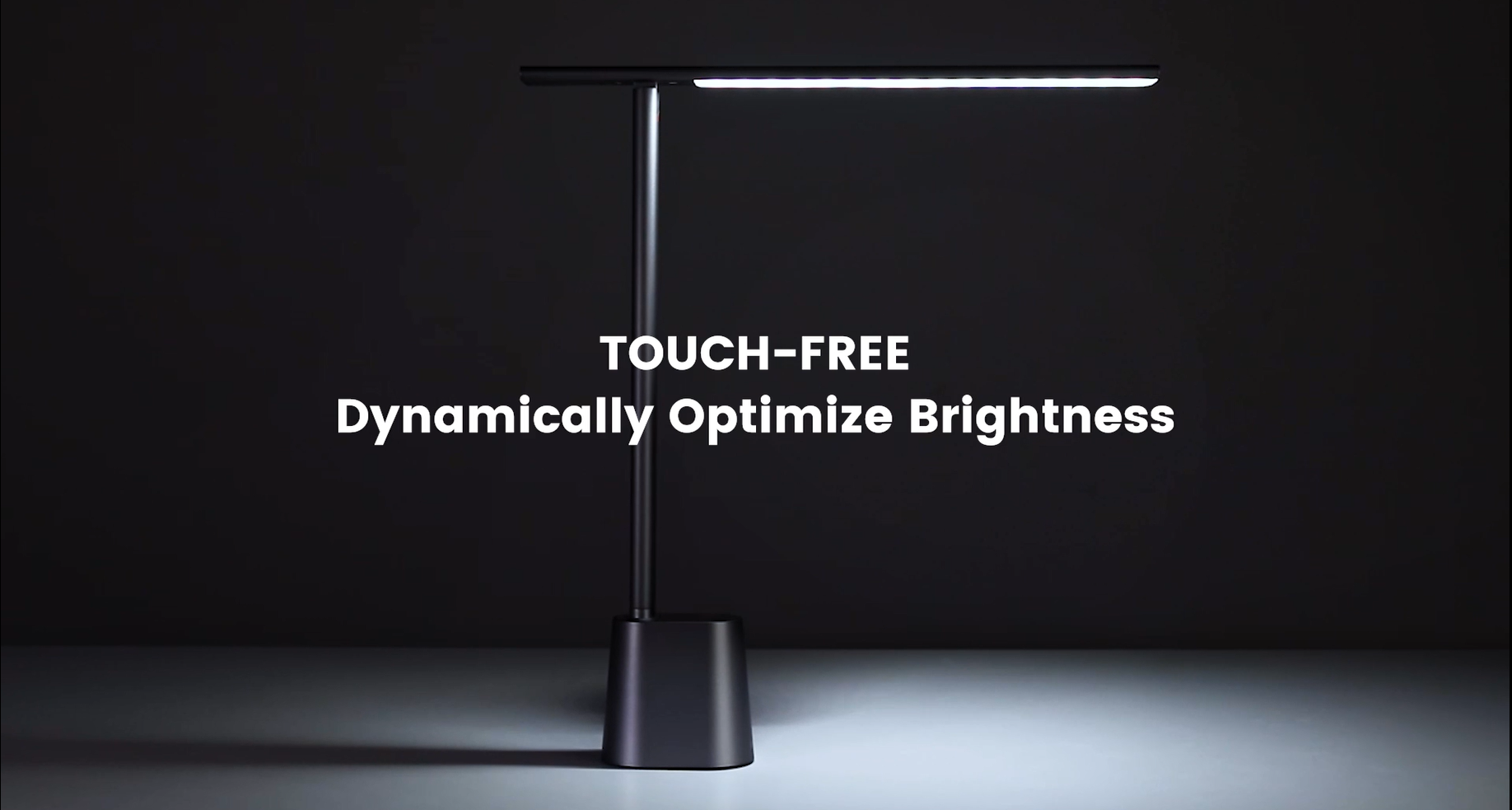
Video 6.1: Official demonstration of the auto-dimming and three color temperature modes (6000K, 4500K, 3000K) of the Baseus Desk Lamp.
6.4 Lamp Arm Adjustment
- The lamp arm can be manually adjusted from 0° to 180° to direct light precisely where needed. This flexibility allows for various lighting angles, including direct downward illumination for desktops or upward for ambient room lighting.
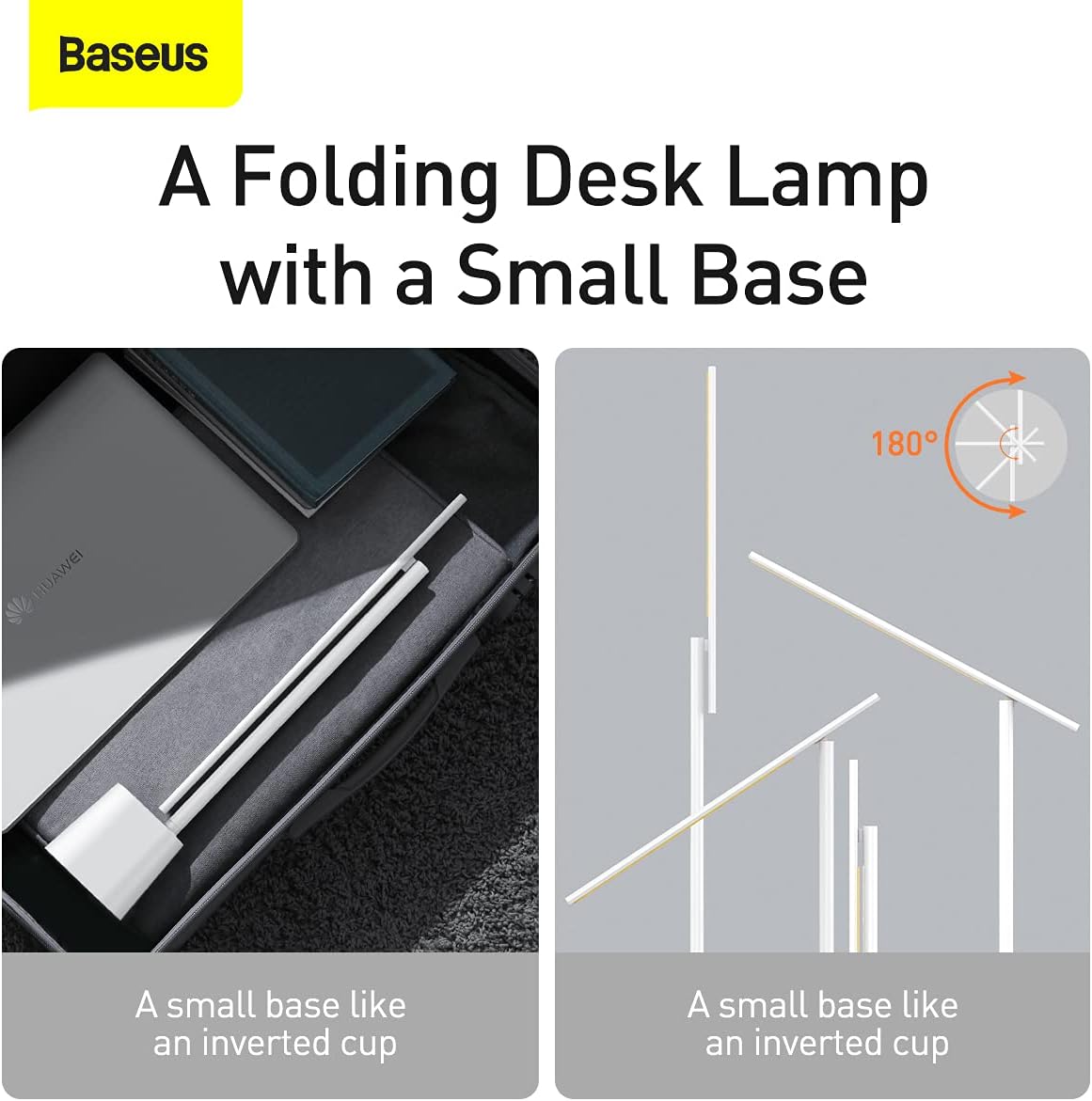
Figure 6.2: The lamp's foldable design and 180-degree adjustable arm for versatile positioning.
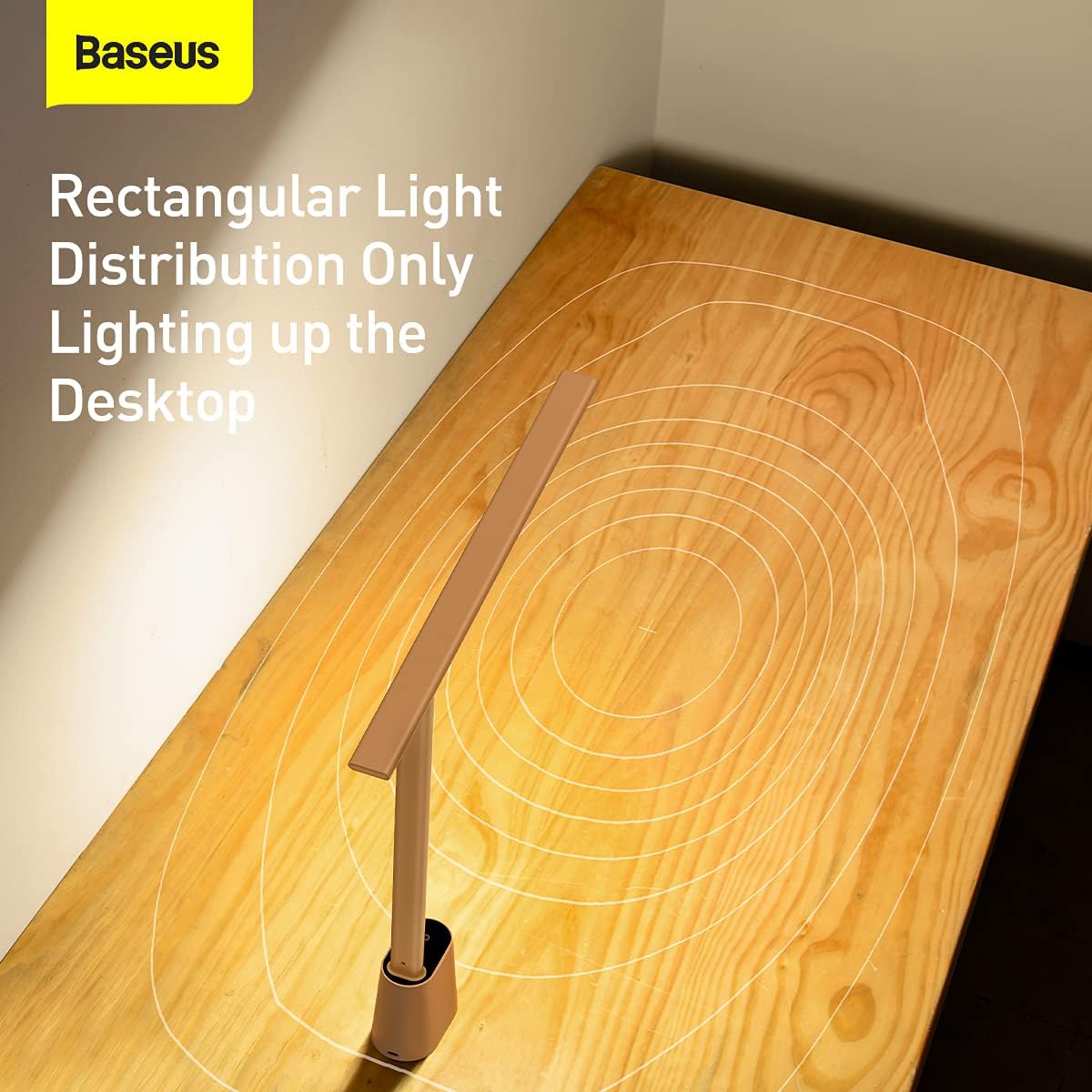
Figure 6.3: The lamp provides a rectangular light distribution, focusing illumination specifically on the desktop area.
7. Charging
The Baseus Smart Eye-Caring Desk Lamp is equipped with a built-in rechargeable Lithium-Ion battery (2200mAh capacity).
- Charging Port: Connect the provided USB-C cable to the charging port on the back of the lamp base and to a USB power source.
- Charging Indicator: The indicator light on the base will illuminate to show charging status (e.g., red for charging, green for fully charged).
- Battery Life: A full charge provides approximately 3-4 hours of use at maximum brightness and up to 10 hours at the lowest brightness setting.
8. Maintenance
- Cleaning: Wipe the lamp with a soft, dry cloth. Do not use abrasive cleaners or solvents.
- Storage: When not in use for extended periods, store the lamp in a cool, dry place. It is recommended to fully charge the battery every 3 months to maintain battery health.
9. Troubleshooting
| Problem | Possible Cause | Solution |
|---|---|---|
| Lamp does not turn on. | Battery is depleted. | Charge the lamp fully. |
| Physical switch on bottom is OFF. | Flip the physical switch on the bottom of the base to the 'ON' position. | |
| Brightness adjustment is not working. | Not long-pressing the touch control. | Ensure you are long-pressing the touch control button for continuous adjustment. |
| Color temperature is not changing. | Not short-pressing the touch control. | Ensure you are short-pressing the touch control button to cycle modes. |
| Auto-dimming feature is not working. | Physical switch on bottom is OFF. | Flip the physical switch on the bottom of the base to the 'ON' position. |
| Ambient light sensor is obstructed. | Ensure the ambient light sensor on the base is not covered. |
10. Specifications
- Model Number: DGZG-02
- Brand: Baseus
- Lamp Type: Desk Lamp
- Light Source Type: LED
- Number of Light Sources: 32
- Wattage: 5 watts
- Voltage: 6 Volts
- Power Source: Battery Powered (Rechargeable)
- Batteries: 2 Lithium Ion batteries required (included)
- Battery Capacity: 2200mAh (approx.)
- Connectivity Technology: USB (for charging)
- Control Method: Touch
- Material: Aluminum, Metal
- Finish Type: Painted
- Color: White
- Product Dimensions: 13.78 x 2.08 x 15.15 inches (approx. when unfolded)
- Item Weight: 1.87 pounds (0.85 Kilograms)
- Special Features: Full Spectrum, Adjustable (0-180°), Auto-Dimming, Eye-Caring
- Indoor/Outdoor Usage: Indoor
- Water Resistance Level: Not Water Resistant
11. Warranty and Support
Baseus products are manufactured to the highest quality standards. For information regarding warranty coverage, technical support, or service inquiries, please refer to the warranty card included with your purchase or visit the official Baseus website. Keep your purchase receipt as proof of purchase for warranty claims.
For additional resources, you may find the official User Manual PDF here.


