
1. Introduction
Thank you for choosing the SmartAI 30V MAX Robotic Vacuum Cleaner. This manual provides essential information for the safe operation, maintenance, and troubleshooting of your device. Please read it thoroughly before first use and keep it for future reference.
2. Product Overview
The SmartAI 30V MAX is a versatile robotic vacuum cleaner designed for efficient cleaning of hard floors and carpets. It features smart visual navigation, multiple cleaning modes, and both vacuuming and mopping capabilities.
Key Features:
- Smart Visual Navigation: Maps your home for systematic cleaning.
- Vacuum and Mopping Function: Automatically switches to mopping mode when the water tank is installed.
- Adjustable Suction: Up to 2600Pa for effective dirt and debris removal.
- Multiple Cleaning Modes: Includes Full House, Edge, Spot, Scheduled, and Remote Control cleaning.
- Ultra-thin Design: Allows cleaning under furniture and in hard-to-reach areas.
- Automatic Recharge: Returns to the charging base when battery is low and resumes cleaning.
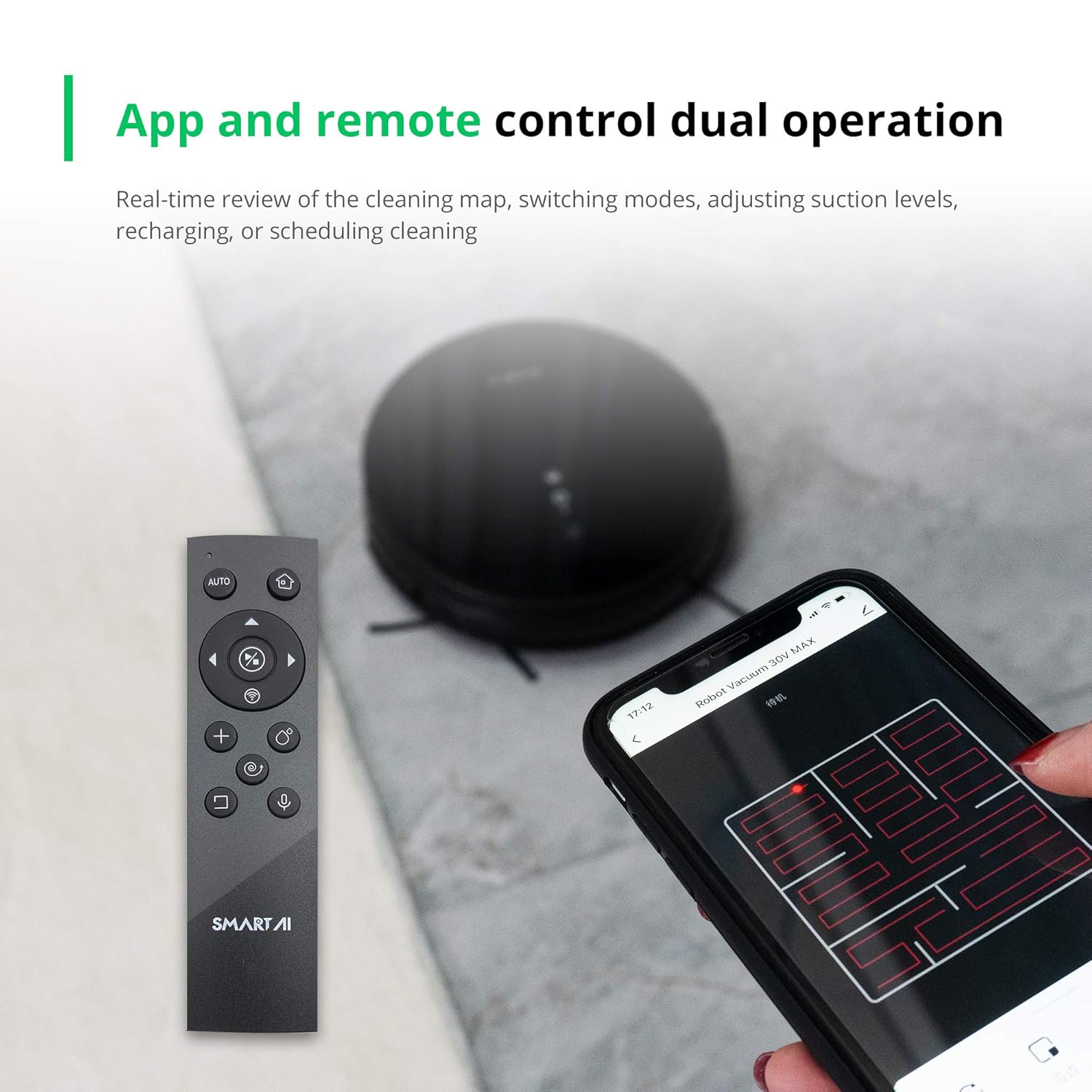
- App and Remote Control: Manage cleaning, schedules, and settings via smartphone app or remote control.
- Anti-Collision & Anti-Drop Sensors: Prevents damage from obstacles and falls.
- Climbing Capability: Can climb over thresholds up to 1.8cm.
- Low Noise Operation: Designed for quiet cleaning.
- HEPA Filter: Captures fine dust and allergens.
Product Demonstration Video:
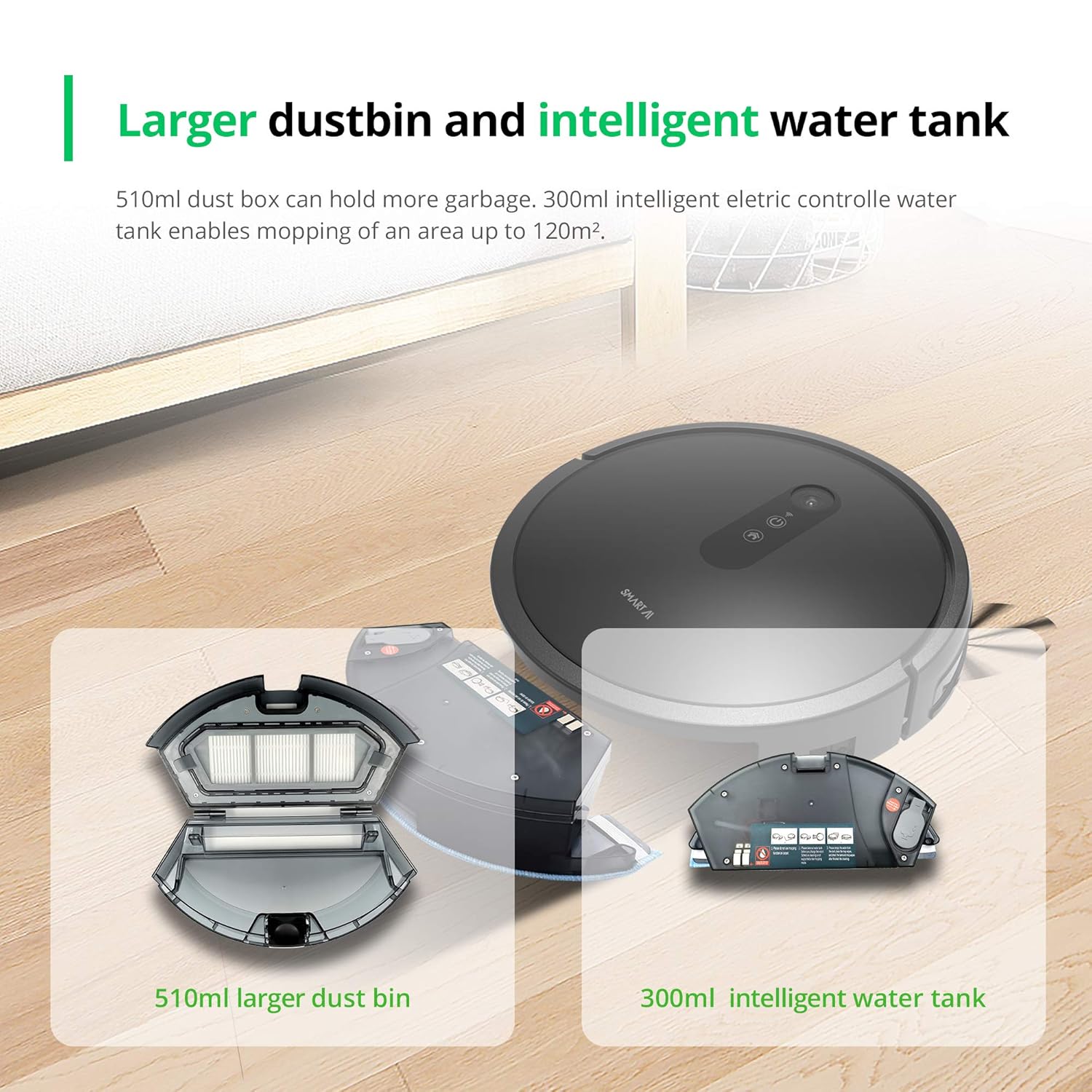
This video demonstrates the SmartAI 30V MAX Robotic Vacuum Cleaner's features, including smart navigation, app control, automatic recharge, suction power, multiple cleaning modes, anti-collision, anti-falling, and intelligent water tank.
Visual Features:





3. Setup
3.1 Unpacking and Initial Placement
- Carefully remove all components from the packaging.
- Place the charging base against a wall in an open area, ensuring there are no obstacles within 1 meter to the sides and 2 meters in front.
- Connect the power adapter to the charging base and plug it into a power outlet.
3.2 Initial Charging
- Place the robot vacuum onto the charging base. Ensure the charging contacts on the robot align with those on the base.
- The indicator light on the robot will show charging status. Allow the robot to fully charge before first use (approximately 4-5 hours).
3.3 App Installation and Pairing
- Download the SmartAI app from your smartphone's app store (iOS or Android).
- Open the app and follow the on-screen instructions to create an account.
- Add your device by selecting the appropriate model and following the pairing instructions. This typically involves connecting to the robot's Wi-Fi hotspot temporarily.
4. Operating Instructions
4.1 Starting and Stopping Cleaning
- Start: Press the power button on the robot, or use the 'Start' function in the app/remote control.
- Pause: Press the power button again, or use the 'Pause' function in the app/remote control.
- Stop/Return to Base: Press and hold the power button for 3 seconds, or use the 'Return to Base' function in the app/remote control.
4.2 Cleaning Modes
Select cleaning modes via the app or remote control:
- Full House Cleaning: The robot cleans the entire accessible area systematically.
- Edge Cleaning: The robot cleans along walls and furniture edges.
- Spot Spiral Cleaning: The robot cleans a concentrated area in a spiral pattern.
- Scheduled Cleaning: Set specific times for the robot to automatically start cleaning.
- Remote Control Cleaning: Manually guide the robot using the remote control.
- Electronically Controlled Wet Mopping: For mopping, ensure the water tank is installed and filled. Adjust water flow via the app (Low, Mid, High).
4.3 Automatic Recharge and Resume
When the battery level drops below 20%, the robot will automatically return to its charging base. Once fully charged, it will resume cleaning from where it left off, ensuring complete coverage.
5. Maintenance
Regular maintenance ensures optimal performance and extends the lifespan of your robot vacuum.
5.1 Cleaning the Dustbin and Filter
- Press the dustbin release button and pull out the dustbin.
- Open the dustbin cover and empty its contents into a trash bin.
- Remove the HEPA filter and primary filter. Tap them gently to remove dust. Do not wash the HEPA filter with water.
- Rinse the dustbin and primary filter with water. Ensure they are completely dry before reassembling.
5.2 Cleaning the Side Brushes and Main Brush
- Turn the robot over. Use a cleaning tool (if provided) to cut and remove any hair or debris tangled around the side brushes and main brush.
- Wipe the brushes clean with a dry cloth.
5.3 Cleaning Sensors and Charging Contacts
- Use a clean, dry cloth to gently wipe the anti-drop sensors (located on the bottom of the robot) and anti-collision sensors (on the bumper).
- Clean the charging contacts on both the robot and the charging base to ensure proper connection.
5.4 Water Tank Maintenance
- After mopping, empty any remaining water from the tank.
- Rinse the water tank and mopping pad. Allow them to air dry completely before storing.
6. Troubleshooting
| Problem | Possible Cause | Solution |
|---|---|---|
| Robot does not start or respond. | Low battery; Power switch off; Robot stuck. | Charge the robot; Ensure power switch is ON; Clear any obstructions. |
| Robot cannot find charging base. | Charging base obstructed; Base not powered; Robot too far. | Clear area around base; Check power connection; Manually place robot near base. |
| Poor cleaning performance. | Dustbin full; Filters clogged; Brushes tangled. | Empty dustbin; Clean/replace filters; Clean side/main brushes. |
| Robot falls down stairs. | Anti-drop sensors dirty or blocked. | Clean anti-drop sensors thoroughly. |
| App connection issues. | Incorrect Wi-Fi password; Robot out of range; App outdated. | Verify Wi-Fi credentials; Move robot closer to router; Update app. |
7. Specifications
| Brand | SmartAI |
| Model Name | 30V MAX |
| Surface Recommendation | Hard Floor & Carpets |
| Special Features | HEPA, Smart Sensor, Remote control, App Control, Multiple Cleaning modes, Automatic Recharge, Smart Navigation, Anti-Collision, Mopping |
| Color | Dark grey |
| Controller Type | App Control, Voice Control (Alexa, Google Assistant) |
| Filter Type | HEPA |
| Battery Life | Up to 110 Minutes |
| Battery Type | Lithium Ion |
| Voltage | 240 Volts |
| Power Source | Battery Powered |
| Item Weight | 1.6 Kilograms |
| Included Components | Battery (Other typical components like charging base, side brushes, main brush, dustbin, water tank, remote control, power adapter, and cleaning tool are generally included but not explicitly listed in the provided data.) |
8. Warranty and Support
The SmartAI 30V MAX Robot Vacuum comes with a 1-year warranty. For any product-related issues or support, please contact us:
- Phone: +91-8467877770
- Email: support@ideakard.com
Warranty services can also be availed at our offline service centers for products purchased online.

