
Introduction
This manual provides detailed instructions for the proper use and maintenance of your Baseus Encok True Wireless Earphones W3. Please read this manual thoroughly before using the product to ensure optimal performance and longevity.

Figure 1: Baseus Encok W3 True Wireless Earphones in their charging case.
What's in the Box
Verify that all items are present in the package:
- Baseus Encok True Wireless Earphones (Left and Right)
- Charging Case
- USB Charging Cable (Micro-USB)
- User Manual (This document)
- Multiple sizes of ear tips
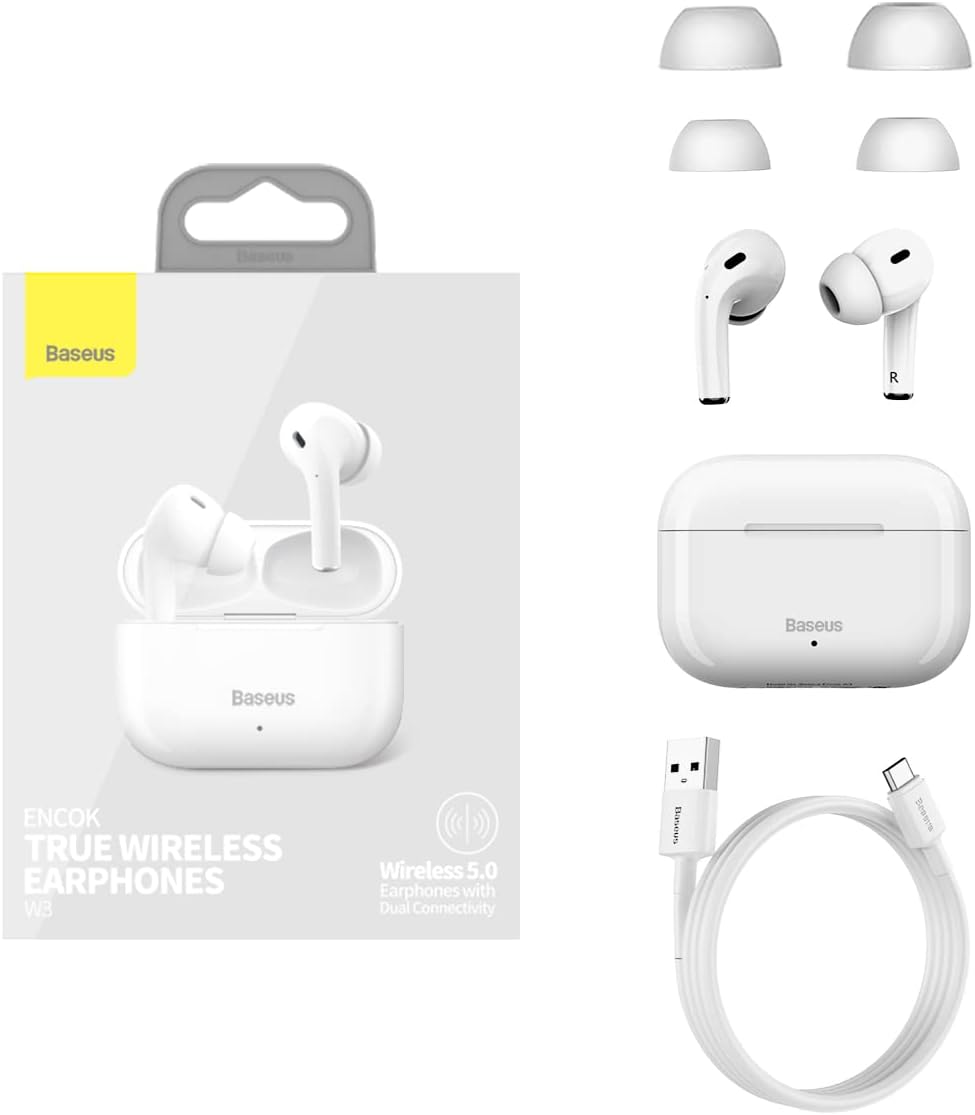
Figure 2: Included components: earphones, charging case, USB cable, and ear tips.
Setup
1. Charging the Earphones and Case
- Initial Charge: Before first use, fully charge the earphones and the charging case.
- Charging the Case: Connect the Micro-USB cable to the charging port on the case and the other end to a USB power adapter (not included). The indicator light on the case will show charging status.
- Charging the Earphones: Place the earphones into the charging case. Ensure they are correctly seated. The earphones will begin charging automatically.
A full charge provides approximately 4.5 hours of music playback for the earphones, and the charging case extends this to 12-15 hours of combined use.
2. Pairing with a Device
- Power On: Open the charging case. The earphones will automatically power on and enter pairing mode.
- Activate Bluetooth: On your device (smartphone, tablet, etc.), enable Bluetooth.
- Select Device: In the Bluetooth settings, search for "Baseus Encok W3" or a similar name and select it to connect.
- Connection Confirmation: Once connected, you will hear an audio prompt from the earphones, and the indicator light on the earphones may change.
The earphones support Bluetooth V5.0 for stable and efficient wireless communication up to 10 meters.
Operating Instructions
1. Wearing the Earphones
Gently insert the earphones into your ear canal. Adjust them for a comfortable and secure fit. The in-ear design with an elevation angle of 108° is engineered for comfort and to prevent accidental drops.

Figure 3: Features ensuring comfortable and secure fit, including in-ear design and multiple ear tip sizes.
2. Touch Controls
The Baseus Encok W3 earphones feature touch-sensitive controls on each earbud for easy management of music and calls.
- Play/Pause: Single tap on either earbud.
- Next Track: Double tap on the right earbud.
- Previous Track: Double tap on the left earbud.
- Answer/End Call: Single tap on either earbud.
- Reject Call: Press and hold either earbud for 2 seconds.
- Activate Voice Assistant: Triple tap on either earbud.
3. Single/Dual Mode Switching
The earphones support seamless switching between single and dual earbud modes. You can use either earbud independently or both together for a stereo experience. The intelligent dual-processing chip ensures fast and stable connection in both modes.
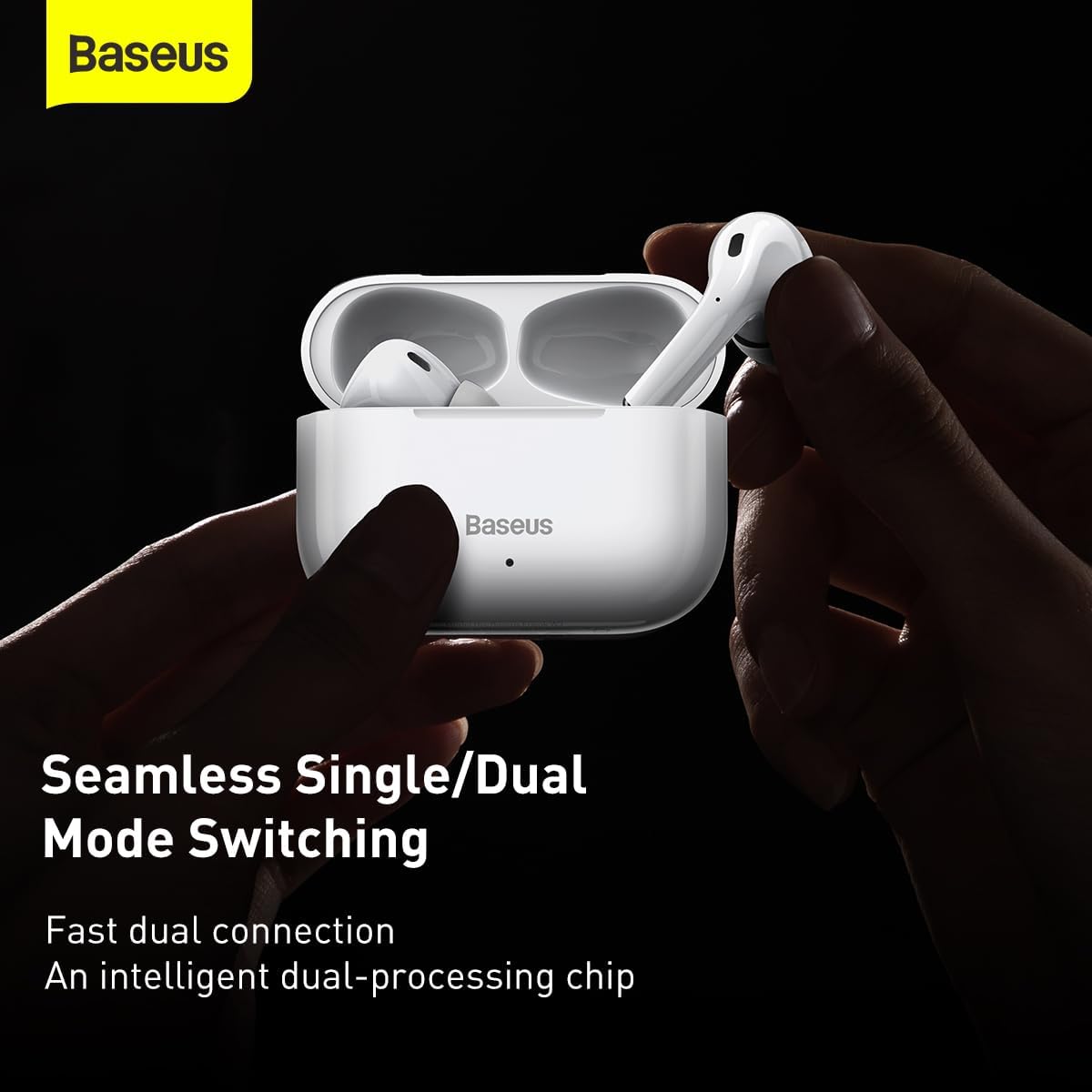
Figure 4: The earphones support seamless switching between using one or both earbuds.
Maintenance
Proper maintenance ensures the longevity and optimal performance of your earphones.
- Cleaning: Regularly clean the earphones and charging case with a soft, dry, lint-free cloth. Do not use harsh chemicals or abrasive materials.
- Ear Tips: Remove ear tips periodically and clean them with a damp cloth. Ensure they are completely dry before reattaching.
- Storage: When not in use, store the earphones in their charging case to protect them from dust and damage. Store in a cool, dry place away from direct sunlight and extreme temperatures.
- Avoid Water: The earphones are not waterproof. Avoid exposure to water, sweat, or excessive moisture.
Troubleshooting
If you encounter issues with your Baseus Encok W3 earphones, refer to the following common solutions:
| Problem | Possible Solution |
|---|---|
| Earphones not pairing |
|
| Only one earphone working |
|
| Low volume or poor sound quality |
|
| Charging issues |
|
Specifications
Detailed technical specifications for the Baseus Encok True Wireless Earphones W3 (Model A0002145):
- Model No.: Baseus Encok W3 (A0002145)
- Material: ABS+PC (Acrylonitrile Butadiene Styrene)
- Bluetooth Version: V5.0
- Bluetooth Range: Up to 10 meters
- Standby Time: 200 hours
- Music Time (Earphones): 4.5 hours (at 70% volume)
- Music Time (with Charging Case): 12~15 hours
- Earphone Battery Capacity: 37mAh/0.14Wh
- Charging Case Battery Capacity: 200mAh/0.74Wh
- Earphone Rated Input: DC5V±20mA
- Earphone Rated Consumption Current: 10mA
- Charging Case Rated Input: DC5V±250mA
- Charging Case Rated Consumption Current: 80mA
- Charging Time: Approximately 2 hours
- Frequency Response Range: 20Hz-20KHz
- Charge Interface: Micro-USB
- Product Dimensions: 6.3 x 6.3 x 1.97 inches
- Item Weight: 4.4 ounces (125 Grams)
- Special Features: True Wireless, Bluetooth V5.0, Touch Control, In-Ear Physical Noise Cancellation, 10mm Moving Coils for High Quality Sound.

Figure 5: Internal structure highlighting the 10mm moving coils for enhanced audio quality.

Figure 6: Explanation of the in-ear physical noise cancellation feature using MEMS microphones.

Figure 7: Visual representation of the extended battery life with the charging case.
Compliance and Safety Information
Please adhere to the following safety guidelines:
- Do not disassemble or modify the product.
- Avoid exposing the product to extreme temperatures, humidity, or corrosive environments.
- Keep out of reach of children and pets.
- Dispose of the product responsibly according to local regulations.


