
1. Introduction
This manual provides detailed instructions for the installation, operation, and maintenance of your Strong 999 Full HD Satellite Receiver. Please read this manual thoroughly before using the device to ensure proper functionality and to maximize your viewing experience. Keep this manual for future reference.
2. Safety Information
- Power Supply: Use only the specified power adapter. Ensure the voltage matches your local power supply.
- Ventilation: Do not block ventilation openings. Place the receiver in a well-ventilated area to prevent overheating.
- Cleaning: Disconnect the power before cleaning. Use a soft, dry cloth. Do not use liquid or aerosol cleaners.
- Servicing: Do not attempt to open or repair the receiver yourself. Refer all servicing to qualified personnel.
3. Package Contents
Please check the box for the following items:
- Strong 999 Full HD Satellite Receiver
- Remote Control
- HDMI Cable
- USB Cable
- Power Adapter
- User Manual (this document)
4. Product Overview
Familiarize yourself with the various ports and controls on your Strong 999 Satellite Receiver.
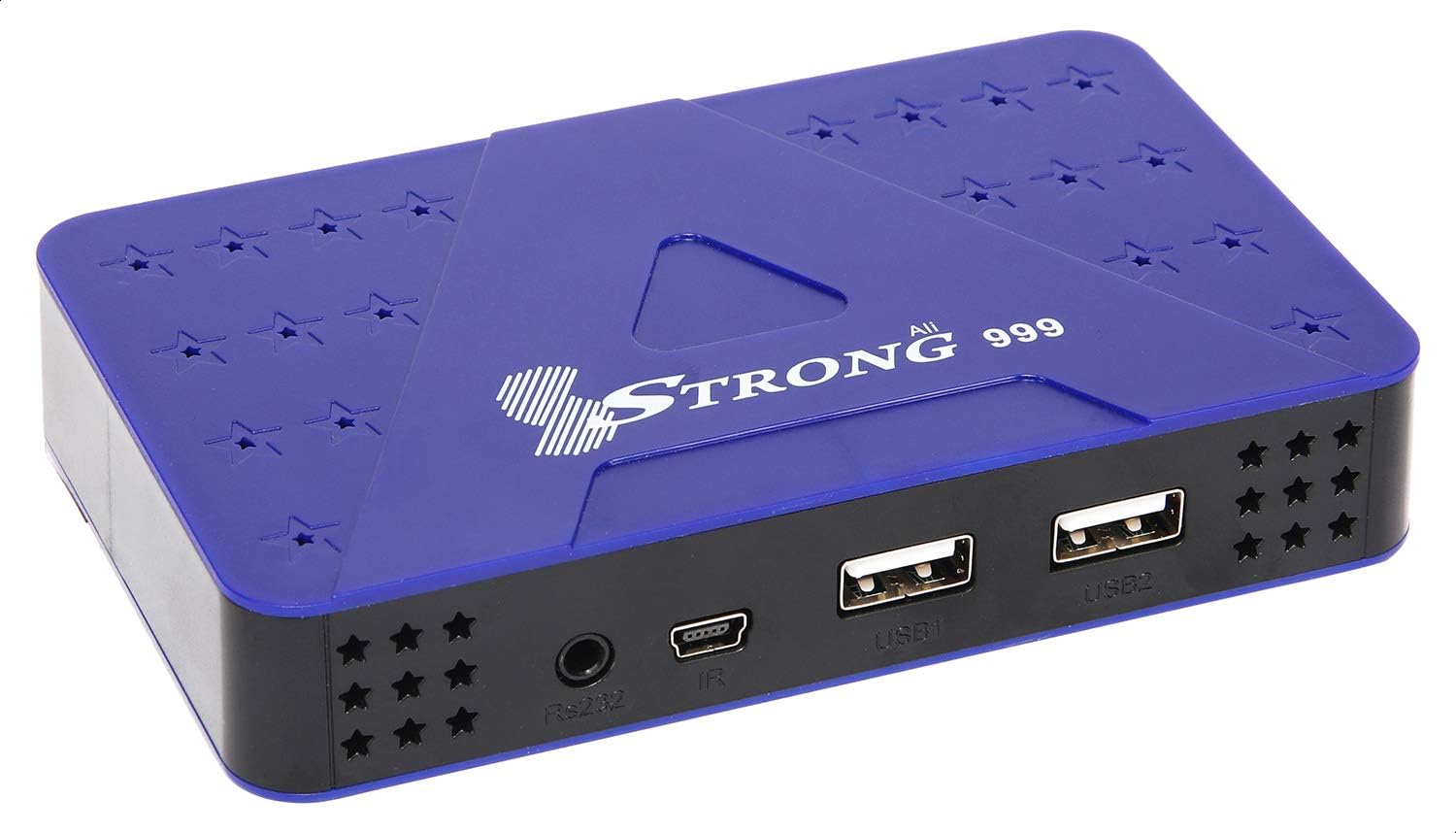
Figure 4.1: Front Panel
The front panel features two USB ports (USB1, USB2), an IR sensor for the remote control, and an RS232 port for service.

Figure 4.2: Rear Panel
The rear panel includes the LNB IN port for satellite signal, an HDMI port for high-definition video and audio output, an AV port for standard definition output, and the DC IN port for power connection.
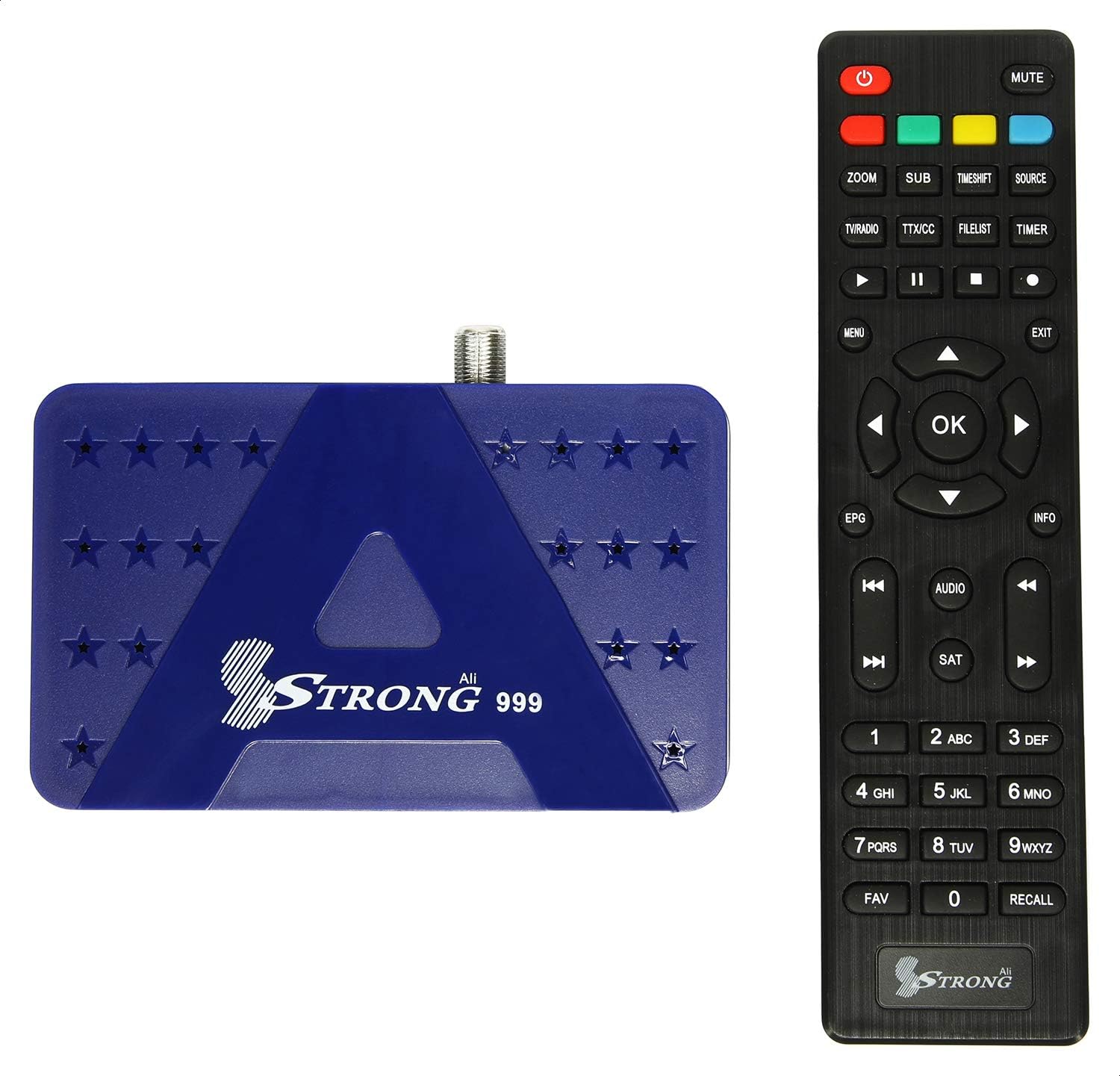
Figure 4.3: Receiver with Remote Control
The included remote control allows full navigation and control of the receiver's functions and menus.
5. Setup
5.1 Connecting the Receiver
- Connect Satellite Cable: Connect the satellite dish cable (LNB cable) to the 'LNB IN' port on the rear panel of the receiver.
- Connect to TV: Use the provided HDMI cable to connect the 'HDMI' port on the receiver to an HDMI input port on your television. Alternatively, use the AV port for standard definition connection.
- Connect Power: Connect the power adapter to the 'DC IN' port on the receiver, then plug the adapter into a power outlet.
- Insert Batteries into Remote: Open the battery compartment on the remote control and insert two AAA batteries (not included), ensuring correct polarity.
5.2 Initial Power On and First-Time Setup
- Power On: Turn on your television and select the correct HDMI input source. Then, power on the Strong 999 receiver.
- Language Selection: The receiver will display a setup wizard. Select your preferred language from the available options. The receiver supports multiple languages.
- Time Zone Setting: Set the correct time zone for your region.
- Satellite Scan: Follow the on-screen instructions to perform a satellite scan. This process will search for available transponders and channels. The receiver supports Multi TP Search for efficient scanning.
- Save Settings: Once the scan is complete, save the settings. Your receiver is now ready for use.
6. Operating Instructions
6.1 Basic Operation
- Power On/Off: Press the POWER button on the remote control to turn the receiver on or off.
- Channel Navigation: Use the CH+/CH- buttons to change channels sequentially. Enter channel numbers directly using the numeric keypad.
- Volume Control: Use the VOL+/VOL- buttons to adjust the volume.
- Menu Access: Press the MENU button to access the main menu for settings and features.
- Information Display: Press the INFO button to display current channel information.
6.2 Channel Management
From the main menu, navigate to 'Channel Management' to organize your channels:
- Edit Channels: Move, delete, or lock channels.
- Favorite Lists: Create custom lists of your favorite channels for quick access.
- Satellite/Transponder Setup: Manually add or edit satellite and transponder settings if needed.
6.3 USB Recording and Playback
The Strong 999 receiver supports recording through its USB ports.
- Connect USB Device: Insert a USB storage device (e.g., flash drive or external hard drive) into one of the USB ports on the front panel.
- Format USB (if necessary): The receiver may prompt you to format the USB device. Follow on-screen instructions.
- Record Program: While watching a program, press the REC button on the remote to start recording. Press STOP to end recording.
- Schedule Recording: Access the EPG (Electronic Program Guide) to schedule future recordings.
- Playback: Access recorded content via the 'Media Player' or 'USB' menu option.
6.4 System Settings
The 'System Settings' menu allows you to configure various aspects of your receiver:
- Picture Settings: Adjust resolution (up to 1080P 50/60 Hz), aspect ratio, and other display options.
- Audio Settings: Configure audio output mode (e.g., Stereo).
- OSD Settings: Customize the On-Screen Display (OSD) appearance, which supports 32-bit color.
- Parental Control: Set passwords and restrictions for channels or menus.
7. Maintenance
7.1 Cleaning
To clean the receiver, disconnect it from the power supply. Use a soft, dry, lint-free cloth to wipe the exterior. Do not use abrasive cleaners, waxes, or solvents.
7.2 Firmware Upgrade
The receiver's software can be upgraded via USB. Visit the official Strong website for the latest firmware updates and instructions. Typically, this involves downloading the firmware file to a USB drive, inserting it into the receiver, and initiating the upgrade process from the system menu.
8. Troubleshooting
| Problem | Possible Cause | Solution |
|---|---|---|
| No picture/No signal | Incorrect TV input selected; Loose cable connections; Satellite dish misalignment. | Ensure TV is on correct HDMI/AV input. Check all cable connections (LNB, HDMI/AV). Consult a professional for satellite dish alignment if needed. |
| No sound | TV or receiver volume too low; Mute activated; Incorrect audio settings. | Increase volume on both TV and receiver. Check if mute is active. Verify audio output settings in receiver menu. |
| Remote control not working | Dead batteries; Obstruction between remote and receiver; Remote not pointed correctly. | Replace batteries. Ensure no objects block the IR sensor on the receiver. Point the remote directly at the receiver's front panel. |
| Receiver unresponsive | Temporary software glitch. | Unplug the receiver from the power outlet, wait 30 seconds, then plug it back in. |
9. Specifications
| Feature | Detail |
|---|---|
| Model Number | 999 |
| Processor | Sun Plus Processor |
| Output Resolution | 576i, 576p, 720p, 1080i, 1080p (50/60 Hz) |
| HDMI Ports | 1 |
| USB Ports | 2 |
| Video Out Ports | 1 (HDMI), 1 (AV) |
| Audio Output Mode | Stereo |
| Supported Audio Format | PCM |
| Channel Storage Capacity | Up to 8000 channels |
| Satellite/Transponder Memory | 100 Satellites, 4000 Transponders |
| OSD Color Depth | 32 Bits Color |
| Recording Feature | Recording through USB |
| Upgrade Capability | Via USB |
| Dimensions (Package) | 19.8 x 15.2 x 5.6 cm |
| Weight (Package) | 348 g |
10. Warranty and Support
For warranty information and technical support, please refer to the warranty card included with your product or visit the official Strong website. Keep your purchase receipt as proof of purchase for any warranty claims.


