
1. Introduction
This manual provides essential information for the safe and efficient operation of your Hisense EasySmart 9000 BTU Air Conditioner, model CA25YR03G. Please read this manual thoroughly before installation and use, and keep it for future reference. This unit is designed to create an ideal climate in your environment, featuring advanced technology for energy saving and comfort.
2. Safety Information
Always adhere to the following safety precautions to prevent injury or damage to the unit.
- Ensure the unit is installed by a qualified professional in accordance with local and national electrical codes.
- Do not insert fingers or objects into the air inlet/outlet.
- Do not attempt to repair or modify the unit yourself. Contact authorized service personnel.
- Turn off the power supply before cleaning or performing any maintenance.
- Use only the specified refrigerant (R-32).
- Keep children away from the unit and remote control.
3. Product Overview
The Hisense EasySmart CA25YR03G is a split-type air conditioning system designed for residential use. It includes an indoor unit (CA25YR03G) and an outdoor unit (CA25YR03W).

Figure 3.1: Front view of the Hisense EasySmart indoor unit. This image shows the sleek, white design of the indoor unit with the Hisense logo and a digital display.
Key features include:
- Eco-friendly R-32 Refrigerant: Utilizes a new ecological refrigerant with lower environmental impact.
- LED Display: Clear and intuitive display for operational status.
- Low-Temperature Heating: Efficient heating performance even in colder conditions.
- 3D Inverter Technology: Ensures significant energy savings.
- WiFi Ready: Allows for smart control via a separate WiFi module (sold separately).
4. Setup and Installation
Installation of this split system air conditioner requires professional expertise. Do not attempt to install the unit yourself. Refer to the detailed installation manual provided with the product for specific instructions for qualified technicians.
4.1 Components Included
- Indoor Unit (Model: CA25YR03G)
- Outdoor Unit (Model: CA25YR03W)
- Remote Control
- User Manual (this document)
- Installation Manual
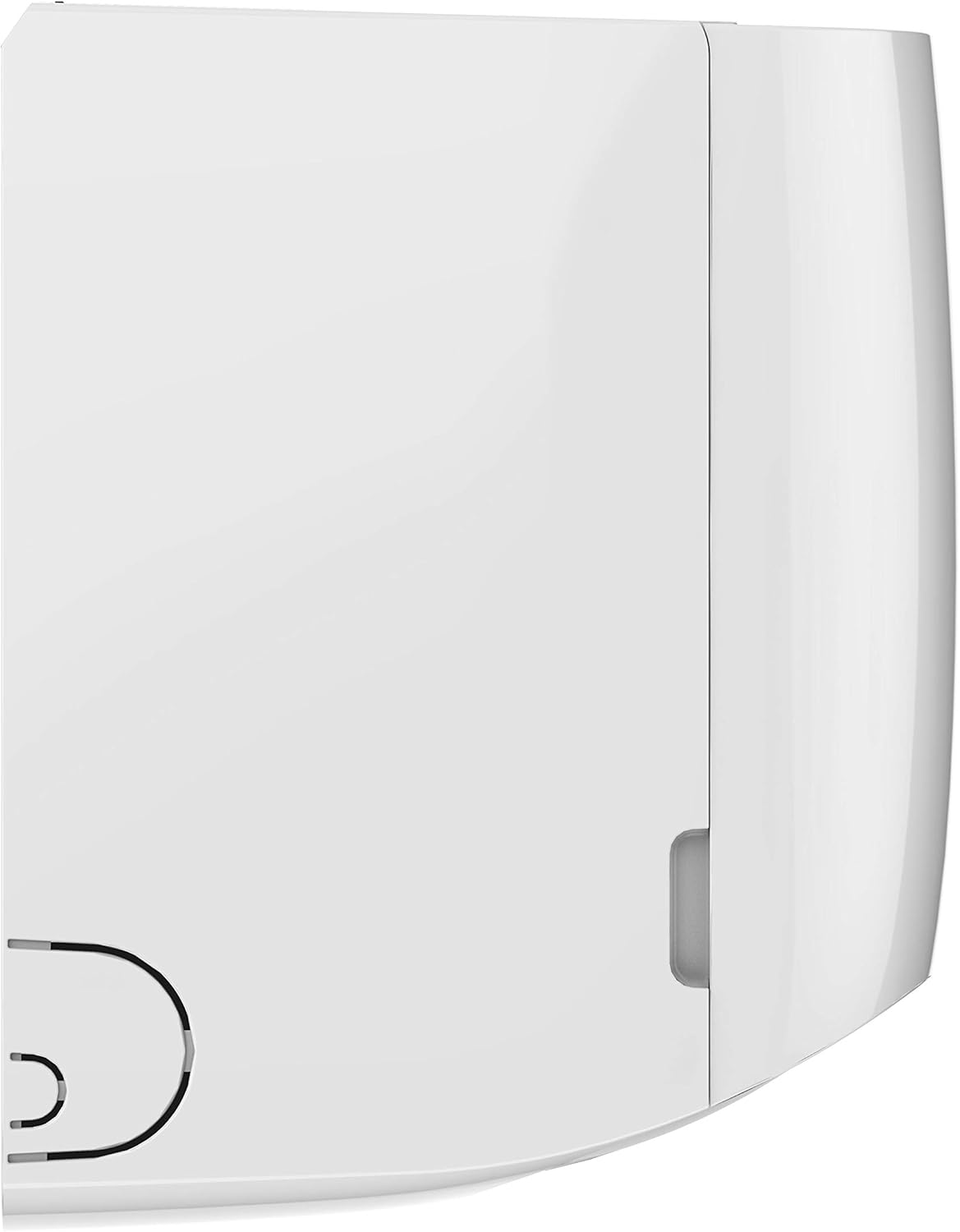
Figure 4.1: Side view of the Hisense EasySmart indoor unit. This image highlights the compact depth of the unit, suitable for various room installations.
4.2 Pre-Installation Checks
- Verify that the power supply matches the unit's requirements (240 Volts).
- Ensure adequate space for both indoor and outdoor units for proper airflow and maintenance.
- Confirm that the installation site can support the weight of both units (Indoor: approx. 7.1 kg, Outdoor: approx. 23 kg).
5. Operating Instructions
Your Hisense EasySmart air conditioner can be controlled using the provided remote control. Ensure the remote control has working batteries.
5.1 Basic Operation
- Power On/Off: Press the ON/OFF button to start or stop the unit.
- Mode Selection: Press the MODE button to cycle through modes: Auto, Cool, Dry, Fan, Heat.
- Temperature Adjustment: Use the TEMP UP/DOWN buttons to set your desired temperature.
- Fan Speed: Press the FAN button to adjust fan speed (Auto, Low, Medium, High).
5.2 Special Functions
- Sleep Function: Activates a quiet operation mode that gradually adjusts the temperature for comfortable sleep. Press the SLEEP button.
- 24h Timer: Allows you to set a specific time for the unit to turn on or off within a 24-hour period. Refer to the remote control section for detailed timer setup.
- i-Feel Function: The remote control has a built-in temperature sensor. When activated, the unit will adjust its operation based on the temperature detected by the remote, providing more precise comfort in your immediate vicinity. Press the I-FEEL button.
- Super Cooling: Quickly lowers the room temperature by increasing cooling capacity by 25%. Press the SUPER button.
- SMART Function: Automatically selects the most comfortable operating mode based on the ambient room temperature. Press the SMART button.
- 8°C Special Heating Restart: Useful for preventing freezing in unoccupied homes during cold periods. The unit will automatically activate heating mode if the room temperature drops to 8°C.
6. Maintenance
Regular maintenance ensures optimal performance and longevity of your air conditioner.
6.1 Air Filter Cleaning
The unit is equipped with a pre-filter. Clean the air filter regularly (every two weeks or more often depending on usage) to maintain air quality and efficiency.
- Turn off the power supply to the unit.
- Open the front panel of the indoor unit.
- Remove the air filters.
- Clean the filters with a vacuum cleaner or wash them with lukewarm water and a mild detergent.
- Rinse thoroughly and allow them to dry completely in a shaded area before reinstalling.
- Close the front panel.
6.2 Outdoor Unit Maintenance
Periodically check the outdoor unit for any obstructions (leaves, debris) around the condenser coils. Clean as necessary. For thorough cleaning and inspection, it is recommended to contact a professional service technician annually.
7. Troubleshooting
If you encounter issues with your air conditioner, refer to the table below for common problems and solutions. If the problem persists, contact customer support.
| Problem | Possible Cause | Solution |
|---|---|---|
| Unit does not start | No power supply; Remote control batteries low; Timer function active. | Check power connection; Replace batteries; Cancel timer setting. |
| Insufficient cooling/heating | Dirty air filter; Obstruction in air inlet/outlet; Room too large; Doors/windows open. | Clean air filter; Remove obstructions; Ensure proper room size for unit capacity; Close doors/windows. |
| Unusual noise | Loose parts; Unit not level; Fan obstruction. | Check for loose parts; Ensure unit is level; Inspect fan for obstructions. If noise persists, contact service. |
| Water leakage from indoor unit | Drain hose clogged or improperly installed. | Check and clear drain hose; Ensure proper slope for drainage. Contact installer if issue persists. |
8. Specifications
Detailed technical specifications for the Hisense EasySmart CA25YR03G air conditioner.

Figure 8.1: Technical specifications table. This image provides a comprehensive overview of various models, including cooling/heating capacity, power consumption, SEER/SCOP ratings, and dimensions.
| Feature | Specification |
|---|---|
| Model Number | CA25YR03G |
| Cooling Capacity | 9000 BTU |
| Refrigerant | R-32 (GWP 675) |
| Seasonal Energy Efficiency Ratio (SEER) | 7 |
| Energy Efficiency Class | A++ |
| Power (Cooling) | 2638 Watts |
| Voltage | 240 Volts |
| Indoor Unit Dimensions (D x W x H) | 20 x 79 x 25.5 cm |
| Indoor Unit Weight | 7.1 kg |
| Outdoor Unit Weight | 23 kg |
| Control Method | Remote Control |
| Filter Type | Pre-filter |
| Installation Type | Split System |
9. Warranty Information
Hisense products come with a limited warranty. Please refer to the warranty card included with your product for specific terms and conditions, including coverage period and service procedures. Keep your purchase receipt as proof of purchase for warranty claims.
10. Support
For technical assistance, service requests, or further inquiries, please contact Hisense customer support. You can find contact information on the official Hisense website or in your product documentation.
Hisense Official Website: www.hisense.com


