1. Safety Information
Please read all instructions carefully before assembly and use. Keep this manual for future reference.
- Do not stand or sit on the desk.
- Ensure all screws and connections are tightened securely before use.
- Place the desk on a level surface to prevent instability.
- Keep small parts away from children during assembly.
2. Product Overview
The Yaheetech L-Shaped Gaming Desk is designed for optimal workspace and comfort. It features a sturdy metal frame, a durable desktop, a monitor stand, and adjustable feet for stability.

Image 2.1: Overview of the Yaheetech L-Shaped Gaming Desk in a gaming setup.

Image 2.2: The L-shaped desk configured for a home office environment.
3. Components List
Before assembly, ensure all components are present and undamaged. Refer to the included hardware pack for specific part identifiers.
Key Components:
- Desktop Panels (MDF P2)
- Metal Frame Sections
- Monitor Stand
- Adjustable Footpads
- Reinforced Crossbars
- Assembly Hardware (screws, bolts, Allen key)
4. Setup and Assembly Instructions
Assembly typically requires two people. Follow the numbered steps carefully.
Tools Required:
- Included Allen Key
- Screwdriver (not always included, but recommended for some screws)
Assembly Steps:
- Unpack and Identify Parts: Carefully remove all components from the packaging. Lay them out on a clean, soft surface to prevent scratches. Refer to the parts list in your packaging to identify each piece.
- Assemble the Main Frame: Connect the metal frame sections using the provided screws and the Allen key. Ensure the X-shaped crossbars are correctly positioned for stability. Do not fully tighten screws until all frame parts are loosely assembled.
- Attach Desktop Panels: Place the desktop panels onto the assembled frame. Align the pre-drilled holes in the desktop with the holes in the frame. Secure the panels using the appropriate screws. Once all panels are in place, gradually tighten all screws on the frame and desktop.
- Install Monitor Stand: Position the monitor stand on the desired section of the desk. Secure it using the clamping mechanism or screws as indicated in the specific monitor stand instructions.
- Attach Adjustable Feet: Screw the adjustable footpads into the bottom of each leg of the desk frame.
- Final Check: Verify that all connections are secure and the desk is stable. Adjust the footpads to level the desk on uneven floors.
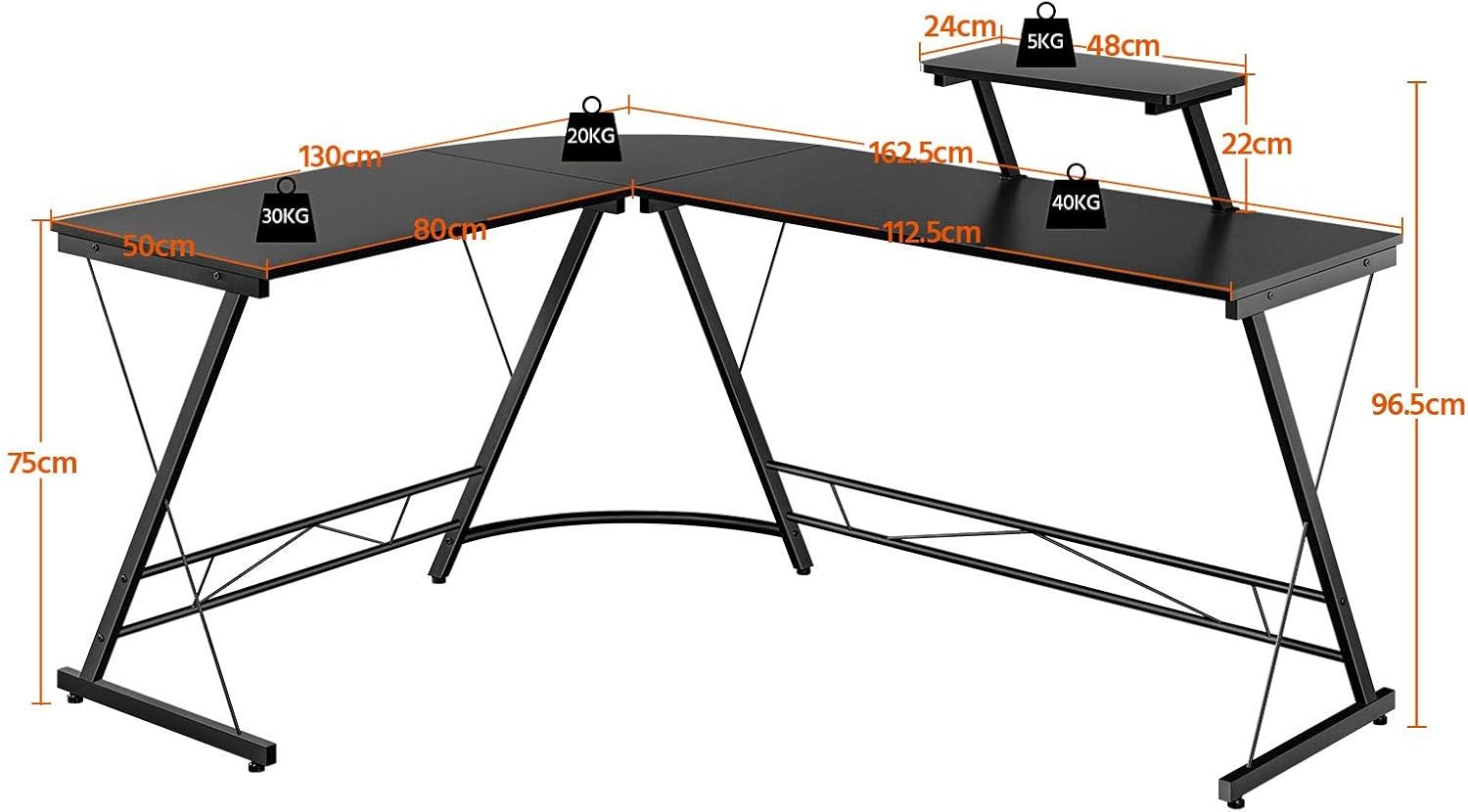
Image 4.1: Dimensional diagram of the L-shaped desk, indicating lengths, depths, and heights.
5. Operating Instructions
5.1 Using the Monitor Stand
The integrated monitor stand elevates your screen to an ergonomic height, reducing neck and eye strain. It also frees up valuable desktop space below for keyboards, mice, or other peripherals.

Image 5.1: Detail of the monitor stand, highlighting its adjustable attachment to the desk.
5.2 Adjusting the Feet
The desk is equipped with adjustable footpads. To level the desk on uneven floors, simply rotate the footpads clockwise or counter-clockwise until the desk is stable and does not wobble.
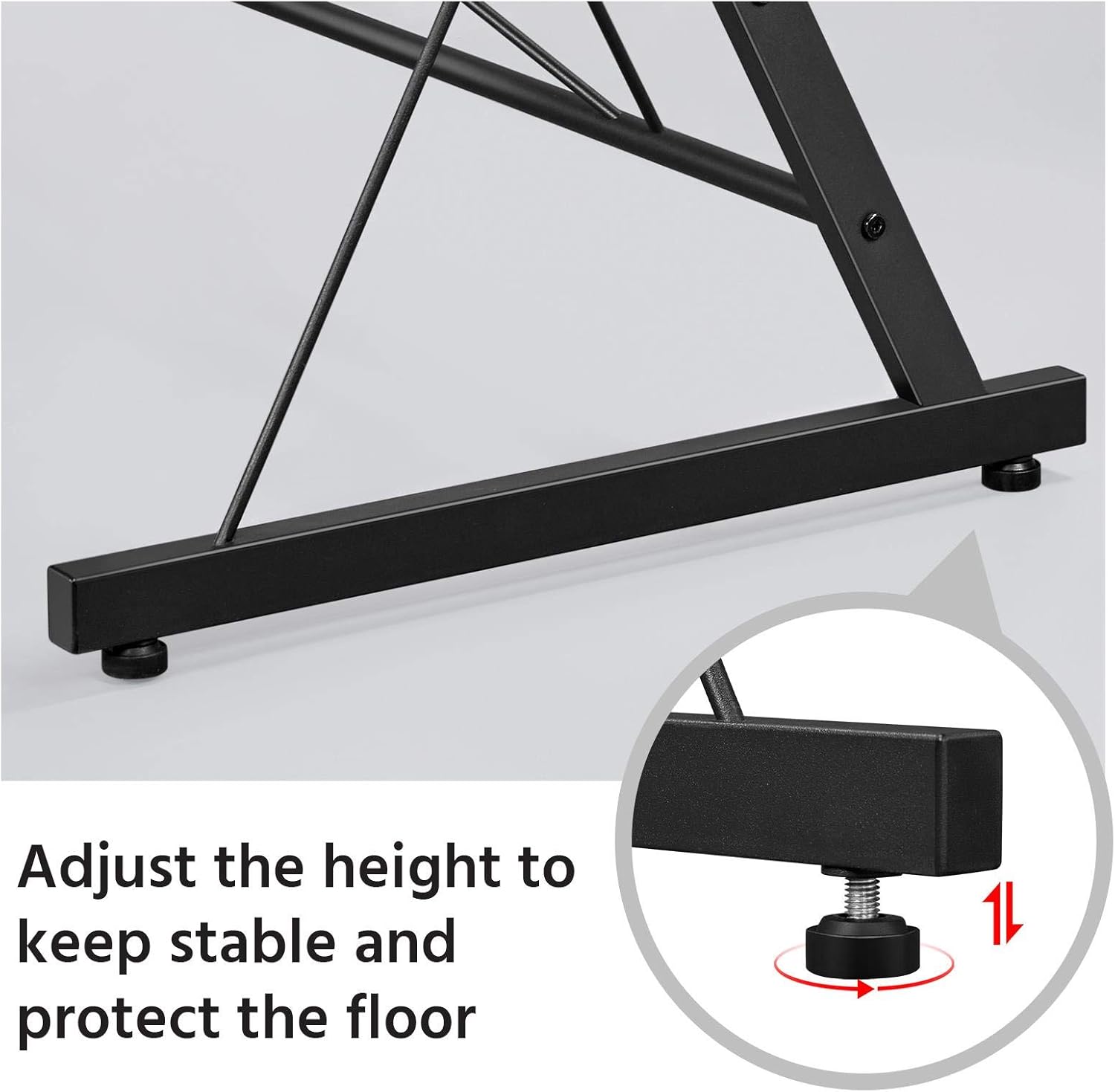
Image 5.2: Adjustable footpads for leveling the desk and protecting floors.
6. Maintenance and Care
Proper care will extend the life and appearance of your desk.
- Cleaning: Wipe the desk surface with a soft, damp cloth. Avoid harsh chemicals or abrasive cleaners, as these can damage the finish. The desk surface is water-resistant and designed to protect against slight scratches.
- Regular Checks: Periodically check all screws and connections to ensure they remain tight. Re-tighten if necessary to maintain stability.
- Avoid Overloading: Do not exceed the recommended weight capacity for the desk and monitor stand.
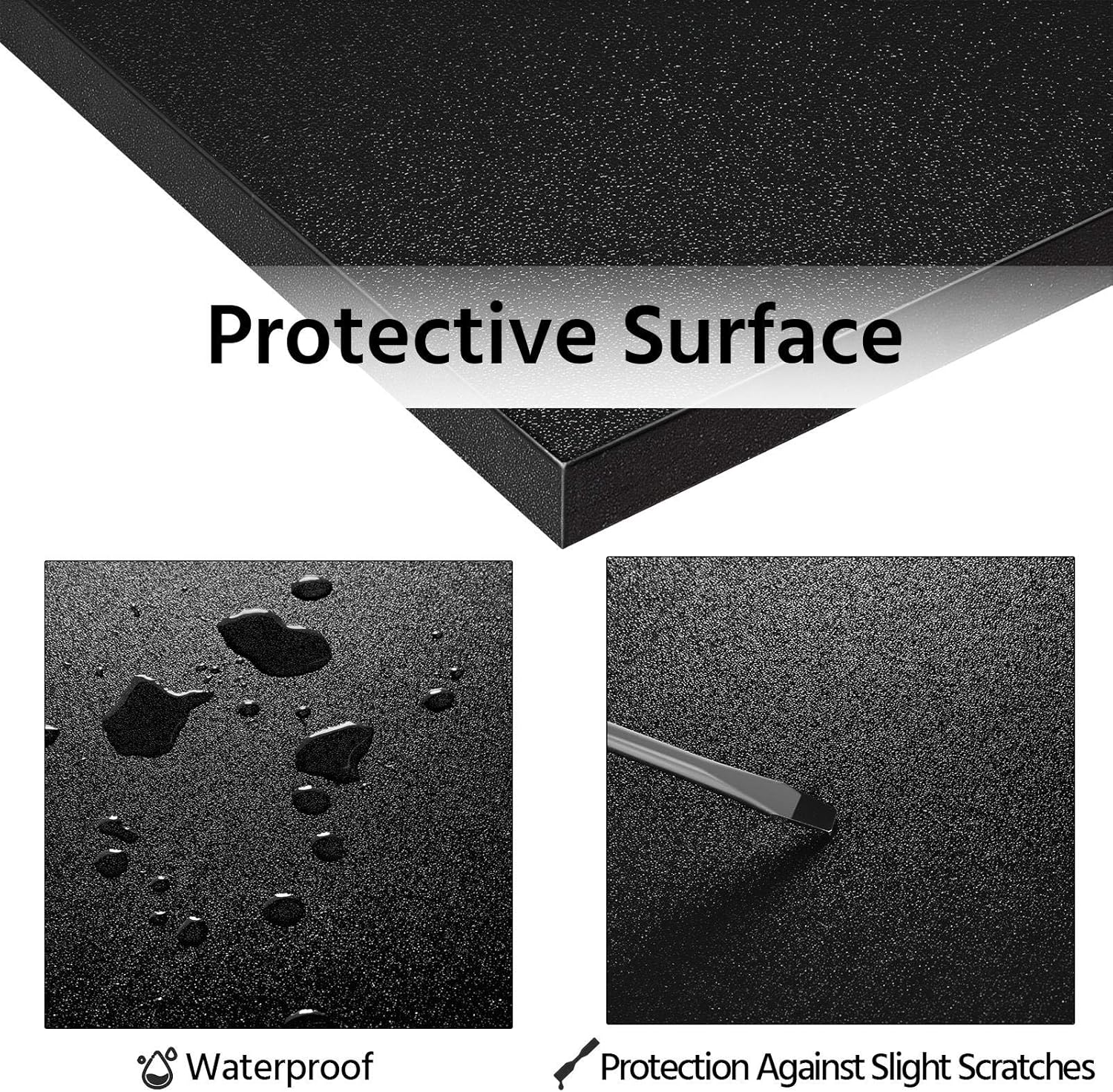
Image 6.1: The protective surface of the desk is waterproof and resistant to minor scratches.
7. Troubleshooting
7.1 Desk Wobbles
- Solution: Check if the desk is on an uneven surface. Adjust the footpads on each leg until the desk is stable. Ensure all assembly screws are fully tightened.
7.2 Missing Parts
- Solution: Carefully re-check all packaging materials. If parts are still missing, contact Yaheetech customer support with your model number and a description of the missing parts.
7.3 Difficulty Assembling
- Solution: Review the assembly instructions carefully. Ensure you are using the correct screws for each step. Do not force parts together. If issues persist, contact customer support.
8. Specifications
| Feature | Detail |
|---|---|
| Brand | Yaheetech |
| Model Number | YA-00102820 |
| Color | Black |
| Material | MDF P2, Metal |
| Overall Dimensions (L x W x H) | 162.5 cm x 130 cm x 97 cm (approx.) |
| Main Desk Height | 75 cm |
| Monitor Stand Height (above main desk) | 22 cm |
| Desk Depth | 50 cm |
| Item Weight | 21.63 kg |
| Special Features | Ergonomic, Monitor Stand, Adjustable Feet, Reinforced Crossbar, Wear-resistant surface |
| Recommended Uses | Office, Gaming, Study |
9. Warranty and Support
Yaheetech products are designed for quality and durability. For any questions regarding assembly, missing parts, or product performance, please contact Yaheetech customer service.
Please retain your purchase receipt for any warranty claims. Specific warranty details may vary by region and purchase point. Information regarding spare parts availability is not provided in the product details.
For further assistance, visit the official Yaheetech website or contact their customer support channels.


