
1. Introduction
The Ingco DM7502 is a 600V Digital Multimeter designed for precise electrical measurements. It features a 6000-count display and can measure AC/DC voltage, AC/DC current, resistance, capacitance, frequency, and temperature. This device offers stable performance, high accuracy, a large LCD backlight screen, and low power consumption, making it suitable for laboratory, factory, and home use.

Figure 1.1: The Ingco DM7502 Digital Multimeter, including its test leads and two AAA batteries.
2. Safety Information
WARNING: To avoid electric shock or personal injury, read all safety information before using this product.
- Always ensure the test leads are in good condition and properly connected before making any measurements.
- Do not apply more than the rated voltage, as marked on the multimeter, between the terminals or between any terminal and earth ground.
- Use caution when working with voltages above 30V AC RMS, 42V peak, or 60V DC. These voltages pose a shock hazard.
- Always turn off the circuit power and discharge all high-voltage capacitors before measuring resistance, continuity, diodes, or capacitance.
- Do not use the multimeter if it appears damaged or if the case is open.
- Replace the batteries as soon as the low battery indicator appears to ensure accurate readings.
- Adhere to local and national safety codes.
3. Product Overview
3.1. Components
The Ingco DM7502 multimeter consists of the main unit, test leads (red and black), and batteries. Key components include:
- LCD Display: Shows measurement readings, units, and various indicators.
- Rotary Switch: Used to select measurement functions.
- Function Buttons: For specific mode selections, data hold, and backlight control.
- Input Jacks: For connecting test leads.
- Non-Contact Voltage (NCV) Sensor: Located at the top of the device.
- Flashlight: Integrated for illumination in dark environments.
3.2. Display Features
The multimeter features a large 2.9-inch LCD backlit display, providing clear visibility even in low-light conditions. It offers a 6000-count resolution for precise measurements.

Figure 3.1: Detailed view of the multimeter's large LCD backlit display, showing its dimensions and various indicators.
The display also supports dual readings, and the backlight color changes to orange when voltage exceeds 80V or current exceeds 1A, indicating potentially hazardous conditions.

Figure 3.2: The multimeter display illustrating the change to an orange backlight when high voltage or current is detected.
With 6000 counts, the meter provides high-precision measurements.
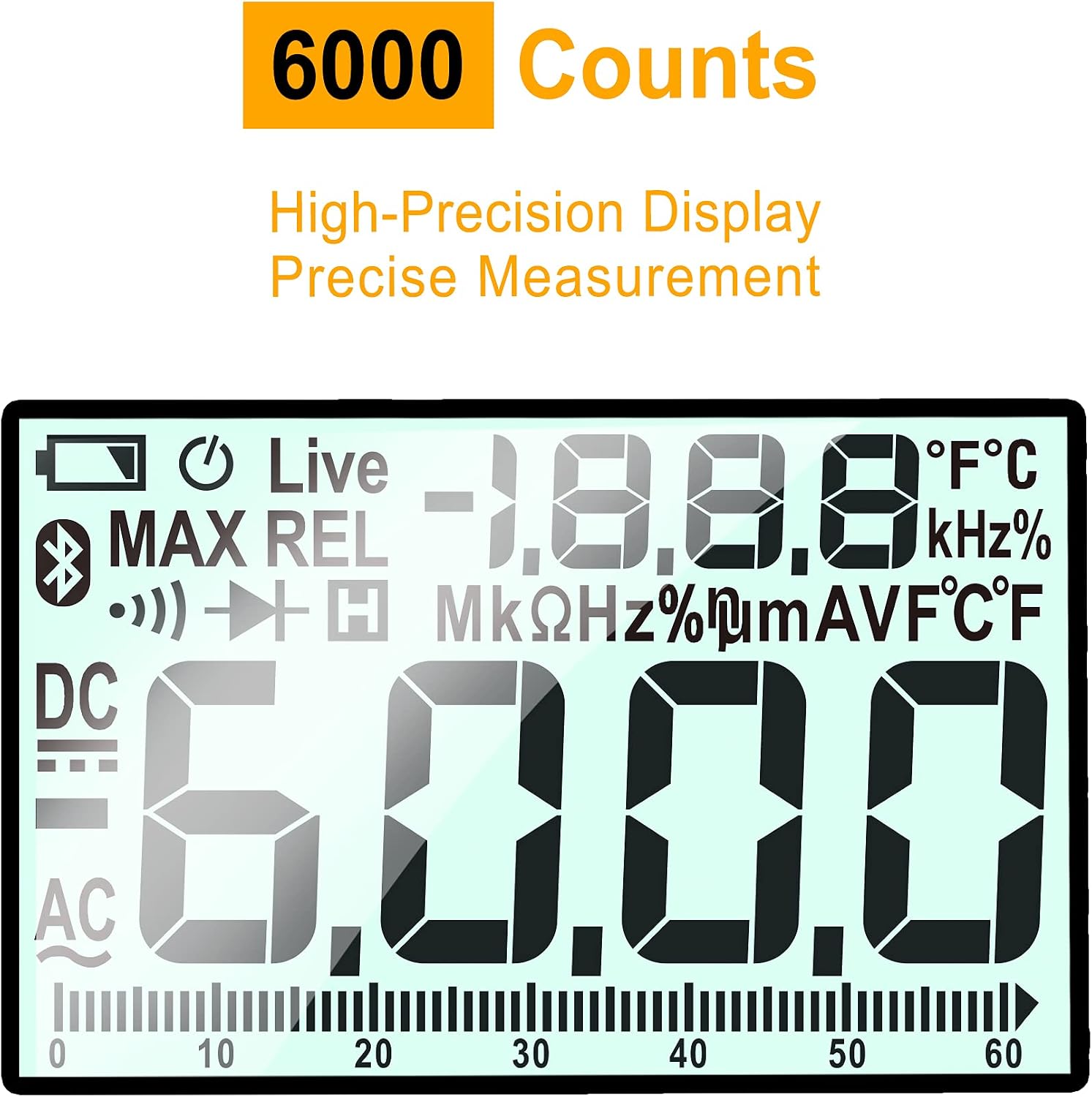
Figure 3.3: The 6000-count display, emphasizing the multimeter's high precision measurement capability.
The device also includes a built-in flashlight for convenience in dimly lit work areas.

Figure 3.4: The Ingco DM7502 multimeter with its integrated flashlight active, providing illumination.
4. Setup
4.1. Battery Installation
- Ensure the multimeter is turned off.
- Locate the battery compartment cover on the back of the device.
- Unscrew the retaining screw(s) and remove the cover.
- Insert two AAA batteries, observing the correct polarity (+ and -).
- Replace the battery compartment cover and secure it with the screw(s).
4.2. Connecting Test Leads
- Insert the black test lead into the "COM" (common) input jack.
- For most measurements (voltage, resistance, capacitance, frequency, temperature), insert the red test lead into the "VΩHz%" input jack.
- For current measurements (mA/µA), insert the red test lead into the "mA/µA" input jack.
- For high current measurements (10A), insert the red test lead into the "10A" input jack.
5. Operating Instructions
The Ingco DM7502 features an automatic range turntable design, simplifying measurement selection.

Figure 5.1: The rotary switch of the Ingco DM7502, highlighting its automatic range selection capabilities for various measurement types.
5.1. Selecting Measurement Functions
Turn the rotary switch to the desired measurement function. The multimeter will automatically select the appropriate range for most measurements (Auto-Ranging).
5.2. Common Measurements
- AC/DC Voltage Measurement (V~ / V-):
Turn the rotary switch to the V~ (AC Voltage) or V- (DC Voltage) position. Connect the test leads in parallel to the circuit or component being measured. The display will show the voltage reading.

Figure 5.2: Demonstrating voltage measurement using the multimeter on an electrical outlet.
- AC/DC Current Measurement (A~ / A-):
Turn the rotary switch to the A~ (AC Current) or A- (DC Current) position. Ensure the red test lead is in the correct current input jack (mA/µA or 10A). Connect the multimeter in series with the circuit. Caution: Never connect the multimeter in parallel for current measurement, as this can damage the device and the circuit.
- Resistance Measurement (Ω):
Turn the rotary switch to the Ω position. Ensure the circuit is de-energized. Connect the test leads across the component to measure its resistance.
- Capacitance Measurement (F):
Turn the rotary switch to the F position. Ensure the capacitor is fully discharged before connecting the test leads across it.
- Frequency Measurement (Hz):
Turn the rotary switch to the Hz position. Connect the test leads to the signal source to measure its frequency.
- Temperature Measurement (°C/°F):
Turn the rotary switch to the °C/°F position. Use the included temperature probe (if applicable) and place it on the object whose temperature is to be measured.
- Non-Contact Voltage (NCV) Measurement:
Turn the rotary switch to the NCV position. Hold the top of the multimeter near a live AC voltage source. The device will indicate the presence of AC voltage with an audible beep and visual indicator lights (green for weak signal, red for strong signal).

Figure 5.3: Illustration of the NCV function, showing how the multimeter detects AC signals and indicates strength with different colored lights.
- Live Wire Detection:
Turn the rotary switch to the "Live" position. Use the red test lead to touch the suspected live wire. The multimeter will indicate if the wire is live.
5.3. Function Buttons
- FUNC: Toggles between different modes within a single rotary switch position (e.g., AC/DC in voltage/current, diode/continuity).
- HOLD: Freezes the current reading on the display. Press again to release.
- MAX/MIN: Records the maximum and minimum readings during a measurement session. Press to cycle through MAX, MIN, and current readings.
- Backlight/Flashlight Button: Press briefly to turn on/off the display backlight. Press and hold to activate/deactivate the integrated flashlight.
6. Maintenance
6.1. Cleaning
Wipe the case with a damp cloth and mild detergent. Do not use abrasives or solvents. Ensure the device is dry before use.
6.2. Battery Replacement
When the low battery indicator appears on the display, replace the batteries as described in Section 4.1. Prompt battery replacement ensures accurate measurements and proper device function.
6.3. Test Lead Inspection
Regularly inspect test leads for any damage to the insulation or connectors. Replace damaged leads immediately to prevent electric shock hazards.
7. Troubleshooting
- No Display / Faint Display:
Check battery installation and charge level. Replace batteries if necessary.
- Incorrect Readings:
Ensure the correct measurement function is selected. Verify test lead connections. Check battery level. Ensure the circuit is de-energized for resistance/continuity measurements.
- "OL" or "OVER" on Display:
Indicates an overload or out-of-range measurement. Select a higher range (if manual ranging) or ensure the measured value is within the device's specifications.
- No NCV Detection:
Ensure the NCV function is selected and the sensor is held close enough to the AC source. Verify the AC source is live.
8. Specifications
| Feature | Specification |
|---|---|
| Model | DM7502 |
| Display | 6000 Counts, Large LCD Backlight |
| Max Voltage | 600V (AC/DC) |
| Max Current | 10A (AC/DC) |
| Resistance | Yes |
| Capacitance | Yes |
| Frequency | Yes |
| Temperature | Yes |
| Non-Contact Voltage (NCV) | Yes |
| Live Wire Detection | Yes |
| True RMS Measurement | Yes |
| Power Source | 2 x AAA Batteries (included) |
| Item Weight | 572 g (0.57 kg) |
| Product Dimensions | 23 x 11.7 x 4.9 cm |
Figure 8.1: The rotary switch indicating various measurement functions and automatic range capability.
Figure 8.2: The 6000-count display, a key specification for measurement precision.

Figure 8.3: A diagram explaining the concept of True RMS measurement, which accurately measures non-sinusoidal waveforms.
9. Warranty and Support
For warranty information and technical support, please refer to the official Ingco website or contact your local distributor. Keep your purchase receipt as proof of purchase for any warranty claims.
Manufacturer: INGCO TOOLS
Model Number: DM7502


