
Introduction
Thank you for choosing the Hoco ES46 Stereo Wireless Bluetooth Earphones. This manual provides detailed instructions on how to set up, operate, and maintain your earphones to ensure optimal performance and longevity. Please read this manual carefully before use.
Package Contents
The Hoco ES46 package includes the following items:
- Hoco ES46 Wireless Earbuds (Left and Right)
- Charging Case
- Charging Cable
- User Manual

Image: Hoco ES46 Earphones, charging case, charging cable, and user manual.
Product Overview
The Hoco ES46 consists of two wireless earbuds and a portable charging case. The earbuds are designed for in-ear comfort and feature touch controls.
Earbuds
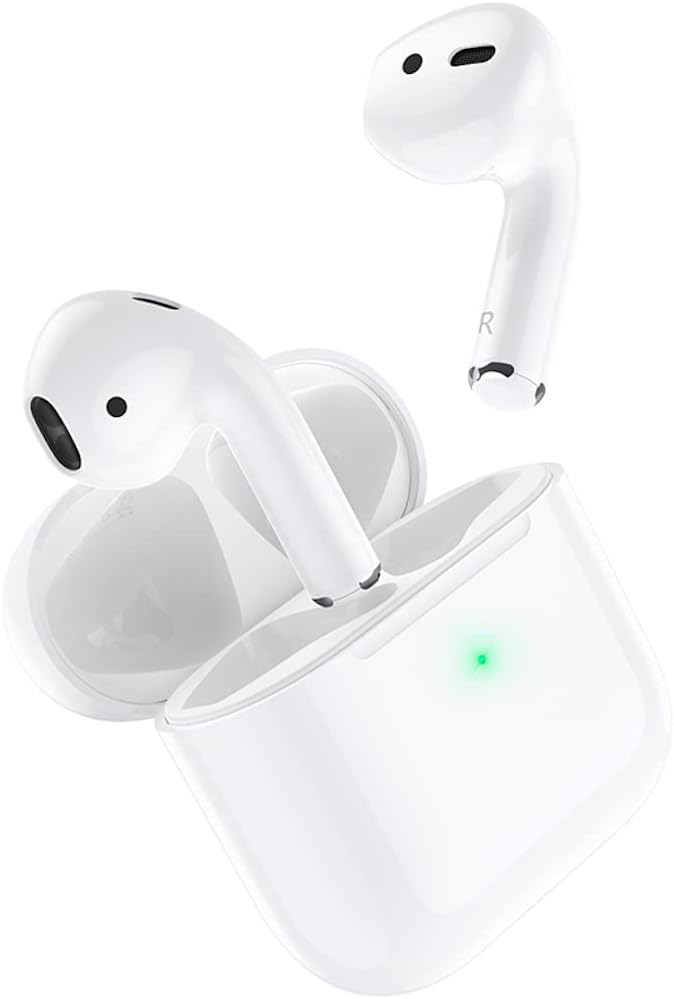
Image: The left and right Hoco ES46 earbuds, showing their ergonomic design.
Charging Case
The charging case not only protects your earbuds but also charges them on the go. It features an LED indicator for charging status and a charging port.
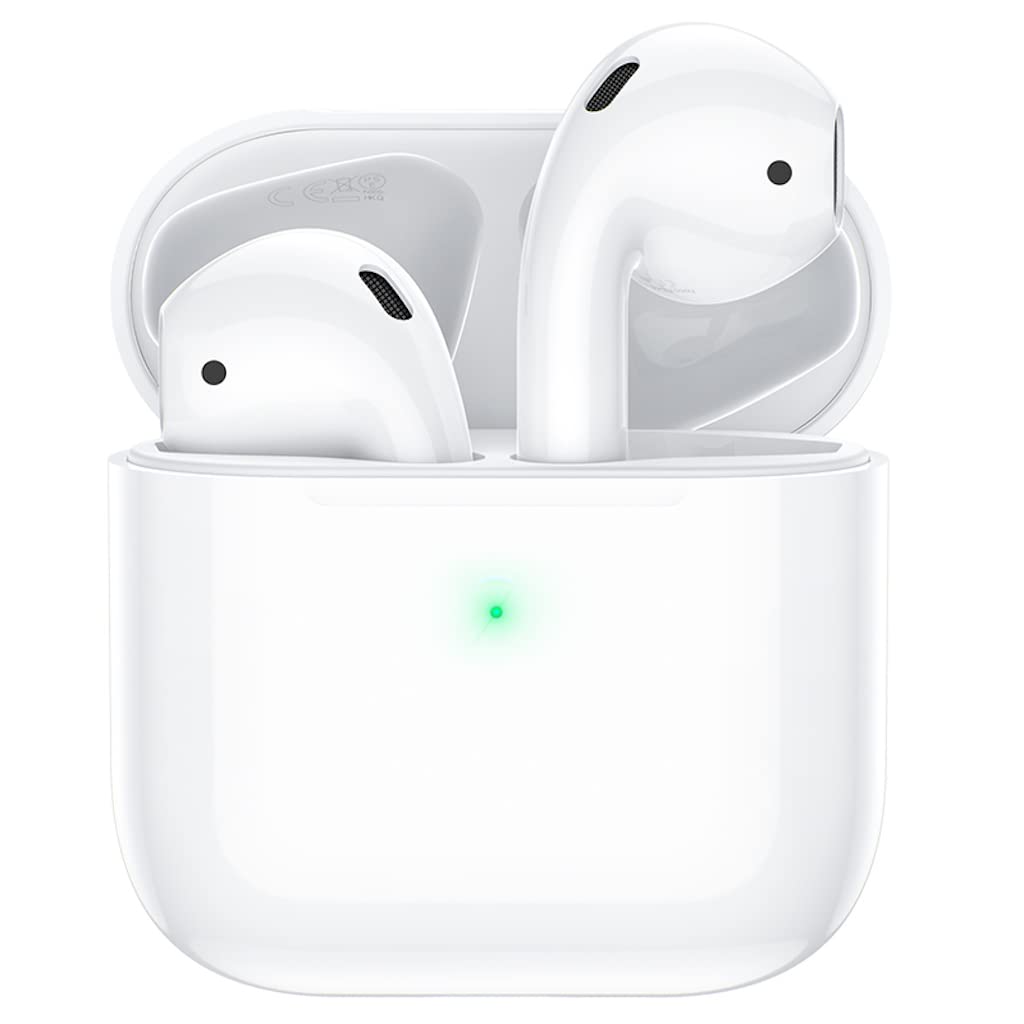
Image: Hoco ES46 earbuds placed inside their charging case, with a green LED indicating charging status.

Image: The Hoco ES46 charging case opened, revealing the compartments for the left and right earbuds.
Setup
Charging the Earbuds and Case
Before first use, fully charge the earbuds and the charging case. Place the earbuds into the charging case. Connect the charging cable to the case and a power source. The LED indicator on the case will show charging status.
- Charging Case Battery Capacity: 320 mAh
- Earbud Battery Capacity: 30 mAh (each)
Bluetooth Pairing
The Hoco ES46 uses Bluetooth 5.0 for a stable connection.
- Ensure the earbuds are charged.
- Open the charging case. The earbuds will automatically enter pairing mode.
- On your mobile device (e.g., iPhone, Samsung, Xiaomi, Huawei, Oppo), go to Bluetooth settings and enable Bluetooth.
- Select "Hoco ES46" from the list of available devices to connect.
- For Apple mobile phones, a pop-up window may appear upon opening the charging case, allowing for quick connection and displaying real-time battery levels for both earbuds and the case.

Image: An iPhone screen showing the Hoco ES46 pairing pop-up, prompting the user to connect.

Image: An iPhone screen displaying the Hoco ES46 as connected, along with individual battery levels for the left earbud, right earbud, and charging case.
Operating the Earphones
Touch Controls
The Hoco ES46 earbuds feature intuitive touch controls for various functions. Specific touch gestures (e.g., single tap, double tap, long press) will control playback, calls, and voice assistant activation.
Music Playback and Calls
Once paired, you can enjoy music and manage calls wirelessly.
- Talk/Music Time: Approximately 3 hours on a full charge.
- Standby Time: Up to 200 hours.
Image: Hoco ES46 earbuds positioned next to a smartphone displaying a music playback interface, illustrating their use for audio.
Voice Assistant Activation
The earbuds support voice assistant activation, including "Hey Siri" for compatible Apple devices. Refer to your device's settings for specific voice assistant configurations.
Maintenance
Proper maintenance ensures the longevity and performance of your Hoco ES46 earphones.
- Cleaning: Regularly clean the earbuds and charging case with a soft, dry, lint-free cloth. Avoid using harsh chemicals or abrasive materials.
- Storage: When not in use, store the earbuds in their charging case to protect them from dust and damage. Keep them in a cool, dry place away from extreme temperatures.
- Charging: Use only the provided charging cable or a certified equivalent. Avoid overcharging or completely draining the battery frequently.
Troubleshooting
If you encounter issues with your Hoco ES46 earphones, try the following solutions:
- No Sound/Cannot Pair: Ensure both earbuds are charged. Turn off and on your device's Bluetooth. Try forgetting "Hoco ES46" in your device's Bluetooth settings and re-pairing.
- One Earbud Not Working: Place both earbuds back into the charging case, close the lid, wait a few seconds, then open and try again. Ensure both earbuds are charged.
- Charging Issues: Check the charging cable and power adapter. Ensure the charging contacts on the earbuds and inside the case are clean and free of debris.
- Unresponsive Touch Controls: Ensure your fingers are clean and dry. Try restarting the earbuds by placing them in the case and taking them out again.
Specifications
| Model Name | ES46 |
| Bluetooth Version | 5.0 |
| Bluetooth Chip | JL AC6936D |
| Charging Case Battery Capacity | 320 mAh |
| Earbud Battery Capacity | 30 mAh (each) |
| Talk/Music Time | Approximately 3 hours |
| Standby Time | Approximately 200 hours |
| Dimensions | 44.3 × 44.3 × 21.5 mm |
| Total Weight | 36 grams |
| Control Method | Touch |
| Headphones Form Factor | In-Ear |
| Connectivity Technology | Wireless (Bluetooth) |
| Compatible Devices | Desktop Computers, Tablet Computers, Laptops, Mobile Phones, Game Controllers |
Safety Information
Please observe the following safety guidelines:
- Do not disassemble or modify the product.
- Keep away from water and high humidity.
- Avoid exposing to extreme temperatures.
- Do not use while driving or in situations where inability to hear ambient sounds could be dangerous.
- Dispose of the product responsibly according to local regulations.
Warranty and Support
For warranty information and customer support, please refer to the product packaging or contact Hoco customer service directly. Specific warranty terms may vary by region.