
Introduction
This TFA Dostmann radio-controlled wall clock provides accurate timekeeping via the DCF77 signal, automatically adjusting for daylight saving time. Its large, easy-to-read digital display shows indoor and outdoor temperatures, date, and day of the week. An external sensor transmits outdoor temperature wirelessly up to 70 meters. Additional features include a temperature alarm and an alarm clock function. The clock can be wall-mounted or freestanding.
Setup
1. Unpacking and Components
Carefully remove all components from the packaging. Ensure you have the main clock unit, the outdoor sensor, and this instruction manual.
2. Battery Installation
- Main Clock Unit: Open the battery compartment on the back of the main unit. Insert 4 x 1.5V AA batteries, observing the correct polarity (+/-).
- Outdoor Sensor: Open the battery compartment on the back of the outdoor sensor. Insert 2 x 1.5V AAA batteries, observing the correct polarity (+/-).
Always replace all batteries at once with new ones of the same type. Do not mix old and new batteries or different battery types.

Image: Rear view of the main clock unit, highlighting the battery compartment and control buttons.

Image: The external 433 MHz remote sensor for outdoor temperature measurement.
3. Outdoor Sensor Placement
Place the outdoor sensor outside in a sheltered location, away from direct sunlight and rain, within 70 meters (230 feet) of the main unit. Ensure there are no major obstructions between the sensor and the main unit that could interfere with the wireless signal.
4. Initial Synchronization
After battery installation, the clock will automatically attempt to receive the DCF77 radio signal for time synchronization. This process may take several minutes. Ensure the clock is placed away from electronic devices that may cause interference. The radio signal icon will flash during synchronization and become solid once the signal is successfully received.
Operating Instructions
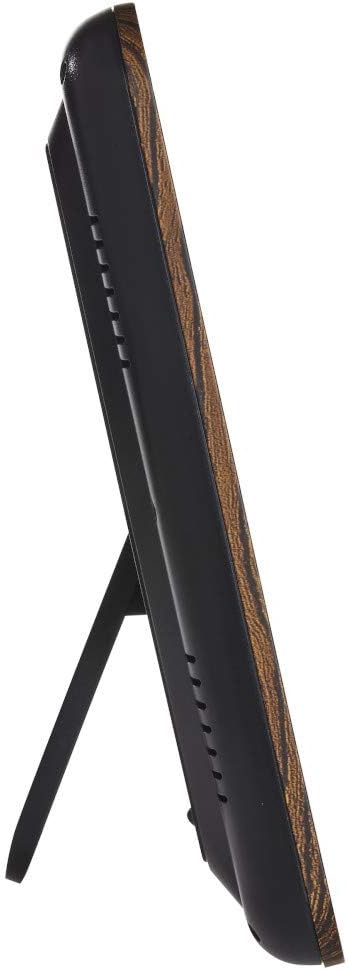
Image: Front view of the digital display showing various information.
1. Time Display
The clock displays the time with second-accurate precision, automatically updated via the DCF77 radio signal. It also automatically adjusts for summer and winter time changes.
2. Date and Day of the Week
The current date and day of the week are shown on the display. The day of the week can be displayed in 10 different languages. Refer to the manual's settings section for language adjustment.
3. Temperature Display
Both indoor and outdoor temperatures are displayed. The outdoor temperature is transmitted wirelessly from the external sensor. The display can typically switch between Celsius and Fahrenheit.
4. Temperature Alarm
A temperature alarm can be set to alert you to extreme temperatures, such as frost warnings. Consult the manual's settings section for configuring the temperature alarm thresholds.
5. Alarm Clock Function
The device can also function as an alarm clock with a snooze feature. Use the 'ALARM' and 'SNOOZE' buttons on the back of the unit to set and manage the alarm.
6. Time Zone Setting
Time zones (+/- 23 hours) can be configured if you are located outside the standard DCF77 reception area but still wish to use the radio-controlled time.
Maintenance
1. Battery Replacement
Replace batteries when the low battery indicator appears on the display. Always replace all batteries at once with new ones of the same type and ensure correct polarity. Dispose of used batteries responsibly.
2. Cleaning
Clean the clock and sensor with a soft, dry cloth. Do not use abrasive cleaners, solvents, or chemical agents, as these can damage the surfaces and electronic components.
Troubleshooting
1. No Time Signal (DCF77)
- Ensure the clock is away from electronic devices (TVs, computers, microwaves) that may cause interference.
- Try repositioning the clock to a different location, preferably near a window, to improve signal reception.
- Manual time setting may be required if the signal cannot be received consistently in your area.
2. Incorrect Temperature Reading
- Check the outdoor sensor's battery. Replace if necessary.
- Ensure the sensor is within the specified range (70m) and not obstructed by thick walls or metal objects.
- Avoid placing the outdoor sensor in direct sunlight, which can lead to artificially high temperature readings.
3. Display Issues
- Check battery levels in both the main unit and the sensor.
- If issues persist, remove and reinsert batteries to perform a soft reset of the device.
Specifications
| Brand | TFA |
| Model Number | 60.4518.08 |
| Color | Brown |
| Dimensions (L x W x H) | 24.8 x 2.5 x 20.6 cm (9.76 x 0.98 x 8.11 inches) |
| Weight | 481 g (1.06 lbs) |
| Material | Wood aspect, Plastic |
| Power Source | Battery operated |
| Batteries (Main Unit) | 4 x 1.5V AA (not included) |
| Batteries (Transmitter) | 2 x 1.5V AAA (not included) |
| Indoor Temperature Range | -10 to +50 °C (+14 to +122 °F) |
| Outdoor Temperature Range | -20 to +50 °C (-4 to +122 °F) |
| Transmitter Model | 30.3210.10 |
| Transmitter Range | Max. 70 m (230 feet) |
| Display Type | Digital |
| Special Features | Temperature display, Alarm, Large display, Radio-controlled time, Date, Day of the week |
Warranty and Support
Warranty Information
Spare parts for this product are available for a period of 1 year from the date of purchase. For specific warranty terms and conditions, please refer to the documentation provided with your purchase or contact the manufacturer directly.
Customer Support
For further assistance, technical support, or inquiries regarding your TFA Dostmann 60.4518.08 Radio-Controlled Wall Clock, please visit the official TFA Dostmann website or contact their customer service department. Contact details can typically be found on the manufacturer's website or in the product packaging.


