
1. Introduction
Thank you for choosing the Bluenin HWS-918 Bluetooth 5.0 Neckband Wireless Headphones. This manual provides essential information for setting up, operating, and maintaining your device. Please read it carefully to ensure optimal performance and longevity of your headphones.
The Bluenin HWS-918 features Bluetooth 5.0 connectivity, retractable earbuds, CVC 8.0 noise-cancelling microphone, and a comfortable neckband design, making it suitable for various activities including sports and daily use.
2. Product Overview
2.1 Package Contents
- Bluenin HWS-918 Neckband Wireless Headphones
- USB Charging Cable
- Ear Tips (S, M, L sizes)
- User Manual
2.2 Headphone Components
Familiarize yourself with the main components and controls of your Bluenin HWS-918 headphones.

Image: Overview of the Bluenin HWS-918 neckband headphones, showing the general design and location of controls.
- Neckband: Houses battery, control buttons, and electronics.
- Retractable Earbuds: In-ear design with automatic retraction.
- Control Buttons: Power, Volume Up/Down, Play/Pause/Multi-function, Retract.
- Microphone: Built-in CVC 8.0 noise-cancelling microphone for calls.
- USB Charging Port: For recharging the internal battery.
- LED Indicator: Displays power, pairing, and charging status.
3. Setup
3.1 Charging the Headphones
Before first use, fully charge the headphones. Connect the USB charging cable to the headphone's charging port and to a USB power source (e.g., computer, wall adapter). The LED indicator will show charging status.
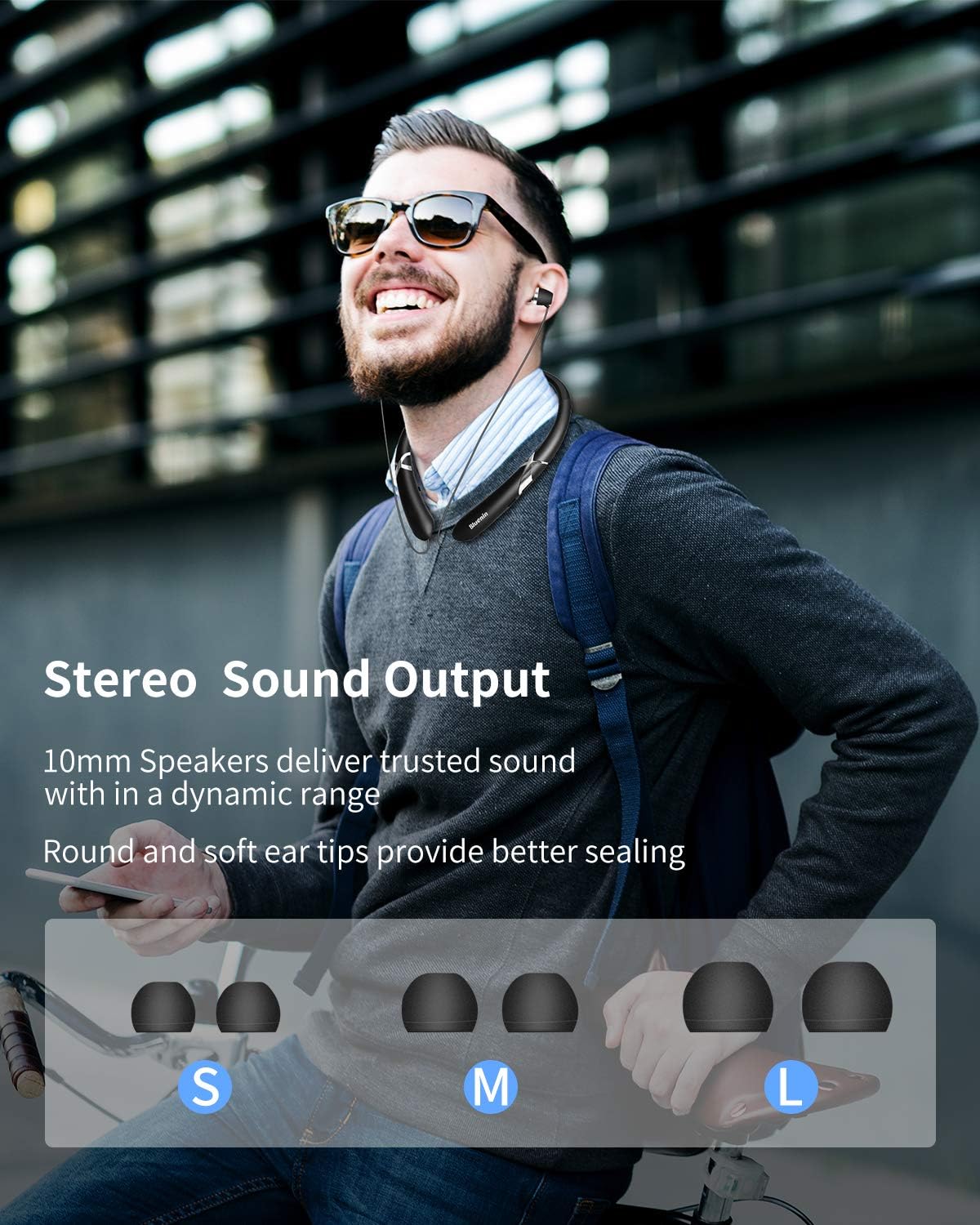
Image: The Bluenin HWS-918 headphones with an overlay showing a battery icon and text indicating 15 hours of playing time and 500 hours of standby time from a 180mAh battery.
- A full charge provides approximately 14 hours of music playback or 16 hours of talk time.
- Standby time is up to 500 hours.
- The battery status can be viewed on your connected Bluetooth device (if supported).
3.2 Bluetooth Pairing
To connect your headphones to a device:

Image: The Bluenin HWS-918 headphones with graphics emphasizing Bluetooth 5.0, an integrated Qualcomm CSR chip, a wireless range of up to 33 feet, and the capability to connect to two devices simultaneously.
- Ensure the headphones are charged and turned off.
- Press and hold the Power button until the LED indicator flashes red and blue alternately, indicating pairing mode.
- On your device (smartphone, tablet, computer), enable Bluetooth and search for available devices.
- Select "Bluenin HWS-918" from the list of found devices.
- Once connected, the LED indicator will flash blue slowly.
- The headphones can connect to two devices simultaneously.
4. Operating Instructions
4.1 Power On/Off
- Power On: Press and hold the Power button for 3 seconds. The LED will flash blue.
- Power Off: Press and hold the Power button for 3 seconds. The LED will flash red and then turn off.
4.2 Music Playback
- Play/Pause: Press the Multi-function button once.
- Volume Up: Press the "+" button.
- Volume Down: Press the "-" button.
- Next Track: Press and hold the "+" button.
- Previous Track: Press and hold the "-" button.
4.3 Call Functions

Image: The Bluenin HWS-918 headphones are depicted with a smartphone displaying an incoming call interface. An icon illustrates the vibrating reminder feature, and a separate image shows a mute button, indicating the ability to easily cut off the microphone.
- Answer/End Call: Press the Multi-function button once.
- Reject Call: Press and hold the Multi-function button for 2 seconds.
- Redial Last Number: Double-press the Multi-function button.
- Mute Microphone: Press the dedicated Mute button during a call.
- Call Vibration Alert: The headphones will vibrate to notify you of an incoming call.
4.4 Retractable Earbuds
The Bluenin HWS-918 features automatic retractable earbuds for tangle-free storage.

Image: The Bluenin HWS-918 neckband headphones are shown with hands demonstrating the automatic retraction of the earbud wires. Arrows indicate the movement of the wires, highlighting the one-button control for tangle-free storage.
- To extend the earbuds, gently pull them out to the desired length.
- To retract, press the dedicated Retract button on the neckband. The earbuds will automatically retract into the neckband.
- Avoid forcing the earbuds or wires, as this may cause damage. The wires are designed for over 5000 retractions.
4.5 Wearing the Headphones
The ergonomic neckband design ensures comfortable wear throughout the day.

Image: A person wearing the Bluenin HWS-918 headphones, demonstrating the stereo sound output from 10mm speakers. Below, different sizes of ear tips (Small, Medium, Large) are displayed, indicating options for a better seal and comfort.
- Place the neckband around your neck, ensuring a comfortable fit.
- Select the appropriate ear tip size (S, M, L) for a secure and comfortable fit that also optimizes sound quality.
- The headphones are sweatproof, making them suitable for sports and exercise.
5. Maintenance
5.1 Cleaning
- Wipe the headphones with a soft, dry cloth.
- For ear tips, remove them and clean with a mild soap solution, then rinse and dry thoroughly before reattaching.
- Do not use abrasive cleaners or immerse the headphones in water.
5.2 Storage
- Store the headphones in a cool, dry place away from direct sunlight and extreme temperatures.
- Ensure earbuds are fully retracted before storing to prevent wire damage.
5.3 Water Resistance
The headphones are water resistant, suitable for sweat and light splashes. They are not designed for submersion in water.
6. Troubleshooting
| Problem | Possible Cause | Solution |
|---|---|---|
| Headphones do not power on | Low battery | Charge the headphones fully. |
| Cannot pair with device | Headphones not in pairing mode; Bluetooth off on device; Device too far | Ensure headphones are in pairing mode (flashing red/blue). Turn on Bluetooth on your device. Move device closer to headphones (within 33ft). |
| No sound | Volume too low; Not connected; Wrong audio output selected | Increase volume on headphones and device. Ensure headphones are connected. Check device's audio output settings. |
| Poor call quality | Weak signal; Microphone obstructed | Move closer to your connected device. Ensure microphone is not covered. |
| Earbuds do not retract | Mechanism jammed; Retract button not pressed | Ensure no obstruction. Press the retract button firmly. Do not force the wires. |
7. Specifications
| Feature | Specification |
|---|---|
| Model Name | HWS-918 |
| Brand | Bluenin |
| Connectivity Technology | Wireless (Bluetooth 5.0) |
| Bluetooth Chip | CSR8645 |
| Form Factor | In Ear (Retractable) |
| Microphone | CVC 8.0 Noise-Cancelling |
| Battery Life (Music) | Up to 14 hours |
| Battery Life (Talk) | Up to 16 hours |
| Standby Time | Up to 500 hours |
| Charging Port | USB |
| Water Resistance Level | Water Resistant (Sweatproof) |
| Material | Plastic |
| Color | Matte Black |
| Compatible Devices | Smartphones, Laptops, Tablets, Computers |
| Control Method | Touch / Buttons |
8. Warranty and Support
Every Bluenin product includes a 45-day money-back guarantee and a one-year warranty from the date of purchase.
For technical support, warranty claims, or further assistance, please refer to the contact information provided with your purchase or visit the official Bluenin website.