
1. Introduction
This manual provides essential information for the safe and efficient operation, maintenance, and troubleshooting of your Deerma DX600 2-in-1 Upright/Handheld Vacuum Cleaner. The DX600 is designed for versatile cleaning, functioning as both an upright and a handheld unit. It features a 4-stage HEPA filtration system and mesh cyclonic technology to effectively capture dust particles. Its lightweight design and ergonomic handle enhance maneuverability.
2. Safety Instructions
To ensure safe operation and prevent damage, please read and adhere to the following safety guidelines:
- Read all instructions thoroughly before using the appliance.
- This appliance is for household use only. Do not use it for commercial or industrial purposes.
- Do not pick up liquids, hot ashes, burning cigarettes, or sharp objects with the vacuum cleaner.
- Keep the vacuum cleaner away from children and pets during operation.
- Always unplug the appliance from the power outlet before cleaning, maintenance, or when not in use.
- Do not operate the vacuum cleaner with a damaged power cord or plug. Contact customer service for repair.
- Ensure all filters are correctly installed before operating the vacuum cleaner.
- Do not block the air vents during operation to prevent overheating.
- Use only manufacturer-recommended attachments and accessories.
3. Package Contents
Verify that all components are present in the package:
- Main Vacuum Unit (Motor and Dust Cup)
- Extension Tube
- Floor Brush
- Small Brush Attachment
- Crevice Tool Attachment
- User Manual
4. Product Features
The Deerma DX600 vacuum cleaner offers several key features for effective cleaning:
- 2-in-1 Design: Easily converts between upright and handheld modes for versatile cleaning of floors, furniture, and tight spaces.
- Advanced Filtration: Equipped with a 4-layer HEPA filtration system and a pinhole stainless steel filter to capture fine dust, hair, and allergens.
- Strong Suction: Features second-generation steel mesh cyclonic technology, providing up to 15,000 Pa suction power for continuous cleaning performance.
- Flexible Floor Brush: The 270° flexible rotation floor brush allows easy access under furniture and into corners.
- Large Dust Cup: A 0.8L dust cup capacity reduces the frequency of emptying during cleaning tasks.
- Lightweight Construction: Designed for easy handling, weighing approximately 2kg in upright mode and 1.4kg in handheld mode.

Figure 1: Key features including the rear vent for heat dissipation, four-layer filter, push-button switch, and comfortable handle.
5. Assembly
The Deerma DX600 can be assembled for upright or handheld use.
5.1 Upright Configuration
- Insert the extension tube firmly into the main vacuum unit until it clicks into place.
- Attach the floor brush to the other end of the extension tube, ensuring it is securely fastened.

Figure 2: The Deerma DX600 assembled for upright cleaning.
5.2 Handheld Configuration
- To convert to handheld mode, press the release button on the extension tube and detach it from the main vacuum unit.
- Attach the desired accessory (small brush or crevice tool) directly to the main vacuum unit.
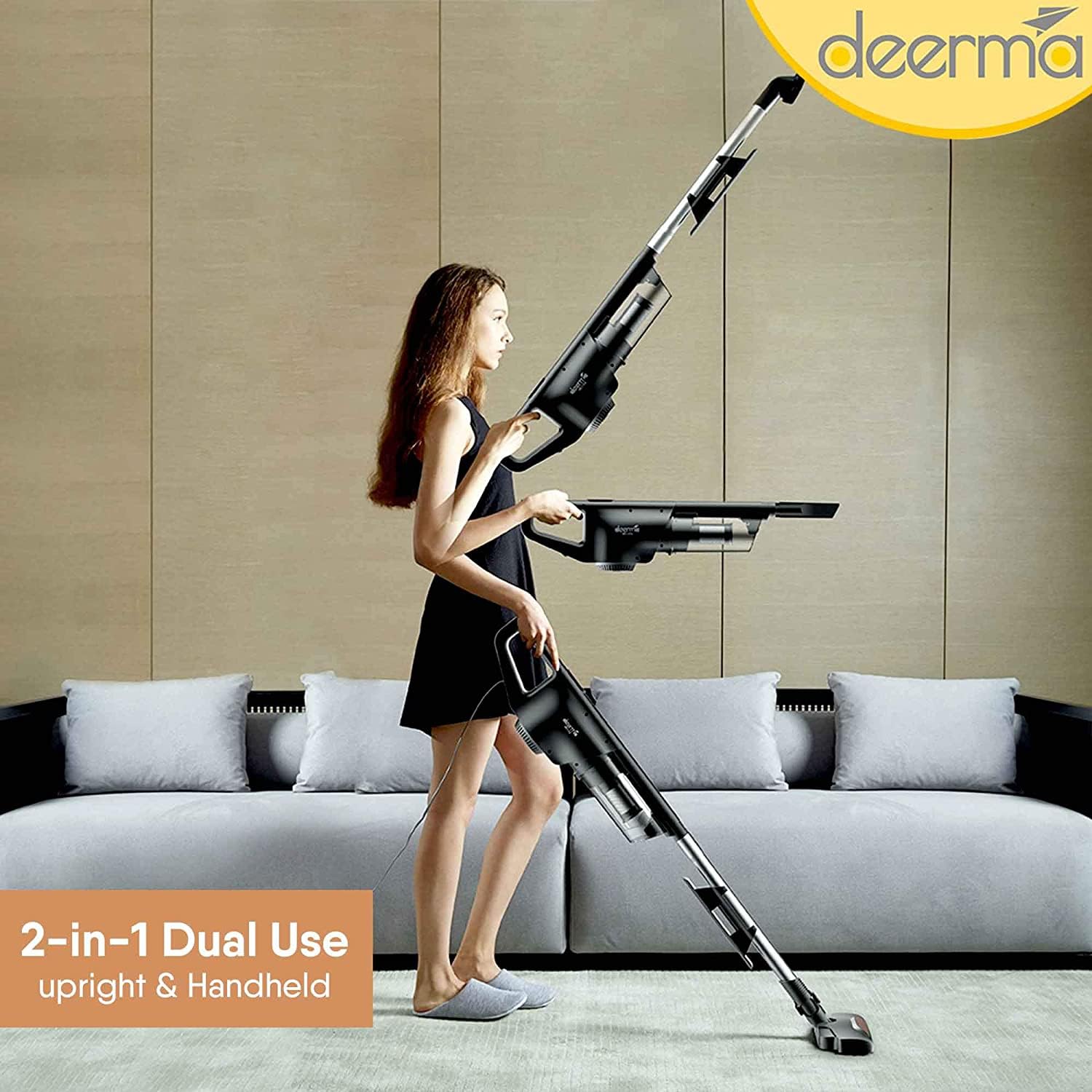
Figure 3: Demonstrating the versatility of the 2-in-1 upright and handheld design.

Figure 4: Handheld use with interchangeable brush heads for various surfaces.
6. Operating Instructions
6.1 Powering On/Off
Plug the power cord into a suitable electrical outlet. Press the power button located on the main unit to turn the vacuum cleaner on. Press it again to turn it off.
6.2 Upright Mode Operation
For floor cleaning, use the vacuum in its upright configuration. Guide the floor brush across the surface to be cleaned. The 270° flexible rotation allows for easy maneuvering around obstacles and under furniture.
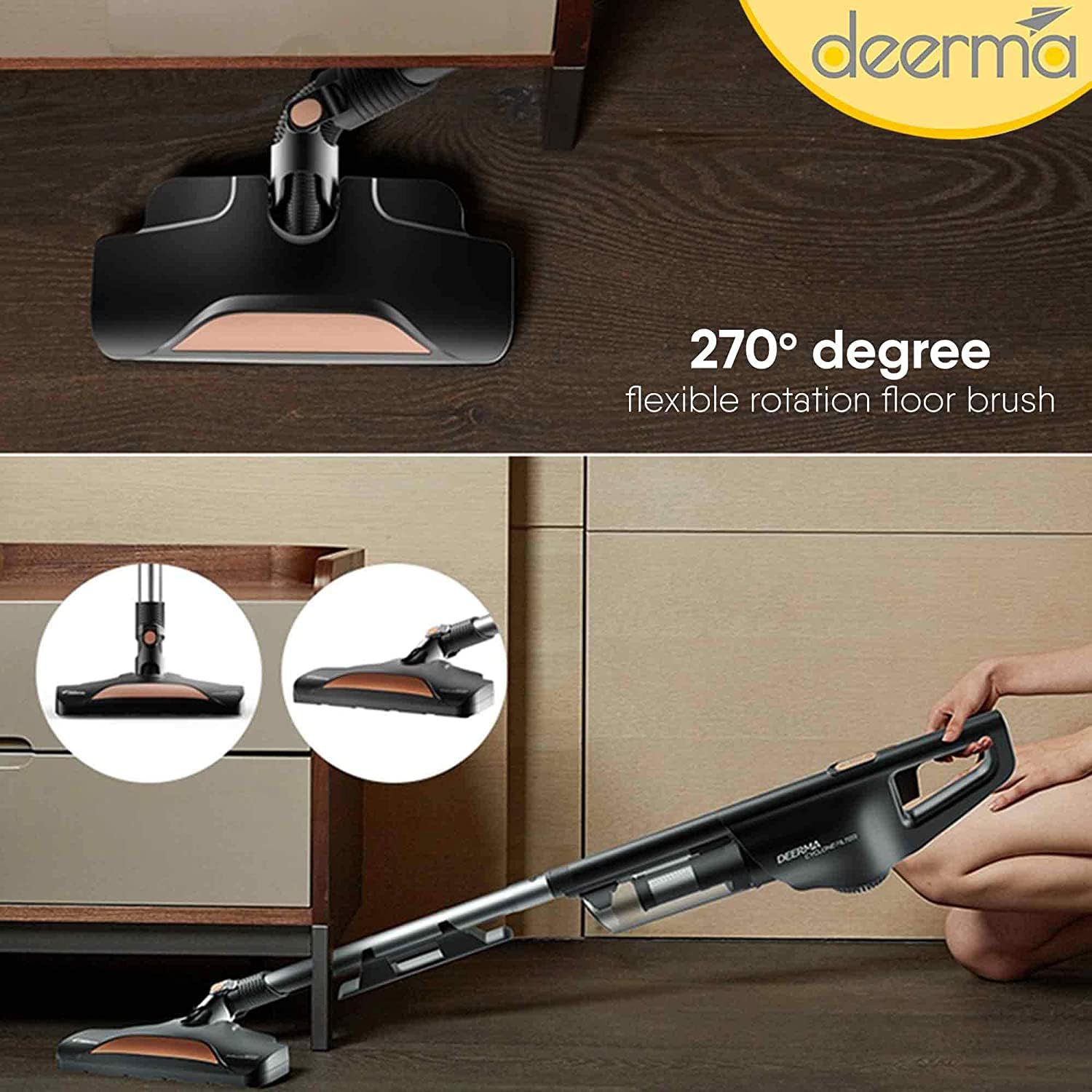
Figure 5: The 270-degree flexible floor brush for enhanced maneuverability.

Figure 6: Illustrates the vacuum's ability to deeply clean and suck in various particles.
6.3 Handheld Mode Operation
For cleaning upholstery, curtains, car interiors, or tight corners, use the vacuum in handheld mode with the appropriate attachment. The small brush is suitable for delicate surfaces, while the crevice tool is ideal for narrow gaps.
7. Maintenance and Cleaning
Regular maintenance ensures optimal performance and extends the lifespan of your vacuum cleaner.
7.1 Emptying the Dust Cup
When the dust cup is full, or suction power decreases, it is time to empty it. Press the release button on the bottom of the dust cup to detach it from the main unit. Empty the contents into a waste bin.
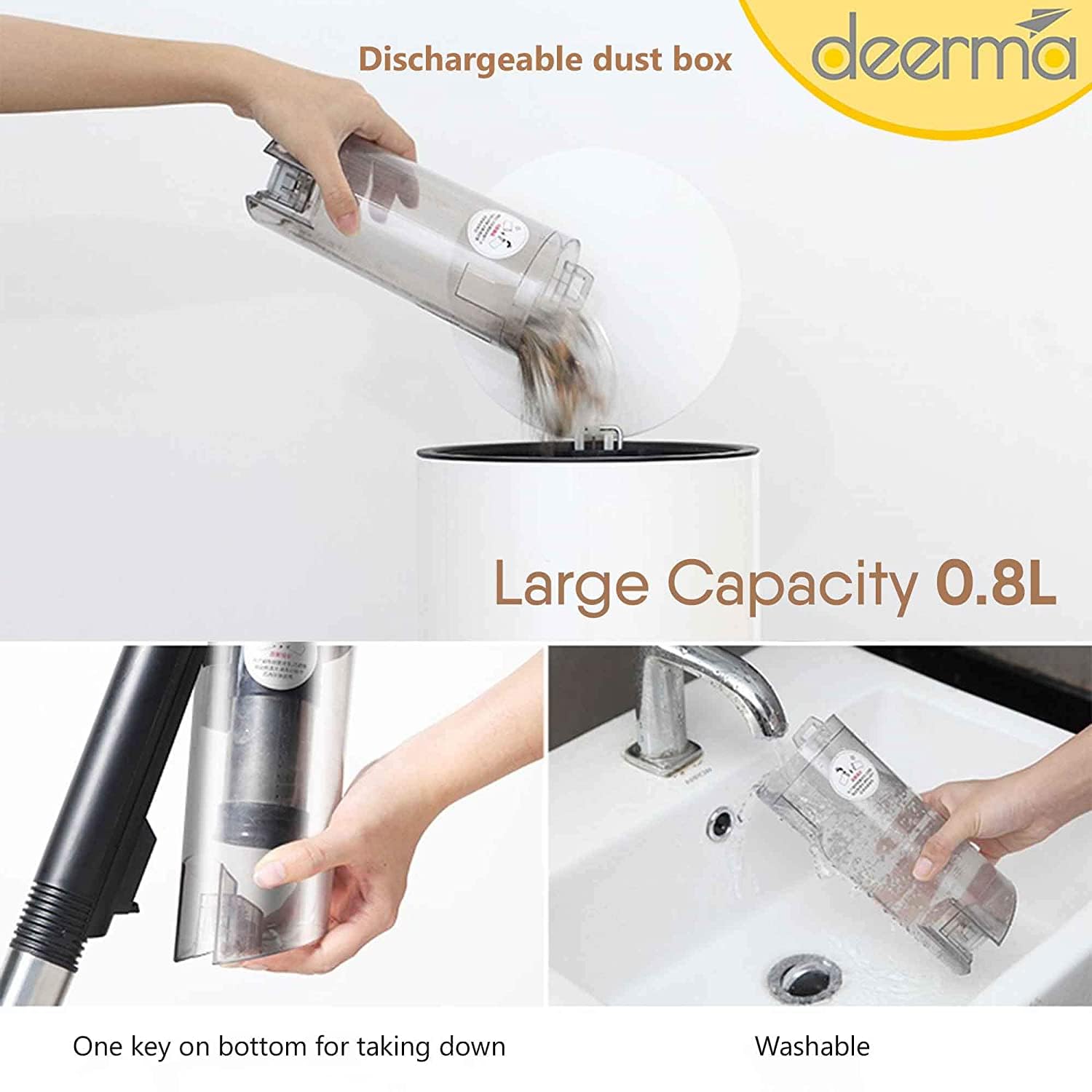
Figure 7: Steps for emptying and washing the large capacity dust cup.
7.2 Cleaning the Filters
The Deerma DX600 features a 4-layer filtration system, including a pinhole stainless steel filter. These filters should be cleaned regularly to maintain suction power.
- Remove the dust cup as described above.
- Carefully remove the filter components from the dust cup.
- Tap the filters gently to dislodge loose dust. For thorough cleaning, rinse the filters under running water.
- Ensure all filter components are completely dry before reassembling them into the dust cup and attaching it back to the main unit. Do not use the vacuum with wet filters.

Figure 8: The Pinhole Stainless Steel filter, a key component of the filtration system.
7.3 Cleaning the Floor Brush
Periodically check the floor brush for tangled hair or debris. Use scissors to cut away any tangled hair and remove any obstructions to ensure smooth operation.
8. Troubleshooting
If you encounter issues with your Deerma DX600, refer to the following troubleshooting guide:
| Problem | Possible Cause | Solution |
|---|---|---|
| Vacuum does not turn on | No power supply; Power cord not plugged in; Power button not pressed. | Check power outlet; Ensure power cord is securely plugged in; Press the power button firmly. |
| Reduced suction power | Dust cup full; Filters clogged; Obstruction in nozzle/hose. | Empty dust cup; Clean or replace filters; Remove any obstructions. |
| Unusual noise during operation | Obstruction in brush roll or air path; Loose component. | Inspect brush roll and air path for obstructions and remove them; Ensure all components are securely assembled. |
| Motor stops unexpectedly (overheating) | Blocked air vents; Overuse; Clogged filters. | Turn off and unplug the vacuum. Allow it to cool down for at least 30 minutes. Check and clear any blocked air vents or clogged filters before resuming use. |
9. Specifications
Detailed technical specifications for the Deerma DX600 vacuum cleaner:
- Brand: Deerma
- Model Name: DX600
- Form Factor: Upright
- Special Feature: Lightweight, Portable, 2-in-1 Design
- Filter Type: Cartridge (4-Layer HEPA Filtration System, Pinhole Stainless Steel Filter)
- Is It Cordless?: No
- Capacity: 0.8 litres (Dust Cup)
- Wattage: 600 Watts
- Recommended Uses For Product: Indoor
- Colour: Black
- Product Dimensions: 66L x 20W x 15H Centimeters
- Noise Level: 80 dB
- Control Method: Touch (Push Button)
- Item Weight: 2 kg 360 g
- Country of Origin: China
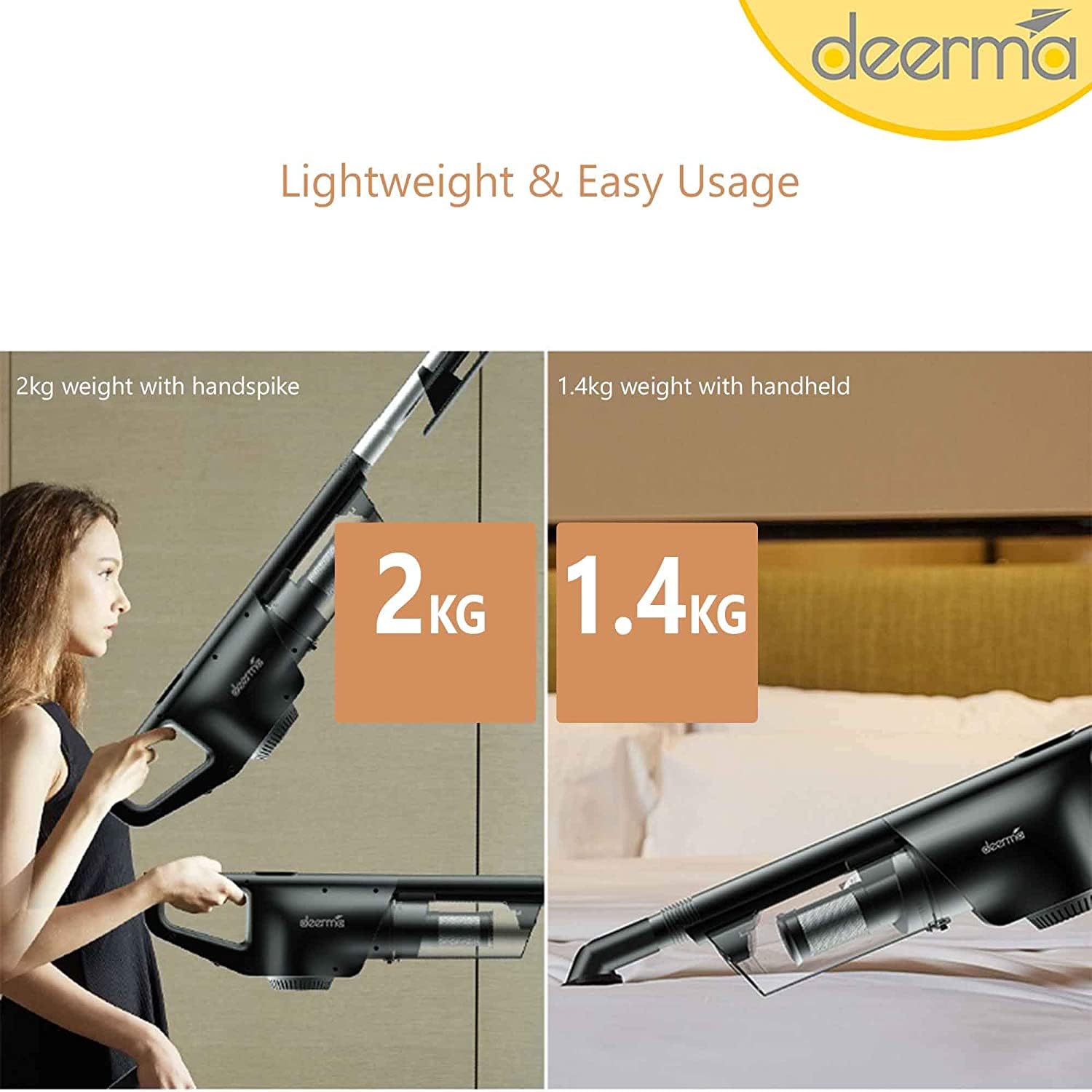
Figure 9: Weight comparison for upright and handheld configurations, highlighting lightweight design.